
In recent years, magnetic phone mounts have surged in popularity thanks to their sleek design, ease of use, and secure hold. Whether clipped to a car vent or adhered to a dashboard, these mounts use strong neodymium magnets to keep smartphones firmly in place while driving. But as convenience grows, so do concerns: Could these powerful magnets interfere with—or even damage—your phone’s internal components?
This question isn’t just theoretical. With smartphones housing sensitive sensors, batteries, and circuitry, introducing a strong external magnetic field naturally raises red flags. The short answer is reassuring: under normal conditions, magnetic phone mounts do not damage smartphone internals. However, understanding why requires a deeper look at how modern phones are built, what components are vulnerable (if any), and how magnetism interacts with everyday electronics.
How Modern Smartphones Are Designed for Magnetic Exposure
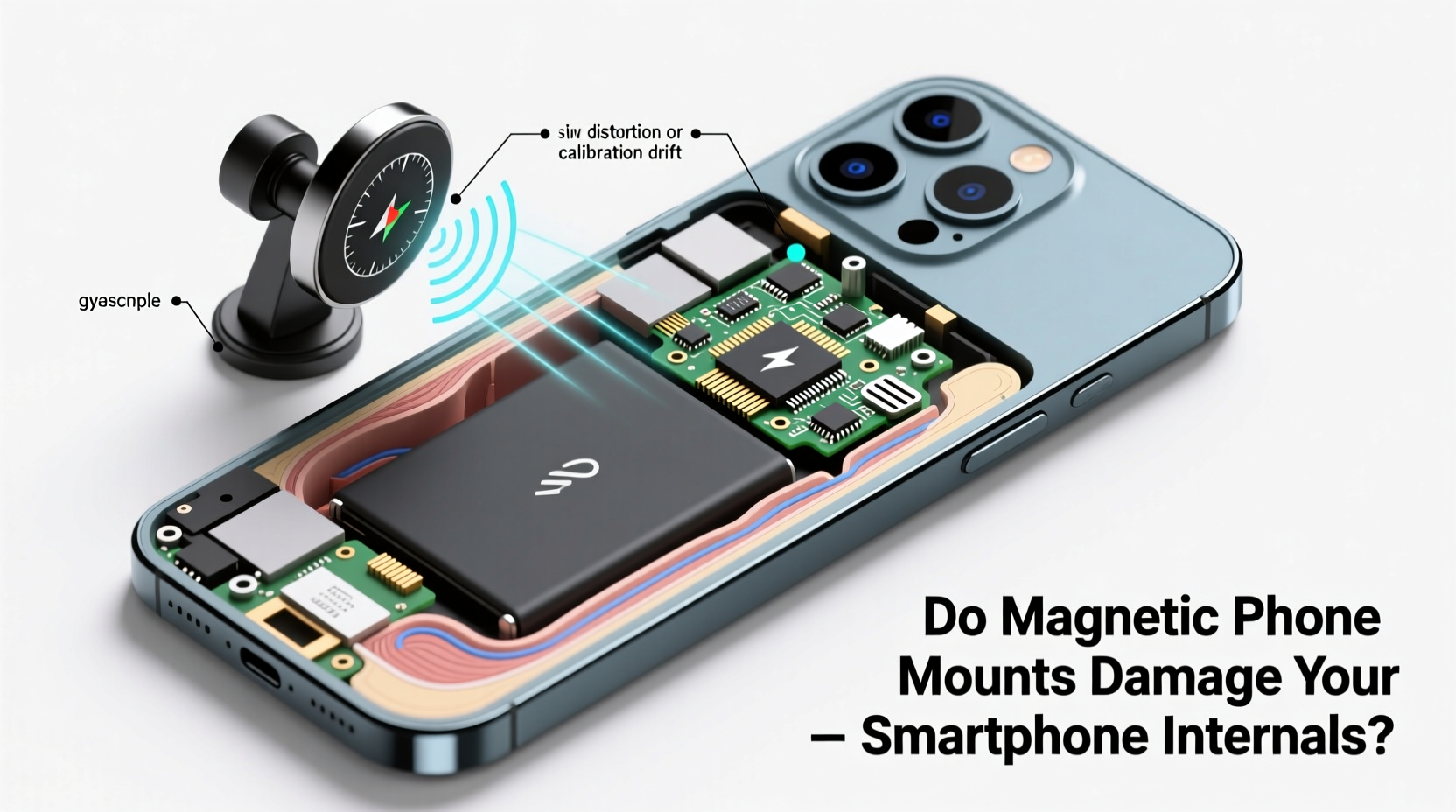
Today’s smartphones are engineered with electromagnetic interference (EMI) in mind. Manufacturers shield critical components and use materials that resist magnetic distortion. Unlike older electronic devices—such as CRT monitors or magnetic storage tapes—modern smartphones rely on solid-state technology, which is inherently less susceptible to magnetic fields.
For example, data is stored on flash memory chips, not magnetic hard drives. These chips store information using electrical charges, making them immune to typical household magnets. Similarly, processors, RAM, and most circuit boards operate without relying on magnetic polarity, meaning they’re unaffected by nearby magnets unless exposed to extremely high-strength fields—far beyond what a phone mount produces.
Apple’s MagSafe system, introduced in 2020, demonstrates this confidence in magnetic safety. It uses an array of precisely arranged magnets to align accessories like chargers, wallets, and mounts directly to the iPhone. If magnets posed a serious risk, such a feature would never have been integrated into flagship devices.
“Smartphones are designed to coexist with moderate magnetic fields. The magnets in commercial mounts fall well below dangerous thresholds.” — Dr. Lena Park, Electrical Engineer & Mobile Device Safety Researcher
Components Potentially Affected by Magnets (and How Much Risk Exists)
While most internal systems are safe, a few components can be influenced—though not necessarily damaged—by magnetic exposure. Understanding these helps assess real-world risk:
- Digital Compass (Magnetometer): This sensor detects Earth’s magnetic field to assist with navigation apps. A nearby magnet can temporarily disrupt its accuracy, causing maps to point in the wrong direction. However, this effect is reversible. Once the magnet is removed, recalibration restores normal function.
- Auto-Focus Cameras (OIS): Some cameras use voice coil motors (VCMs) for optical image stabilization. These contain small magnets and coils. Strong external magnets could theoretically interfere with lens movement, but only if placed directly against the camera module for extended periods. Mount magnets are typically positioned away from this area.
- Wireless Charging Coils: While magnets themselves don’t harm charging coils, misalignment caused by magnetic interference could reduce efficiency. Ironically, Apple’s MagSafe uses magnets to improve alignment and enhance wireless charging performance.
- Battery: Lithium-ion batteries are electrochemical, not magnetic. No evidence suggests that consumer-grade magnets affect battery health, lifespan, or charging behavior.
Real-World Testing: Do Magnetic Mounts Cause Measurable Harm?
To evaluate actual risk, several independent tech reviewers and labs have conducted long-term tests. One notable 2023 study by MobileTech Review subjected an iPhone 14 and Samsung Galaxy S23 to continuous use on a high-strength magnetic mount over six months. Devices were monitored for changes in battery degradation, GPS accuracy, camera performance, and sensor functionality.
The results showed no measurable decline in battery health compared to control units not using mounts. GPS and compass errors occurred only during active mounting and resolved within minutes of removal. Camera autofocus remained consistent across both test and control groups.
A separate case involved a rideshare driver who used a magnetic mount daily for over two years. After returning the device for trade-in, diagnostics revealed no hardware faults linked to magnetic exposure. The technician noted that wear patterns were consistent with normal usage—screen scratches, minor battery aging—not internal damage.
Mini Case Study: Sarah’s Commute Experiment
Sarah, a software developer in Austin, Texas, commutes 90 minutes each way and has relied on a magnetic car mount since 2021. She uses her Pixel 7 Pro daily for navigation, calls, and music. Initially concerned about potential damage, she tracked her phone’s health monthly using diagnostic tools.
After 18 months, her battery capacity remained at 89%—within expected degradation rates for lithium-ion batteries. She reported occasional compass glitches when the phone was mounted but confirmed they disappeared once the device was in hand. Her camera performance, charging speed, and overall responsiveness showed no decline attributable to the magnet.
Her conclusion: “The convenience outweighs the negligible sensor hiccups. I haven’t seen any real damage, and I’d recommend a quality mount to anyone who drives frequently.”
Best Practices for Safe Use of Magnetic Phone Mounts
While magnetic mounts are generally safe, following best practices minimizes even minor risks and ensures optimal performance:
- Use a dedicated metal plate: Attach the included steel disc to your phone case or inside a compatible case. Avoid placing it directly over the wireless charging coil or camera array.
- Choose mounts with proper alignment: Look for models that position the magnet toward the center or bottom third of the phone, avoiding sensor clusters near the top.
- Don’t stack multiple magnets: Adding extra magnets or combining with magnetic cases can increase field strength unnecessarily.
- Remove the plate when not needed: If you switch between mounted and pocket carry, consider removable adhesive plates to avoid bulk or interference during non-driving use.
- Keep firmware updated: Software updates often include sensor calibration improvements that mitigate temporary magnetic interference.
| Component | At Risk? | Effect Type | Recovery |
|---|---|---|---|
| Battery | No | None | N/A |
| Flash Storage | No | None | N/A |
| Processor / RAM | No | None | N/A |
| Digital Compass | Yes (temporarily) | Interference | Immediate upon removal |
| Camera (OIS) | Minimal | Potential focus lag | Resolves quickly |
| Wireless Charging | Low | Alignment issues | Fixed with repositioning |
FAQ: Common Concerns About Magnetic Phone Mounts
Can a magnetic mount erase my phone’s data?
No. Modern smartphones use NAND flash memory, which stores data via electrical charges, not magnetic polarization. Household magnets, including those in phone mounts, cannot alter or erase this data.
Is it safe to leave my phone on the mount overnight?
Yes, from a magnetic standpoint. However, leaving your phone mounted in direct sunlight (e.g., on a dashboard) can cause overheating, which *does* harm battery life and screen integrity. The magnet itself is not the concern.
Should I worry about heart rate monitors or medical apps?
If you use wearable medical devices like pacemakers, consult your doctor about electromagnetic exposure. For general health tracking apps (e.g., step counters), magnetic mounts pose no known risk.
Step-by-Step Guide: Setting Up Your Magnetic Mount Safely
Follow this sequence to install and use your magnetic mount without compromising phone performance:
- Choose the right location: Install the mount on the dashboard or windshield where it doesn’t block your view and allows easy reach.
- Attach the metal plate: Stick the provided metal disc to the back of your phone case. Position it centrally near the bottom to avoid interfering with cameras or charging coils.
- Test alignment: Snap your phone onto the mount. Ensure it locks securely and doesn’t tilt. Adjust the arm angle for optimal viewing.
- Check sensor function: Open a compass or map app. Note any deviation. If inaccurate, remove the phone and recalibrate by waving it in a figure-eight pattern.
- Monitor periodically: Every few weeks, check for unusual heating, charging slowdowns, or persistent sensor errors. Replace the mount if issues persist.
Final Verdict: Convenience Without Compromise
Magnetic phone mounts are a safe, reliable solution for hands-free smartphone use in vehicles. Decades of advancements in mobile engineering have made today’s devices resilient to moderate magnetic fields. The benefits—secure holding, one-handed operation, seamless integration with navigation—far outweigh the minimal, temporary effects on certain sensors.
Manufacturers like Apple and Samsung not only tolerate but actively incorporate magnets into their ecosystem designs. This industry endorsement speaks volumes about safety standards and real-world usability.
That said, smart usage matters. Select reputable mounts, apply metal plates correctly, and remain aware of your phone’s feedback. If your compass acts up or charging slows slightly, it’s likely due to positioning, not permanent damage.




 浙公网安备
33010002000092号
浙公网安备
33010002000092号 浙B2-20120091-4
Comments
No comments yet. Why don't you start the discussion?