
Wireless charging has become a standard convenience in modern smartphones, offering a clean, cable-free way to power up devices. At the same time, Pop Sockets—compact, collapsible phone grips—have surged in popularity for improving grip, standing functionality, and personalization. But when both features are used together, a common concern arises: do Pop Sockets interfere with wireless charging?
The short answer is: it depends. While many users charge their phones successfully with a Pop Socket attached, others report inconsistent performance or outright failure. Understanding the mechanics behind wireless charging and how accessories like Pop Sockets interact with it is key to maintaining efficiency without sacrificing usability.
How Wireless Charging Works
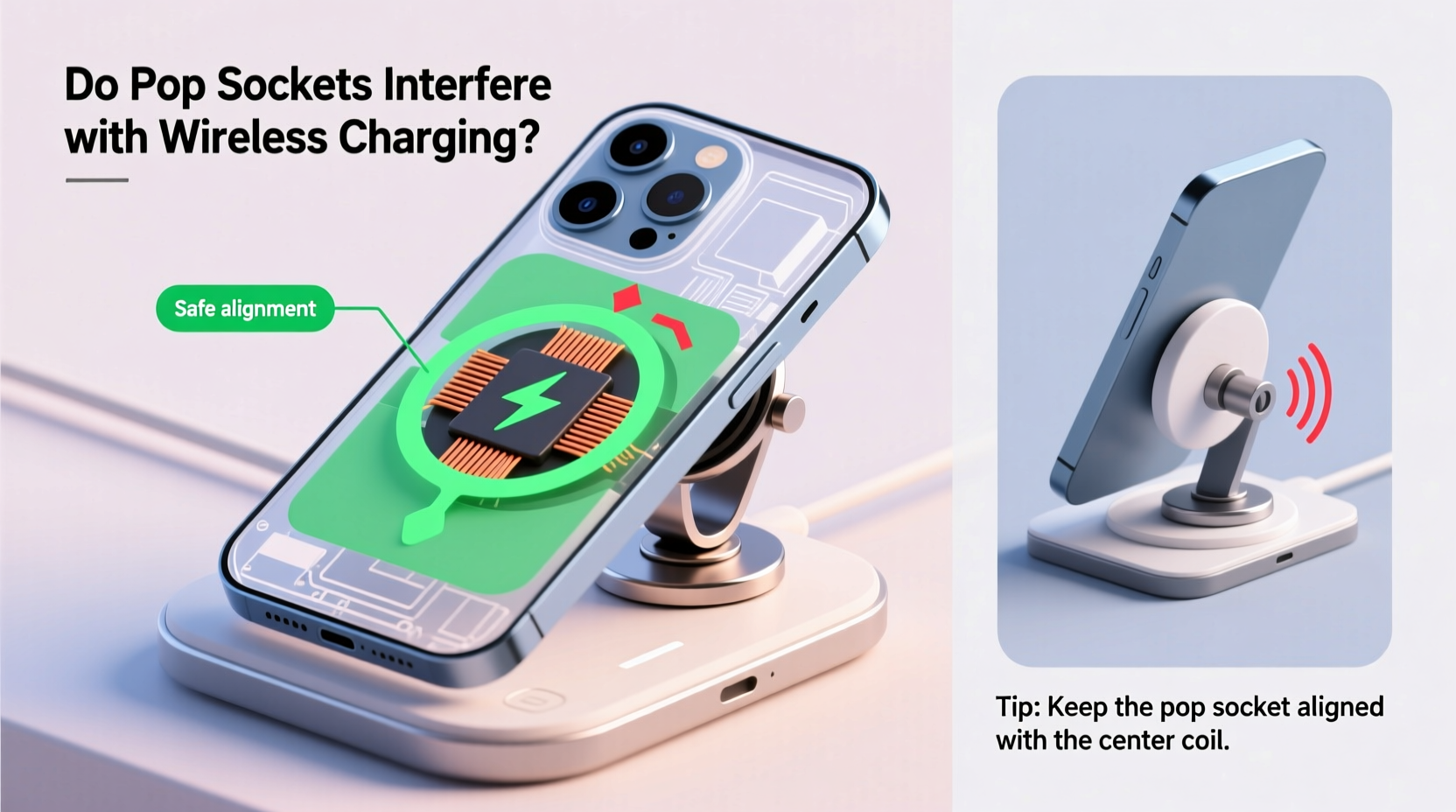
Wireless charging relies on electromagnetic induction between two coils—one in the charging pad and one inside the smartphone. When the phone is placed on the charger, an alternating current in the transmitter coil generates a magnetic field, which induces a current in the receiver coil inside the device, thereby transferring energy.
This process requires close proximity and precise alignment between the coils. Any material that disrupts this magnetic field—especially metal or thick, dense materials—can reduce efficiency or prevent charging altogether.
Most modern smartphones and chargers use the Qi (pronounced “chee”) standard, developed by the Wireless Power Consortium. Qi-certified devices are designed to be tolerant of minor obstructions, but they still require optimal conditions for full performance.
The Role of Phone Cases and Accessories
Phone cases made of plastic, silicone, or leather generally don’t interfere with wireless charging because they’re non-conductive and thin enough not to create distance between the coils. However, cases with metal plates (often used for car mounts or MagSafe-compatible devices) can block or distort the magnetic field.
Pop Sockets fall into a gray area. They are primarily made of plastic and rubber—materials that don’t conduct electricity—but their size, placement, and internal structure can still influence charging behavior.
Do Pop Sockets Interfere With Wireless Charging?
In most cases, a standard Pop Socket does not completely block wireless charging. However, it can cause several issues:
- Reduced charging speed: The added thickness may slightly increase the distance between the phone’s coil and the charger’s coil, reducing efficiency.
- Misalignment: If the Pop Socket is positioned near the center of the phone, where the charging coil typically resides, it may shift the phone off-center on the pad.
- Heat buildup: Poor alignment or inefficient charging can generate excess heat, triggering thermal throttling or automatic shutdown of the charging process.
- Intermittent connection: Some users report that their phone starts and stops charging when a Pop Socket is attached, especially if the phone shifts during use.
Not all Pop Sockets are created equal. Newer models, particularly those marketed as “wireless charging compatible,” are designed with thinner profiles and flexible centers to minimize interference.
Real-World Example: Daily Commuter Struggles
Consider Sarah, a digital marketing professional who uses her iPhone 14 Pro daily. She installed a classic Pop Socket for better grip during her train commute. At first, she didn’t notice any issues. But after switching to a Qi-certified charging pad at her desk, she found her phone often failed to charge overnight.
After troubleshooting, she realized the Pop Socket was slightly misaligning the phone on the pad. By repositioning the socket farther from the center and switching to a Pop Socket Slim, she restored consistent charging without losing grip functionality.
Sarah’s experience reflects a growing trend: users want both convenience and functionality, but small design conflicts can lead to frustrating outcomes.
Factors That Determine Compatibility
Several variables affect whether a Pop Socket will interfere with your wireless charging setup. These include:
- Placement of the charging coil in your phone: Most smartphones place the coil in the center or upper half of the back panel. If your Pop Socket overlaps this zone, interference is more likely.
- Type of Pop Socket: Original models are thicker and stiffer; newer Slim or Expandable versions are designed with wireless charging in mind.
- Charging pad quality: High-quality pads with broader charging zones or alignment guides are more forgiving of minor misplacement.
- Phone case thickness: Combining a bulky case with a Pop Socket increases the gap between coils, compounding inefficiency.
Expert Insight on Accessory Design
“Accessory manufacturers must balance ergonomics with electromagnetic transparency. Even small changes in material composition or thickness can impact wireless power transfer efficiency.” — Dr. Alan Zhou, Electrical Engineer & Wireless Technology Consultant
This highlights the importance of intentional design. PopSockets LLC has acknowledged these challenges and responded with product iterations focused on coexistence with modern phone features.
Compatibility Comparison: Pop Socket Models
| Model | Thickness | Wireless Charging Friendly? | Notes |
|---|---|---|---|
| Original Pop Socket | ~8mm extended, ~4mm collapsed | Limited | May cause misalignment; best placed away from center |
| Pop Socket Slim | ~5mm extended, ~2.5mm collapsed | Yes | Specifically designed for wireless charging compatibility |
| Pop Mini | ~4mm extended, ~2mm collapsed | Yes | Smaller footprint reduces interference risk |
| PopSocket with Wallet | Varies, often >10mm | No | Contains metal strips; blocks charging unless removed |
| Custom Design Pop Socket | Same as base model | Depends on type | Check if based on Slim or Original design |
The table illustrates that while many Pop Sockets can work with wireless charging, only specific models are optimized for it. Users should verify the exact product specifications before assuming compatibility.
Step-by-Step Guide: Testing and Optimizing Your Setup
If you're unsure whether your Pop Socket interferes with charging, follow this diagnostic and optimization process:
- Remove all accessories temporarily: Test your phone on the wireless charger without a case or Pop Socket. Confirm it charges normally.
- Reattach your phone case: Place the phone back on the charger. If charging slows or fails, the case may be the issue.
- Add the Pop Socket: Reapply the Pop Socket and test again. Pay attention to alignment and feedback (e.g., charging sound, LED indicators).
- Adjust positioning: Move the Pop Socket higher or lower on the back of the phone, avoiding the central region. Many phones have the coil located within a 1-inch radius of the center.
- Monitor performance: Leave the phone charging for 30 minutes. Check battery percentage increase compared to previous sessions.
- Feel for heat: Excessive warmth indicates inefficiency. If the phone gets hot quickly, discontinue use with that configuration.
- Try a different charger: Some third-party pads have larger active zones and better tolerance for misalignment.
This methodical approach helps isolate variables and identify the root cause of charging issues.
Best Practices for Using Pop Sockets With Wireless Charging
To enjoy the benefits of both secure grip and reliable charging, adopt these practical strategies:
- Choose the right model: Opt for Pop Socket Slim, Pop Mini, or other officially labeled “wireless charging compatible” versions.
- Position strategically: Place the Pop Socket toward the bottom third of the phone, well below the typical coil location.
- Avoid metal components: Steer clear of wallet attachments or magnetic variants unless explicitly designed for Qi compatibility.
- Use minimal case layers: Pair your Pop Socket with a thin, flexible case to reduce overall thickness.
- Invest in a high-quality charger: Look for chargers with foreign object detection, temperature control, and multi-coil designs for greater flexibility.
Checklist: Pop Socket & Wireless Charging Compatibility
- ✅ Is my Pop Socket model labeled as \"Slim\" or \"wireless charging friendly\"?
- ✅ Is it placed below the center of the phone?
- ✅ Am I using a thin, non-metallic case?
- ✅ Does my charger support Qi and have good user reviews?
- ✅ Does the phone stay cool during charging?
- ✅ Is the battery level increasing steadily over 30 minutes?
Checking each item ensures you're maximizing compatibility and minimizing frustration.
Frequently Asked Questions
Can I leave my Pop Socket on while wirelessly charging?
Yes, in most cases—but only if it's a compatible model (like Slim or Mini) and properly positioned. Thicker or centrally located sockets may reduce efficiency or prevent charging.
Why does my phone charge slowly with a Pop Socket attached?
Slow charging is usually due to increased distance between the coils or misalignment. The Pop Socket adds thickness and may shift the phone off the optimal charging zone. Try repositioning the socket or upgrading to a thinner model.
Do PopSockets with magnets interfere with wireless charging?
Yes. While some magnetic accessories are designed for MagSafe systems (which use aligned magnets and optimized coils), generic magnetic Pop Sockets or add-ons can disrupt the electromagnetic field required for standard Qi charging. Only use magnetic variants if they are explicitly certified for wireless charging.
Conclusion: Balancing Functionality and Convenience
Pop Sockets don’t inherently ruin wireless charging, but their design and placement matter significantly. With thoughtful selection and positioning, you can maintain both a secure grip and efficient charging. The evolution of accessory design now supports coexistence—users just need to make informed choices.
Technology thrives when form meets function. By choosing wireless-friendly models, optimizing placement, and testing configurations, you preserve the seamless experience modern smartphones promise. Don’t let a small accessory compromise your daily routine.




 浙公网安备
33010002000092号
浙公网安备
33010002000092号 浙B2-20120091-4
Comments
No comments yet. Why don't you start the discussion?