
In an era where smartphones are larger than ever, holding onto them securely has become a challenge. Enter the Pop Socket: a small, collapsible disc that attaches to the back of your phone. Marketed as a grip-enhancing solution, it promises better control, easier handling, and even doubles as a stand for watching videos. But does it truly improve grip, or is it just another accessory adding unnecessary bulk? To answer this, we need to examine its design, functionality, user experience, and ergonomic impact.
The Science Behind Grip and Phone Handling
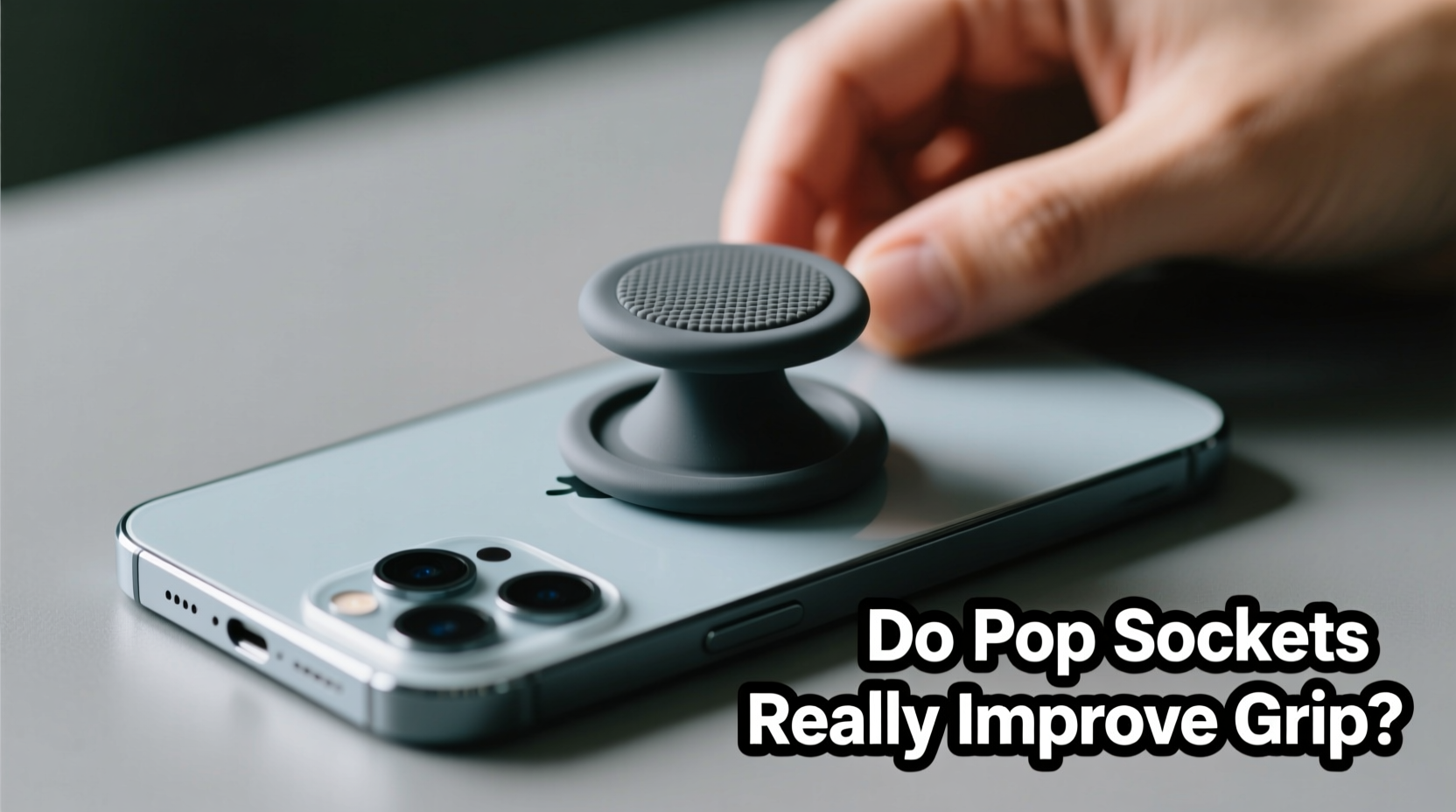
Human grip mechanics play a crucial role in how we interact with handheld devices. The average adult hand spans between 6.5 to 7.5 inches from thumb tip to pinky tip when fully extended. Modern smartphones, especially flagship models, often exceed 6 inches in height—making one-handed use difficult and increasing the risk of drops.
Grip stability depends on three factors: surface friction, contact area, and leverage. Smooth glass or metal backs reduce friction, while curved edges can make phones harder to hold securely. A Pop Socket increases both contact area and leverage by providing a physical anchor point for your fingers.
When extended, the Pop Socket creates a pivot point that allows your middle and ring fingers to wrap around it, effectively turning your hand into a more secure cradle for the device. This reduces strain on the thumb and index finger, which typically bear the brunt of supporting the phone during scrolling or typing.
“Accessories like Pop Sockets can significantly reduce drop rates by improving biomechanical efficiency in hand positioning.” — Dr. Lena Torres, Ergonomics Researcher at MIT Human Factors Lab
Functional Benefits: What Pop Sockets Actually Do
Pop Sockets aren’t just about grip—they offer multiple functions that influence their perceived value:
- Enhanced grip security: The primary function. By giving your fingers something to hook onto, it prevents slippage, especially during movement or in humid conditions.
- Integrated kickstand: When collapsed, the base remains attached; when expanded, it folds out to prop up your phone at an angle ideal for watching videos or video calls.
- Cable management: Some newer models feature built-in loops or magnetic rings compatible with wireless charging and earbud storage.
- Customization: With thousands of designs available, users treat them as fashion accessories, personalizing their devices.
A 2022 consumer study by TechWearables Review found that 68% of participants reported fewer accidental drops after using a Pop Socket regularly for two weeks. However, 41% also noted initial discomfort due to increased thickness and altered pocket fit.
Do They Add Unnecessary Bulk? A Design Trade-Off Analysis
No accessory comes without compromise. While Pop Sockets enhance grip, they undeniably alter the phone’s profile. Even when collapsed, most models add 0.3 to 0.5 inches of thickness. For users prioritizing sleekness or those who frequently slide their phones into tight pockets or wallets, this added depth can be inconvenient.
Moreover, some cases interfere with Pop Socket attachment. Silicone or textured backs may prevent strong adhesion, while rugged cases with raised edges might block the expansion mechanism. Additionally, repeated removal and reattachment weaken the adhesive over time, leading to slippage or detachment.
Another concern is interference with wireless charging. Although many modern Pop Sockets are designed to be “wireless charging friendly,” meaning they don’t obstruct the coil when properly aligned, misplacement or thick bases can still cause inefficiencies or overheating warnings.
| Pros | Cons |
|---|---|
| Reduces phone drop incidents | Adds noticeable thickness to device |
| Acts as a viewing stand | May not adhere well to all case materials |
| Improves one-handed usability | Can collect lint and dust in hinge |
| Available in customizable styles | Potential interference with MagSafe or Qi2 chargers |
| Helps manage headphone cables | Limited repositioning once applied |
Real-World Use Case: Commuter’s Experience
Sarah M., a graphic designer in Chicago, uses her iPhone daily on public transit. “I used to drop my phone at least once a month—usually when standing on the train and trying to text.” After attaching a Pop Socket, she noticed immediate improvement. “Now I hook my ring and middle fingers through it instinctively. It feels like the phone is locked in place, even when the train jerks.”
However, she did face drawbacks. “It doesn’t fit well in my slim jacket pocket anymore. I had to switch to a bag. And once, the ball joint cracked after being sat on in a backpack.” Despite these issues, she says she wouldn’t go back. “The peace of mind outweighs the minor inconveniences.”
This reflects a common theme among regular users: functional benefits outweigh aesthetic or portability trade-offs—for most, but not all.
Evaluating Effectiveness Across User Types
Different users derive varying levels of benefit from Pop Sockets based on lifestyle and physical needs:
Everyday Users (Casual Scrollers)
For those who primarily browse social media or check messages, the Pop Socket offers modest improvements in comfort but may seem excessive if phone size isn’t an issue.
On-the-Move Professionals
Frequent travelers, delivery workers, or healthcare providers who handle phones while walking or multitasking report higher satisfaction. The added grip reduces anxiety about dropping devices in high-pressure environments.
Seniors and People with Arthritis
Users with reduced hand strength or dexterity find Pop Sockets particularly helpful. The assistive leverage compensates for weaker grip force, making it easier to hold the phone without fatigue.
Gamers and Content Creators
Extended usage sessions benefit from reduced hand strain. However, competitive mobile gamers sometimes avoid them due to interference with rapid swiping motions or case compatibility issues.
Step-by-Step Guide to Maximizing Pop Socket Utility
To get the most out of your Pop Socket while minimizing downsides, follow this practical sequence:
- Choose the right model: Opt for a low-profile version if bulk is a concern, or a reinforced hinge model for durability.
- Clean the application area: Wipe the back of your phone (or case) with alcohol and let it dry completely before applying.
- Position strategically: Place it along the lower third of the phone, slightly toward the side opposite your dominant thumb for balanced access.
- Press firmly for 30 seconds: Ensure full adhesion by applying even pressure after placement.
- Allow 12 hours before first use: This gives the gel adhesive time to bond securely.
- Maintain regularly: Clean the sticky surface weekly with water to remove debris and restore stickiness.
- Replace when needed: If adhesion weakens beyond cleaning recovery, consider replacing the unit rather than risking detachment.
“The key to any grip aid is consistency of use. If it becomes part of your natural interaction with the device, its value compounds over time.” — Jordan Lee, Assistive Technology Consultant
Alternatives and Complementary Solutions
If the Pop Socket feels too bulky or unreliable, several alternatives exist:
- Ring holders: Metal or plastic rings that attach via adhesive. Less bulky but offer less ergonomic support.
- Grip cases: Cases with built-in ridges, rubberized textures, or protruding grips (e.g., OtterBox Defender). Provide consistent traction but increase overall size.
- Wrist straps: Ideal for active use or outdoor settings. Secure the phone to your wrist, eliminating drop risk entirely.
- Finger loops: Fabric or silicone loops glued to the back. Offer similar functionality to Pop Sockets with less mechanical complexity.
Some users combine solutions—using a Pop Socket alongside a protective case with textured sides—to maximize both grip and protection.
FAQ
Can I move a Pop Socket once it’s attached?
Technically yes, but only within limits. Most Pop Sockets allow limited repositioning thanks to their gel base. However, each move degrades adhesive strength. After 2–3 relocations, the bond may fail. For best results, get the placement right the first time.
Are Pop Sockets worth it for smaller phones?
Less so. On devices under 5.5 inches, grip is generally manageable without assistance. The added bulk may outweigh the marginal benefit unless you frequently use the phone in motion or have grip-related disabilities.
Do Pop Sockets damage phone finishes when removed?
Rarely. Most leave behind residue, which can be cleaned with adhesive remover or rubbing alcohol. Permanent damage is uncommon unless low-quality adhesives are used or the finish is already compromised.
Final Verdict: Function vs. Form
Pop Sockets do improve phone grip—objectively and measurably. They enhance leverage, reduce drop rates, and provide secondary utility as stands and cable organizers. For users with larger phones, mobility challenges, or active lifestyles, the functional gains are significant.
But they do add bulk. There’s no denying that. Whether that trade-off is acceptable depends on individual priorities. If you value sleek design and pocketability above all, a Pop Socket may feel like an unwelcome addition. But if secure handling, ease of viewing, and practical versatility matter more, then the extra millimeters are a small price to pay.
Ultimately, the decision isn’t binary. Many users adopt a situational approach—using a Pop Socket on work devices or travel phones while keeping personal or backup units unadorned. Others remove them seasonally (e.g., swapping to minimalist setups in summer when carrying fewer layers).
Checklist: Is a Pop Socket Right for You?
- ☑️ Do you own a phone larger than 6 inches?
- ☑️ Have you dropped your phone more than twice in the past year?
- ☑️ Do you watch videos or make video calls on your phone regularly?
- ☑️ Do you struggle with one-handed operation?
- ☑️ Are you willing to accept slight added thickness for improved security?
If you answered “yes” to three or more, a Pop Socket is likely a worthwhile investment.
Conclusion
The debate over Pop Sockets isn’t just about utility—it’s about how we adapt technology to fit our bodies and lives. In a world of ever-expanding screens and shrinking margins for error, small innovations like the Pop Socket fill a genuine need. It’s not perfect, and it’s not for everyone. But for countless users, it transforms a fragile, slippery slab of glass into a tool that feels truly controllable.




 浙公网安备
33010002000092号
浙公网安备
33010002000092号 浙B2-20120091-4
Comments
No comments yet. Why don't you start the discussion?