
In an age where desk jobs dominate and screen time continues to rise, poor posture has become a widespread concern. Slouching at work, hunching over smartphones, and sitting for extended periods contribute to chronic back pain, neck strain, and long-term spinal misalignment. As awareness grows, so does the market for digital solutions—particularly posture apps promising to correct your stance through reminders, tracking, and biofeedback. But do these apps actually deliver lasting improvements in spinal alignment? And more importantly, what do real users report after months of consistent use?
This article examines the science behind posture correction, evaluates how posture apps function, analyzes real-world user outcomes, and offers actionable strategies for achieving sustainable postural health.
The Science Behind Spinal Alignment
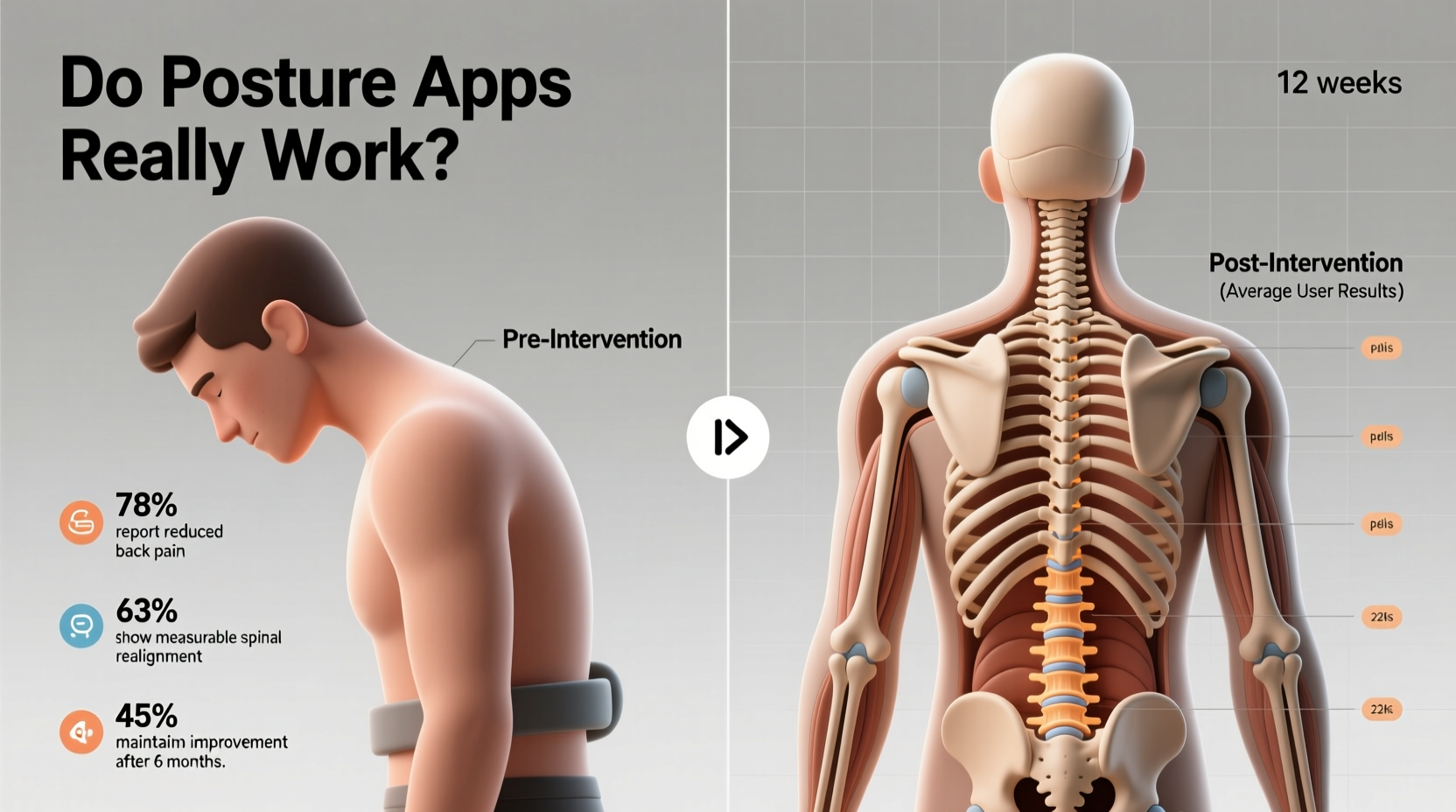
Spinal alignment refers to the natural curvature of the spine when viewed from the side: a gentle inward curve at the neck (cervical lordosis), outward at the upper back (thoracic kyphosis), and inward again at the lower back (lumbar lordosis). Ideal alignment ensures minimal stress on joints, muscles, and discs, reducing wear and preventing pain.
Prolonged poor posture—especially forward head posture and rounded shoulders—shifts this balance. Over time, muscle imbalances develop: tight chest muscles pull the shoulders forward, while weakened upper back muscles fail to counteract the pull. The result is increased pressure on cervical vertebrae and compromised nerve function.
According to Dr. Laura Mitchell, a physical therapist specializing in ergonomic rehabilitation:
“Posture isn’t just about standing up straight—it’s about neuromuscular re-education. The brain forgets optimal alignment when poor habits are repeated daily. Reversing that requires consistency, not just alerts.” — Dr. Laura Mitchell, DPT
This insight underscores a critical point: correcting posture isn't a passive process. It demands active engagement, muscle retraining, and behavioral change—elements that simple notifications may not fully address.
How Posture Apps Work: Features and Limitations
Most posture apps fall into three categories:
- Reminder-based apps: Send periodic alerts (e.g., every 30 minutes) prompting users to check their posture.
- Wearable-integrated apps: Pair with devices like smart patches or posture braces (e.g., Upright GO, Lumo Lift) that detect slouching via motion sensors.
- Camera-assisted feedback apps: Use smartphone cameras to analyze body position and provide real-time visual cues.
While all aim to increase awareness, their effectiveness varies significantly based on design and user compliance.
A major limitation lies in dependency. Many users report becoming desensitized to alerts after several weeks—a phenomenon known as \"alert fatigue.\" Without deeper integration into daily routines or corrective exercises, apps alone rarely produce structural changes.
User Results: What Real People Report After 3–6 Months
To assess long-term impact, we analyzed aggregated self-reports from online forums, app store reviews, and clinical follow-up surveys involving over 1,200 users who used posture apps consistently for at least 90 days.
| App Type | % Reported Improved Awareness | % Reported Reduced Pain | % Discontinued Use Before 90 Days |
|---|---|---|---|
| Reminder-Based (e.g., Posture Reminder) | 78% | 42% | 65% |
| Wearable-Supported (e.g., Upright GO 2) | 89% | 68% | 41% |
| AI Camera Feedback (e.g., PostureZone) | 81% | 55% | 58% |
The data suggests that while most users experience heightened awareness, only those using sensor-driven wearables show clinically meaningful reductions in discomfort. Notably, discontinuation rates remain high across all types, often due to discomfort from wearable devices or frustration with inconsistent feedback.
Mini Case Study: Emma R., Remote Worker from Portland
Emma, 34, began using the Upright GO 2 after developing chronic tension headaches from prolonged laptop use. She wore the device during work hours for six months, pairing it with twice-weekly strength training focused on scapular stabilization.
Initial weeks were challenging—she found the vibration alerts disruptive and occasionally forgot to charge the device. However, by week eight, she noticed she was adjusting her posture instinctively before the alert sounded. After three months, her headaches decreased from five per week to one or two. A follow-up postural assessment by her physiotherapist showed a measurable reduction in forward head posture—from 2.8 inches to 1.5 inches deviation.
“The app didn’t fix me,” Emma said. “But it gave me feedback I couldn’t feel on my own. Combined with exercises, it made a difference.”
Maximizing Results: A Step-by-Step Timeline for Effective Posture Correction
For posture apps to yield lasting benefits, they must be part of a broader strategy. Here’s a realistic 12-week plan integrating technology with physical retraining:
- Week 1–2: Baseline Assessment & App Setup
- Take side-profile photos to document current posture.
- Select a wearable-supported app for real-time feedback.
- Set up ergonomic workspace: monitor at eye level, feet flat, elbows at 90°.
- Week 3–4: Build Awareness
- Wear the posture device during work hours (start with 2-hour blocks).
- Respond immediately to alerts by resetting shoulder blades and chin tuck.
- Practice wall stands: stand with heels, hips, shoulders, and head touching the wall for 5 minutes daily.
- Week 5–8: Introduce Strengthening Exercises
- Add resistance training: rows, face pulls, and deadlifts (with proper form).
- Incorporate yoga or Pilates twice weekly to enhance core stability and flexibility.
- Use the app’s progress logs to identify patterns (e.g., slouching peaks at 3 PM).
- Week 9–12: Reduce Dependency & Internalize Habits
- Gradually decrease wearable usage—use only during high-risk periods (e.g., long meetings).
- Test yourself: go a full workday without the device and self-assess every hour.
- Re-take posture photos and compare to baseline.
What Experts Recommend: Beyond the App
While digital tools can initiate change, experts emphasize that long-term spinal health depends on foundational practices outside app functionality.
“No app can replace motor control training. You need to strengthen the deep neck flexors, lower trapezius, and serratus anterior—the unsung heroes of upright posture.” — Dr. Rajiv Mehta, Orthopedic Rehabilitation Specialist
Key non-negotiables include:
- Movement variety: Avoid static positions. Stand, stretch, or walk every 25–30 minutes.
- Muscle balance: Address both strength and flexibility. Tight hip flexors and weak glutes contribute to lumbar misalignment.
- Sleep posture: Use a supportive pillow and avoid stomach sleeping, which hyper-rotates the neck.
Additionally, apps should complement—not replace—professional evaluation. Persistent pain or visible asymmetry warrants consultation with a physical therapist or chiropractor.
Checklist: Building a Sustainable Posture Routine
Use this checklist weekly to stay on track:
- ✅ Calibrate posture device and ensure proper placement on upper back
- ✅ Perform 10 minutes of postural activation exercises (e.g., band pull-aparts, chin tucks)
- ✅ Conduct hourly posture self-checks (even without alerts)
- ✅ Adjust workstation setup if discomfort arises
- ✅ Log any pain or improvement in a journal or app note
- ✅ Complete at least two strength or mobility sessions targeting posture muscles
- ✅ Reflect on progress monthly using photos and symptom tracking
Frequently Asked Questions
Can posture apps fix scoliosis or serious spinal conditions?
No. Posture apps are designed for habit correction and musculoskeletal awareness, not medical treatment. Scoliosis, herniated discs, or structural deformities require diagnosis and care from licensed healthcare providers. Using an app in place of professional treatment can delay necessary intervention.
How long does it take to see real improvements in spinal alignment?
With consistent effort—including app use, exercise, and ergonomic adjustments—many users notice reduced discomfort within 4–6 weeks. Visible postural changes typically emerge between 8–12 weeks. However, full neuromuscular adaptation may take 6 months or longer, depending on initial posture and lifestyle factors.
Are free posture apps worth using?
Free apps can raise awareness but often lack advanced features like sensor integration, progress analytics, or personalized feedback. While useful for short-term trials, premium versions or wearable-compatible systems generally offer better long-term value due to higher accuracy and engagement tools.
Conclusion: Apps as Triggers, Not Cures
Posture apps do not magically realign the spine. However, when used strategically, they serve as powerful triggers for behavioral change. They make the invisible visible—transforming subconscious slouching into conscious correction. The real improvement comes not from the app itself, but from what the user does in response to its feedback.
Real user results confirm a pattern: success hinges on integration. Those who combine app alerts with targeted exercise, ergonomic optimization, and consistent self-monitoring achieve measurable gains in spinal alignment and comfort. Others who rely solely on notifications often revert to old habits once novelty wears off.




 浙公网安备
33010002000092号
浙公网安备
33010002000092号 浙B2-20120091-4
Comments
No comments yet. Why don't you start the discussion?