
As holiday seasons approach, homes light up with festive cheer. But manually turning Christmas lights on and off every evening is inconvenient—and often forgotten. Smart plugs offer a seamless solution, enabling automatic control of traditional string lights through smartphone apps, voice assistants, or scheduled timers. This integration not only simplifies decoration management but also promotes energy efficiency and cost savings over time.
The short answer: Yes, smart plugs work exceptionally well with most Christmas lights. However, success depends on compatibility, proper setup, and understanding how automation features can be optimized. Whether you're aiming for precise daily lighting routines, dynamic holiday scenes, or reduced electricity bills, a smart plug can transform your seasonal display into a hands-free experience.
How Smart Plugs Interact with Christmas Lights
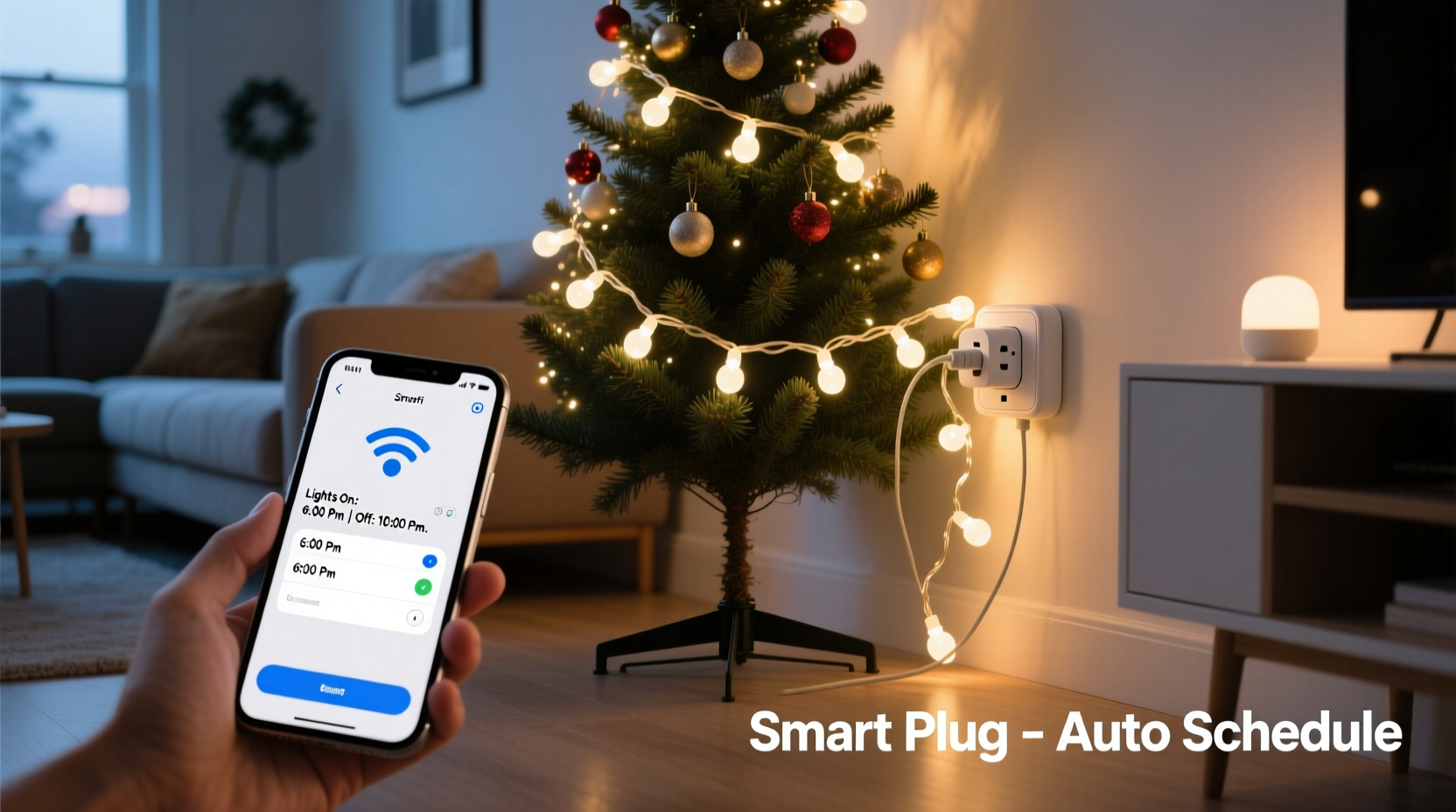
A smart plug acts as an intermediary between your wall outlet and any plugged-in device—in this case, a strand of Christmas lights. Once connected, it allows remote control via Wi-Fi or Bluetooth through a dedicated app. Most modern smart plugs support major platforms like Amazon Alexa, Google Assistant, and Apple HomeKit, enabling voice commands such as “Turn on the tree lights” or “Set porch lights to 5 PM.”
For Christmas lights specifically, the key benefit lies in programmability. Instead of relying on manual switches or basic mechanical timers, smart plugs allow granular scheduling. You can set different times for weekdays versus weekends, adjust brightness (if using dimmable bulbs), or even sync lighting patterns with sunrise and sunset times. Some advanced models support geofencing, so lights turn off automatically when no one is home.
It's important to note that smart plugs do not modify the lights themselves—they simply control power delivery. Therefore, they are compatible with incandescent, LED, and rope-style lights, provided the total wattage stays within the plug’s rated capacity, typically between 10A and 15A (about 1200–1800 watts).
Benefits of Using Smart Plugs with Holiday Lighting
Integrating smart technology into holiday décor brings more than convenience—it enhances safety, reduces waste, and elevates the overall experience.
- Automated Scheduling: Set exact on/off times so lights illuminate at dusk and shut down after midnight, eliminating wasted energy during idle hours.
- Remote Access: Control lights from anywhere using your phone, ideal if you forget to turn them off before leaving town or want to surprise family members remotely.
- Energy Savings: By preventing lights from running unnecessarily, users report up to 30% reduction in decorative lighting energy costs compared to all-night usage.
- Safety Improvements: Overheating risks drop significantly when lights aren’t left unattended for extended periods. Smart plugs add peace of mind, especially with older incandescent strings.
- Festive Customization: Create rotating scenes across multiple zones—e.g., porch lights on at 4 PM, indoor tree at 5 PM, and driveway path lights at 6 PM—for layered visual impact.
According to the U.S. Department of Energy, decorative holiday lighting accounts for roughly 6.6 billion kilowatt-hours annually nationwide. Automating these loads—even partially—can contribute meaningfully to household energy conservation goals.
“Smart plugs represent one of the simplest upgrades homeowners can make to reduce phantom load and improve seasonal energy efficiency.” — Dr. Lena Torres, Residential Energy Systems Analyst
Setting Up Your Smart Plug System: A Step-by-Step Guide
Installing a smart plug for Christmas lights requires minimal technical skill but attention to detail ensures reliability throughout the season.
- Purchase Compatible Equipment: Choose a UL-listed smart plug supporting your home network (Wi-Fi 2.4 GHz standard; most don’t support 5 GHz). Popular brands include TP-Link Kasa, Wemo Mini, Eve Light Switch, and Amazon Smart Plug.
- Calculate Total Load: Add up the wattage of all light strands connected to one plug. For example, 200 mini LED lights consume about 24 watts. Even ten strands (240W) fall well under typical limits.
- Install the App: Download the manufacturer’s app (e.g., Kasa, Smart Life) and create an account. Ensure your smartphone is connected to the same Wi-Fi network during setup.
- Connect the Plug: Plug the device into the wall outlet. Put it into pairing mode (usually by pressing and holding the button for 5–7 seconds until the LED blinks).
- Pair via App: Follow in-app instructions to detect and connect the plug. Assign it a recognizable name like “Front Porch Lights” or “Tree Outlet.”
- Test Manually: Use the app to toggle the plug on and off, confirming responsiveness.
- Create a Schedule: Navigate to the scheduling feature and define start and end times. Consider enabling “Sunrise/Sunset Offset” mode to keep lighting aligned with natural daylight changes.
- Add Voice Control: Link the plug to Alexa or Google Assistant through their respective apps. Test voice commands like “Hey Google, turn on the holiday lights.”
- Daisy-Chaining Caution: Avoid connecting multiple high-wattage strands beyond the plug’s maximum rating. Use separate smart plugs for large displays instead.
- Monitor Performance: Check periodically for overheating, flickering, or connectivity drops—especially outdoors where weather exposure may affect performance.
This process typically takes under 20 minutes per plug and pays dividends in ease of use throughout December and beyond.
Comparison Table: Smart Plug Options for Christmas Lights
| Model | Max Wattage | App Support | Voice Control | Outdoor Use? |
|---|---|---|---|---|
| TP-Link Kasa KP115 | 1800W | Kasa Smart | Alexa, Google | No (indoor only) |
| Wemo Mini Smart Plug | 1800W | Wemo | Alexa, Google, Siri | No |
| Gosund Outdoor Smart Plug | 1300W | Tuya/Smart Life | Alexa, Google | Yes (weather-resistant) |
| Eve Light Switch (for HomeKit) | 1500W | Apple Home | Siri only | Indoor (IP20) |
For outdoor installations, prioritize weather-rated models housed in protective enclosures. Never expose non-rated electronics to rain or snow, even under eaves.
Real Example: The Johnson Family’s Automated Holiday Display
The Johnsons live in suburban Minnesota, where winter nights begin early and long hours of darkness make holiday lighting a neighborhood tradition. In previous years, they struggled with inconsistent timing—sometimes forgetting to turn lights on until late evening, other times leaving them running until dawn.
In 2023, they installed three Gosund outdoor smart plugs: one for roofline lights, another for inflatable yard décor, and a third for pathway markers. They grouped all devices in the Smart Life app, created a unified schedule starting at 4:30 PM and ending at 11:00 PM, and enabled geofencing to override the schedule if everyone left home unexpectedly.
They also linked the system to Alexa, allowing their children to say, “Alexa, make it feel like Christmas!” which triggered all lights instantly. After one season, their electricity monitor showed a 28% decrease in decorative lighting consumption compared to the prior year—despite adding more displays.
Beyond savings, the biggest win was consistency. Neighbors commented on the reliable nightly glow, and the family enjoyed stress-free operation without daily reminders or physical access to switches.
Common Pitfalls and How to Avoid Them
While smart plugs are generally reliable, several issues can disrupt performance if overlooked.
- Wi-Fi Dropouts: Weak signal strength outdoors or in garages can disconnect plugs. Solution: Use Wi-Fi extenders or mesh networks to boost coverage.
- Overloading: Connecting too many strands may trip internal circuitry. Always stay below 80% of the plug’s maximum load.
- Incorrect Naming: Generic labels like “Plug 1” lead to mistakes. Rename devices descriptively during setup.
- Time Zone Errors: If your app shows incorrect local time, schedules will fail. Ensure automatic time settings are enabled on both phone and router.
- No Backup Plan: Power outages or internet failures can disable smart functions. Consider pairing with a basic analog timer as fallback during storms.
Additionally, avoid using smart plugs with motorized decorations like rotating trees or moving figures unless confirmed compatible—some generate electrical noise that interferes with connectivity.
FAQ: Frequently Asked Questions
Can I use a smart plug with LED Christmas lights?
Yes, absolutely. In fact, LED lights are ideal partners for smart plugs due to their low wattage and long lifespan. Most LED string sets draw less than 10–25 watts, making them safe and efficient for automated control.
Will my smart plug work during a power outage?
After a power outage, most smart plugs will return to their last state once electricity resumes—but this varies by model. Some default to “off,” others to “on.” Configure your preference in the app settings to ensure lights don't come back on unexpectedly.
Can I schedule different times for different days?
Yes, advanced scheduling is standard on most platforms. You can set unique on/off times for weekdays, weekends, or specific dates like Christmas Eve (e.g., extend runtime to 1 AM). Look for “custom schedule” options in your app.
Checklist: Preparing Smart Plugs for Holiday Lighting
- ☐ Calculate total wattage of connected lights
- ☐ Choose indoor/outdoor-rated plug based on location
- ☐ Install and test app connectivity
- ☐ Name each plug clearly (e.g., “Garage Roof Lights”)
- ☐ Set weekday and weekend schedules
- ☐ Enable sunrise/sunset tracking if available
- ☐ Link to voice assistant for hands-free control
- ☐ Test remote access away from home
- ☐ Inspect cords and plugs for wear before installation
- ☐ Provide weather protection for outdoor units
Conclusion: Embrace Automation for a Smarter, Safer Holiday Season
Smart plugs offer a simple yet powerful upgrade to traditional Christmas lighting setups. With precise scheduling, remote control, and measurable energy savings, they eliminate guesswork and enhance both convenience and sustainability. Whether you manage a modest window display or a full-yard spectacle, automation ensures your lights shine bright—at exactly the right times.
The initial setup takes less than half an hour, and the benefits compound each season. No more freezing trips outside to flip switches. No more guilt over overnight energy waste. Just reliable, festive illumination managed effortlessly from your pocket.




 浙公网安备
33010002000092号
浙公网安备
33010002000092号 浙B2-20120091-4
Comments
No comments yet. Why don't you start the discussion?