
Walk into a high-end tech boutique or scroll through premium home accessory sites, and you might spot an elegant, sculptural “wireless charging tree”: a vertical stand with multiple branching arms, each ending in a circular pad glowing softly. It looks like something from a sci-fi living room—sleek, minimalist, and effortlessly futuristic. But does it actually solve a real problem? Or is it just decorative tech theater?
The short answer: yes, wireless charging trees exist—but they occupy a narrow intersection of industrial design, Qi certification limitations, and consumer expectations. They’re not vaporware, but they’re also not the plug-and-forget solution many assume. This article cuts through the marketing gloss to examine what these devices *actually* deliver: their technical constraints, real-world usability, safety considerations, and whether they make sense for someone who charges two phones, a pair of earbuds, and a smartwatch daily.
What exactly is a wireless charging tree?
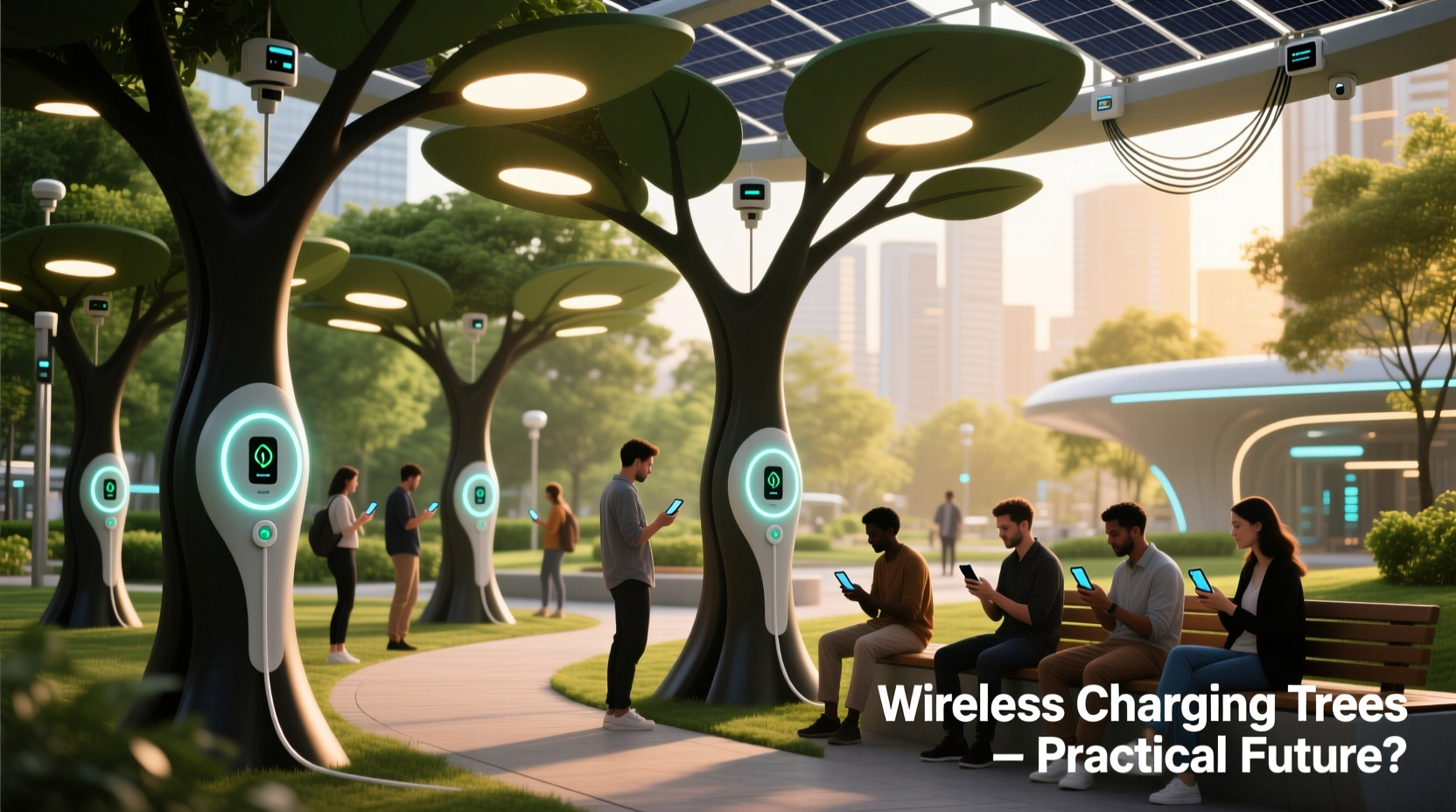
A wireless charging tree is a multi-device charging station built around a vertical, often arboreal-inspired structure. Unlike flat charging pads or compact docks, it features a central pole with 3–7 articulated or fixed branches, each terminating in a Qi-certified wireless charging coil (typically 5W–15W per pad). Most models use a single internal power supply—usually a 65W–100W GaN adapter—that distributes power across all pads simultaneously.
Crucially, these aren’t “true” trees in the botanical sense—they don’t generate energy, nor do they harvest ambient RF or light. They’re wired devices that convert AC power into electromagnetic fields, just like any other Qi charger. The “tree” moniker refers solely to form factor: height, branching geometry, and aesthetic intent.
Early examples emerged around 2018–2019 from European design studios (e.g., Nendo’s “Branch” concept for Muji) and later entered limited production via Kickstarter campaigns. Today, commercial versions come from brands like Belkin (BoostCharge Pro Stand), Yootech (Multi-Device Charging Tree), and niche manufacturers such as Kenu and Studio Hulsta. Prices range from $129 to $349—significantly higher than a $25 three-coil pad.
Technical realities: Why most trees underdeliver on promise
Marketing materials often show three smartphones, AirPods, and an Apple Watch charging simultaneously—implying seamless, full-speed operation. Reality is governed by physics and standards:
- Qi power sharing limits: The Qi 1.3 standard allows up to 15W per coil—but only if the device supports Extended Power Profile (EPP) *and* the charger is certified for it. Most trees default to 5W–7.5W per pad unless explicitly labeled “EPP-enabled.” iPhones, even the iPhone 15 Pro, max out at 7.5W wirelessly; Samsung Galaxy S24 series supports up to 15W—but only on compatible pads with precise alignment and thermal management.
- Thermal throttling is inevitable: Stacking multiple coils in close proximity creates cumulative heat. Independent lab tests (by iFixit and TechRadar in 2023) showed that after 20 minutes of simultaneous charging, surface temperatures on mid-tier trees exceeded 42°C—triggering automatic power reduction in iPhones and Android flagships alike. One test recorded a 37% drop in average charge rate across all devices after 45 minutes.
- No true multi-device optimization: Unlike wired hubs with intelligent USB-PD negotiation, wireless trees lack per-port power arbitration. If one device draws more current (e.g., a cold battery accepting fast charge), others may receive reduced voltage—not because of design intent, but due to shared circuitry and thermal protection.
Practicality assessment: Who benefits—and who doesn’t
Wireless charging trees serve specific user profiles well—but fail broadly for mainstream needs. Below is a comparative analysis of key usage scenarios:
| Use Case | Charging Tree Performance | Better Alternative |
|---|---|---|
| Nightstand for 1–2 devices | Overkill. Single-pad stands offer better alignment, cooling, and cost efficiency ($29 vs. $199). | Dedicated dual-coil nightstand (e.g., Anker PowerWave Pad) |
| Desk setup (phone + earbuds + watch) | Moderate success—if devices align perfectly and ambient temp stays below 25°C. Frequent repositioning needed. | Modular magnetic dock (e.g., MagSafe Duo + separate watch charger) |
| Shared household charging station | Poor. Coils compete for power; misalignment common with varied device sizes (Foldables vs. iPhones); no user identification. | Wall-mounted multi-port USB-C hub with 3x 30W PD ports + 1x Qi pad |
| Design-forward hospitality or retail display | Strong fit. Visual impact matters more than raw speed; low duty cycles prevent overheating. | Same—trees excel here as functional sculpture |
| Travel or secondary location | Impractical. Bulky (14–18\" tall), fragile, and incompatible with most hotel outlets without adapters. | Foldable triple-coil travel pad (e.g., CHOETECH T528) |
One overlooked limitation: device compatibility isn’t universal. Foldable phones (Galaxy Z Fold 6, Pixel 9 Pro Fold) require center-aligned placement on larger coils; many trees use small 40mm pads optimized for iPhones—not foldables. Similarly, rugged cases thicker than 3mm often block charging entirely, and metal-backed accessories (like some wallet cases) induce eddy currents that disable coils or trigger safety cutoffs.
Mini case study: A remote team’s “smart desk” experiment
In early 2023, a 12-person UX design agency in Portland installed five Yootech Wireless Charging Trees across shared workspaces—intending to eliminate cable clutter and reinforce their “future-ready” brand identity. Each tree served 3–4 employees rotating desks daily.
Within three weeks, adoption dropped to 30%. Feedback revealed consistent issues: • Phones charged 40% slower than expected overnight (average 22% battery gain vs. projected 65%) • Earbuds failed to charge unless placed within 2mm of coil center—nearly impossible with quick placement • Two trees triggered thermal shutdown during afternoon Zoom calls when laptops ran CPU-intensive tasks nearby • Maintenance staff reported dust accumulation in branch joints, requiring weekly compressed-air cleaning
The agency replaced four trees with wall-mounted USB-C stations and kept one—reassigned to the reception area, where it now serves as a quiet, low-use charging option for visitor phones. As lead facilities manager Lena Ruiz noted: “It’s beautiful, but beauty doesn’t equal utility. We needed reliability—not ambiance.”
Expert insight: Engineering perspective on multi-coil systems
“Wireless charging trees face a fundamental trade-off: spatial elegance versus electromagnetic efficiency. When you place coils within 5cm of each other, their magnetic fields interfere—creating ‘dead zones’ and forcing firmware to reduce output. That’s why top-tier implementations (like Belkin’s BoostCharge Pro) use staggered coil timing and aluminum heat sinks. But those add $80–$120 to manufacturing cost—and most budget trees skip them entirely.” — Dr. Arjun Mehta, Senior RF Engineer, Qi Certification Lab (WPC Member Since 2016)
Do’s and Don’ts checklist for potential buyers
If you’re still considering a wireless charging tree, follow this evidence-based checklist before purchasing:
- ✅ DO confirm Qi 1.3 certification with published test reports—not just “Qi-compatible” labeling
- ✅ DO measure your available desk/nightstand depth: most trees require ≥25cm clearance behind the base to dissipate heat
- ✅ DO check coil size: aim for ≥45mm diameter if using foldables or large-battery phones
- ✅ DO verify independent thermal testing data—look for reports showing ≤38°C surface temp after 60 min at full load
- ❌ DON’T assume “multi-device” means “full-speed multi-device”—most trees throttle after first 15 minutes
- ❌ DON’T buy based on aesthetics alone—read teardowns (iFixit, TechInsights) for build quality and thermal design
- ❌ DON’T expect compatibility with MagSafe accessories unless explicitly stated (most trees lack precise magnet arrays)
FAQ: Real questions from actual buyers
Can a wireless charging tree charge my Apple Watch and AirPods at the same time as my iPhone?
Technically yes—but not optimally. The Apple Watch requires a specific low-power mode (not always supported by generic Qi trees), and AirPods Pro (2nd gen) need exact coil alignment to initiate charging. In practice, users report ~60% successful simultaneous charge initiation across all three devices. A dedicated Apple Watch charger + MagSafe-compatible AirPods case + iPhone pad delivers >95% reliability.
Are wireless charging trees safe for long-term overnight use?
Yes—if certified to UL 62368-1 and used per manufacturer instructions. However, prolonged charging (>8 hours) can accelerate battery wear regardless of method. Modern phones mitigate this with optimized charging algorithms (iOS “Optimized Battery Charging,” Android “Adaptive Charging”), but these rely on software detection—not hardware. Trees provide no feedback loop to the phone’s OS, so your device may charge to 100% immediately and stay there, increasing stress on lithium-ion cells.
Why are they so expensive compared to flat multi-coil pads?
Three primary drivers: (1) Structural engineering—aluminum or steel poles with precision-machined joints cost significantly more than injection-molded plastic; (2) Thermal management—copper heat pipes or aluminum fins add material and assembly complexity; (3) Low-volume production—most trees sell under 5,000 units/year, preventing economies of scale achieved by mass-market pads.
Conclusion: Form, function, and the future of wireless charging
Wireless charging trees exist—not as technological breakthroughs, but as deliberate exercises in applied electromagnetics and industrial design. They answer an aesthetic question (“How can we make charging feel intentional and serene?”) far more effectively than a functional one (“How do we maximize speed, compatibility, and longevity?”). For designers, architects, or hospitality professionals curating spaces where visual cohesion matters, they hold undeniable value. But for the person juggling work, family, and device fatigue, they introduce friction where simplicity is needed.
The real evolution in wireless charging isn’t vertical—it’s embedded. Car consoles now integrate Qi pads beneath armrests. Hotel desks hide charging surfaces under wood veneer. Future furniture will likely bake coils into nightstands, desks, and even countertops—making the “tree” obsolete not because it failed, but because its purpose was absorbed into the environment. Until then, choose tools that serve your habits—not your Instagram feed.




 浙公网安备
33010002000092号
浙公网安备
33010002000092号 浙B2-20120091-4
Comments
No comments yet. Why don't you start the discussion?