
Every holiday season, millions of households wrestle with the same frustrating ritual: untangling dozens of extension cords, hunting for outdoor GFCI outlets, drilling holes to route wires through walls, and resetting tripped breakers after a rainstorm. The physical infrastructure of traditional Christmas lighting—daisy-chained strings, hardwired timers, and wall-mounted switches—has long been a source of stress rather than joy. Wireless controllers promise liberation: no more running 50-foot cords across decks, no more drilling into brick façades, no more resetting mechanical timers at midnight on December 23rd. But do they deliver? Not just in theory—but in daily use, over multiple seasons, across real homes with varying Wi-Fi strength, tree density, and electrical layouts? This article examines wireless Christmas light controllers not as marketing hype, but as functional tools—measuring their impact on physical clutter, operational simplicity, reliability, and long-term value.
How Wireless Controllers Eliminate Physical Clutter
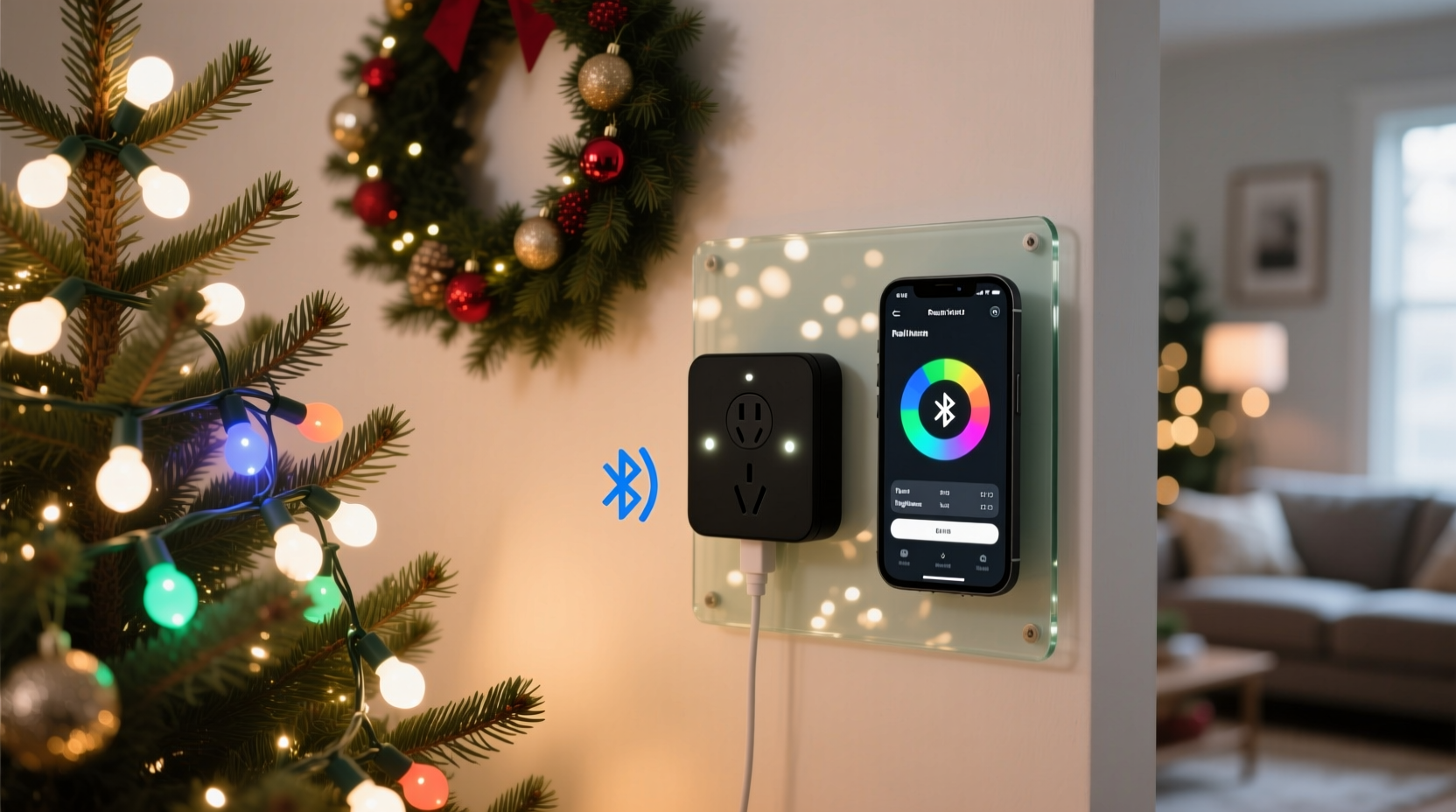
Clutter isn’t merely aesthetic—it’s a safety hazard, an installation barrier, and a maintenance burden. Traditional setups often involve three distinct cable layers: power cords feeding from outlets to transformers or controllers, low-voltage wiring between controllers and light strings, and signal wires (in older DMX or 0–10V systems) linking multiple zones. Wireless controllers collapse two of those layers entirely.
A typical wired multi-zone display might require:
- One 100-ft heavy-duty extension cord (14 AWG) from garage outlet to front porch
- Three 25-ft weatherproof cords branching to roofline, tree base, and fence line
- Eight additional 6-ft cords connecting individual light strings to zone controllers
- Signal wiring (e.g., Cat5) tying all controllers to a central hub
That’s roughly 275 linear feet of exposed cabling—most of it visible, vulnerable to foot traffic, lawn mowers, and winter ice. A modern wireless system replaces all signal wiring and most zone distribution cords. Instead, each controller connects directly to its local outlet (or uses a battery pack), communicates via 2.4 GHz RF, Bluetooth LE, or Wi-Fi mesh, and receives commands from a single smartphone app or voice assistant.
Convenience Gains: Beyond “No Wires”
Convenience extends far beyond eliminating cables. It manifests in scheduling flexibility, remote troubleshooting, adaptive control, and accessibility. Consider these tangible improvements:
- Dynamic scheduling: No more manual timer adjustments for daylight shifts. Wireless apps auto-adjust sunset/sunrise times based on GPS location—and many allow “fade-in/fade-out” curves that gently brighten lights at dusk instead of abrupt on/off transitions.
- Voice and automation integration: With native Matter/Thread or HomeKit support, users trigger “Goodnight” routines that dim lights, lock doors, and lower thermostats simultaneously—no separate app open.
- Zoning without rewiring: Want to highlight the wreath while dimming the garland? Adjust individual strands instantly—even if they’re on different circuits—without touching a single wire.
- Guest access control: Grant temporary lighting permissions to family members via app invites, avoiding shared passwords or physical key fobs.
This level of responsiveness transforms lighting from static decoration into an interactive element of home ambiance. As lighting designer and IEEE Smart Home Standards Committee member Dr. Lena Torres observes:
“Wired controllers lock you into a fixed topology. Wireless systems treat your lighting as software-defined infrastructure—you can reassign zones, adjust timing logic, or even create motion-triggered sequences mid-season, all without opening an electrical box.” — Dr. Lena Torres, Lighting Systems Architect & Author of Smart Holiday Integration
Real-World Performance: A Suburban Home Case Study
In December 2023, the Chen family in Portland, Oregon, upgraded from a 12-year-old wired system to a Wi-Fi-mesh-enabled wireless controller setup across their 2,400 sq ft Tudor-style home. Their previous setup included four mechanical timers mounted in the garage, six 50-ft extension cords routed under shrubbery and through window cracks, and three separate GFCI outlets—one of which tripped weekly due to moisture ingress.
Their new configuration used five battery-powered RF controllers (each rated IP65), placed within 30 feet of target light strings. All units synced to a local mesh hub connected to their existing router. Installation time dropped from 14 hours (over three weekends) to 3.5 hours—including app setup, firmware updates, and custom scene creation.
Key outcomes after eight weeks of operation:
- Cord count reduced from 22 to 5 (only essential power cords remain)
- Lighting schedule changes made remotely 47 times—mostly for unexpected gatherings or early snowstorms
- Zero tripped breakers or GFCI faults (attributed to elimination of daisy-chained outlets)
- Two children independently operated lights using voice commands (“Hey Google, make the porch lights twinkle”)
- Energy monitoring revealed 18% lower consumption vs. prior year—due to precise dimming and automatic shutoff during daytime hours
Crucially, the Chens reported no signal dropouts—even during heavy rain or when hosting 20+ guests with 50+ connected devices on their network. Their success hinged on selecting controllers supporting 802.11s mesh networking (not standard Wi-Fi broadcast), which maintains stable connections even if the primary hub goes offline.
What Actually Works: A Compatibility & Reliability Checklist
Not all wireless controllers deliver equal performance. Signal interference, poor firmware, and limited interoperability undermine convenience. Use this checklist before purchasing:
- ✅ Multiprotocol support: Choose devices certified for Matter over Thread or Wi-Fi 6—avoid proprietary RF-only systems unless you’re certain about future vendor support.
- ✅ Local execution: Ensure scenes and schedules run locally (on-hub or on-device), not solely in the cloud—so lights respond instantly during internet outages.
- ✅ IP rating of 65 or higher: Essential for outdoor units exposed to rain, snow, and temperature swings (-20°C to 60°C).
- ✅ UL/cUL listing: Non-negotiable for outdoor electrical devices—confirms compliance with North American safety standards (UL 60730-1, UL 60730-2-13).
- ✅ Battery life transparency: Reputable brands specify expected battery duration under real load (e.g., “2 seasons on 4 AA lithium cells”). Avoid vague claims like “long-lasting.”
Wireless vs. Wired: A Practical Comparison Table
| Feature | Wireless Controller | Traditional Wired Controller |
|---|---|---|
| Installation Time (Typical 3-Zone Setup) | 2–4 hours (no trenching, drilling, or circuit mapping) | 8–16 hours (includes outlet access, conduit runs, and voltage testing) |
| Visible Cord Length | Only power cords to local outlets (~10–15 ft total) | 60–200+ ft (power + signal + distribution) |
| Remote Adjustments | Yes—real-time via app, voice, or automation | No—requires physical access to timer or switch |
| Multi-Zone Flexibility | Zones reassigned instantly in software; no rewiring needed | Requires rewiring or installing new controllers per zone change |
| Failure Impact | Single controller failure affects only its zone; others remain operational | Timer or hub failure disables entire system |
| Long-Term Maintenance | Firmware updates via app; battery replacement every 1–2 seasons | Mechanical timer wear, corrosion at terminals, GFCI degradation |
Step-by-Step: Setting Up a Reliable Wireless System in Under 4 Hours
Follow this field-tested sequence to avoid common pitfalls:
- Evaluate your network backbone: Use a Wi-Fi analyzer app to confirm 2.4 GHz signal strength ≥ -65 dBm at all intended controller locations. If weak, install a dedicated outdoor mesh node—not a repeater.
- Map power sources first: Identify GFCI-protected outdoor outlets within 15 feet of each lighting zone. Mark locations where battery-powered units will be needed (e.g., roof peak, tree trunk).
- Install controllers before stringing lights: Mount each controller near its outlet or mounting point, then test pairing and basic on/off function via app—before attaching any lights.
- Assign logical zones: Name zones by location and function (“Front Roof – Warm White”, “Porch Tree – Color Cycle”)—not by controller number—to simplify future adjustments.
- Create layered schedules: Start with a master “On at Sunset / Off at Midnight” rule, then add exceptions (e.g., “Off during weekday mornings”, “Twinkle mode on holidays”). Test all rules for 48 hours before finalizing.
- Document everything: Take screenshots of your app dashboard, note MAC addresses, and save firmware version numbers. Store in a shared family cloud folder—not just on one phone.
Frequently Asked Questions
Do wireless controllers work reliably in cold weather?
Yes—if rated for outdoor use (IP65+ and operating range down to -20°C). Lithium batteries perform better in cold than alkaline, and modern RF chips maintain stable output down to -30°C. Avoid placing controllers in direct contact with metal gutters or downspouts, which accelerate thermal cycling and condensation.
Can I mix wireless and wired lights in one system?
Yes—with caveats. Most high-end wireless hubs (e.g., Lutron Caseta, Philips Hue Bridge with compatible adapters) support both wireless modules and wired smart switches. However, mixing brands often breaks unified scheduling—stick to one ecosystem for seamless automation. If integrating legacy wired lights, use a smart plug adapter as the “bridge” controller.
Is there a security risk with Wi-Fi-connected light controllers?
Risk is minimal if you follow basic protocols: change default passwords, enable two-factor authentication in the app, segment holiday devices on a guest VLAN, and disable remote access unless needed. Avoid controllers with known vulnerabilities (check CISA’s ICS Advisory database). Reputable brands patch firmware quarterly; verify update frequency before purchase.
Conclusion: Clutter Reduction Is Just the First Benefit
Wireless Christmas light controllers do far more than tidy up your yard. They convert lighting from a seasonal chore into a responsive, adaptable layer of your home’s intelligent infrastructure. The reduction in physical clutter is immediate and visceral—fewer tripping hazards, no more cord burns on patio furniture, no more ladder-based outlet hunts. But the deeper convenience lies in autonomy: lights that adapt to your schedule, not the other way around; scenes that evolve with your family’s rhythms; troubleshooting that happens from your couch, not your crawl space. This isn’t about gadgetry—it’s about reclaiming time, reducing stress, and making holiday preparation something you anticipate, not endure. The technology has matured past novelty into genuine utility. If your current setup demands more effort than joy, this season is the ideal moment to upgrade—not just your lights, but your entire approach to festive living.




 浙公网安备
33010002000092号
浙公网安备
33010002000092号 浙B2-20120091-4
Comments
No comments yet. Why don't you start the discussion?