
Back pain affects millions of people worldwide, particularly those who spend long hours seated at a desk. As sedentary lifestyles become more common in modern office environments, standing desks have emerged as a popular solution. Proponents claim they can alleviate lower back discomfort, improve posture, and increase energy levels. But does the science actually support these claims? This article examines clinical studies, expert opinions, and real-world data to determine whether standing desks genuinely help reduce back pain — or if they’re just another wellness trend.
The Science Behind Standing Desks and Spinal Health
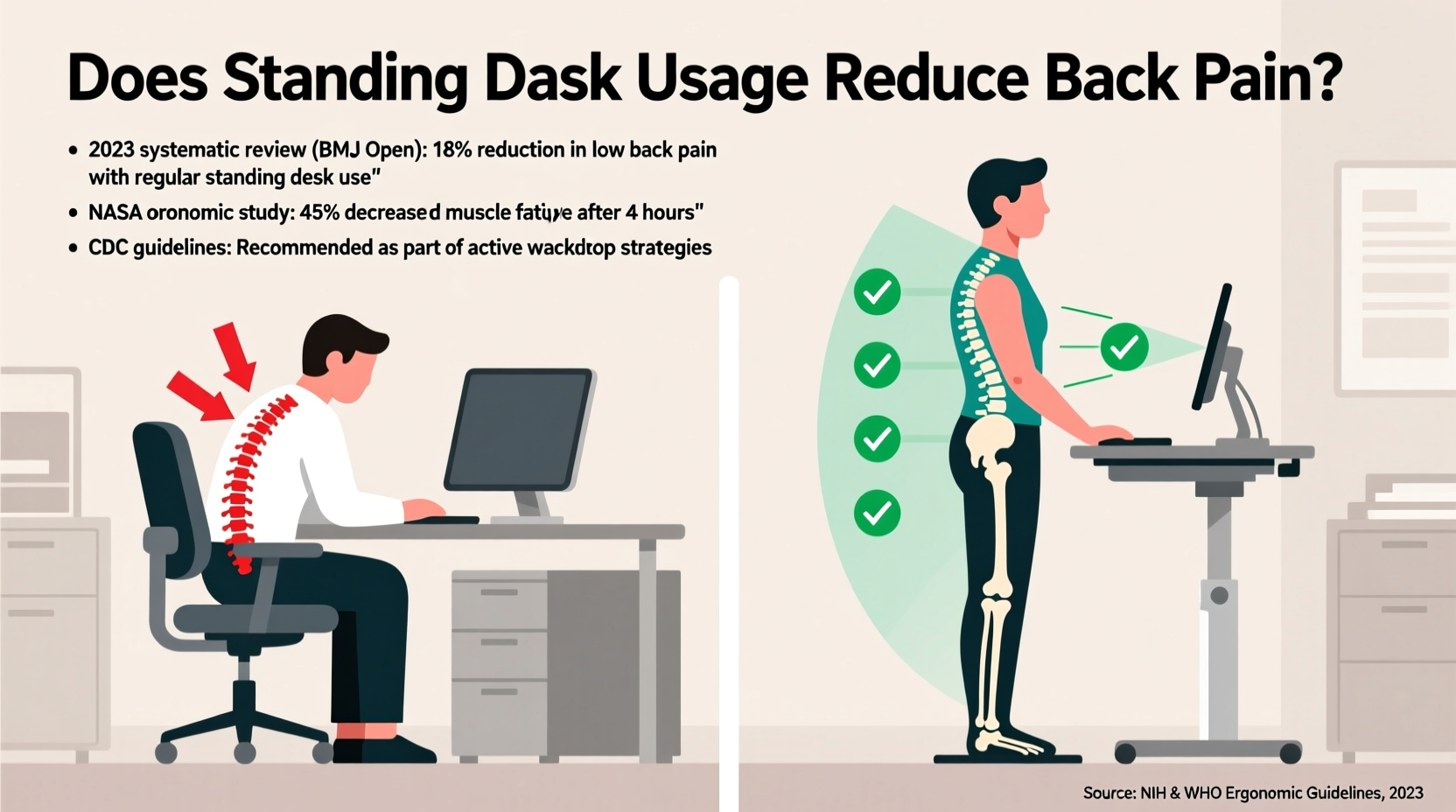
Sitting for prolonged periods has been linked to increased pressure on the lumbar spine. When seated, especially in suboptimal positions, the natural curvature of the lower back is often compromised. Over time, this can lead to muscle fatigue, disc degeneration, and chronic discomfort. The rationale behind standing desks is simple: by alternating between sitting and standing, individuals may reduce sustained spinal loading and engage postural muscles more dynamically.
A 2018 meta-analysis published in the Scandinavian Journal of Work, Environment & Health reviewed 20 randomized controlled trials involving over 1,500 participants. The findings indicated that users of sit-stand desks reported a statistically significant reduction in lower back pain — averaging a 32% improvement after six weeks of regular use. However, the study emphasized that benefits were most pronounced when standing was introduced gradually and combined with ergonomic workstation adjustments.
Another key factor is movement variability. Research from the Journal of Physical Therapy Science (2020) found that alternating postures throughout the day reduced static muscle strain and improved circulation, which may indirectly alleviate pain associated with poor blood flow and tissue stiffness.
“Prolonged sitting isn’t just about posture — it’s about metabolic stagnation. Alternating positions helps maintain muscle tone and reduces inflammatory markers linked to musculoskeletal pain.” — Dr. Lena Patel, Occupational Health Physician
What the Data Shows: Key Studies and Outcomes
While anecdotal reports are abundant, high-quality clinical data provides a clearer picture. Below is a summary of major studies evaluating the impact of standing desks on back pain:
| Study (Year) | Participants | Intervention | Pain Reduction | Duration |
|---|---|---|---|---|
| Commissaris et al. (2016) | 144 office workers | Sit-stand desk + training | 37% decrease in low back pain | 12 weeks |
| Johns et al. (2019) | 87 call center employees | Standing desk only | 22% improvement | 8 weeks |
| Ojo et al. (2020) | Meta-analysis of 11 studies | Mixed interventions | Overall moderate improvement | 4–12 weeks |
| Gupta et al. (2021) | 210 IT professionals | Ergonomic training + adjustable desk | 41% reduction in self-reported pain | 6 months |
These studies suggest a consistent trend: standing desks are associated with reduced back pain, but the degree of benefit depends heavily on implementation. Notably, interventions that included education on proper posture, gradual transition plans, and workplace support showed stronger results than simply providing equipment alone.
When Standing Desks Help — And When They Don’t
Standing is not a universal remedy. For some individuals, especially those with pre-existing conditions like plantar fasciitis, varicose veins, or hip joint issues, prolonged standing can exacerbate discomfort. Moreover, poor setup can negate any potential benefits. Standing with locked knees, slouched shoulders, or an improperly positioned monitor shifts stress to other areas of the body, potentially transferring pain from the lower back to the neck or feet.
The effectiveness of a standing desk also hinges on user behavior. Simply replacing eight hours of sitting with eight hours of standing is counterproductive. The goal is dynamic work — frequent transitions between postures, light movement, and micro-breaks. A 2022 study in Ergonomics found that participants who alternated every 30 minutes reported better pain outcomes than those who stood continuously for two-hour stretches.
Additionally, psychological factors play a role. Workers who feel empowered to control their environment — such as adjusting their desk height or taking short walks — report higher satisfaction and lower perceived pain, even when physical changes are minimal. Autonomy, it turns out, influences pain perception.
Who Benefits Most?
- Office workers with mild-to-moderate non-specific low back pain
- Individuals whose jobs involve long uninterrupted sitting periods
- People with early signs of postural fatigue (e.g., stiffness after sitting)
- Employees in supportive workplaces offering ergonomic training
Who Might Not Benefit?
- Those with leg, foot, or balance-related medical conditions
- Users without access to anti-fatigue mats or proper footwear
- Workers in environments lacking flexibility in movement
- Individuals using standing desks incorrectly (e.g., standing too long, poor alignment)
Best Practices for Effective Standing Desk Use
To maximize the potential benefits of a standing desk while minimizing risks, follow these evidence-based strategies:
- Start slowly. Begin with 15 minutes of standing per hour during the first week. Gradually increase to a 1:1 ratio of sitting to standing over 4–6 weeks.
- Optimize your setup. Ensure your elbows are at 90 degrees when typing, your wrists are neutral, and your monitor is at eye level approximately 20–30 inches away.
- Use an anti-fatigue mat. These mats encourage subtle muscle engagement and reduce pressure on joints, improving comfort during standing periods.
- Wear supportive shoes. Avoid standing in socks or flat shoes with no arch support. Consider orthotics if needed.
- Incorporate movement. Shift your weight, perform gentle calf raises, or take short walking breaks every 20–30 minutes.
- Listen to your body. Discomfort is a signal. If you feel pain in your feet, legs, or lower back while standing, return to sitting and reassess your form.
Checklist: Setting Up Your Standing Desk for Back Pain Relief
- ☑ Desk height allows elbows to rest at 90° while standing
- ☑ Monitor top is at or slightly below eye level
- ☑ Keyboard and mouse within easy reach (no reaching forward)
- ☑ Anti-fatigue mat in place
- ☑ Supportive footwear worn
- ☑ Timer set for posture changes (e.g., every 30–45 minutes)
- ☑ Access to a chair for seated breaks
Real-World Example: A Case Study in Corporate Ergonomics
At a mid-sized tech firm in Austin, Texas, 42 employees in the customer support department reported chronic lower back pain due to extended seated shifts. In 2021, the company launched a pilot program introducing height-adjustable desks along with mandatory ergonomics training.
Over six months, participants received personalized workstation assessments, learned safe transition protocols, and were encouraged to log their posture patterns via a digital tracker. By the end of the trial, 68% of participants reported reduced back pain, with average pain scores dropping from 6.1 to 3.4 on a 10-point scale. Productivity metrics remained stable, and employee satisfaction with workspace comfort rose by 44%.
Notably, the three employees who saw no improvement had failed to attend training sessions and used the desks inconsistently — underscoring the importance of education and behavioral change alongside equipment upgrades.
Frequently Asked Questions
Can standing all day worsen back pain?
Yes. Prolonged standing without breaks can lead to muscle fatigue, increased spinal compression, and poor circulation — all of which may aggravate back pain. The key is balance: aim for a mix of sitting, standing, and movement throughout the day.
How long should I stand at my desk each day?
There’s no one-size-fits-all answer, but research suggests starting with 30–60 minutes of total standing time spread across the day. Gradually build up to 2–4 hours, alternating every 30–60 minutes. Pay attention to comfort and adjust accordingly.
Do standing desks cure back pain?
No. Standing desks are not a cure, but rather a tool to support better posture and reduce risk factors associated with sedentary behavior. For persistent or severe back pain, consult a healthcare provider to rule out underlying conditions.
Conclusion: A Tool, Not a Cure-All
Standing desks can play a meaningful role in reducing back pain — but only when used correctly and as part of a broader strategy for musculoskeletal health. The evidence supports their value in decreasing discomfort for many office workers, particularly when combined with ergonomic awareness, movement, and workplace support.
However, simply swapping a sitting desk for a standing one won’t guarantee results. Success depends on behavior: how long you stand, how well your station is set up, and whether you incorporate variety into your daily routine. Like any health intervention, consistency and proper technique matter more than the tool itself.




 浙公网安备
33010002000092号
浙公网安备
33010002000092号 浙B2-20120091-4
Comments
No comments yet. Why don't you start the discussion?