
In an age of constant connectivity, staying informed feels like a civic duty. Yet for many, checking the news has morphed into an involuntary habit—endlessly scrolling through headlines filled with crisis, conflict, and catastrophe. This behavior, known as \"doomscrolling,\" can erode mental well-being, distort perception, and create a false sense of urgency. The challenge isn’t whether to consume news, but how to do so in a way that informs rather than overwhelms.
Distinguishing between healthy information-seeking and compulsive doomscrolling is essential. One empowers you with knowledge; the other traps you in a loop of anxiety and helplessness. Understanding this difference—and learning how to regulate your media diet—can restore balance, improve focus, and protect your emotional resilience.
The Psychology Behind Doomscrolling
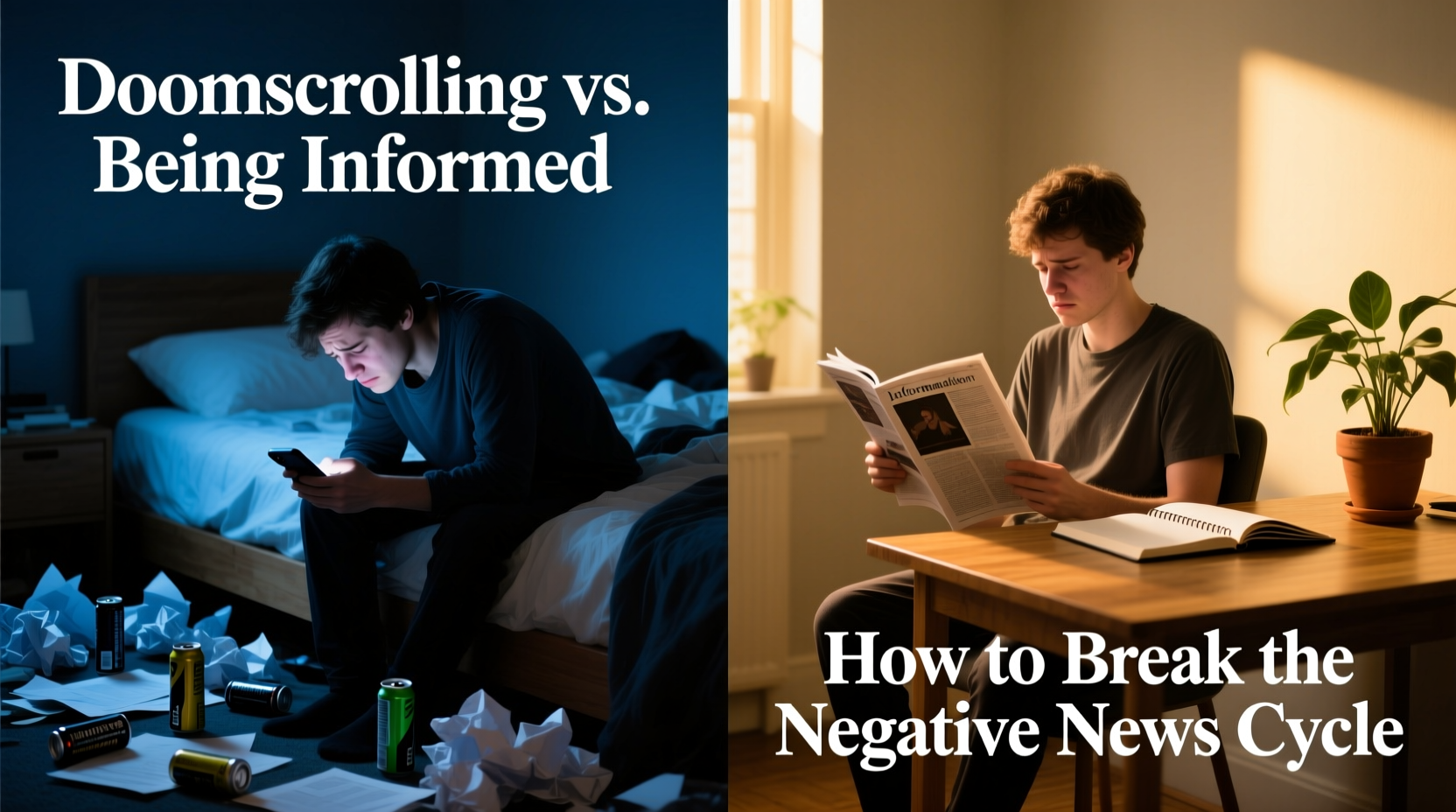
Doomscrolling refers to the act of continuously consuming negative news online, often late at night or during idle moments. It’s not simply reading bad news—it’s the compulsive, unregulated consumption of it, driven by psychological mechanisms rooted in attention and emotion.
The human brain is wired to prioritize threats. This evolutionary trait, known as the \"negativity bias,\" means we pay more attention to dangerous or alarming stimuli than neutral or positive ones. News platforms exploit this instinct. Algorithms favor emotionally charged content because it generates engagement. As a result, users are funneled into endless streams of disaster reports, political outrage, and worst-case scenarios.
Over time, this creates a feedback loop: the more negative content you consume, the more your brain expects it. You begin to feel anxious when not checking updates, mistaking information overload for preparedness. But research shows this habit doesn’t make people better informed—it makes them more stressed.
“People often believe they’re staying alert by constantly checking the news, but chronic exposure to distressing content can lead to desensitization, fatigue, and even symptoms of PTSD.” — Dr. Elena Torres, Clinical Psychologist and Media Behavior Researcher
Doomscrolling vs. Being Informed: Key Differences
Not all news consumption is harmful. The critical distinction lies in intention, control, and impact. Here’s how to tell the two apart:
| Aspect | Doomscrolling | Being Informed |
|---|---|---|
| Intent | Passive, habitual, emotionally driven | Active, purposeful, knowledge-seeking |
| Duration | Unlimited, often hours at a time | Limited, scheduled, time-bound |
| Emotional Impact | Anxiety, helplessness, irritability | Calm, clarity, empowerment |
| Control | Feels compulsive; hard to stop | Easily stopped after goals are met |
| Sources | Mixed quality, algorithm-driven, social media | Trusted outlets, fact-checked, diverse perspectives |
| Outcome | Mental fatigue, misinformation risk | Informed decisions, constructive action |
Being informed means seeking reliable information to understand events and make thoughtful choices. Doomscrolling, by contrast, is less about understanding and more about emotional arousal—often disguised as responsibility.
Strategies to Break the Cycle
Escaping the grip of doomscrolling requires deliberate habits and structural changes to your digital environment. Awareness alone isn’t enough; behavioral shifts are key. Below is a step-by-step guide to reclaim control over your news consumption.
1. Audit Your Current Habits
Begin by tracking how much time you spend on news apps and social media each day. Use built-in screen time tools (iOS Screen Time or Android Digital Wellbeing) to gather data for three days. Note patterns: Are you checking news first thing in the morning? Before bed? During work breaks?
2. Define Your Information Goals
Ask yourself: What do I need to know today? Is it local weather, election updates, or global developments? Write down 1–3 specific questions before opening any news source. This turns passive browsing into targeted inquiry.
3. Choose Trusted Sources and Limit Them
Instead of relying on social media feeds, select 2–3 reputable outlets (e.g., BBC, Reuters, AP News). Subscribe to their newsletters or use RSS readers to consolidate updates. Avoid aggregators that prioritize sensationalism.
4. Schedule Fixed News Times
Designate one or two 15-minute windows per day for news—such as mid-morning and early evening. Outside these times, avoid news-related apps. Treat this like a meeting with yourself: brief, focused, and productive.
5. Disable Notifications and Curate Feeds
Turn off breaking news alerts unless truly urgent (e.g., natural disasters in your region). On social media, mute keywords like “crisis,” “outbreak,” or “scandal.” Follow accounts that share solutions, science, and progress—not just problems.
6. Replace the Habit Loop
Doomscrolling often fills emotional voids—boredom, loneliness, uncertainty. Identify what triggers your urge to scroll, then replace it with a healthier alternative: stretching, journaling, calling a friend, or listening to music.
7. Practice Media Fasts
Start with a 24-hour news detox once a week. Use the time to engage in offline activities: walking in nature, reading fiction, cooking, or creative projects. Notice how your mood and focus shift without constant input.
A Real-Life Example: Sarah’s Turnaround
Sarah, a 34-year-old project manager, used to spend 2–3 hours daily scrolling through Twitter and news sites. She believed she was “staying on top of things” for her job and personal awareness. But she began experiencing insomnia, irritability, and a persistent sense of dread—even when no immediate crisis affected her life.
After consulting a therapist, she realized her news habits were fueling anxiety. She implemented structured changes: unsubscribed from five news apps, set a 7:30 AM and 6:00 PM window for checking updates, and replaced bedtime scrolling with reading nonfiction books.
Within three weeks, Sarah reported improved sleep, greater concentration at work, and a renewed sense of agency. “I still know what’s happening,” she said, “but now I choose when and how I engage. I’m informed—not consumed.”
Checklist: How to Stay Informed Without Doomscrolling
- ✅ Identify your top 2–3 reasons for consuming news (e.g., civic awareness, professional needs)
- ✅ Select 2–3 high-quality, fact-based news sources
- ✅ Schedule two 15-minute news sessions per day—no more
- ✅ Turn off push notifications for non-essential news apps
- ✅ Mute distressing keywords on social media
- ✅ Replace post-dinner scrolling with a calming activity (reading, tea, conversation)
- ✅ Conduct a weekly screen time review every Sunday evening
- ✅ Take one full day off from news consumption each month
When Staying Informed Becomes Harmful
There’s a fine line between vigilance and self-harm. Consuming excessive negative news doesn’t increase preparedness—it diminishes coping capacity. Studies have linked chronic exposure to distressing media with increased rates of depression, anxiety, and hypervigilance, especially during prolonged crises like pandemics or geopolitical conflicts.
Moreover, doomscrolling often creates an illusion of productivity. You might feel like you’re “doing something” by staying updated, but if the information doesn’t lead to meaningful action, it’s merely emotional rumination. Ask yourself: Has this news changed my behavior in a useful way? Or am I just ruminating on things beyond my control?
Healthy media consumption should leave you feeling equipped, not drained. If you notice signs like difficulty concentrating, persistent worry, or avoidance of real-life interactions, it may be time to reassess your habits.
Frequently Asked Questions
Isn’t it irresponsible to limit my news intake?
No. Responsible citizenship doesn’t require constant surveillance of every headline. In fact, being selective helps you avoid misinformation and emotional manipulation. Staying informed with credible sources during designated times is far more effective—and sustainable—than reactive scrolling.
How can I trust I won’t miss something important?
Most major events will reach you through multiple channels—friends, family, official alerts, or workplace communications. If you’re concerned, designate one trusted alert system (like emergency broadcast texts) for urgent matters. Otherwise, trust that scheduled updates are sufficient.
What if my job requires me to monitor news constantly?
Even professionals in media, policy, or emergency response benefit from structured consumption. Use curated dashboards, set update intervals (e.g., hourly summaries), and take mental health breaks. Employers increasingly recognize the risks of information fatigue and support balanced practices.
Conclusion: Reclaim Your Attention, Reclaim Your Peace
The goal isn’t to ignore the world’s challenges, but to engage with them from a place of clarity and strength. Doomscrolling offers the illusion of control while quietly draining your energy. In contrast, intentional news consumption builds knowledge without sacrificing well-being.
Start small: pick one strategy from this guide and implement it tomorrow. Whether it’s turning off notifications, scheduling a news window, or replacing a scroll session with a walk, each step moves you closer to a healthier relationship with information.




 浙公网安备
33010002000092号
浙公网安备
33010002000092号 浙B2-20120091-4
Comments
No comments yet. Why don't you start the discussion?