
For students, professionals, and lifelong learners, digital note-taking has become a daily ritual. With the rise of devices like the reMarkable, Kindle Scribe, Boox Tab Ultra, and mainstream tablets such as the iPad and Samsung Galaxy, a key question emerges: Is the paper-like experience of an e-ink tablet genuinely better for taking notes than a bright, responsive regular tablet?
The answer isn’t just about screen technology—it’s about how your brain processes information, how your eyes respond to light, and how deeply you engage with what you write. While glossy displays offer speed and color, e-ink screens promise focus and comfort. But does the “paper feel” deliver on its promise?
Understanding E-Ink vs. LCD/OLED Technology
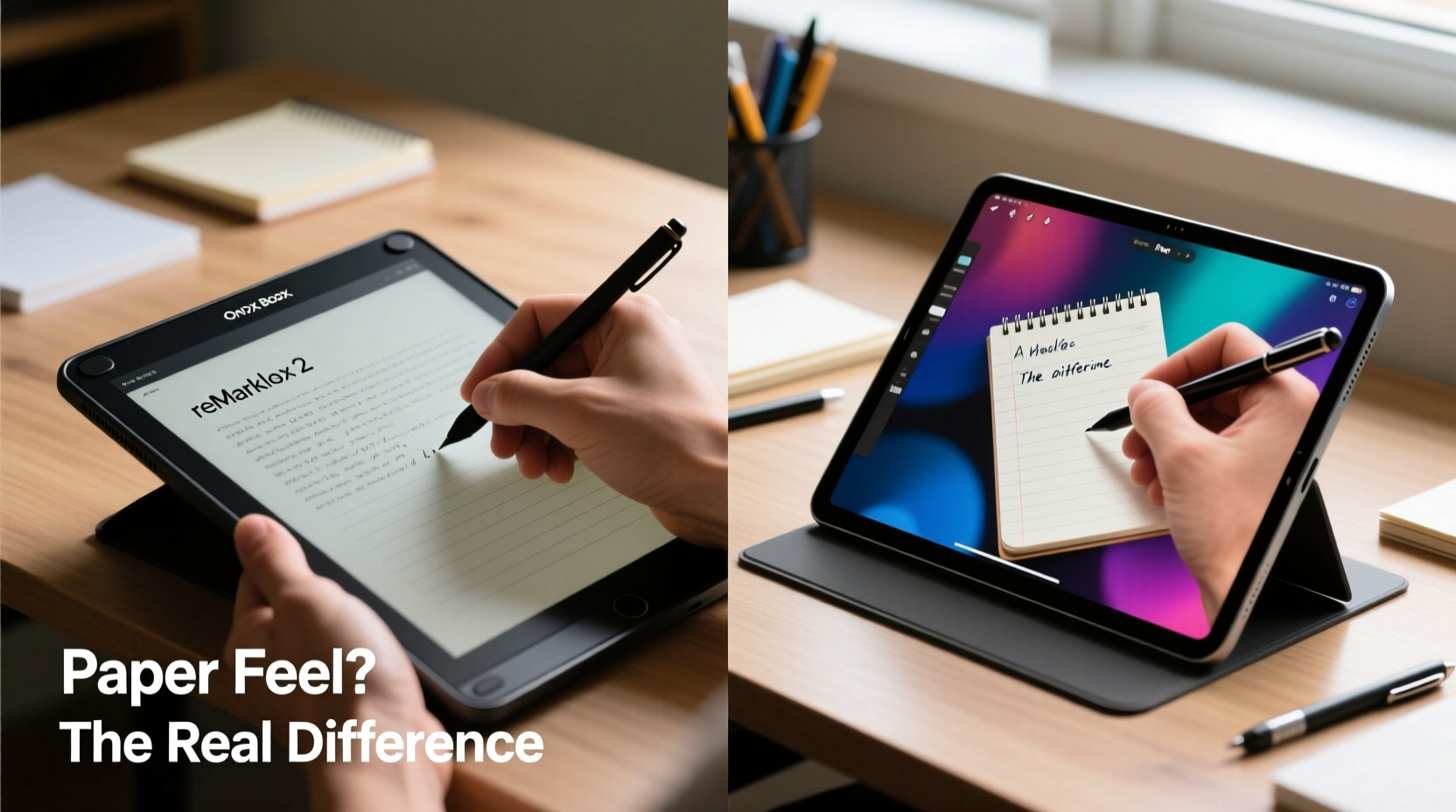
E-ink (electronic ink) mimics the appearance of printed paper by using tiny microcapsules filled with charged black and white particles. When voltage is applied, these particles move to create text and images. Unlike LCD or OLED screens found in most modern tablets, e-ink doesn’t emit light. Instead, it reflects ambient light—just like physical paper.
Regular tablets use backlit displays that produce their own light. This allows for vibrant colors, fast refresh rates, and video playback—but also introduces glare, blue light exposure, and potential visual fatigue during long reading or writing sessions.
| Feature | E-Ink Tablets | Regular Tablets |
|---|---|---|
| Screen Type | Reflective, matte surface | Backlit, glossy display |
| Eye Strain | Low under most conditions | Higher with prolonged use |
| Refresh Rate | Slower (30–80ms), noticeable lag | Fast (under 20ms), smooth |
| Color Support | Limited (some support grayscale + subtle color) | Full color spectrum |
| Battery Life | Weeks on a single charge | 8–14 hours typically |
| Note-Taking Experience | Paper-like, distraction-free | Versatile but visually stimulating |
The fundamental difference lies in intent. E-ink devices are designed for reading and writing—not multimedia consumption. Regular tablets aim to do everything well, which often means compromising on deep focus tasks.
The Cognitive Benefits of Paper-Like Writing
Research consistently shows that handwriting improves memory retention and comprehension compared to typing. But what happens when handwriting moves from paper to screen?
A 2021 study published in Frontiers in Psychology found that participants who took notes on e-ink devices showed similar cognitive engagement to those writing on actual paper, especially when the stylus had low latency and high friction mimicry. The absence of backlighting and motion reduced distractions, allowing users to stay immersed in thought.
“Mimicking the tactile feedback of pen-on-paper helps preserve the cognitive benefits of analog note-taking, even in digital form.” — Dr. Lena Torres, Cognitive Neuroscientist, University of Oslo
E-ink tablets enhance this effect through design: textured screen overlays simulate paper grain, while palm rejection and pressure-sensitive styli replicate the sensation of real ink flow. Some users report that after switching, they find traditional tablets “too slick” or “distracting,” breaking concentration with every swipe or notification.
In contrast, regular tablets—despite excellent styluses like the Apple Pencil or S Pen—often pull users toward multitasking. A quick glance at email, a YouTube tab left open, or even dynamic wallpapers can fragment attention. The very features that make them powerful tools also undermine sustained focus.
Real-World Use: Who Actually Benefits from E-Ink?
Not all note-takers are the same. Let’s look at a realistic scenario.
Mini Case Study: Medical Student Using E-Ink for Long Study Sessions
Sophia, a third-year medical student, used an iPad for her first year. She appreciated the ability to annotate PDFs and sync across devices. However, she began experiencing headaches after long library sessions and noticed she was less likely to retain complex diagrams drawn digitally.
In her second year, she switched to a reMarkable 2. Initially skeptical, she adapted quickly to the slower refresh rate. She enabled the \"Pearl White\" texture overlay and adjusted stylus sensitivity to mimic fine-tip pens. Over time, she reported improved concentration during anatomy lectures and fewer instances of digital fatigue.
“I don’t miss color much,” she said. “Most of my learning is black-and-white: pathways, structures, lists. The e-ink screen lets me think without feeling drained.”
Sophia’s experience reflects a broader trend among knowledge workers who prioritize depth over versatility. Writers drafting novels, lawyers reviewing contracts, researchers annotating papers—these users often favor minimalism and mental clarity over flashy features.
When a Regular Tablet Outperforms E-Ink
E-ink isn’t universally superior. There are clear scenarios where a regular tablet wins hands-down.
- Visual subjects: Art students, designers, and architects need color accuracy and high-resolution displays to sketch effectively.
- Dynamic content: Watching lecture videos, following interactive tutorials, or using educational apps with animations requires a fast, full-color screen.
- Collaboration: Real-time sharing via Google Docs, Notability, or Microsoft OneNote works best on iOS or Android tablets with robust cloud integration.
- Speed and responsiveness: Fast note-takers in meetings or classrooms may find e-ink’s lag frustrating when trying to keep up with rapid speech.
Additionally, software ecosystems matter. The iPad runs thousands of productivity apps, integrates seamlessly with MacBooks, and supports advanced features like audio syncing with handwritten notes. Most e-ink tablets have limited app stores and rely on proprietary platforms, which can hinder workflow flexibility.
Step-by-Step: Choosing the Right Device for Your Note-Taking Style
Selecting between an e-ink and a regular tablet shouldn’t be based on trends—but on your habits, goals, and environment. Follow this decision-making process:
- Assess your primary use case: Are you mainly reading textbooks, drafting essays, or attending lectures? Or are you creating presentations, editing photos, or watching instructional videos?
- Track your screen time: Do you spend more than three hours a day on digital notes? High exposure increases the value of e-ink’s eye-friendly display.
- Evaluate your workflow: Do you rely heavily on specific apps (e.g., GoodNotes, Notion, Obsidian)? Check compatibility with e-ink devices.
- Consider portability and battery: If you’re often away from power outlets—on campus, traveling, or in fieldwork—an e-ink tablet’s week-long battery could be decisive.
- Test the writing feel: Visit a store or borrow a device. Pay attention to latency, palm rejection, and whether the screen texture feels natural.
- Budget accordingly: E-ink tablets range from $250 (basic models) to $800+ (high-end Boox devices). iPads start around $330 but require additional costs for pencil and keyboard.
Do’s and Don’ts: Maximizing Your Digital Note-Taking Setup
| Action | Recommended For | Why |
|---|---|---|
| Use textured screen protector | Both e-ink and regular tablets | Enhances friction, simulates paper, reduces glare |
| Enable grayscale mode on iPad | Regular tablet users | Reduces visual stimulation, mimics monochrome focus |
| Limit notifications during writing | All users | Maintains cognitive flow and minimizes distraction |
| Choose fast-refresh e-ink models | E-ink users | Reduces ghosting and lag during rapid writing |
| Don’t expect full app parity on e-ink | New e-ink adopters | Many Android/iOS apps aren’t optimized for slow screens |
| Don’t skip ergonomics | All users | Poor posture leads to fatigue regardless of device type |
FAQ: Common Questions About E-Ink vs. Regular Tablets
Can you take notes as quickly on an e-ink tablet as on an iPad?
Not quite. Even the fastest e-ink displays (like those in the Boox Tab Ultra C) have slightly more latency than an iPad with an Apple Pencil. However, most users adapt within a few days. For stenographers or those transcribing live speeches, a regular tablet remains faster.
Are e-ink tablets good for reading PDFs and textbooks?
Excellent. Their matte, glare-free screens make them ideal for long-form reading. Features like reflow, zoom, and annotation tools allow efficient navigation of dense academic material. Many law and med students prefer e-ink for textbook-heavy curricula.
Do e-ink tablets cause less eye strain than regular tablets?
Yes, especially in well-lit environments. Since they reflect ambient light rather than emit it, they reduce blue light exposure and minimize screen flicker—two major contributors to digital eye strain. Users with light sensitivity or migraines often report significant relief after switching.
Final Verdict: Is the Paper Feel Worth It?
The paper-like feel of e-ink tablets isn’t just a gimmick—it’s a deliberate design choice rooted in human factors research. By reducing visual noise, eliminating backlighting, and simulating tactile feedback, e-ink creates a calmer, more focused environment for thinking and writing.
That said, “better” depends on context. If your note-taking involves rich media, collaboration, or creative visuals, a regular tablet will serve you better. But if your goal is deep work—reading, reflecting, synthesizing ideas, and writing without distraction—an e-ink tablet offers a uniquely conducive space.
The quiet screen, the lack of pings, the sensation of ink meeting page—even digitally—can shift your mindset from reactive to reflective. In an age of constant stimulation, that simplicity may be the greatest advantage of all.




 浙公网安备
33010002000092号
浙公网安备
33010002000092号 浙B2-20120091-4
Comments
No comments yet. Why don't you start the discussion?