
Gift certificates are a versatile, thoughtful way to offer value while maintaining flexibility for the recipient. Whether you're a small business owner looking to expand your offerings or an individual creating a personalized present, designing attractive and functional gift certificates doesn't require advanced graphic skills. With the right tools, templates, and design strategies, anyone can produce professional-quality certificates quickly and at no cost.
Why Designing Your Own Gift Certificates Matters
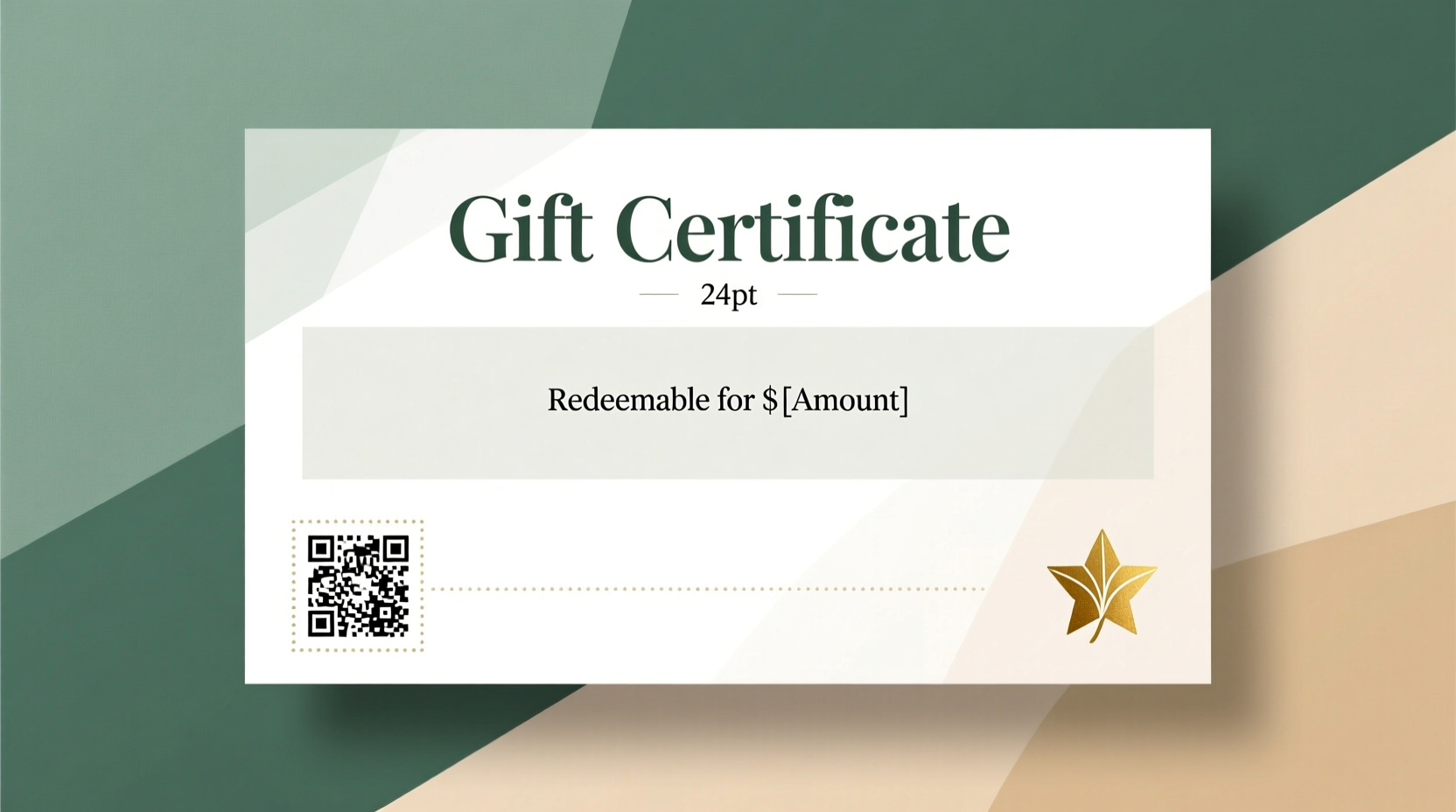
A well-designed gift certificate reflects professionalism and builds trust. For businesses, it enhances brand perception and encourages repeat customers. For personal use, a customized certificate adds emotional value and shows effort. Unlike generic store-bought vouchers, handmade certificates allow full control over layout, messaging, and visual style—making them more memorable and meaningful.
The rise of digital tools has eliminated the need for expensive software or outsourcing. Free online platforms now offer intuitive interfaces and high-quality templates that rival paid services. The key is knowing where to look and how to tailor designs effectively.
Top Free Tools for Creating Gift Certificates
Several user-friendly platforms provide free access to professionally designed templates that can be customized without any coding or design experience. These tools strike a balance between simplicity and functionality, making them ideal for beginners and experienced users alike.
- Canva: Offers hundreds of gift certificate templates with drag-and-drop editing. Free version includes access to fonts, icons, and basic photo filters.
- Microsoft Word & Google Docs: Built-in templates allow quick customization using familiar word processing features. Ideal for text-heavy or minimalist designs.
- Piktochart: Known for infographics, but also provides elegant certificate layouts suitable for formal or creative themes.
- Crello (now VistaCreate): Similar to Canva, with dynamic animations and social media-ready formats that can be adapted for printable certificates.
- Adobe Express: Combines powerful design capabilities with AI-assisted tools and a clean interface, even in its free tier.
Step-by-Step Guide to Customizing a Free Template
Creating a polished gift certificate from a free template involves more than just filling in blanks. Follow this structured process to ensure clarity, visual appeal, and usability.
- Select a template aligned with your purpose. Choose one that matches your brand tone—elegant, playful, modern, or rustic—depending on whether it’s for a spa, restaurant, retail shop, or personal gift.
- Replace placeholder text clearly and accurately. Include essential details: value amount, expiration date (if applicable), redemption instructions, business name, contact info, and terms of use.
- Customize colors and fonts to reflect your brand. Use consistent typography (one font for headings, another for body) and limit your color palette to two or three complementary tones.
- Add your logo or a signature element. Position it prominently but not intrusively. Ensure it's high-resolution if printing.
- Incorporate decorative elements sparingly. Subtle borders, floral accents, or geometric shapes can enhance aesthetics without overwhelming the message.
- Proofread and test print. Check alignment, spelling, and readability. Print a sample to verify size and ink usage before mass production.
Do’s and Don’ts of Gift Certificate Design
| Do’s | Don’ts |
|---|---|
| Use clear, legible fonts like Open Sans or Lato | Use overly decorative or script fonts for critical information |
| Include security features like unique codes or watermarks | Leave blank spaces where value can be altered manually |
| Specify expiration policies and redemption rules | Omit fine print or legal disclaimers |
| Design both digital and print versions | Assume screen display quality translates to print |
| Maintain consistent branding across all communications | Use clashing colors or mismatched logos |
“Even a simple certificate gains credibility when it looks intentional. Consistency in design signals reliability.” — Jordan Lee, Brand Identity Consultant
Real Example: A Bakery Boosts Sales with Custom Certificates
Sunrise Loaf, a family-owned bakery in Portland, wanted to increase holiday sales without discounting products. They used Canva to create a series of themed gift certificates—peppermint winter, spring floral, and summer citrus—each matching their seasonal menu.
The team added their logo, used warm earth tones, and included a QR code linking directly to their online ordering page. They printed 200 copies on textured cardstock and offered them at checkout with a promotional message: “Give the gift of fresh bread.” Within three weeks, they sold out and saw a 35% rise in first-time visitors redeeming the certificates.
This case demonstrates how minimal investment in design can yield tangible returns in customer engagement and revenue.
Checklist: Essential Elements of a Professional Gift Certificate
Before publishing or printing, ensure your certificate includes these components:
- Business or giver’s name and logo
- Recipient name (optional for open gifts)
- Clear monetary value or service description
- Unique identifier or serial number
- Expiration date (if applicable)
- Redemption instructions (website, location, phone number)
- Fine print: non-transferable clauses, no cash value, etc.
- Contact information for support inquiries
- Security feature (watermark, pattern, or code)
- Signature line (hand-signed for physical copies)
Enhancing Digital Certificates for Email and Mobile Use
Digital gift certificates are increasingly popular due to instant delivery and ease of sharing. To optimize for online use:
- Keep file sizes small by compressing images before export.
- Use responsive templates that display well on smartphones.
- Add clickable links: URL to redemption page, social media profiles, or customer service portal.
- Embed a scannable QR code that leads to a personalized landing page.
- Send via email with a warm note explaining how to use the certificate.
For added convenience, pair digital delivery with a printable option so recipients can choose their preferred format.
FAQ
Are free templates safe to use for commercial purposes?
Most reputable platforms like Canva and Adobe Express clearly label which templates are free for commercial use. Always check the license agreement. Avoid using uncredited graphics or stock images unless explicitly permitted.
How can I prevent fraud with homemade gift certificates?
Implement safeguards such as unique ID numbers, expiration dates, and verification processes. For digital versions, link each certificate to a user account or require registration upon redemption.
Can I personalize multiple certificates quickly?
Yes. Tools like Canva and Google Sheets integration allow bulk personalization. Create a data sheet with names and values, then merge them into your template automatically using mail merge add-ons.
Final Thoughts and Call to Action
Designing gift certificates doesn’t have to be time-consuming or costly. With free templates and intuitive design tools, anyone can produce beautiful, functional vouchers that delight recipients and strengthen brand identity. The most effective certificates combine clarity, elegance, and trustworthiness—all achievable through careful attention to detail and consistency.




 浙公网安备
33010002000092号
浙公网安备
33010002000092号 浙B2-20120091-4
Comments
No comments yet. Why don't you start the discussion?