
A personalized voicemail greeting does more than inform callers that you're unavailable—it shapes their first impression of you. Whether you're a freelancer, entrepreneur, or corporate professional, a well-crafted voicemail message communicates reliability, clarity, and attention to detail. Generic system prompts like “You’ve reached the mailbox of 555-1234…” lack personality and professionalism. Replacing them takes just minutes but can significantly enhance how clients, colleagues, and contacts perceive you.
This guide walks through practical, actionable steps to create a polished, effective voicemail announcement tailored to your role and communication style—without needing technical expertise or expensive tools.
Why a Professional Voicemail Matters
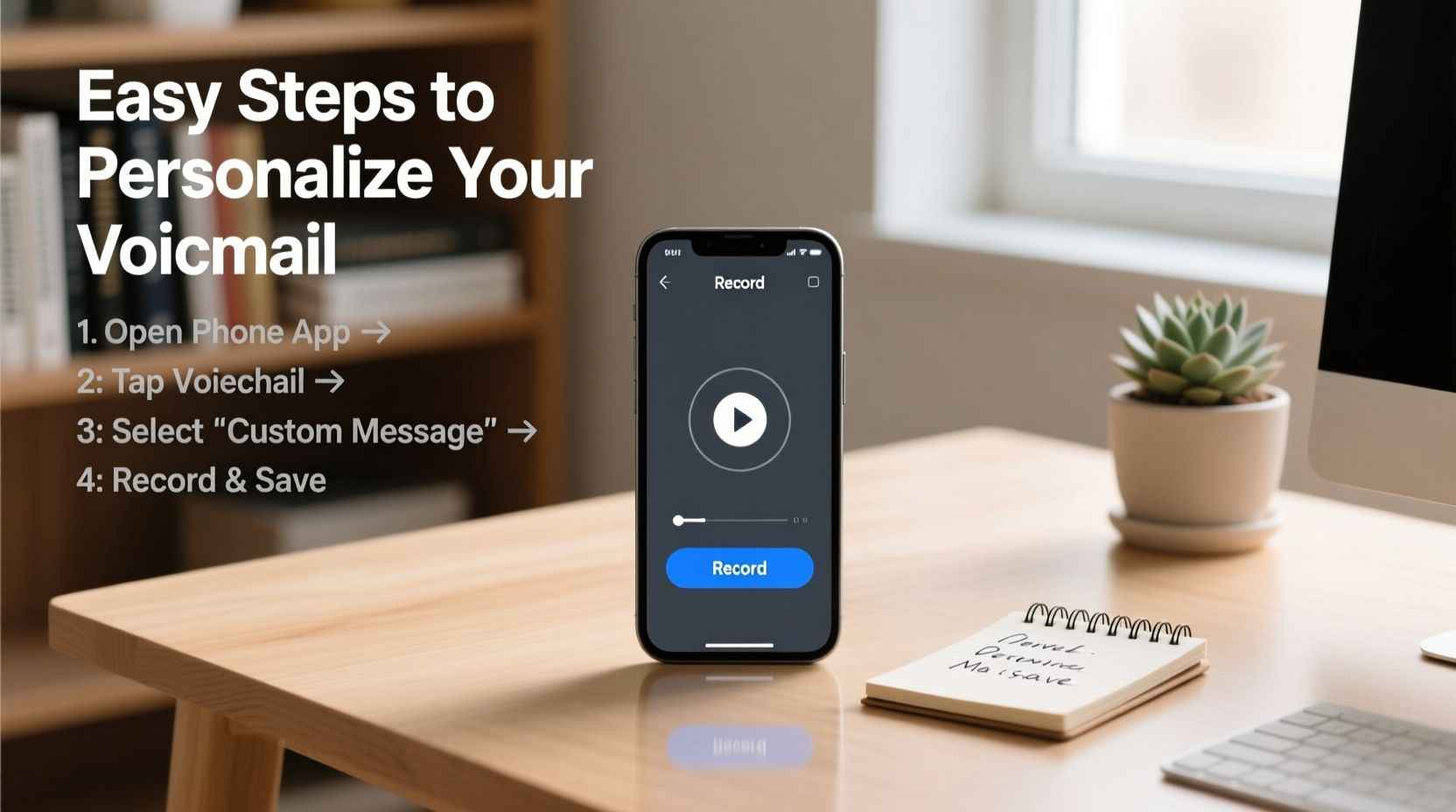
Your voicemail is often the only voice representation of your brand when you can’t answer. In customer-facing roles, it may be the first verbal interaction someone has with you. A clear, courteous, and informative message builds trust and sets expectations.
Consider this: a potential client calls during off-hours. If they hear a robotic default message, they might assume disorganization or lack of service focus. But if they hear, “Hi, you’ve reached Jamie Lin, Marketing Director at NexaCorp. I’m currently in meetings but will return your call within 24 hours,” the tone shifts instantly—competence, structure, and responsiveness are implied.
“Your voicemail is part of your digital handshake. It should reflect the same care as your email signature or LinkedIn profile.” — Carlos Mendez, Communication Strategist & Author of *Voice Presence*
Step-by-Step Guide to Recording Your Voicemail
Creating a professional voicemail doesn’t require a recording studio. With a quiet space and your smartphone, you’re already equipped. Follow this timeline to record and activate your new message:
- Check carrier options: Dial your own number or access voicemail settings via your phone’s visual voicemail or carrier menu (e.g., long-press ‘1’ on most U.S. carriers).
- Select personal greeting: Navigate to “Greeting” or “Personal Message” in the menu and choose to record a custom option.
- Write a script: Draft your message using the guidelines below before recording.
- Find a quiet space: Close windows, silence devices, and avoid echo-prone rooms like bathrooms.
- Record in one take: Speak clearly, at a moderate pace, and slightly louder than normal conversation.
- Listen and re-record: Most systems let you review and retry. Aim for 2–3 clean takes.
- Save and test: Activate the greeting and call your number from another line to verify clarity and volume.
What to Include (and Exclude) in Your Message
An effective voicemail balances brevity with completeness. The ideal length is 15–25 seconds—long enough to convey key details, short enough to hold attention.
| Do Include | Don’t Include | Reason |
|---|---|---|
| Your full name | Slang or nicknames (“Hey, it’s Jay-Jay!”) | Maintains professionalism; ensures clarity for unfamiliar callers. |
| Your position or role | Overly casual phrases (“I’m out living life!”) | Helps identify your relevance to the caller, especially in business contexts. |
| When you’ll return calls | Personal details (“I’m at my sister’s wedding”) | Manages expectations without oversharing private information. |
| A clear call to action (“Please leave your name, number, and reason for calling”) | Music or background noise | Ensures complete messages; avoids distractions. |
Real Example: From Generic to Polished
Meet Sarah Kim, a freelance graphic designer who updated her voicemail after losing two client leads. Her old message was the default: “No one is available to take your call…”
She revised it to:
“Hello, you’ve reached Sarah Kim, Brand Identity Designer. I’m currently working on a project and unable to answer. Please leave your name, company, and a brief message about your design needs, and I’ll respond within one business day. Thank you.”
Within three weeks, she noticed more detailed voicemails and faster callback conversions. One client later mentioned, “Your message made me feel like you were organized and serious about your work—that gave me confidence to reach out.”
Customizing for Different Scenarios
Your voicemail should adapt to context. Consider rotating greetings depending on availability or goals:
- Standard Business Greeting: For everyday use—clear, neutral, and reliable.
- Out-of-Office: “I’m traveling until July 15 and will respond upon return. For urgent requests, contact support@company.com.”
- Job Seeker: “You’ve reached Alex Rivera. I’m currently pursuing new opportunities in project management. Please leave a message and I’ll connect promptly.”
- Vacation Mode: Keep it light but professional: “I’m enjoying a short break and will return calls starting August 1. For immediate assistance, please contact Jane at 555-0192.”
Common Mistakes to Avoid
Even small missteps can undermine credibility. Watch out for these pitfalls:
- Unclear pronunciation: Mumbling or speaking too quickly makes it hard to understand your name or instructions.
- Too long or rambling: Messages over 30 seconds risk being cut off or ignored.
- No call to action: Failing to ask for a callback number or purpose reduces response quality.
- Emotional tone: Sarcasm, humor, or frustration (“If this is spam, hang up!”) can alienate legitimate callers.
- Outdated info: An old job title or incorrect return time creates confusion.
Frequently Asked Questions
Can I use music or sound effects in my voicemail?
It’s best to avoid music or jingles. They can distract from your message, reduce professionalism, and may not play clearly on all networks. Some carriers also compress audio, distorting music quality.
How often should I update my voicemail greeting?
Review it quarterly or whenever your role, contact info, or availability changes. Update immediately after job transitions, travel, or major projects.
What if my carrier doesn’t allow custom greetings?
Contact customer support to confirm features. Most major carriers (Verizon, AT&T, T-Mobile) support custom voicemail. If not, consider third-party apps like Google Voice, which offer advanced voicemail customization and transcription.
Final Checklist Before You Record
📋 Voicemail Preparation Checklist- ✅ Written script reviewed for clarity and tone
- ✅ Quiet environment selected (no background noise)
- ✅ Phone microphone tested for audio quality
- ✅ Full name and role clearly stated
- ✅ Call-back expectation communicated (e.g., “within 24 hours”)
- ✅ Clear instruction for leaving a message
- ✅ Recorded, reviewed, and re-recorded if needed
- ✅ Tested by calling from another phone
Conclusion: Make Every Second Count
Your voicemail is more than a utility—it’s a micro-moment of personal branding. A few well-chosen words can reinforce your professionalism, reliability, and attention to detail. By investing 10 minutes to craft a thoughtful greeting, you ensure that even when you’re not available, your presence still speaks volumes.
Take action today: pick up the phone, record a new message, and listen to how much more confident and capable you sound. That small change could be the difference between a missed opportunity and a meaningful connection.




 浙公网安备
33010002000092号
浙公网安备
33010002000092号 浙B2-20120091-4
Comments
No comments yet. Why don't you start the discussion?