
In an age where nearly every action leaves a trace online, managing your digital presence has become as essential as organizing physical space. From forgotten cloud files to outdated social media posts, accumulated digital clutter not only compromises privacy but also increases vulnerability to data breaches. Clearing your digital footprint isn’t just about freeing up storage—it’s about reclaiming control over your personal information, reducing digital anxiety, and safeguarding your identity.
Why Your Digital Footprint Matters
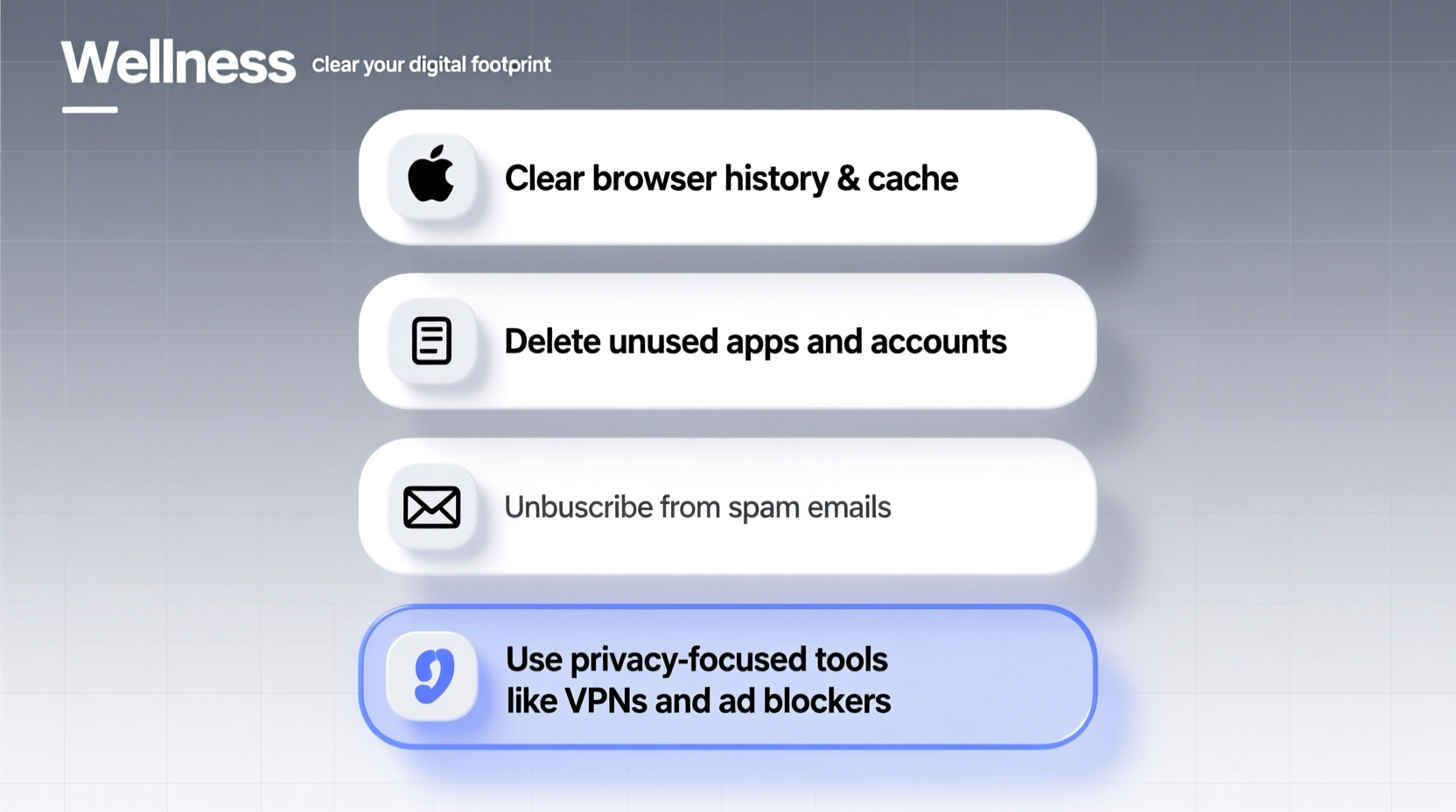
Every time you create an account, upload a photo, or even browse with tracking enabled, you leave behind digital residue. This footprint can be mined by advertisers, exploited by hackers, or misused by third parties. Old accounts with weak passwords, cached login sessions, and unsecured backups are common entry points for cyberattacks. Moreover, employers and institutions increasingly review online histories during background checks, making it crucial to curate what remains accessible.
A clean digital environment improves both security and mental well-being. Studies show that individuals who regularly audit their digital lives report lower stress levels and greater confidence in their online interactions.
“Your digital footprint is permanent unless you actively work to remove it. Most people don’t realize how much of their history is still recoverable—even after deletion.” — Dr. Lena Torres, Cybersecurity Researcher at the Institute for Digital Ethics
Step-by-Step Guide to Deleting Unwanted Digital Items
Clearing your digital footprint requires a methodical approach. Follow this timeline to systematically eliminate unnecessary data across devices and platforms.
- Inventory your accounts (Week 1): List all active and inactive online accounts—email, social media, shopping, forums, subscriptions.
- Delete unused apps and software (Week 2): Remove applications from computers and smartphones that no longer serve a purpose.
- Clear browser data and disable tracking (Week 3): Erase cookies, cache, and saved passwords; enable private browsing modes.
- Purge cloud storage and email (Week 4): Sort through Google Drive, Dropbox, iCloud, and inbox folders to permanently delete redundant files.
- Deactivate old accounts (Ongoing): Use services like JustDeleteMe to locate and close obsolete profiles.
- Review device backups (Month 2): Ensure deleted items aren’t preserved in system backups unless necessary.
Digital Do’s and Don’ts: A Quick Reference Table
| Do | Don't |
|---|---|
| Use encrypted password managers to track account logins | Reuse passwords across multiple sites |
| Enable two-factor authentication on critical accounts | Leave accounts logged in on public or shared devices |
| Regularly update privacy settings on social media | Accept friend requests or follow unknown users without verification |
| Permanently erase files using secure deletion tools (e.g., Eraser, FileShredder) | Assume moving files to the Recycle Bin fully deletes them |
| Back up essential data before mass deletions | Delete everything at once without a recovery plan |
Real Example: How Sarah Reduced Her Exposure in 6 Weeks
Sarah, a freelance writer, realized her online presence was out of control after receiving targeted ads referencing conversations she’d had near her phone. Alarmed, she began auditing her digital life. She started by listing 73 online accounts—many from trials she’d signed up for years ago. Using JustDeleteMe, she closed 41 inactive ones, including old banking portals and defunct blogging platforms.
Next, she reviewed her Google Activity dashboard and disabled Web & App Activity, which had been logging her searches and location for nearly a decade. She cleared her browser history across three devices and switched to DuckDuckGo as her default search engine. In her email, she archived five years of newsletters and unsubscribed from over 200 senders using Clean Email.
By week six, Sarah had freed up 28 GB of cloud storage, improved her device performance, and significantly reduced tracking exposure. “I didn’t realize how much mental weight I was carrying from digital chaos,” she said. “Now I feel more focused and protected.”
Essential Tools for Permanent Data Removal
Not all deletions are equal. Standard delete functions often leave data recoverable at the binary level. For true removal, use specialized tools designed to overwrite data securely.
- Eraser (Windows): Free open-source tool that securely wipes files and unused disk space using military-grade algorithms.
- FileShredder (Cross-platform): Lightweight utility for permanent file deletion without recovery possibility.
- BleachBit (Linux/Windows): Cleans cache, logs, and temporary files while offering secure deletion options.
- CCleaner (with caution): Useful for junk file cleanup, though recent versions have faced privacy scrutiny—use only the offline version with tracking disabled.
Checklist: Your Digital Decluttering Action Plan
Use this checklist to ensure comprehensive cleanup across all digital domains:
- ☐ Audit and list all online accounts (active and inactive)
- ☐ Delete or deactivate unused accounts using official deactivation processes
- ☐ Clear browser cache, cookies, and saved passwords
- ☐ Uninstall unused apps and software from all devices
- ☐ Permanently delete sensitive or outdated files using secure tools
- ☐ Review and adjust privacy settings on social media platforms
- ☐ Disable auto-login and background syncing where unnecessary
- ☐ Back up essential data before finalizing deletions
- ☐ Update passwords and enable two-factor authentication on key accounts
- ☐ Schedule quarterly reviews to prevent future buildup
Frequently Asked Questions
Can deleted files be recovered by others?
Yes, unless they are securely overwritten. Files moved to the trash and deleted can often be retrieved using data recovery software. To prevent this, use secure deletion tools that comply with standards like DoD 5220.22-M or Gutmann method.
Is it safe to delete old backups?
Only if you’ve verified that no essential data remains exclusively within them. Once confirmed, deleting outdated backups reduces risk of exposure—especially if stored on unencrypted external drives or compromised cloud accounts.
How often should I clear my digital footprint?
A biannual audit is recommended for most users. However, perform immediate reviews after major life changes (e.g., job change, relocation, identity theft attempt) or when discontinuing services.
Take Control of Your Digital Life
Deleting unwanted digital items and minimizing your footprint is not a one-time chore but an ongoing practice of digital hygiene. The benefits extend beyond security—reducing clutter enhances focus, improves device performance, and fosters intentional technology use. Unlike physical tidying, digital cleanup has exponential returns: each file removed, each account deactivated, reduces your attack surface and strengthens autonomy.
Start small. Pick one category—your email inbox, your photo library, or social media tags—and apply the methods outlined here. Over time, these actions compound into a cleaner, safer, and more intentional digital existence.




 浙公网安备
33010002000092号
浙公网安备
33010002000092号 浙B2-20120091-4
Comments
No comments yet. Why don't you start the discussion?