
Finding someone using just a photograph may sound like something out of a spy thriller, but in today’s digital world, it's not only possible—it’s increasingly common. Whether you're trying to reconnect with a long-lost friend, identify a person in an old family photo, or verify someone’s identity for safety reasons, modern technology offers several reliable tools. However, the process requires care, precision, and respect for privacy laws. This guide walks through proven, ethical techniques to help you locate individuals using only a photo.
Understanding the Possibilities and Limits
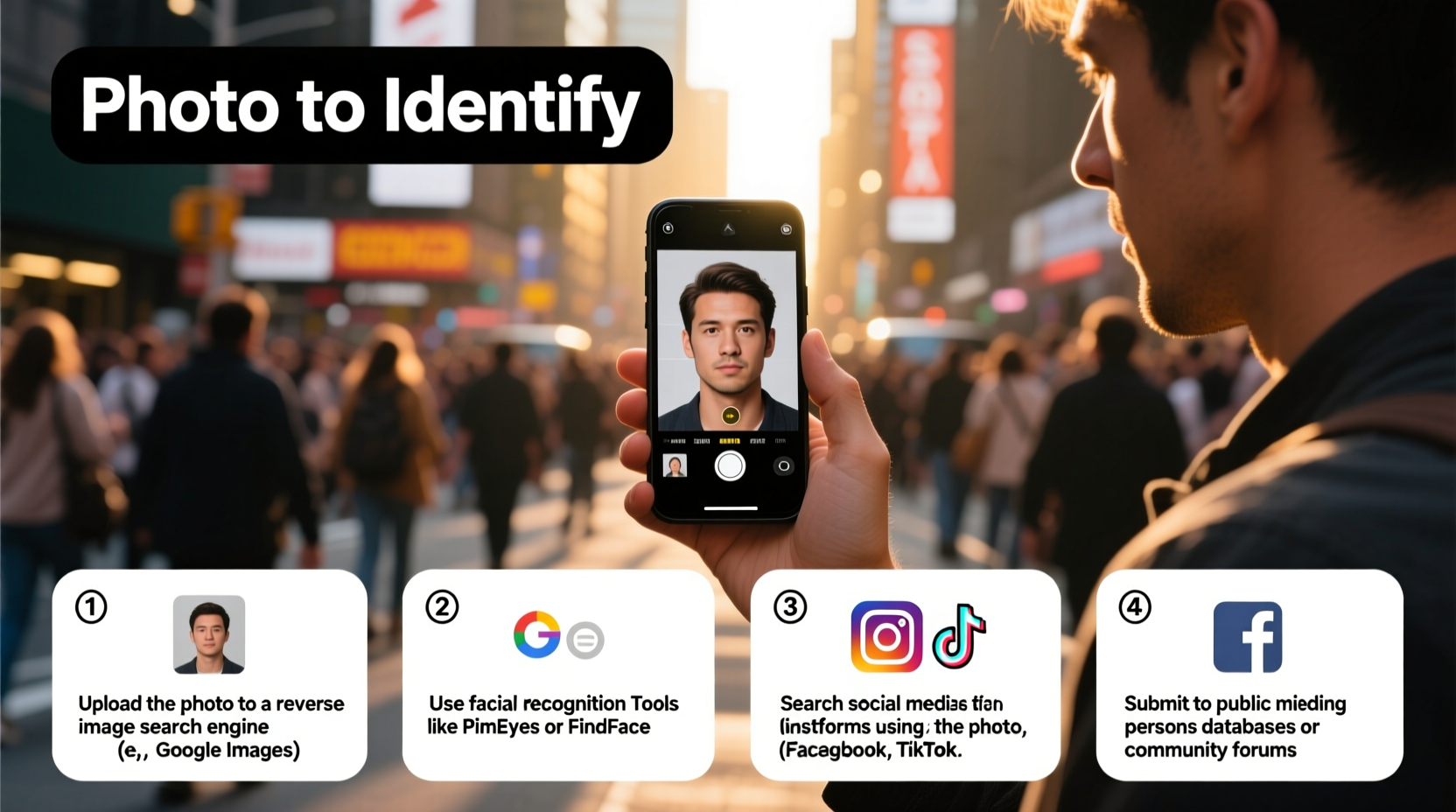
Not every photo will lead to a breakthrough. Success depends on multiple factors: image quality, online presence of the person, metadata availability, and the platforms used. High-resolution images with clear facial features yield better results than blurry or cropped shots. Additionally, if the individual has a minimal digital footprint—no public social media profiles, no tagged photos—the chances of identification drop significantly.
It’s also essential to act within legal and ethical boundaries. Using photos to harass, stalk, or impersonate someone is illegal and morally unacceptable. Always ensure your intentions are respectful and lawful.
“Technology empowers us to reconnect and verify identities, but it must be used responsibly. The goal should always be clarity, not intrusion.” — Dr. Lena Patel, Digital Ethics Researcher at Stanford University
Step-by-Step Guide to Finding Someone Using a Photo
The most effective approach combines multiple tools and strategies. Follow these steps in sequence for optimal results.
- Assess and prepare the photo: Ensure it’s high-quality and shows the person’s face clearly. Crop unnecessary background elements if needed.
- Check for embedded metadata: Use tools like ExifTool or online EXIF viewers to see if the image contains GPS coordinates, timestamps, or device info.
- Run a reverse image search: Upload the photo to Google Images, Yandex, or TinEye to find matching or similar images online.
- Use facial recognition platforms: Apply services like PimEyes (with caution) to detect where the face appears across public web sources.
- Search social media manually: Compare results with Facebook, Instagram, LinkedIn, or TikTok profiles that match age, location, or appearance.
- Cross-reference findings: Combine names, locations, and associated details to confirm identity.
- Contact respectfully, if appropriate: If you find the person, reach out with transparency about who you are and why you’re contacting them.
Top Tools for Reverse Image and Facial Recognition
Different tools serve different purposes. Some excel at finding duplicates of an image, while others specialize in identifying faces across databases.
| Tool | Type | Best For | Privacy Note |
|---|---|---|---|
| Google Lens / Google Images | Reverse Image Search | Finding exact matches, websites hosting the image | Publicly accessible; logs may be retained |
| Yandex.Images | Reverse Image Search | High accuracy with faces, especially in Europe/Russia | Data policies vary by region |
| TinEye | Reverse Image Search | Finding older versions or altered copies of an image | No facial recognition; focused on image tracking |
| PimEyes | Facial Recognition | Searching for a face across public web sources | Controversial; opt-out available for users |
| Facebook Graph Search (limited) | Social Media Search | Manual lookups using visual comparison | Requires account; strict usage policies |
Real Example: Reconnecting with a Childhood Friend
Sarah had a faded school photo of her childhood best friend, Maya, whom she lost touch with after moving cities at age 12. With no last name or contact details, traditional searches failed. She uploaded the photo to Yandex.Images and found a blog post from a regional art fair where a woman resembling Maya was tagged in the background of another image. Cross-referencing the location and timeline, Sarah searched Facebook using the name and city. After comparing photos and mutual connections, she confirmed it was Maya and sent a friendly message. They reconnected within days.
This case highlights how combining reverse image search with social media sleuthing—without invasive tools—can yield meaningful results.
Do’s and Don’ts When Searching for Someone via Photo
To protect yourself and others, follow these guidelines:
| Do’s | Don’ts |
|---|---|
| Use the search for positive reasons: reconnection, verification, safety | Never use the photo to impersonate or blackmail someone |
| Start with public, non-invasive tools like Google or Yandex | Avoid unauthorized facial recognition databases or hacking tools |
| Verify identity through multiple sources before reaching out | Don’t share the photo publicly without consent |
| Respect privacy if the person doesn’t wish to be found | Don’t persist if ignored or rejected after contact |
Essential Checklist Before You Begin
- ✅ Confirm you have a legitimate, ethical reason for the search
- ✅ Ensure the photo is clear and shows the face well
- ✅ Remove personal device data if sharing the photo with tools
- ✅ Use private browsing to avoid biased results
- ✅ Document each step to track progress and sources
- ✅ Prepare a respectful message in case you find the person
- ✅ Know when to stop—especially if privacy concerns arise
Frequently Asked Questions
Can I find someone using a photo for free?
Yes, many reverse image search tools like Google Images, Yandex, and TinEye are free to use. While advanced facial recognition services like PimEyes offer limited free access, full features often require a subscription. Manual social media searches are also free but time-consuming.
Is it legal to search for someone using their photo?
Yes, as long as you use publicly available tools and don’t engage in harassment, fraud, or unauthorized data access. Using photos to stalk or deceive someone violates privacy laws in most countries, including the U.S. (under state cyberstalking laws) and the EU (under GDPR).
What if the person doesn’t want to be found?
Respect their right to privacy. If you make contact and receive no response—or a request to be left alone—honor it immediately. Persistence in such cases can cross into unethical or illegal territory.
Final Thoughts and Responsible Action
Finding someone using a photo is no longer science fiction—it’s a practical skill powered by accessible technology. But with great capability comes responsibility. The tools exist not to invade privacy, but to bridge gaps: to reunite families, verify identities, and bring closure to unanswered questions.
If you’re beginning this journey, start with integrity. Use accurate photos, rely on ethical methods, and remain open to the possibility that some mysteries are meant to stay unsolved. When done right, this process can lead to powerful human moments—reconnections, acknowledgments, and even healing.




 浙公网安备
33010002000092号
浙公网安备
33010002000092号 浙B2-20120091-4
Comments
No comments yet. Why don't you start the discussion?