
Smartphone batteries degrade over time, leading to shorter usage periods, unexpected shutdowns, and sluggish charging. While lithium-ion batteries have improved significantly, they still lose capacity after repeated charge cycles. Fortunately, many performance issues aren't irreversible. With the right techniques, you can often revive an underperforming battery or extend its functional life. This guide outlines scientifically grounded and user-tested strategies to reactivate a cell phone battery and restore its efficiency—without risking damage to your device.
Understanding Battery Degradation
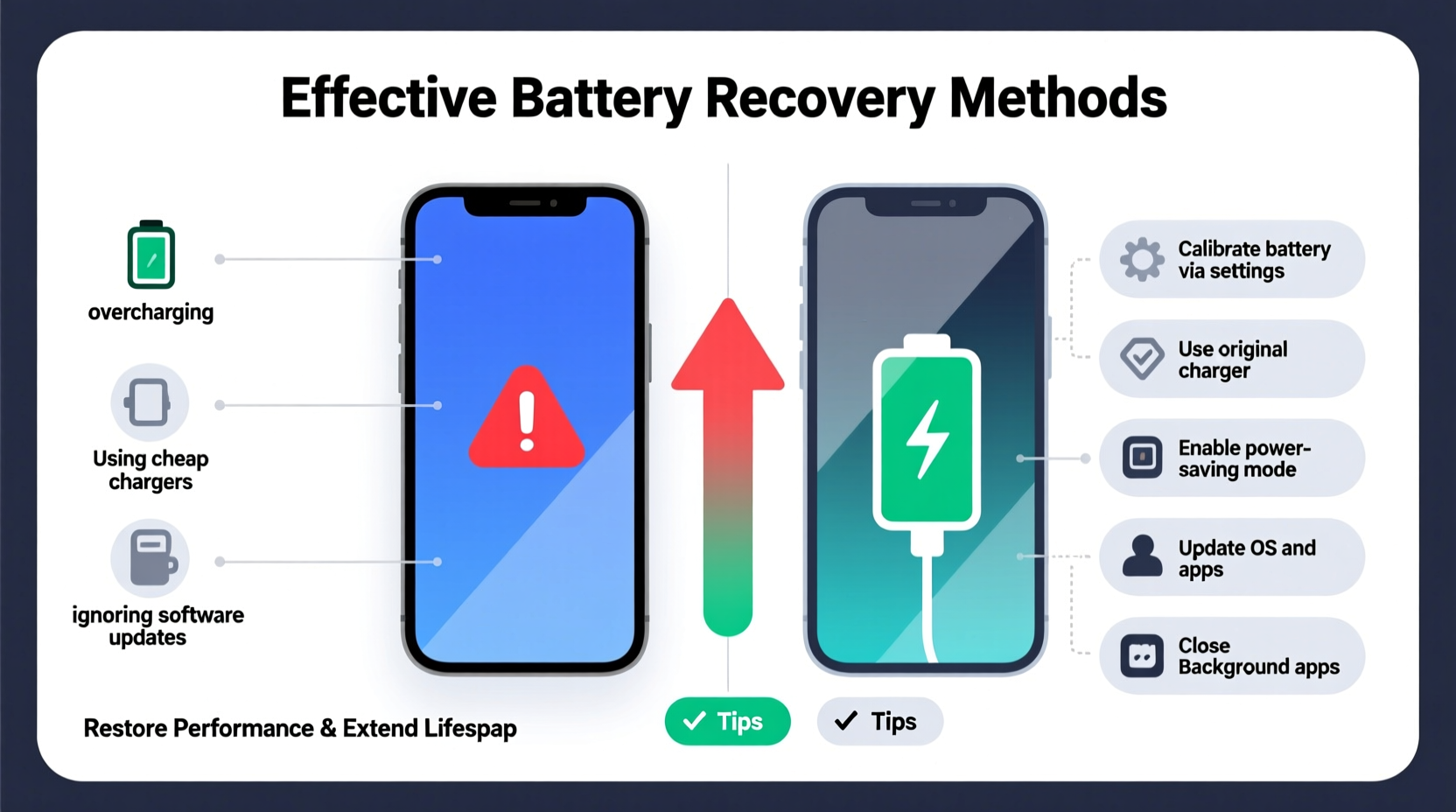
Lithium-ion batteries, used in nearly all modern smartphones, degrade due to chemical aging. Each full charge cycle contributes to a gradual reduction in maximum capacity. Factors like heat exposure, deep discharges, and long-term storage at low or high charge levels accelerate this process. Most manufacturers estimate that a battery retains about 80% of its original capacity after 500 full cycles. Beyond that, users typically notice significant drops in performance.
True “reactivation” isn’t always possible once physical degradation occurs, but certain behaviors can recalibrate the battery management system (BMS), improve charging accuracy, and optimize power delivery. In some cases, temporary performance dips caused by software misreporting or calibration errors can be reversed entirely.
“Battery health is as much about usage patterns as it is about chemistry. Many users believe their battery is dead when it’s actually just miscalibrated.” — Dr. Lena Torres, Electrochemical Systems Researcher, MIT Energy Initiative
Step-by-Step: Calibrating Your Phone’s Battery
Battery calibration resets the software’s understanding of charge levels, helping your phone report remaining power more accurately. A miscalibrated battery may show 30% but shut down immediately. This process doesn’t physically restore capacity but improves reliability and perceived performance.
- Drain the battery completely: Use your phone until it shuts down automatically. Avoid forced shutdowns—let it die naturally.
- Wait 3–4 hours: Leave the phone off to ensure residual charge dissipates.
- Charge to 100% uninterrupted: Plug in and charge using the original charger. Do not use the phone during charging.
- Keep charging for 2 additional hours: Even after reaching 100%, leave it plugged in to stabilize voltage.
- Power on and verify: Turn the phone on. The battery indicator should now reflect actual charge more precisely.
Effective Charging Practices to Restore Longevity
How you charge your phone has a direct impact on battery lifespan. Avoiding extreme charging habits can slow degradation and even reverse minor stress-related performance loss.
- Avoid overnight charging: Keeping the battery at 100% for extended periods stresses the cells. Use scheduled charging features (available on Android and iOS) to stop charging just before you wake up.
- Prefer partial charges: Lithium-ion batteries last longer when kept between 20% and 80%. Frequent top-ups are better than full cycles.
- Use manufacturer-approved chargers: Cheap third-party chargers may deliver inconsistent voltage, damaging internal circuitry over time.
- Unplug during heavy use: Running processor-intensive apps while charging generates excess heat, accelerating wear.
Do’s and Don’ts of Battery Charging
| Do | Don’t |
|---|---|
| Charge between 20% and 80% | Let the battery drop to 0% regularly |
| Use adaptive or optimized charging modes | Leave phone in hot environments while charging |
| Turn off phone occasionally during long charges | Use fast charging daily if not necessary |
| Store at 50% charge for long periods | Store fully charged or fully drained |
Real Example: Reviving a Two-Year-Old Smartphone
Mark, a freelance photographer, relied on his smartphone for client meetings and on-location shoots. After 26 months of use, his phone began shutting down at 40%, despite showing adequate charge. He avoided replacing it due to cost and environmental concerns. Following a battery calibration and switching to partial charging habits, he noticed immediate improvements. Over three weeks, the shutdowns ceased, and battery reporting stabilized. Though the maximum capacity didn’t increase, the phone became reliable again for daily use—an extra 10 months of service before eventual replacement.
Advanced Methods: Cold and Heat Exposure (Use with Caution)
Some online sources suggest placing a phone battery in a freezer to \"reactivate\" it. While cold temperatures can temporarily alter ion mobility in degraded cells, this method is risky and not recommended for consumers. Condensation can damage internal components, and extreme temperature shifts weaken solder joints.
Similarly, heating a battery—even slightly—can create short-term conductivity gains but poses fire hazards. These approaches are outdated and based on older nickel-based batteries, not modern lithium-ion systems.
Battery Health Optimization Checklist
Follow this checklist monthly to maintain and potentially restore battery performance:
- ✅ Perform a full battery calibration cycle
- ✅ Check battery health status (iOS: Settings > Battery > Battery Health; Android: Dial *#*#4636#*#* or use diagnostic apps)
- ✅ Disable background app refresh for non-essential apps
- ✅ Reduce screen brightness and timeout duration
- ✅ Enable battery saver mode during low-usage periods
- ✅ Remove thick cases during charging to reduce heat buildup
- ✅ Update your operating system to benefit from power management improvements
Frequently Asked Questions
Can freezing my phone really bring the battery back to life?
No. While viral videos promote this idea, freezing a phone can cause condensation inside the device, leading to corrosion or short circuits. Any temporary improvement is likely coincidental or due to other factors like recent charging. It’s unsafe and ineffective.
Is it possible to replace only the battery instead of the whole phone?
Yes—and it’s often the most sustainable choice. Most manufacturers and third-party repair shops offer battery replacement services. Replacing a degraded battery can restore near-original performance and extend device life by years.
Does closing background apps save battery?
Not significantly. Modern operating systems manage background processes efficiently. Force-closing apps can actually use more power when reopened. Instead, limit push notifications and disable auto-play in video apps for real savings.
Conclusion: Take Control of Your Device’s Lifespan
Reactivating a cell phone battery isn’t about magic tricks or quick fixes—it’s about informed care. By understanding how lithium-ion batteries behave, adopting smart charging habits, and recalibrating when necessary, you can restore reliability and delay replacement. These methods won’t turn back time, but they can breathe new life into aging devices. In a world where electronic waste is rising, extending your phone’s usability is both economical and environmentally responsible.




 浙公网安备
33010002000092号
浙公网安备
33010002000092号 浙B2-20120091-4
Comments
No comments yet. Why don't you start the discussion?