
Accidentally deleting a precious video—whether it’s your child’s first steps, a surprise proposal, or a travel memory—can be devastating. The good news is that modern technology offers multiple reliable ways to retrieve lost footage from your smartphone. Unlike physical files on a desktop, deleted videos often remain recoverable for days or even weeks after removal, provided the storage space hasn’t been overwritten. Understanding how deletion works and acting swiftly can make all the difference between permanent loss and successful recovery.
How Deletion Works on Mobile Devices
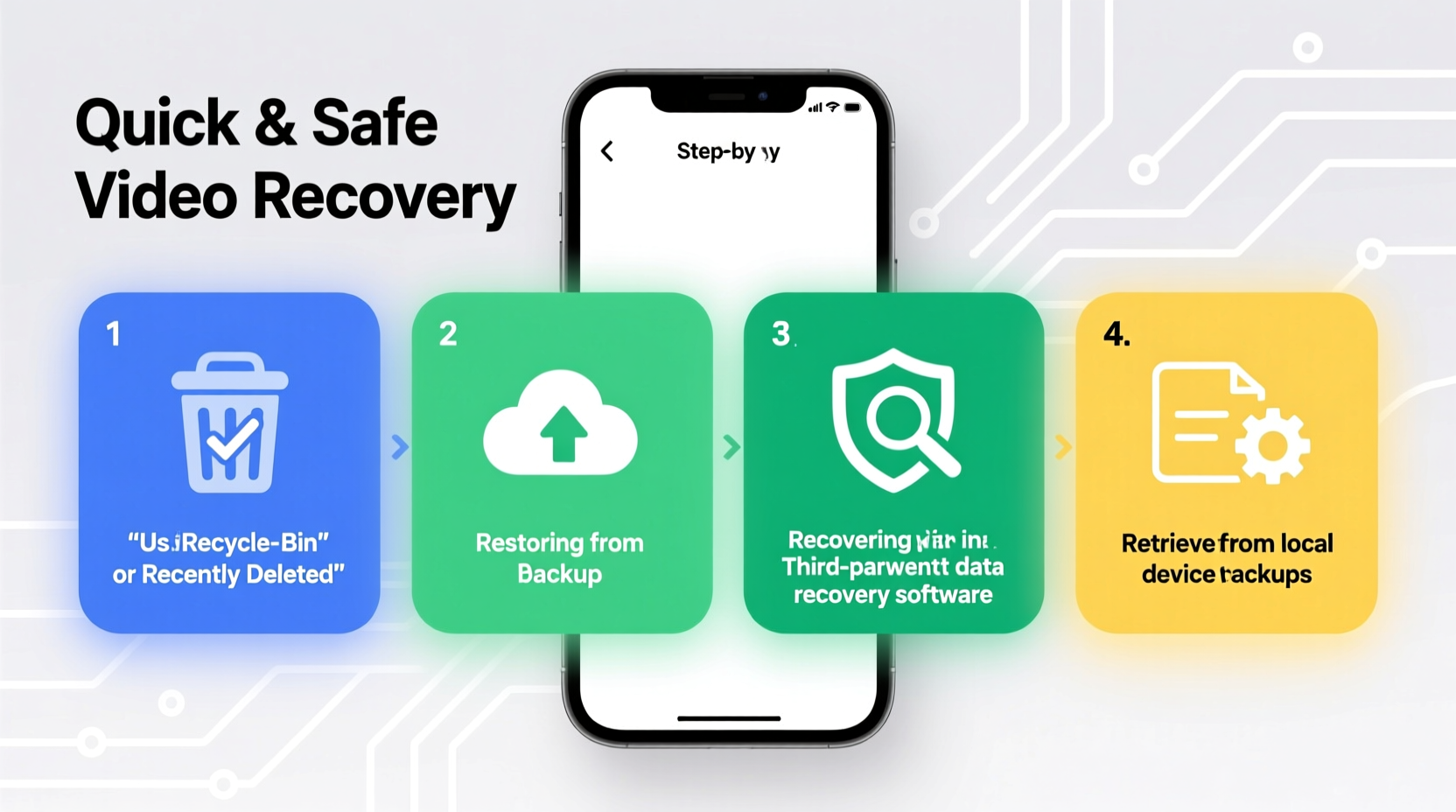
When you delete a video from your phone, it isn’t immediately erased from the device’s storage. Instead, the operating system marks the space it occupied as “available” for new data. The actual video file remains intact until new files overwrite it. This temporary state creates a window of opportunity for recovery—typically lasting from a few hours to several days, depending on how actively you use your phone.
Both Android and iOS manage file systems differently, but the principle remains consistent: speed matters. The sooner you act, the higher your chances of recovering the video without complications.
Step-by-Step Guide to Recover Deleted Videos
Follow this structured approach to maximize recovery success while minimizing risk:
- Stay Calm and Act Immediately: Panic leads to mistakes. Recognize that the video may still exist in recoverable form.
- Stop Using the Device: Avoid taking new photos, recording videos, or downloading apps to preserve storage sectors.
- Check the \"Recently Deleted\" Folder: Both iOS and Android maintain a temporary trash bin for media files.
- Restore from Cloud Backup: If you have Google Photos or iCloud enabled, check your cloud archives.
- Use Trusted Recovery Software (if needed): For permanently deleted files not in backups, specialized tools may help.
For iPhone Users: Utilizing the Recently Deleted Album
iOS automatically moves deleted photos and videos to the “Recently Deleted” album in the Photos app. These files remain there for up to 30 days before being permanently erased.
“Apple’s 30-day retention policy in the Recently Deleted folder is one of the most user-friendly safety nets in mobile OS design.” — Marcus Tran, Mobile Data Recovery Specialist
To restore:
- Open the Photos app.
- Navigate to Albums > Recently Deleted.
- Select the video(s) you want back.
- Tap “Recover” to restore them to your library.
For Android Users: Accessing Bin Features and Manufacturer Tools
Many Android devices now include a built-in recycle bin. Samsung, for example, offers a 15-day retention period in its Gallery app’s “Recycle Bin.” Google Photos also maintains a 30-day trash period.
To recover via Google Photos:
- Open the Google Photos app.
- Tap the menu icon and select “Trash.”
- Locate the video (sorted by deletion date).
- Long-press and tap “Restore.”
Using Third-Party Recovery Software
If the video isn’t in any trash folder and no cloud backup exists, third-party recovery tools may still retrieve it—especially if the phone hasn’t been used heavily since deletion.
These programs scan your device’s internal storage at a low level, searching for remnants of deleted files. However, they require caution: some apps are unreliable or pose privacy risks.
| Software | Platform | Best For | Limitations |
|---|---|---|---|
| Dr.Fone - Data Recovery | iOS, Android | User-friendly interface, high success rate | Paid version required for full recovery |
| DiskDigger (Android) | Android (root optional) | Deep scanning, free basic version | Root access improves results but voids warranty |
| iMyFone D-Back | iOS | Recovery from device, iTunes, or iCloud | Premium pricing model |
| PhotoRec (Open Source) | Cross-platform (via PC) | Free, powerful, supports many formats | Technical setup required; no preview function |
Before installing any software:
- Download only from official websites.
- Read independent reviews and check permissions.
- Avoid apps requesting unnecessary access like SMS or contacts.
Real-World Example: Recovering a Wedding Video
Sarah, a bride from Portland, accidentally deleted a 4-minute highlight clip from her wedding day while cleaning up her phone. She realized the mistake two days later. Panicked, she stopped using her iPhone entirely and connected it to Wi-Fi to sync with iCloud. Fortunately, she had “Optimize iPhone Storage” enabled, which meant full-resolution videos were backed up online.
She logged into iCloud.com, searched her photo library, and found the video in the “Recently Deleted” section. With a single click, she restored it. The entire process took less than ten minutes.
Sarah’s story highlights two critical points: regular cloud syncing is invaluable, and immediate action prevents further data loss.
Prevention Checklist: Avoid Future Loss
Recovery isn’t always guaranteed. Build habits that protect your videos before they’re gone:
- ✅ Enable automatic cloud backup (iCloud or Google Photos).
- ✅ Review settings to ensure videos are included in backups.
- ✅ Use strong Wi-Fi networks for seamless syncing.
- ✅ Periodically export important videos to a computer or external drive.
- ✅ Label and organize key memories in dedicated albums.
- ✅ Educate family members about backup practices if sharing devices.
Frequently Asked Questions
Can I recover a video deleted more than 30 days ago?
Yes, but only under specific conditions. If the video was backed up to iCloud, Google Photos, or a computer before deletion, it can be restored from that backup. Direct device recovery after 30 days is unlikely unless no new data has been written to the storage sectors.
Do I need to root or jailbreak my phone to recover videos?
Not necessarily. Most consumer-grade recovery tools work without rooting or jailbreaking. However, deeper recovery—especially on Android—may require root access for full filesystem scanning. Weigh the risks: rooting can void warranties and expose your device to security vulnerabilities.
Are free recovery apps safe to use?
Some are, but many free apps contain ads, collect personal data, or deliver poor results. Stick to well-reviewed tools from reputable developers. Open-source options like PhotoRec are trustworthy but require technical knowledge. When in doubt, invest in a paid solution with customer support and encryption features.
Final Thoughts and Action Plan
Losing a video doesn’t have to mean losing a memory. With the right knowledge and tools, most deleted footage can be recovered—especially when you act fast and avoid common pitfalls like continued phone usage post-deletion. The methods outlined here, from built-in trash bins to advanced recovery software, give you multiple layers of protection.
But the best strategy is prevention. Automate your backups, verify their integrity regularly, and treat your phone’s storage with the same care you’d give a photo album. Technology should serve your memories, not erase them.




 浙公网安备
33010002000092号
浙公网安备
33010002000092号 浙B2-20120091-4
Comments
No comments yet. Why don't you start the discussion?