
Losing a smartphone is more than an inconvenience—it can mean losing access to personal data, financial accounts, photos, and communication tools. The good news? If you act quickly and methodically, there are reliable ways to locate, lock, or even remotely wipe your lost device—all from another phone. This guide walks through proven strategies that work across both Android and iOS platforms, helping you maximize the odds of recovering your device or protecting your information.
Step 1: Confirm the Loss and Act Immediately
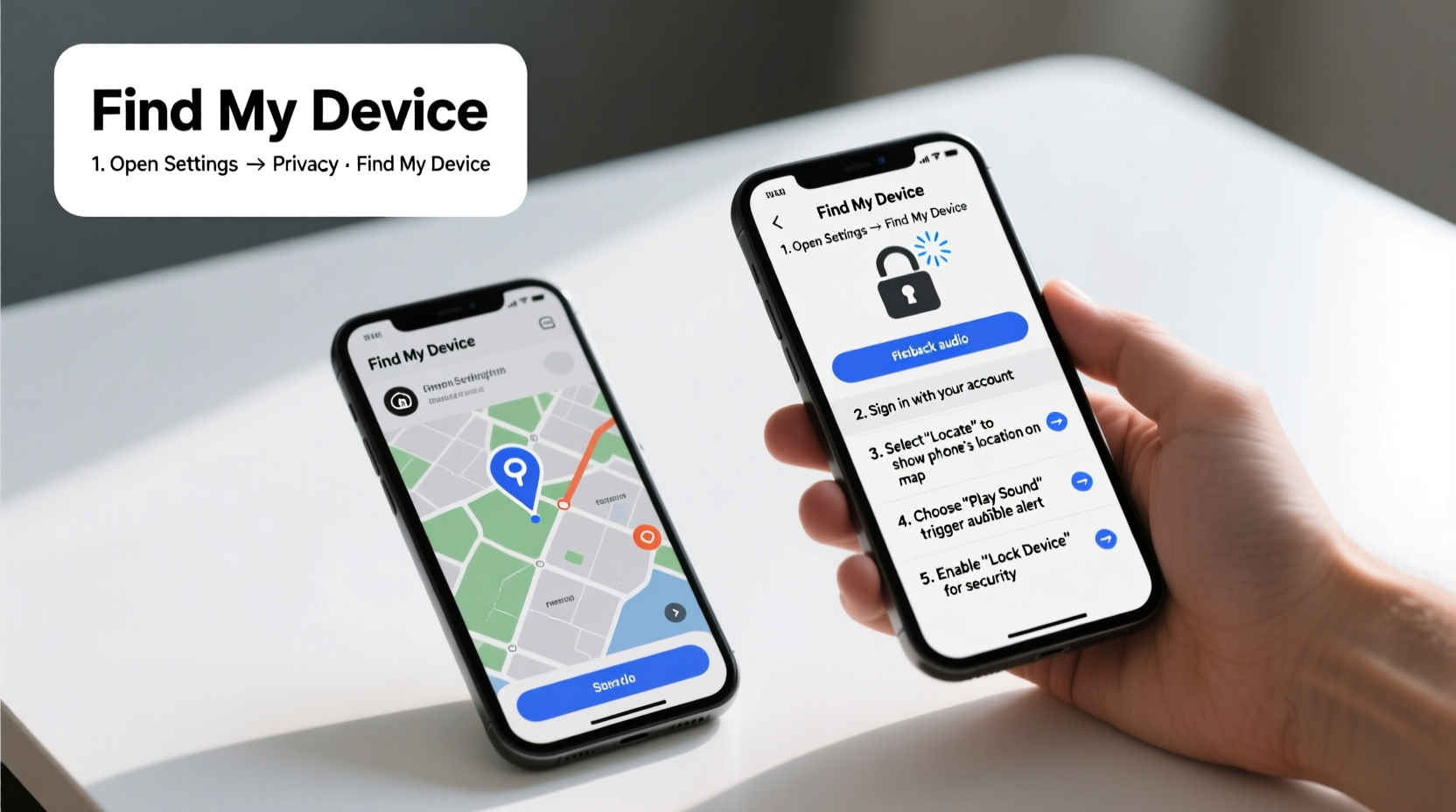
The first few minutes after realizing your phone is missing are critical. Delay reduces the likelihood of tracking success, especially if location services are disabled or the battery dies. Begin by retracing your steps and calling your number from a friend’s phone. If it rings, the device is nearby and powered on. If it goes straight to voicemail, it may be off, out of range, or in airplane mode.
If the phone doesn’t answer, proceed immediately to digital recovery options. Time is your most valuable asset.
Step 2: Use Built-in Tracking Services Remotely
Both major operating systems offer free, cloud-based tracking tools accessible from any web browser or mobile app. These services rely on prior setup (like being signed into a Google or Apple ID), so preparation matters—but many users already have these enabled by default.
For Android: Find My Device via Google
Google’s “Find My Device” service allows you to locate, ring, lock, or erase an Android phone remotely. Access it from another device at google.com/android/find.
- Sign in with the Google account linked to the lost phone.
- View the device’s last known location on a map.
- Select actions: play a sound (even if on silent), lock the device with a custom message, or erase all data.
For iPhone: Find My App or iCloud.com
Apple’s “Find My” network uses end-to-end encryption and can locate iPhones even when offline via Bluetooth signals from nearby Apple devices.
- Open the Find My app on another Apple device or go to icloud.com.
- Log in with the same Apple ID used on the lost iPhone.
- Select the missing device and choose to play a sound, mark as lost, or erase it remotely.
“Over 70% of recovered smartphones were located within the first hour using built-in tracking tools.” — National Cybersecurity Institute, 2023 Report
Step 3: Leverage Third-Party Apps and Network Assistance
If standard tools aren’t available or fail, consider supplementary apps and carrier support.
Third-Party Tracking Applications
Some users install additional security apps like Cerberus (Android) or Prey (cross-platform), which offer advanced features such as stealth拍照 (take photos of the user), GPS logging, and multi-device management. These require pre-installation and activation but can provide deeper control than native tools.
Contact Your Carrier
Call your mobile provider to report the loss. They can suspend service to prevent unauthorized calls or data use and may assist in triangulating the device’s signal. In some cases, law enforcement requests cell tower logs to trace movement patterns.
Step 4: Engage Authorities and Public Recovery Options
If tracking shows your phone is in a fixed location not associated with you, do not confront anyone directly. Instead:
- Take screenshots of the location and device status from Find My Device or Find My.
- File a police report with the IMEI, serial number, and evidence of location.
- Provide this information to your carrier for blacklisting.
In public places like cafes or transit hubs, notify staff with a description and last seen time. Some establishments have lost-and-found protocols.
Mini Case Study: Recovering a Phone Left in a Taxi
Sarah, a business traveler, left her Android phone in the back of a New York cab. Within ten minutes, she used her tablet to open Find My Device. The phone showed real-time movement along the FDR Drive. She called the number, and the driver answered. Using the “Lock” feature, she displayed a message: “This phone is tracked. Please call Sarah at [alternative number].” The driver returned it at no charge the next day.
This case highlights the importance of immediate action and using remote messaging to encourage cooperation.
Step 5: Prevent Future Losses with Smart Habits
Recovery isn’t always possible. Proactive habits reduce risk and improve response speed.
| Habit | Action | Benefit |
|---|---|---|
| Enable Location Services | Keep GPS and Wi-Fi scanning on | Improves tracking accuracy |
| Use Strong Authentication | Set up PIN, fingerprint, or facial unlock | Deters casual access |
| Regular Backups | Sync data to cloud daily | Minimizes data loss if unrecovered |
| Label Lock Screen | Add emergency contact info | Increases chance of return |
Checklist: What to Do When Your Phone Is Lost
- ✔ Attempt to call your phone from another device
- ✔ Log into Find My Device (Android) or Find My (iPhone)
- ✔ Note the last known location and timestamp
- ✔ Play a sound if nearby
- ✔ Activate Lost Mode or lock with contact info
- ✔ Contact carrier to suspend service
- ✔ File a police report if theft is suspected
- ✔ Backup data once resolved
Frequently Asked Questions
Can I track my phone if location services were turned off?
Tracking becomes significantly harder without location enabled. However, if Wi-Fi or mobile data was active, some services may estimate location based on network connections. For iPhones, the Find My network can still detect Bluetooth signals from nearby Apple devices even with location off—provided the phone hasn’t been fully powered down.
What should I do if someone refuses to return my phone?
If you’ve identified the person in possession and they refuse to return it, contact local law enforcement with proof of ownership (receipts, account access, IMEI match). Keeping your device registered in your name with the manufacturer also strengthens your claim.
Is it safe to erase my phone remotely?
Yes—if recovery seems unlikely, wiping the device protects sensitive data like passwords, messages, and banking apps. Once erased, tracking ends, so only use this option after exhausting other avenues.
Conclusion
Recovering a lost phone isn’t left to luck alone. With the right tools and swift action, many devices are found and returned safely. Modern technology gives you powerful remote capabilities—from pinpointing locations to locking screens and erasing data. The key is preparation: ensure tracking is enabled, know your account details, and act decisively the moment you realize your phone is gone.




 浙公网安备
33010002000092号
浙公网安备
33010002000092号 浙B2-20120091-4
Comments
No comments yet. Why don't you start the discussion?