
Navigating customer service on a platform as vast as Amazon can feel overwhelming, especially when something goes wrong with an order. Whether it’s a missing package, a defective product, or a seller who won’t cooperate, knowing how to file a complaint effectively is crucial. Many customers give up after one failed attempt, unaware that persistence, precision, and the right approach can lead to successful outcomes. This guide outlines proven strategies to help you escalate issues properly, communicate clearly, and secure refunds, replacements, or resolutions—every time.
Understand Amazon’s Complaint System Structure
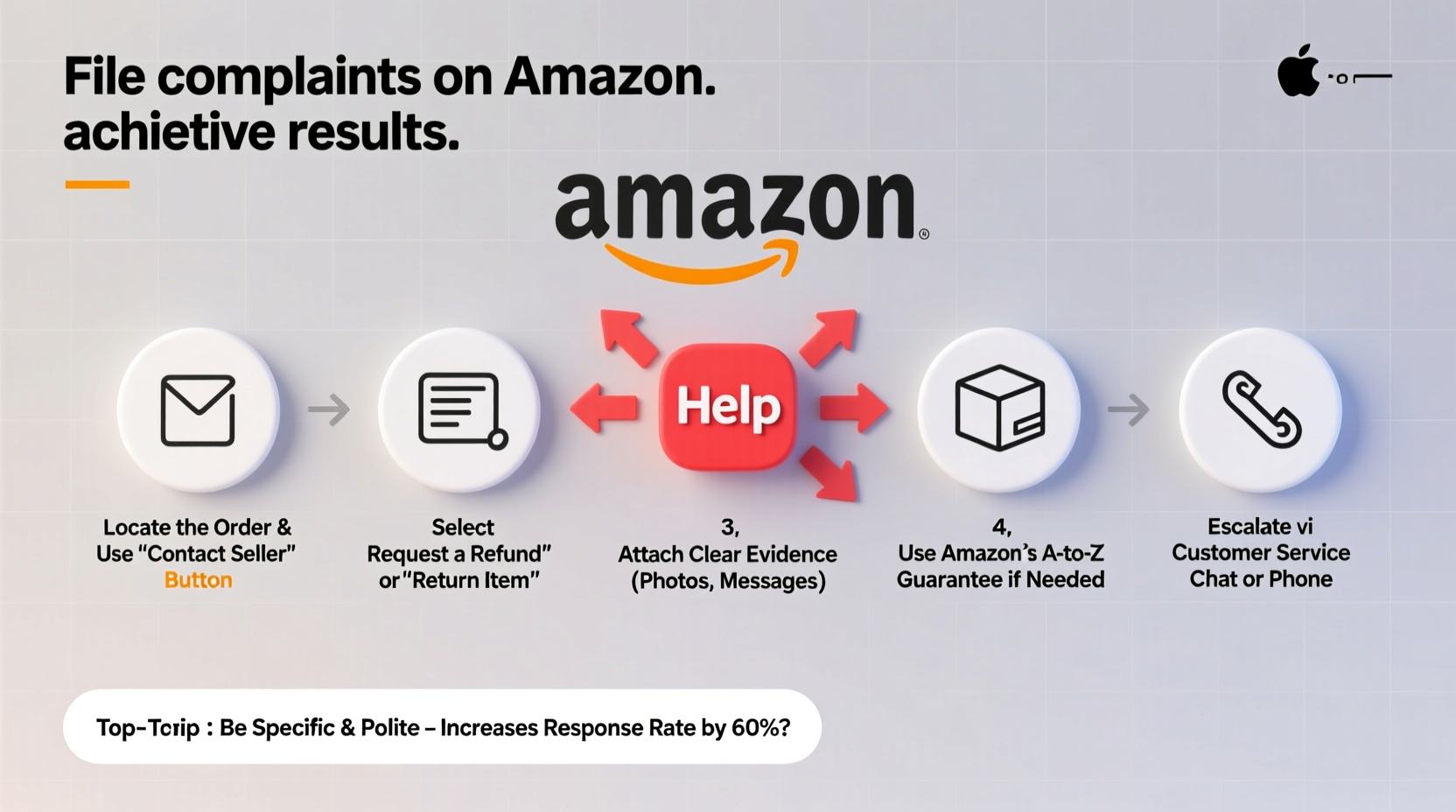
Amazon operates a tiered support system that prioritizes automated solutions before connecting users with live agents. Most initial interactions happen through the Help & Customer Service section of your account. The key to success lies in understanding how this system routes and categorizes complaints.
When you open a case, Amazon assigns it based on issue type: delivery problems, item condition, refund disputes, or seller communication. Each category has predefined resolution paths. For example, “Item Not Received” claims are often resolved automatically if tracking confirms non-delivery. However, vague descriptions like “I’m unhappy with my order” may be dismissed without escalation.
Step-by-Step Guide to Filing a Winning Complaint
- Log into Your Amazon Account – Ensure you’re using the correct account associated with the order.
- Go to “Your Orders” – Locate the problematic purchase by date, item, or order number.
- Click “Problem with Order” – This opens the dispute interface. Avoid generic messages; choose from listed issues such as “Item Damaged,” “Wrong Item Received,” or “Never Received.”
- Provide Clear Details – Include dates, photos (if applicable), and a concise explanation. For example: “Received a cracked screen on tablet model XYZ, despite packaging appearing intact.”
- Attach Evidence – Upload clear images or videos showing defects, incorrect items, or damaged packaging. Screenshots of misleading product descriptions also strengthen your case.
- Select Desired Resolution – Choose between refund, replacement, or partial compensation. Be reasonable—Amazon favors fair requests.
- Submit and Monitor – Check your email and Amazon message center daily. Some cases resolve within hours; others require follow-up.
If no response comes within 48 hours, manually escalate by replying to the case thread with “Please escalate to a supervisor” or “I request a manager review.” This often triggers human intervention.
What to Do When Amazon Ignores Your Initial Request
Not all complaints receive immediate attention. If your first submission is denied or ignored, don’t assume the case is closed. Amazon allows multiple follow-ups, and persistence pays off.
- Reopen the case with additional evidence—especially timestamped photos or third-party verification (e.g., USPS damage report).
- Reference Amazon’s A-to-Z Guarantee Claim policy if the seller fails to deliver or provide a refund.
- Contact Amazon via phone at 1-888-280-4331 for urgent matters. Call during off-peak hours (Tuesday–Thursday, 8–10 AM local time) for shorter wait times.
- Use Twitter/X: Tweeting politely to @AmazonHelp with your order number often yields faster replies than internal messaging.
“Over 70% of escalated Amazon complaints are reconsidered when new evidence is presented within five days of denial.” — Jason Reed, Consumer Advocacy Analyst
Do’s and Don’ts When Communicating With Amazon Support
| Do’s | Don’ts |
|---|---|
| Be polite and professional in tone | Use aggressive language or threats |
| Include order numbers and ASINs | Assume the agent knows your history |
| Upload high-resolution proof | Submit blurry or irrelevant images |
| Request specific actions (“Please issue a full refund”) | Make open-ended demands (“Fix this now!”) |
| Follow up every 24–48 hours if unanswered | Spam the chatbot repeatedly in one hour |
Real Example: Recovering a Lost High-Value Package
Sophie from Colorado ordered a $450 camera lens with two-day shipping. The tracking showed “delivered,” but she never received it. She immediately opened a case under “Item Not Received,” uploaded a photo of her empty doorstep, and contacted her neighbor, who confirmed no package was left.
Amazon’s initial response denied her claim, citing delivery confirmation. Undeterred, Sophie replied to the case: “I have verified with neighbors and surveillance footage shows no delivery. Please escalate under A-to-Z Guarantee.” She attached a signed statement from her neighbor and a 10-second video clip from a Ring doorbell showing no activity at the expected delivery window.
Within 12 hours, a specialist reopened the case. Two days later, Sophie received a full refund—and Amazon reshipped the item at no cost after confirming carrier error.
This case succeeded because Sophie acted quickly, provided verifiable evidence, and referenced Amazon’s own guarantee policy.
Checklist: Maximizing Your Chances of Success
- ☑ File the complaint within Amazon’s return window (usually 30 days)
- ☑ Use the exact terminology Amazon recognizes (e.g., “not as described,” “not received”)
- ☑ Attach clear, dated photos or videos
- ☑ Reference policy names like “A-to-Z Guarantee” or “Fulfillment Promise”
- ☑ Escalate via phone or social media if unresolved in 72 hours
- ☑ Keep records of all correspondence and tracking details
- ☑ Stay calm and factual in all messages
Frequently Asked Questions
How long does Amazon take to respond to a complaint?
Most cases receive an automated response within 24 hours. Human-reviewed cases typically take 1–3 business days. Urgent escalations (via phone or Twitter) can yield replies in under 12 hours.
Can I file a complaint after 30 days?
Generally, Amazon limits most returns and complaints to 30 days from delivery. However, exceptions exist for defective electronics (up to one year under warranty) or unfulfilled subscriptions. Contact support directly to explain extenuating circumstances.
What if the seller refuses to refund, even though Amazon fulfilled the order?
If Amazon shipped the item (sold by a third party but fulfilled by Amazon), contact Amazon directly—they handle all logistics and customer service. You are not required to negotiate with the seller.
Conclusion: Turn Frustration Into Resolution
Filing a complaint on Amazon doesn’t have to be a dead end. With the right strategy—timely action, precise language, documented evidence, and smart escalation—you can turn a negative experience into a fair resolution. Thousands of customers recover lost funds or receive replacements each month simply because they knew how to navigate the system correctly. Don’t accept a “no” without pushing further when justified. Amazon’s policies are designed to protect buyers; your job is to use them wisely and confidently.




 浙公网安备
33010002000092号
浙公网安备
33010002000092号 浙B2-20120091-4
Comments
No comments yet. Why don't you start the discussion?