
Unwanted calls have become a daily nuisance for millions of people. Whether it's robocalls, telemarketers, or scam attempts, these interruptions not only disrupt your day but can also pose serious risks to your privacy and security. While regulations like the National Do Not Call Registry exist, they don’t stop all unwanted callers—especially those operating outside the law. The good news is that you can take control. With a combination of built-in phone features, carrier-based tools, and third-party solutions, blocking both landline and mobile calls has never been more accessible.
Understanding the Types of Unwanted Calls
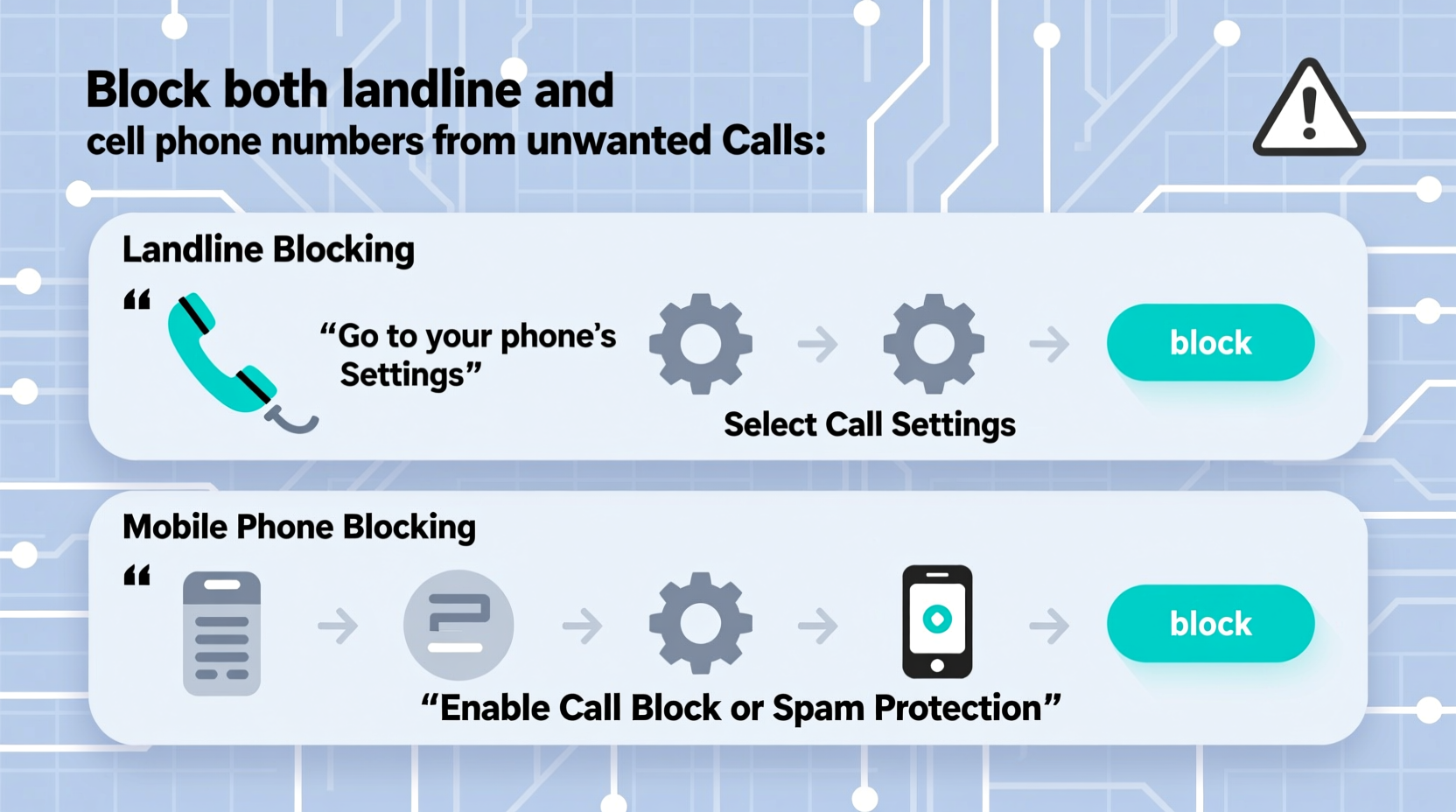
Before implementing blocking strategies, it helps to understand what you're dealing with. Unwanted calls generally fall into three categories:
- Robocalls: Automated calls often used for scams, fake debt collection, or phishing attempts.
- Telemarketing: Live or automated sales calls from legitimate (but unsolicited) companies.
- Spoofed Numbers: Calls that disguise their real number with a fake one, often mimicking local area codes to increase answer rates.
Because spoofing makes caller ID unreliable, relying solely on identifying a number isn’t enough. A layered defense strategy is essential.
Blocking Strategies for Cell Phones
Smartphones come equipped with advanced call management features that make blocking straightforward. Here’s how to use them effectively across major platforms.
iOS (iPhone)
Apple integrates robust spam protection through its partnership with carriers and machine learning models.
- Open the Phone app and tap “Recents.”
- Find the number you want to block and tap the “i” icon next to it.
- Select “Block this Caller,” then confirm.
Additionally, enable Silence Unknown Callers in Settings > Phone to send unidentified numbers directly to voicemail.
Android Devices
Most Android phones use Google’s Call Screen and Spam Protection features.
- Go to the Phone app > Settings > Spam and Call Screening.
- Toggle on “Enable spam filtering.”
- To block a number: Open call history, tap the number, select “Block / report spam.”
Google automatically flags suspicious numbers using real-time data from millions of users.
| Platform | Native Blocking Method | Spam Detection |
|---|---|---|
| iOS | Block via Recents or Contacts | Labeled by carrier (e.g., “Possible Spam”) |
| Android | Block/report spam in call log | Google-powered spam scoring |
| Third-Party Apps | Varies by app | Community-reported databases |
Protecting Your Landline from Harassment
Landlines are still vulnerable, especially for seniors or households without mobile alternatives. Fortunately, several tools can help reduce incoming spam.
Use Carrier Call-Blocking Services
Many landline providers offer free or low-cost call-blocking features:
- AT&T Call Protect: Free version includes spam detection and auto-blocking.
- Verizon Call Filter: Offers basic spam alerts and premium options for enhanced filtering.
- Comcast Xfinity Digital Voice: Includes Call Forwarding, Anonymous Call Rejection, and Call Block features.
Physical Call Blockers
Devices like the CPR V5000 or ClearSky ST 100 connect directly to your phone line and allow you to block thousands of numbers manually or automatically based on criteria like international prefixes.
“Landline users are increasingly targeted because they’re perceived as less tech-savvy. Proactive blocking tools are no longer optional—they’re essential.” — Dr. Linda Chen, Cybersecurity Researcher at Northeastern University
Enhanced Protection with Third-Party Apps
For stronger defense across both mobile and landline numbers, consider dedicated call-blocking apps. These leverage crowd-sourced data and AI to identify threats before they reach you.
Top Recommended Apps
- Hiya: Real-time spam identification, integration with native dialer, and automatic blocking.
- Truecaller: Massive global database; identifies unknown callers and blocks spam effectively.
- RoboKiller: Uses “Answer Bots” to waste scammers’ time while blocking their access to you.
These apps work best when permissions are enabled for call screening and contact access. Some offer cross-platform syncing, so you can manage blocked numbers from one dashboard.
Mini Case Study: Reducing Daily Calls by 90%
Maria, a retired teacher in Ohio, was receiving over 15 unwanted calls per day on her home landline. After registering with the National Do Not Call list with no improvement, she contacted her provider and activated AT&T Call Protect. She also connected a CPR V5000 device to manually block persistent numbers. Within two weeks, her daily spam calls dropped to fewer than two. She now reviews blocked logs monthly and updates filters accordingly.
Step-by-Step Guide to Comprehensive Call Blocking
Follow this timeline to secure both your mobile and landline numbers within one week:
- Day 1: Register your numbers with the National Do Not Call Registry at donotcall.gov.
- Day 2: Enable built-in spam protection on your smartphone (iOS Settings > Phone or Android Phone App > Settings).
- Day 3: Contact your landline provider to activate free call-filtering services.
- Day 4: Download and install a trusted third-party app like Hiya or Truecaller on your mobile device.
- Day 5: Manually block known spam numbers from your recent call log.
- Day 6: Consider purchasing a hardware call blocker if you rely heavily on a landline.
- Day 7: Review blocked calls weekly and adjust settings as needed.
- ✅ Registered with the National Do Not Call List
- ✅ Enabled spam filtering on mobile
- ✅ Activated carrier-based call protection
- ✅ Installed a reputable third-party blocking app
- ✅ Blocked recurring spam numbers manually
- ✅ Set up automatic spam detection on landline (if applicable)
Frequently Asked Questions
Can I block all unwanted calls completely?
No solution offers 100% protection, especially with spoofed or constantly rotating numbers. However, combining multiple tools significantly reduces exposure—most users report an 80–90% decrease in spam calls.
Will blocking a number prevent emergencies or important messages?
Legitimate organizations rarely call from blocked numbers. If someone important can’t reach you, they’ll typically leave a voicemail or contact you through other channels. For critical services (e.g., schools, doctors), add their numbers to your contacts to ensure delivery.
Are third-party call-blocking apps safe to use?
Reputable apps like Hiya, Truecaller, and RoboKiller are safe and transparent about data usage. Avoid apps with poor reviews, excessive permissions, or unclear privacy policies. Always download from official app stores.
Conclusion: Take Control of Your Communication
You don’t have to tolerate constant interruptions from unwanted callers. Modern technology gives you powerful tools to reclaim your peace of mind—whether you're using a smartphone, a traditional landline, or both. By leveraging native features, carrier services, and intelligent third-party apps, you can dramatically reduce the volume of spam and protect yourself from potential fraud.
The key is consistency: set up your defenses, maintain them regularly, and stay informed about new scam tactics. Small actions today can lead to lasting relief tomorrow.




 浙公网安备
33010002000092号
浙公网安备
33010002000092号 浙B2-20120091-4
Comments
No comments yet. Why don't you start the discussion?