
The digital age has redefined how we maintain relationships. While messaging and social media keep us in touch, location-based tools like Apple’s Find My Friends app offer a unique way to strengthen real-world connections. Originally designed for safety and coordination, this app has evolved into a subtle yet powerful tool for deepening friendships through shared presence and spontaneity. When used thoughtfully, it fosters trust, enhances meetups, and reduces the friction of planning. The key lies not just in enabling location sharing, but in doing so with intention and mutual respect.
Understanding the Core Functionality
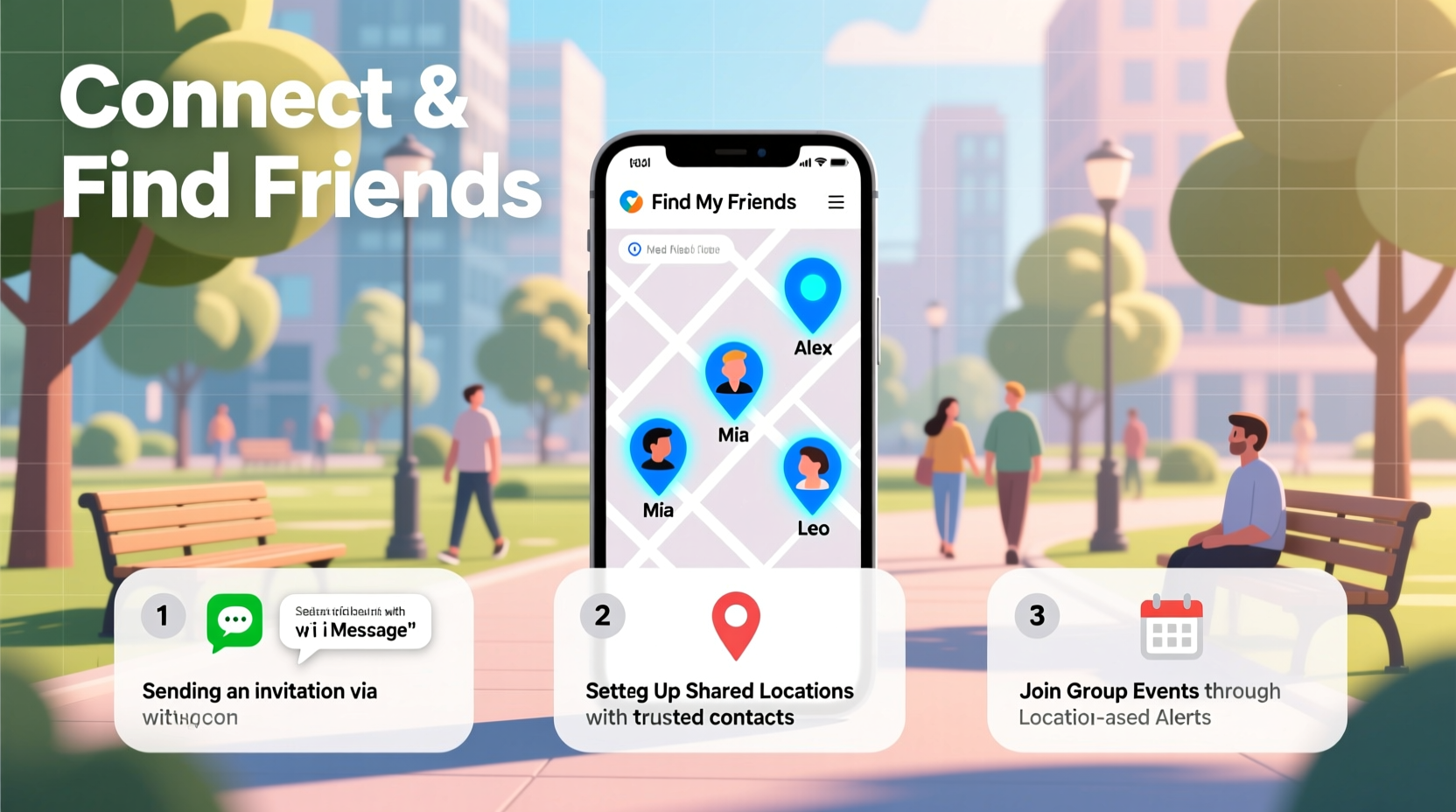
Find My Friends allows users to share their real-time location with selected contacts for a set duration or indefinitely. Accessible across iPhone, iPad, and Mac devices, it integrates seamlessly with iCloud and other Apple services. Unlike social media check-ins, which are public and performative, this app operates in private circles—making it ideal for close-knit groups who value transparency and convenience.
To begin, both parties must have the app installed (now integrated into the “Find” app on newer iOS versions), be signed into iCloud, and grant permission to share locations. Once enabled, users can view each other’s movements on a map, receive arrival notifications, and even ping someone to request an update. This functionality becomes especially useful when navigating crowded events, coordinating group outings, or simply checking in on a friend during a late-night commute.
Building Trust Through Transparent Sharing
Location sharing only works when rooted in mutual consent and trust. Abruptly requesting access to a friend’s location can feel invasive, even if well-intentioned. Instead, frame the invitation as a two-way benefit: “I’ll share mine if you share yours.” This reciprocity fosters equality and reassures the other person that the feature is about connection, not surveillance.
Psychologist Dr. Lena Torres notes, “Digital boundaries are as important as physical ones. When people feel they have control over their data, they’re more likely to engage openly.” Start by sharing your location first during casual meetups—like grabbing coffee or attending a concert—and let the habit grow organically. Over time, consistent, low-pressure sharing builds comfort and reliability.
“Healthy digital intimacy comes from choice, not obligation. Sharing location should feel like offering a window, not opening a door.” — Dr. Lena Torres, Digital Behavior Specialist
Practical Strategies for Meaningful Connection
Beyond logistics, Find My Friends can deepen emotional bonds when used creatively. Here are several proven methods to turn location sharing into relationship-building opportunities:
- Spontaneous Meetups: See a friend is nearby? Send a quick message: “You’re just around the corner—want to grab lunch?” These unplanned interactions often lead to more authentic conversations than scheduled calls.
- Event Coordination: At festivals, conferences, or large gatherings, create a shared group. Members can regroup easily without constant texting, reducing stress and enhancing enjoyment.
- Safety Assurance: When a friend travels alone or walks home late, temporary location sharing offers peace of mind without intrusive check-in calls.
- Travel Companionship: On road trips or city visits, use the app to stay synced without draining battery on voice calls. It’s especially helpful when exploring different parts of a museum or park.
- Family-Friend Blending: Introduce the app gradually when integrating new friends into family-like circles. Shared location during weekend outings reinforces inclusion.
Mini Case Study: Reconnecting After Work
Jamal, a project manager in Austin, noticed his friendships fading after switching to remote work. He missed impromptu office chats and post-work dinners. Inspired by a colleague, he created a small Find My Friends group with three close coworkers. They agreed to share locations only on Fridays between 4–8 PM. Within weeks, spontaneous happy hour plans doubled. “Seeing someone was already downtown made it easier to reach out,” Jamal said. “It removed the awkward ‘Are you free?’ text.” The group now meets biweekly, crediting the app with reviving their social rhythm.
Do’s and Don’ts of Location Sharing
| Do’s | Don’ts |
|---|---|
| Always ask before requesting location | Never pressure someone to share |
| Use time-limited sharing for events | Don’t monitor continuously without discussion |
| Share your own location first as a gesture of trust | Don’t assume availability based on location |
| Disable sharing when no longer needed | Don’t screenshot or save someone’s location without consent |
| Discuss boundaries upfront (e.g., no sharing at work) | Don’t use the app to track someone secretly |
Step-by-Step Guide to Setting Up a Friendship Circle
Creating a functional and respectful location-sharing network takes more than technical setup—it requires communication and clarity. Follow these steps to build a sustainable system:
- Identify Your Inner Circle: Choose 3–5 trusted friends who would benefit from real-time coordination.
- Initiate the Conversation: Say something like, “I’ve been using Find My Friends to make meetups easier. Want to try it together?”
- Demonstrate First: Share your location temporarily during your next meetup to show how it works. <4> Set Shared Rules: Agree on when to share (e.g., weekends only), how long (one hour vs. all day), and under what circumstances.
- Create a Group (Optional): In the Find app, add everyone to a labeled group (e.g., “Downtown Crew”) for faster access.
- Review Monthly: Check in: Is it helping? Does anyone feel uncomfortable? Adjust as needed.
FAQ
Can someone tell when I check their location?
No. The app does not notify users when their location is viewed. However, they will see that location sharing is active and can stop it anytime.
What if a friend doesn’t want to share their location?
Respect their decision without question. Suggest alternative coordination methods like texting updates or using shared calendars. Pushing the issue may damage trust.
Is Find My Friends safe from hackers or data leaks?
Apple uses end-to-end encryption for location data, meaning only invited users can access it. As long as your Apple ID is secure with two-factor authentication, the risk is minimal.
Maximizing Long-Term Friendships
The most effective use of Find My Friends isn’t about tracking—it’s about timing. By reducing the effort required to reconnect, the app removes one barrier to meaningful interaction. Over time, consistent, low-effort engagement strengthens emotional availability. Friends begin to associate proximity with opportunity rather than obligation.
However, the app should complement, not replace, deeper communication. Use it to initiate face-to-face time, then invest in conversation once together. A quick coffee meetup sparked by location awareness can evolve into a heartfelt talk about career changes or personal challenges—something no app can simulate.
Conclusion
Finding and connecting with friends in a busy world requires both intention and innovation. The Find My Friends app, when used ethically and thoughtfully, becomes more than a utility—it becomes a bridge. From spontaneous lunches to safer commutes, its impact grows when grounded in trust and clear boundaries. Technology doesn’t replace human connection, but it can remove friction from maintaining it.




 浙公网安备
33010002000092号
浙公网安备
33010002000092号 浙B2-20120091-4
Comments
No comments yet. Why don't you start the discussion?