
In an era where mobile connectivity powers everything from navigation to remote work, staying within your data limits can be a constant challenge. Many users face unexpected overage charges, throttled speeds, or disrupted streaming due to poor data management. The good news is that with the right approach, you can significantly extend your effective data allowance—not just by upgrading your plan, but by optimizing how you use what you already have.
From carrier-specific tricks to device-level settings and behavioral shifts, this guide delivers actionable insights to help you get more from your monthly data allocation—without sacrificing convenience.
1. Audit Your Current Data Usage
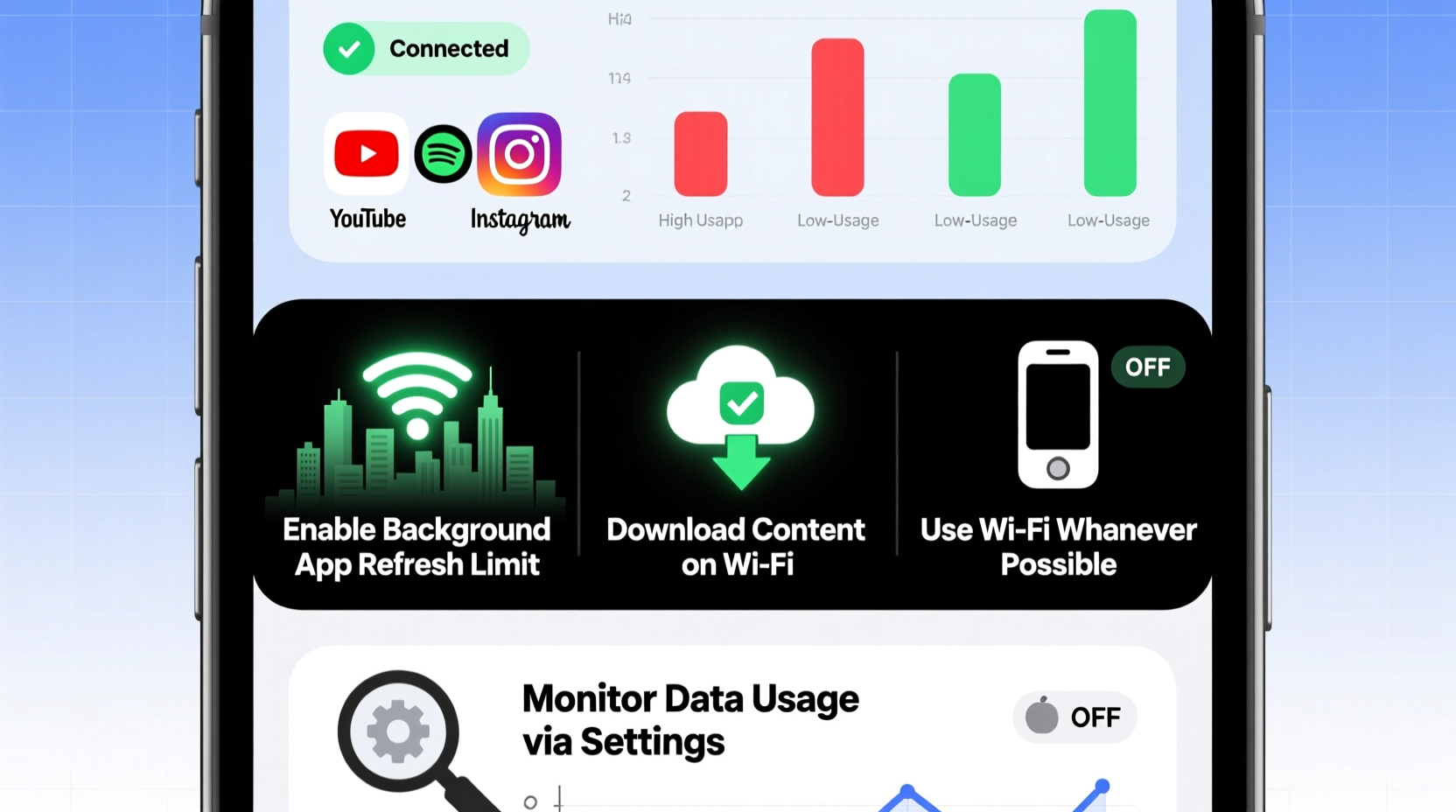
Before making changes, understand where your data goes. Most smartphones include built-in tools to track app-level data consumption over time. On iOS, go to Settings > Cellular. On Android, navigate to Settings > Network & Internet > Data Usage.
Review which apps consume the most data. Streaming services like YouTube, Netflix, and social media platforms often dominate usage. Background processes—such as automatic updates and cloud backups—can also silently drain your allowance.
Do’s and Don’ts of Data Monitoring
| Do | Don't |
|---|---|
| Check weekly usage trends | Ignore background app refresh |
| Set data warnings at 80% of limit | Assume Wi-Fi usage counts toward cap |
| Use carrier apps for real-time alerts | Leave auto-updates on cellular |
| Disable unused app syncing | Stream HD video on limited plans |
2. Optimize Device Settings for Efficiency
Your smartphone comes with numerous features designed to reduce data consumption—many of which are disabled by default. Activating them can yield substantial savings.
Start by enabling Data Saver modes. On Android, this restricts background data for apps when not connected to Wi-Fi. On iOS, use Low Data Mode across cellular and Wi-Fi networks to limit background activity.
Next, adjust media quality settings:
- YouTube: Set playback to 480p or lower in app settings.
- Spotify/Apple Music: Switch to “Data Saver” mode or download playlists over Wi-Fi.
- Social Media: Disable autoplay for videos on Facebook, Instagram, and TikTok.
“Most users can cut their monthly data use by 30–40% just by adjusting app settings and disabling background refresh.” — Jordan Lee, Mobile Network Analyst at ConnectInsight Group
3. Leverage Wi-Fi Smartly and Automate Transfers
Wi-Fi isn’t just faster—it’s essential for preserving data. However, many users still perform large downloads over cellular simply because they forget to wait.
Train yourself to delay high-bandwidth tasks until connected to trusted networks. Better yet, automate them:
- Enable automatic app updates only over Wi-Fi (iOS: App Store settings; Android: Google Play Store > Network Preferences).
- Set cloud backups (iCloud, Google Drive) to run exclusively on Wi-Fi.
- Download offline maps in Google Maps or Apple Maps for navigation without live data.
- Use smart home routines to trigger downloads during off-peak hours at home.
4. Upgrade Strategically: Carrier Plans and MVNOs
Sometimes, optimization isn't enough. If you consistently exceed your limit, consider switching plans—or providers. But don’t assume bigger is always better.
Many major carriers now offer tiered unlimited plans with varying speed caps after a certain threshold (e.g., 50GB at full speed, then reduced). Compare these carefully:
| Carrier | Unlimited Plan (Entry) | High-Speed Data Cap | Hotspot Included |
|---|---|---|---|
| Verizon | $70/month (Start Unlimited) | 25GB | 5GB |
| AT&T | $65/month (Unlimited Starter) | 15GB | 5GB |
| T-Mobile | $60/month (Go5G Next) | 50GB | 5GB |
| Mint Mobile (MVNO) | $20/month (unlimited) | 8GB | No hotspot |
Consider switching to a Mobile Virtual Network Operator (MVNO), such as Mint Mobile, Visible, or Consumer Cellular. These operate on major networks but offer lower prices by cutting customer service overhead and bundling fewer extras.
Mini Case Study: Sarah’s Data Dilemma
Sarah, a freelance graphic designer, used 38GB monthly on her $90 unlimited plan. She rarely left urban areas, so coverage wasn’t an issue. After auditing her usage, she found 22GB came from automatic cloud syncs and video previews. By switching to Wi-Fi-only backups and lowering video quality, she reduced usage to 14GB. She then moved to a T-Mobile MVNO plan at $45/month—saving $540 annually without changing her lifestyle.
5. Use Built-In and Third-Party Tools
Modern operating systems include robust tools to manage data, but third-party apps can add extra layers of control.
iOS and Android both allow per-app cellular access toggling. For example, disable cellular data for apps like Dropbox or Zoom unless absolutely necessary. You can also restrict specific apps from using data in the background.
Third-party options like NetGuard (Android) provide firewall-like functionality to block internet access entirely for selected apps—ideal for games or utilities that \"phone home\" unnecessarily.
Data Optimization Checklist
- ✅ Review last month’s data report
- ✅ Enable Low Data Mode / Data Saver
- ✅ Turn off background app refresh for non-essential apps
- ✅ Set app updates to Wi-Fi only
- ✅ Download music, maps, and videos over Wi-Fi
- ✅ Lower video quality on streaming platforms
- ✅ Disable auto-play videos on social media
- ✅ Consider switching to an MVNO if usage patterns allow
- ✅ Set up monthly data usage alerts
Frequently Asked Questions
Does turning off Bluetooth or GPS save data?
No—Bluetooth and GPS do not use mobile data. However, apps that rely on location services (like maps) may use data to download location-based content. Disabling location access for non-critical apps can indirectly reduce data usage.
Can I share my hotspot without using my data?
No. Any device connected to your phone’s hotspot uses your cellular data allowance. A tablet streaming video over your hotspot consumes data just as if it were on your phone. Always monitor shared usage closely.
Are “data booster” apps effective?
Most apps claiming to “boost” or “expand” your data are ineffective or misleading. They cannot increase your plan’s allowance. Real savings come from behavior changes and settings adjustments, not magic fixes.
Final Thoughts: Take Control of Your Connectivity
Maximizing your phone’s data allowance doesn’t require expensive upgrades or technical expertise. It starts with awareness, followed by deliberate choices about how and when you connect. Small changes—like disabling background refresh or downloading podcasts at home—compound into significant savings over time.
Whether you’re on a tight budget, traveling abroad, or simply tired of hitting your cap too early, these strategies put you back in control. Evaluate your habits, apply the tips that fit your lifestyle, and watch your data stretch further than ever before.




 浙公网安备
33010002000092号
浙公网安备
33010002000092号 浙B2-20120091-4
Comments
No comments yet. Why don't you start the discussion?