
In today’s hyper-connected world, a weak mobile signal can disrupt communication, slow down work, and create unnecessary frustration. Whether you're in a basement apartment, a rural cabin, or a high-rise office building, poor reception is a common issue. The good news? There are practical, science-backed methods to improve your signal strength—without always relying on carrier upgrades or new devices. From understanding how signals travel to leveraging simple tools and habits, these strategies empower you to stay connected wherever you are.
Understanding Mobile Signal Basics
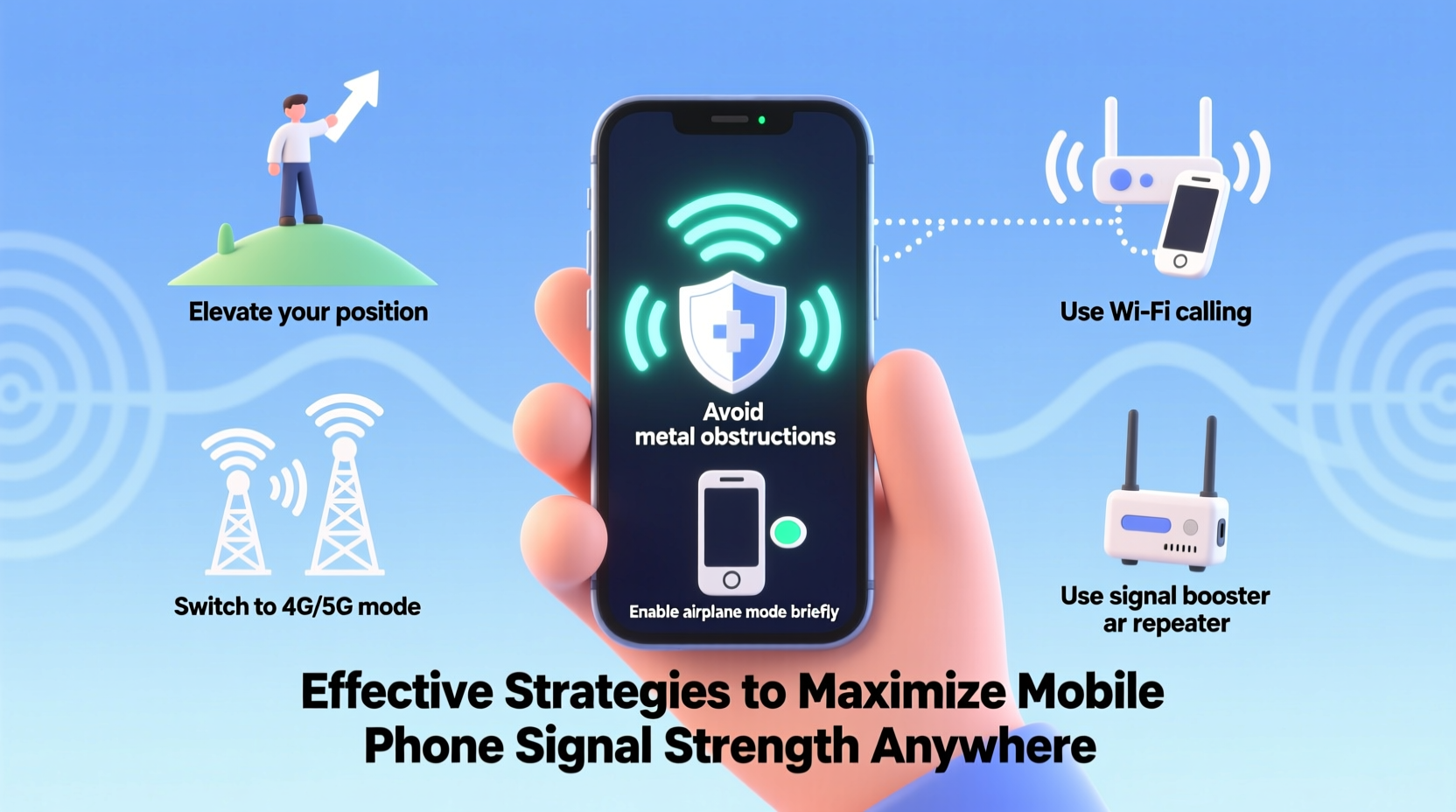
Mobile signals rely on radiofrequency (RF) waves transmitted between your device and the nearest cell tower. These waves can be weakened or blocked by physical obstructions such as concrete walls, metal structures, hills, and even weather conditions. Signal strength is measured in decibels (dBm), typically ranging from -50 dBm (excellent) to -120 dBm (no service). Most smartphones display signal bars, but for more precision, you can access field test mode:
- iOS: Dial *3001#12345#* and press Call to enter Field Test Mode.
- Android: Go to Settings > About Phone > SIM Status to view real-time signal strength.
Knowing your current signal level helps evaluate the effectiveness of any improvement strategy.
Optimize Your Physical Environment
Your surroundings play a major role in signal quality. Urban environments suffer from signal reflection and interference due to tall buildings, while rural areas often lack nearby towers. Inside homes and offices, materials like brick, metal, and energy-efficient glass significantly attenuate signals.
To combat this:
- Move closer to windows or exterior walls: Glass and open spaces allow better signal penetration than interior drywall or insulation.
- Avoid basements and underground rooms: These areas are naturally shielded from RF waves.
- Reposition yourself vertically: Higher floors generally receive stronger signals due to reduced obstruction.
In one case, a remote worker living in a forested mountain area struggled with dropped calls until relocating his desk near a south-facing window. This single change increased his signal from -115 dBm to -89 dBm—transforming unreliable voice calls into smooth video conferences.
“Signal propagation is highly sensitive to line-of-sight. Even small shifts in position can make a dramatic difference.” — Dr. Lena Patel, RF Communications Engineer
Use Technology to Amplify Reception
When environmental adjustments aren’t enough, technology offers reliable solutions. The most effective tools include signal boosters, Wi-Fi calling, and femtocells.
| Solution | How It Works | Best For | Limitations |
|---|---|---|---|
| Cell Signal Booster | Amplifies existing outdoor signal via external antenna, amplifier, and indoor antenna | Homes, vehicles, offices | Requires some outdoor signal; installation complexity varies |
| Wi-Fi Calling | Reroutes calls/texts over internet connection | Areas with poor cellular but strong Wi-Fi | Depends on broadband stability; not all carriers support it equally |
| Femtocell (MicroCell) | Miniature cell tower using your internet to create local coverage | Urban apartments, low-tower zones | Carrier-specific; consumes data; setup required |
Signal boosters are particularly effective for fixed locations. A four-story office building in downtown Pittsburgh installed a commercial-grade booster after employees reported constant call drops. Within hours, indoor signal improved from 1 bar to full strength across all floors.
Step-by-Step Guide to Improving Signal Strength
Follow this actionable sequence to systematically enhance your mobile reception:
- Assess current signal strength using field test mode or a network diagnostic app.
- Identify sources of interference—metal framing, thick walls, electronic appliances.
- Relocate to optimal spots near windows or upper levels.
- Enable Wi-Fi calling if your carrier supports it and you have stable internet.
- Test airplane mode reset: Turn on Airplane Mode for 10 seconds, then disable it to force your phone to reconnect to the strongest available tower.
- Consider a signal booster if you frequently experience weak signal in one location.
- Contact your carrier about femtocell availability or network expansion plans.
Common Myths and Mistakes
Many people try quick fixes that don’t work—or even backfire. Avoid these misconceptions:
- Myth: Holding your phone a certain way boosts signal.
Reality: While grip can affect internal antennas (especially on older models), it won’t generate new signal. - Myth: Free \"signal booster\" apps increase reception.
Reality: These apps only display signal info—they cannot amplify RF waves. - Mistake: Using phone cases with metallic elements.
Fact: Metal blocks signals. Opt for lightweight plastic or silicone cases.
Checklist: Maximize Your Signal in 7 Steps
- ✅ Check signal strength in dBm
- ✅ Move closer to windows or higher ground
- ✅ Enable Wi-Fi calling in settings
- ✅ Toggle Airplane Mode to reset connection
- ✅ Remove metallic phone case
- ✅ Install a signal booster if needed
- ✅ Contact carrier for femtocell options
Frequently Asked Questions
Does turning off 5G improve signal strength?
Yes, in some cases. If 5G coverage is spotty in your area, forcing your phone to use LTE (4G) can provide a more stable connection. You can change this under Settings > Cellular > Voice & Data > select LTE.
Can trees really block mobile signals?
Absolutely. Especially during wet seasons, dense foliage absorbs and scatters RF waves. This is a common cause of seasonal signal loss in rural and suburban areas surrounded by heavy vegetation.
Are signal boosters legal?
Yes, as long as they are FCC-certified (in the U.S.) or approved by your local regulatory body. Unapproved boosters can interfere with carrier networks and may result in fines.
Real-World Example: Overcoming Rural Isolation
Jamie, a freelance photographer based in northern Vermont, lived 15 miles from the nearest town. Her home had no landline and erratic cell service—sometimes dropping below usable levels for days. After researching solutions, she installed an outdoor directional antenna connected to a multi-room signal booster. She mounted the external antenna on her roof, pointing toward the closest known tower (verified via crowd-sourced tower maps). The result? Consistent 3–4 bars indoors and seamless upload of large photo files directly from her studio.
This solution cost under $500—one-time investment—and eliminated the need for daily drives to find a signal.
Final Thoughts and Action Steps
Maximizing mobile signal strength isn’t about luck—it’s about understanding the physics of connectivity and applying targeted solutions. Whether through strategic positioning, enabling built-in features like Wi-Fi calling, or investing in hardware like boosters, you have multiple paths to stronger reception. Start small: reposition your phone, toggle settings, and monitor improvements. Then scale up if needed. The key is consistency and measurement—don’t guess, test.




 浙公网安备
33010002000092号
浙公网安备
33010002000092号 浙B2-20120091-4
Comments
No comments yet. Why don't you start the discussion?