
The iPhone 15 Pro Max is Apple’s flagship device—powerful, sleek, and built with premium materials like titanium and Ceramic Shield. Despite its durability claims, no smartphone is immune to the risks of accidental drops or physical impact. A single fall onto concrete or tile can result in cracked glass, internal damage, or costly repairs. With average screen replacement costs exceeding $300, prevention is far more economical than repair. Protecting your investment doesn’t mean sacrificing style or usability. By combining smart accessories, behavioral adjustments, and informed choices, you can significantly reduce the risk of damage.
Choose the Right Case for Maximum Protection
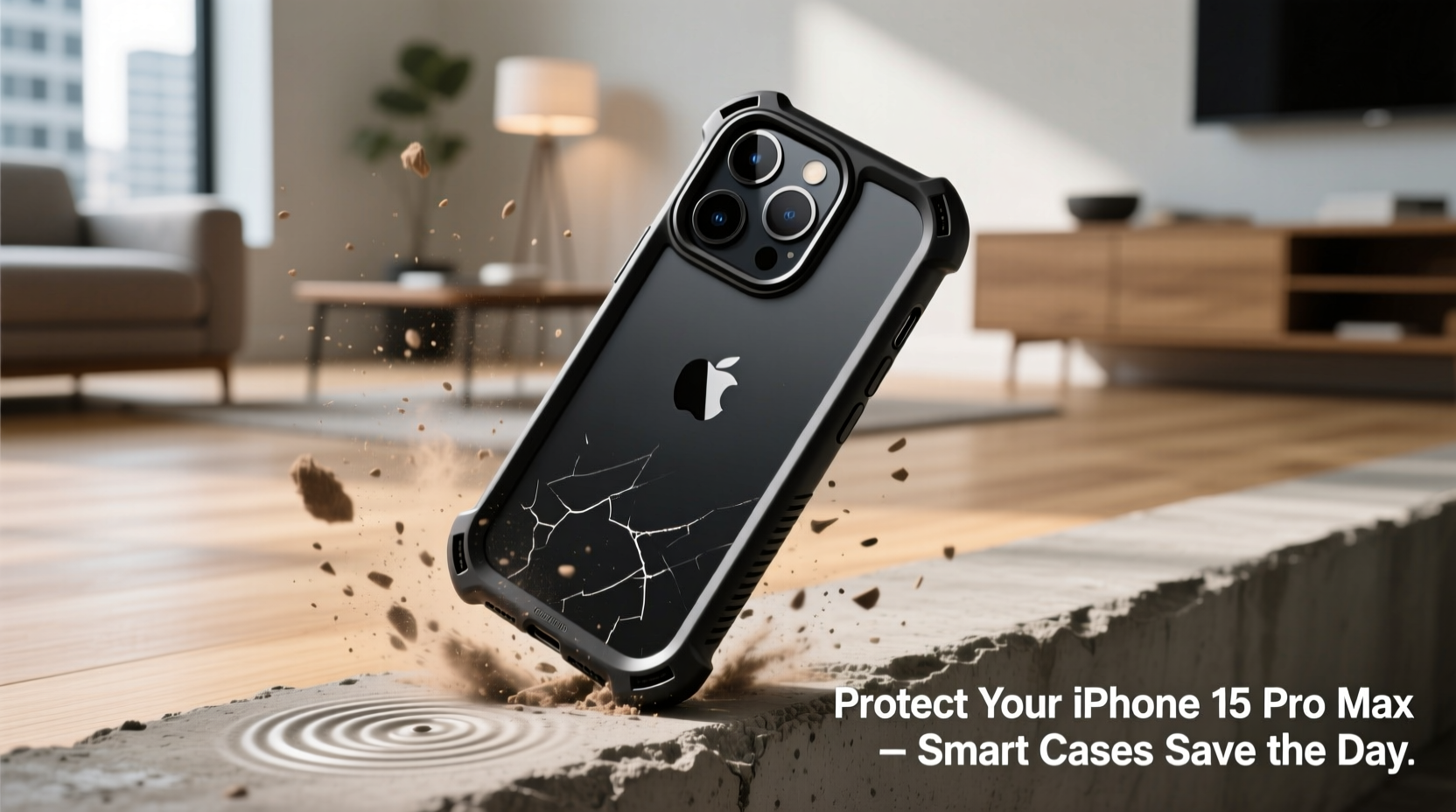
A high-quality case is the first and most critical line of defense. Not all cases offer equal protection, especially when it comes to shock absorption and structural reinforcement. When selecting a case for the iPhone 15 Pro Max, prioritize features that mitigate impact forces during falls.
Look for cases made from dual-material construction: a rigid outer shell (like polycarbonate) paired with a soft inner layer (such as TPU or silicone). This combination disperses impact energy across the surface rather than allowing it to concentrate on corners or edges—common failure points during drops.
Military-grade certification (MIL-STD-810G) indicates a case has passed rigorous drop tests from heights up to six feet. Brands like OtterBox Defender, Spigen Ultra Hybrid, and UAG Plasma are known for meeting or exceeding these standards without adding excessive bulk.
Use Tempered Glass Screen Protectors Strategically
The front display remains one of the most vulnerable components. While Ceramic Shield improves resistance to cracks, it’s not shatterproof. A tempered glass screen protector acts as a sacrificial layer, absorbing scratches and minor impacts that would otherwise damage the original screen.
Modern screen protectors designed for the iPhone 15 Pro Max support Face ID, maintain touch sensitivity, and preserve the clarity of the Super Retina XDR display. Installation precision matters—dust particles or misalignment can compromise adhesion and effectiveness.
“Even with advanced materials like Ceramic Shield, real-world testing shows that screen protectors reduce fracture rates by over 70% after repeated low-height drops.” — Dr. Alan Reeves, Materials Engineer at Consumer Safety Labs
Replace the protector if it develops micro-cracks or loses responsiveness. High-end options now include anti-glare, privacy filters, and oleophobic coatings that repel fingerprints and smudges.
Impact Resistance Comparison: Popular iPhone 15 Pro Max Cases
| Case Model | Drop Protection Rating | Material | Camera Cutout Design | Price Range |
|---|---|---|---|---|
| Apple FineWoven Case | Low-Medium | Fabric + Silicone | Flush | $59 |
| Spigen Ultra Hybrid | Medium-High | TPU + Polycarbonate | Raised | $35 |
| UAG Plasma Series | High | Composite Armor | Reinforced | $45 |
| OtterBox Defender Pro | Very High | Multilayer (TPU + Hard Shell) | Multi-tiered | $70 |
| BulletProof Elite | Extreme | Shock-absorbing polymers | Elevated | $85 |
Adopt Smart Handling Habits
No accessory can fully compensate for risky usage patterns. Behavioral changes play a crucial role in preventing accidents. Many drops occur during routine activities—answering calls while walking, placing the phone near sink edges, or using it one-handed in crowded spaces.
- Keep your phone in a secure pocket or bag when moving through uneven terrain or busy environments.
- Avoid placing it on unstable surfaces such as armrests, toilet tank lids, or car dashboards.
- Use both hands when typing or viewing media, especially when standing or in motion.
- Enable wrist straps or lanyards if you frequently handle the device in active settings (e.g., travel, outdoor work).
Mini Case Study: The Office Commuter’s Near-Miss
Jamal, a financial analyst in Chicago, commutes daily via train and often uses his iPhone 15 Pro Max to review documents. One morning, as he rushed off the platform, the phone slipped from his hand and fell nearly five feet onto concrete. He had recently upgraded to an OtterBox Defender case and applied a military-grade tempered glass protector. Upon inspection, there was no visible damage—only minor scuffing on the case bumper. The screen remained fully functional, and Face ID responded normally. Without the layered protection system, Jamal estimated a repair bill of $349. His total investment in protection: $75.
This scenario underscores how combining durable hardware with cautious habits prevents catastrophic outcomes—even under high-impact conditions.
Step-by-Step Guide: Building Your Drop Defense System
- Assess your lifestyle: Determine whether you need extreme protection (construction sites, hiking) or moderate defense (office, home).
- Select a MIL-STD-rated case: Choose one with corner air cushions and raised edges for screen and camera safety.
- Apply a tempered glass screen protector: Use an alignment jig for bubble-free installation.
- Add a back protector (optional): For glossy finishes prone to scratches, apply a clear film or matte skin.
- Test functionality: Confirm speaker clarity, wireless charging compatibility, and button responsiveness.
- Establish maintenance habits: Inspect case fit monthly; replace worn protectors immediately.
Common Mistakes That Increase Risk
- Using ultra-slim cases for style only: These may enhance aesthetics but offer minimal shock absorption.
- Delaying screen protector replacement: Cracked protectors lose structural integrity and should be swapped promptly.
- Ignoring environmental hazards: Moisture, sand, and grit trapped under cases can accelerate wear and weaken grip.
- Over-tightening magnetic accessories: Strong magnets in some mounts can interfere with internal sensors over time.
Frequently Asked Questions
Does the iPhone 15 Pro Max really need a case?
Yes. While Apple uses durable materials, independent drop tests show that unprotected units sustain screen or rear glass fractures after falls from waist height onto hard surfaces. A case dramatically improves survival odds.
Can I use MagSafe chargers with protective cases?
Most third-party and Apple-certified cases support MagSafe technology. Ensure the case isn't too thick (under 3mm) and contains no metal plates unless designed for MagSafe compatibility.
How often should I replace my phone’s protective gear?
Inspect your case every 3–6 months for warping or loosening. Replace screen protectors immediately after cracking. In high-use environments, consider rotating cases annually to maintain optimal protection.
Final Recommendations and Action Plan
Protecting your iPhone 15 Pro Max from drops isn’t about paranoia—it’s about practical foresight. You’ve invested in cutting-edge technology; safeguarding it ensures longevity, performance, and resale value. Start with a certified impact-resistant case, add a high-clarity screen protector, and remain mindful of handling practices. Regularly audit your protection setup, just as you would software updates or battery health checks.




 浙公网安备
33010002000092号
浙公网安备
33010002000092号 浙B2-20120091-4
Comments
No comments yet. Why don't you start the discussion?