
In the age of hyper-connected social media, maintaining personal boundaries online is more important than ever. Instagram’s design encourages constant engagement—likes, comments, stories, and activity status updates keep users perpetually visible. While blocking is one option to distance yourself from someone, it can be too extreme or socially awkward in certain relationships. Whether it’s an ex, a coworker, or someone whose constant presence feels overwhelming, you don’t need to resort to blocking to regain control over your feed. There are subtle, effective strategies that allow you to reduce visibility and mental clutter without cutting ties entirely.
Mute Their Activity Without Unfollowing
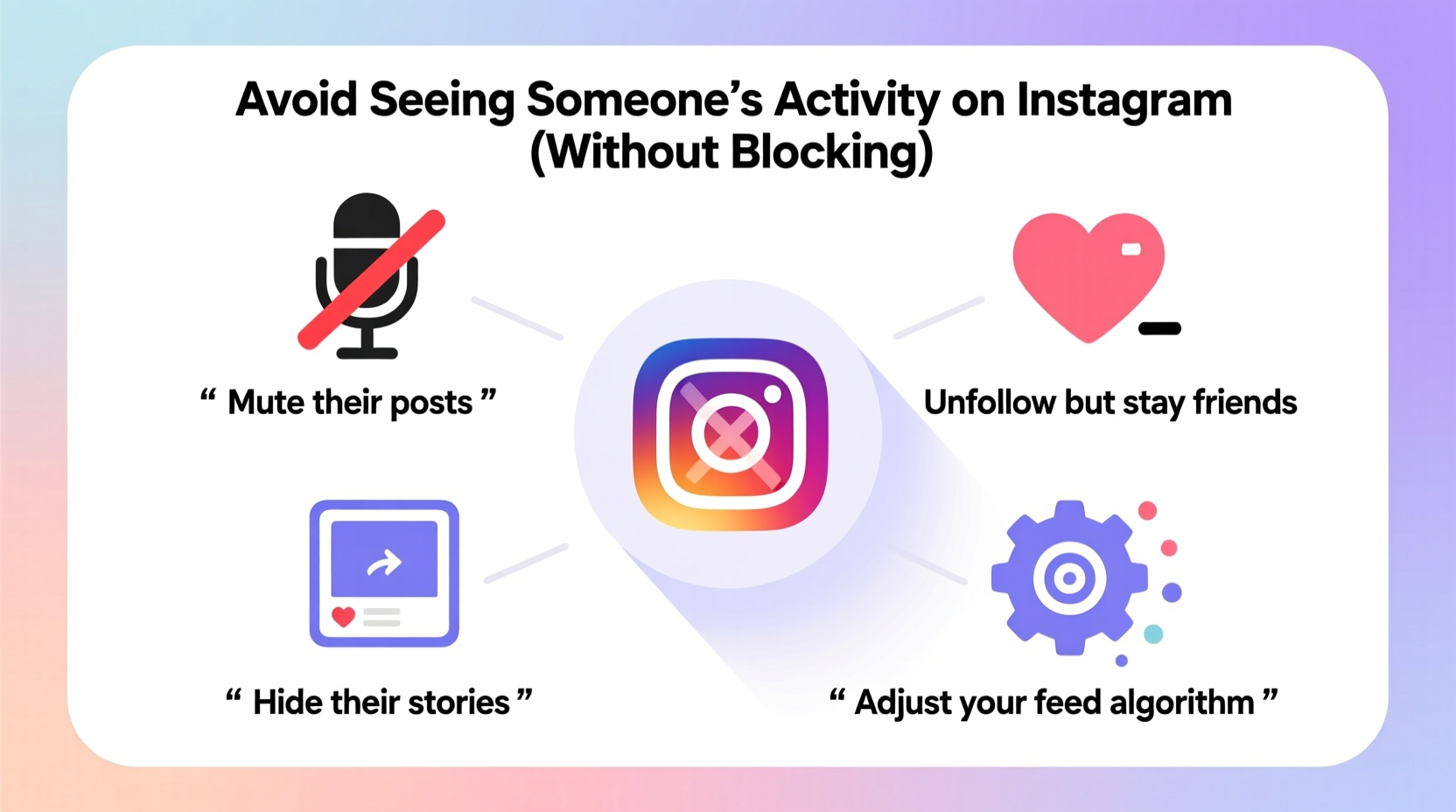
Muting is one of the most underutilized yet powerful tools Instagram offers. Unlike unfollowing, muting allows you to stay connected while silencing specific types of interactions. You can mute someone’s posts, stories, or both, meaning their content won’t appear in your feed or story list, but they won’t know you’ve done so.
To mute someone:
- Go to their profile.
- Tap the three dots in the top-right corner.
- Select “Mute” and choose whether to mute their posts, stories, or both.
This method is ideal for colleagues, extended family, or acquaintances whose content doesn’t add value to your experience but with whom you’d prefer to maintain a passive connection.
Restrict Instead of Block
Instagram’s “Restrict” feature is a discreet way to limit someone’s interaction with your account. When you restrict a user:
- Their comments on your posts are only visible to them unless you approve them.
- You won’t receive notifications about their direct messages—they go to message requests.
- Their activity status (when they’re active) won’t be visible to you, and vice versa.
While Restrict doesn’t directly hide their public activity from your feed, combining it with muting ensures minimal exposure. It’s especially useful when dealing with someone who might notice if they were blocked but whose behavior needs to be managed.
When to Use Restrict
Consider this option if the person is prone to oversharing, sending unsolicited DMs, or commenting inappropriately. It acts as a soft boundary that preserves civility while protecting your mental space.
“Digital well-being isn’t just about screen time—it’s about emotional bandwidth. Tools like Mute and Restrict help users curate emotionally sustainable experiences.” — Dr. Lena Torres, Digital Wellness Researcher at Stanford University
Adjust Your Feed Prioritization Settings
Instagram uses algorithms to prioritize content based on engagement. If you frequently interact with someone’s posts—even by accident—you’ll see more of their content. To reduce this:
- Skip their posts intentionally: When their post appears, scroll past without engaging.
- Use ‘Not Interested’: Tap the three dots on a post and select “Not Interested.” This signals the algorithm to show you less of their content.
- Avoid liking or commenting: Even a single reaction can boost their visibility in your feed.
Over time, consistent disengagement trains the algorithm to deprioritize their content. This passive approach works best when combined with muting.
Hide Likes and Activity Status on Your End
If your goal is mutual invisibility—neither seeing their activity nor letting them see yours—adjust your own settings:
- Go to your profile, then Settings & Privacy.
- Under “Who can see your activity,” toggle off “Show activity status.”
- To hide likes, tap a post, click the number of likes, and select “Don’t show likes to followers” (available for public accounts).
While this doesn’t hide their activity from you, it creates a reciprocal boundary. If both parties disable activity status, neither will see when the other is online.
Step-by-Step Guide: Minimize Exposure Without Blocking
Follow this sequence for maximum effectiveness:
- Assess the relationship: Determine why you want to reduce visibility. Is it emotional fatigue, professional boundaries, or privacy?
- Mute posts and stories: Prevent their content from appearing in your primary spaces.
- Restrict if necessary: If they engage with your content or send messages, use Restrict to manage interactions.
- Disengage consistently: Avoid liking, commenting, or viewing their stories to prevent algorithmic reinforcement.
- Adjust your own visibility: Turn off your activity status to avoid reciprocal tracking.
- Review monthly: Check if adjustments are needed based on changes in behavior or your emotional response.
Comparison Table: Blocking vs. Non-Blocking Methods
| Method | Effectiveness | Noticeable to Other User? | Best For |
|---|---|---|---|
| Block | Complete removal | Yes – they can’t find you | Toxic relationships, harassment |
| Mute (Posts/Stories) | High – removes visual presence | No | Casual distancing, oversharers |
| Restrict | Moderate – controls interaction | No | Unwanted comments/DMs |
| Algorithmic Disengagement | Gradual improvement | No | Long-term feed management |
| Hide Activity Status | Limited – mutual invisibility | No | Privacy-focused users |
Mini Case Study: Managing a Coworker’s Oversharing
Sarah, a marketing associate, found herself constantly annoyed by her coworker Mark’s Instagram activity. He posted multiple stories daily—often during work hours—and liked nearly every post she made. The constant pings disrupted her focus, and seeing his “active now” status created subconscious pressure to respond.
Instead of escalating tension by blocking him, Sarah muted his posts and stories and restricted his messaging privileges. She also stopped engaging with his content. Within two weeks, his presence in her app diminished significantly. Mark remained unaware, and their professional relationship stayed intact. Sarah regained her digital calm without compromising workplace harmony.
Frequently Asked Questions
Will someone know if I mute them on Instagram?
No. Muting is completely private. The person will not receive any notification or indication that you’ve muted their posts or stories.
Can I still see a muted person’s profile or highlights?
Yes. Muting only affects their appearance in your feed and story list. You can still visit their profile, view highlights, and search for their content manually.
Does restricting someone hide their activity from me?
Partially. While restricting hides their activity status from you, it does not remove their posts from your feed. For full invisibility, combine restriction with muting.
Final Checklist: How to Reduce Someone’s Instagram Presence
- ✅ Mute their posts and stories
- ✅ Restrict their account if they message or comment excessively
- ✅ Avoid all forms of engagement (likes, replies, views)
- ✅ Use “Not Interested” on their posts to train the algorithm
- ✅ Turn off your own activity status for mutual privacy
- ✅ Reassess monthly for continued effectiveness
Take Control of Your Digital Environment
Your Instagram experience should serve your well-being, not undermine it. Just because someone is in your network doesn’t mean they need access to your attention. With thoughtful use of muting, restricting, and algorithmic hygiene, you can create a cleaner, calmer feed tailored to your needs. These methods empower you to set invisible boundaries—preserving relationships where needed while protecting your peace of mind. Start applying these steps today, and reclaim the space you deserve in your digital life.




 浙公网安备
33010002000092号
浙公网安备
33010002000092号 浙B2-20120091-4
Comments
No comments yet. Why don't you start the discussion?