
Unwanted calls from telemarketers, scammers, or persistent contacts can disrupt daily life and compromise personal privacy. While smartphones offer built-in call-blocking features, relying solely on device-level tools may not always provide complete protection—especially when numbers spoof or bypass local filters. Fortunately, most major mobile carriers now offer robust network-level call-blocking services that stop nuisance calls before they even reach your phone. These carrier-based solutions are often more effective because they intercept calls at the source, reducing data usage, battery drain, and interruptions.
Unlike third-party apps that require permissions and run in the background, blocking through your mobile operator integrates directly into the network infrastructure. This means blocked numbers never connect to your device, offering a cleaner, more secure experience. Whether you're dealing with harassment, spam, or repeated automated calls, leveraging your carrier’s native tools is a smart first line of defense.
How Carrier-Based Number Blocking Works
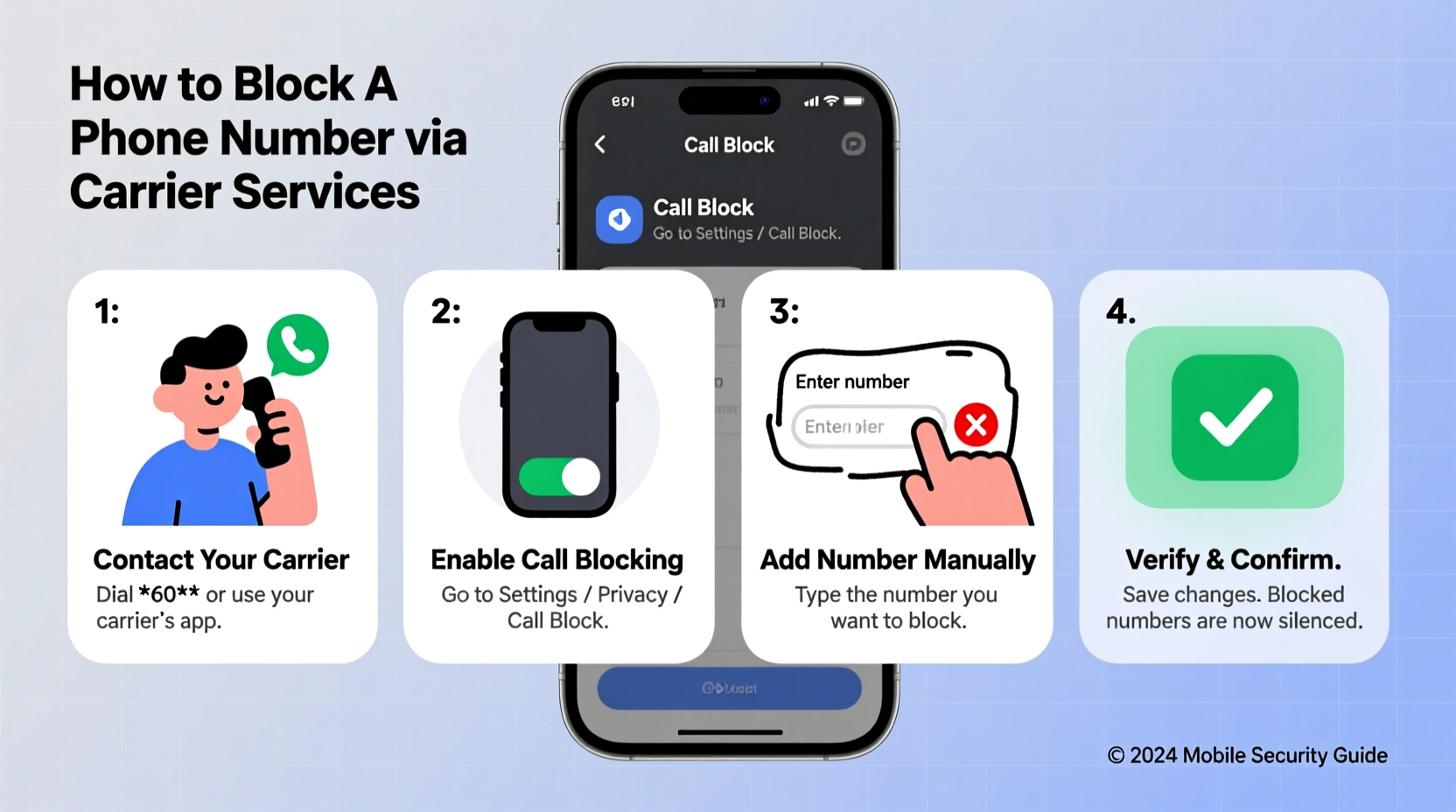
Mobile operators use advanced signaling systems like SS7 (Signaling System No. 7) and SIP (Session Initiation Protocol) to manage voice and data traffic. When you request a number to be blocked via your carrier, that instruction is applied at the network level. The call is intercepted before it reaches your device—meaning no ring, no notification, and no record in your recent calls list.
This differs significantly from phone-based blocking, where the call connects briefly before being rejected by the operating system. Network-level blocking reduces exposure to potential phishing attempts and prevents malicious actors from confirming your number is active—a common tactic used in scam campaigns.
Most carriers provide this service free of charge or as part of premium security packages. Some automatically integrate with government-mandated anti-spam registries (like the U.S. National Do Not Call Registry), while others use AI-driven analytics to flag suspicious calling patterns across their entire user base.
Step-by-Step Guide to Block Numbers via Major Carriers
The process varies slightly depending on your provider, but all major U.S. carriers offer straightforward methods to block unwanted numbers. Below is a detailed guide for the four largest operators.
- AT&T: Log in to your AT&T account online or via the AT&T Mobile Security app. Navigate to “Call Protect,” enable the service if not already active, then select “Block List” to add a new number. You can also block a number directly from your call log by tapping “Report and Block.”
- Verizon: Use the Call Filter app or visit verizon.com/myverizon. Under “Services,” activate Verizon Call Filter (basic version is free). To block a number, go to “Blocked Contacts” and enter the digits manually, or choose from recent calls. Premium subscribers can enable automatic scam detection.
- T-Mobile: Access Scam Shield through the T-Mobile app or website. Turn on Scam ID and Scam Block for free. To block a specific number, tap “Block Numbers” and input the full 10-digit number. T-Mobile also allows users to report spam directly from SMS messages.
- Sprint (now part of T-Mobile): Existing Sprint customers should transition to Scam Shield through the T-Mobile platform. Legacy Sprint tools like Call Screener remain available during migration.
For international users, carriers like Vodafone (UK), Rogers (Canada), and Telstra (Australia) offer similar features under names such as “Call Guardian,” “Robokiller Integration,” or “Smart Call Blocker.” Check your provider’s support site for exact instructions based on your region.
Comparison of Carrier Call-Blocking Features
| Carrier | Service Name | Free Tier? | Premium Option | Network-Level Blocking |
|---|---|---|---|---|
| AT&T | Call Protect | Yes (basic) | Plus ($3.99/mo): Real-time alerts, enhanced spam detection | Yes |
| Verizon | Call Filter | Yes (basic) | Plus ($3.99/mo): Custom block lists, location masking | Yes |
| T-Mobile | Scam Shield | Yes (full suite free) | N/A – All features included | Yes |
| Vodafone UK | Call Guardian | No (trial only) | £2.50/month | Yes |
| Rogers Canada | Caller Display & Spam Tagging | Limited | Advanced Caller Protection ($5.99/mo) | Yes |
“Network-based call blocking is far more effective than endpoint solutions. It stops fraudulent calls before they consume bandwidth or risk exposing personal information.” — Dr. Lena Patel, Senior Analyst at Telecom Security Group
Common Mistakes to Avoid When Blocking Numbers
- Assuming one-time setup is enough: Scammers frequently rotate numbers. Regularly update your block list and keep auto-detection features enabled.
- Ignoring international prefixes: When blocking overseas spam, include country codes (e.g., +855 for Cambodia) to ensure full coverage.
- Disabling scam warnings for convenience: Turning off notifications might reduce alerts but increases vulnerability to emerging threats.
- Failing to report spam: Reporting reinforces machine learning models used by carriers to identify broader fraud networks.
- Using outdated apps: Third-party tools not updated regularly may conflict with carrier protocols or expose data risks.
Real Example: How One User Regained Control Over Harassment Calls
Sarah M., a small business owner in Austin, Texas, began receiving over 20 automated calls per day from a fake debt collection agency. Despite blocking numbers on her iPhone, new ones appeared daily. Frustrated and concerned about client disruptions, she contacted her T-Mobile representative and activated Scam Shield’s “Enhanced Scam Protection” mode.
Within hours, incoming spam dropped by 90%. She manually added three recurring numbers to her block list and reported them through the app. Over the next week, T-Mobile flagged two additional variants associated with the same scam ring. By combining network-level blocking with consistent reporting, Sarah eliminated the issue without installing external software or changing her number.
Essential Checklist for Effective Number Blocking
- Confirm your carrier offers network-level blocking
- Download and install the official carrier app (e.g., T-Mobile App, My Verizon)
- Enable basic scam protection features
- Add known nuisance numbers to your block list
- Turn on automatic spam detection
- Report suspicious calls directly through the app
- Review blocked numbers monthly for accuracy
Frequently Asked Questions
Can a blocked number still leave a voicemail?
In most cases, no. With true network-level blocking, the call is terminated before connection. However, some carriers may allow blocked callers to leave messages if voicemail filtering isn’t enabled. Check your settings to disable voicemails from unknown or blocked sources.
Will the caller know I’ve blocked them?
Typically, yes—but indirectly. Most carriers route blocked calls to voicemail or play a generic message like “The customer is unavailable.” The caller won’t receive a direct notification, but repeated failed attempts may suggest a block.
What happens if I accidentally block the wrong number?
You can unblock any number through your carrier’s app or website. Simply navigate to “Blocked Contacts,” find the entry, and remove it. Changes usually take effect within minutes.
Take Control of Your Communication Privacy Today
Your phone should be a tool for connection, not a source of stress. By using your mobile operator’s built-in number-blocking services, you gain powerful, proactive control over who can reach you. These network-level defenses are faster, more secure, and more efficient than device-only solutions. They represent a critical step toward reclaiming digital peace of mind in an era of rampant robocalls and identity exploitation.
Don’t wait until harassment escalates. Activate your carrier’s call protection suite, build a personalized block list, and stay vigilant about reporting suspicious activity. Small actions today can prevent major disruptions tomorrow.




 浙公网安备
33010002000092号
浙公网安备
33010002000092号 浙B2-20120091-4
Comments
No comments yet. Why don't you start the discussion?