
Unwanted calls and messages are more than just an annoyance—they can disrupt your peace, invade your privacy, and in some cases, pose emotional or even physical threats. Whether it's a persistent telemarketer, an ex-partner refusing to respect boundaries, or a scammer attempting to manipulate you, knowing how to effectively block a contact is essential for maintaining control over your digital space.
Thankfully, every major smartphone platform offers built-in tools to block unwanted numbers. The process varies slightly between operating systems and devices, but the outcome is the same: silence from contacts you'd rather not hear from. This guide walks through proven methods to block a mobile number across iOS, Android, and third-party messaging platforms, ensuring you regain control—no matter what device you use.
Why Blocking Contacts Matters
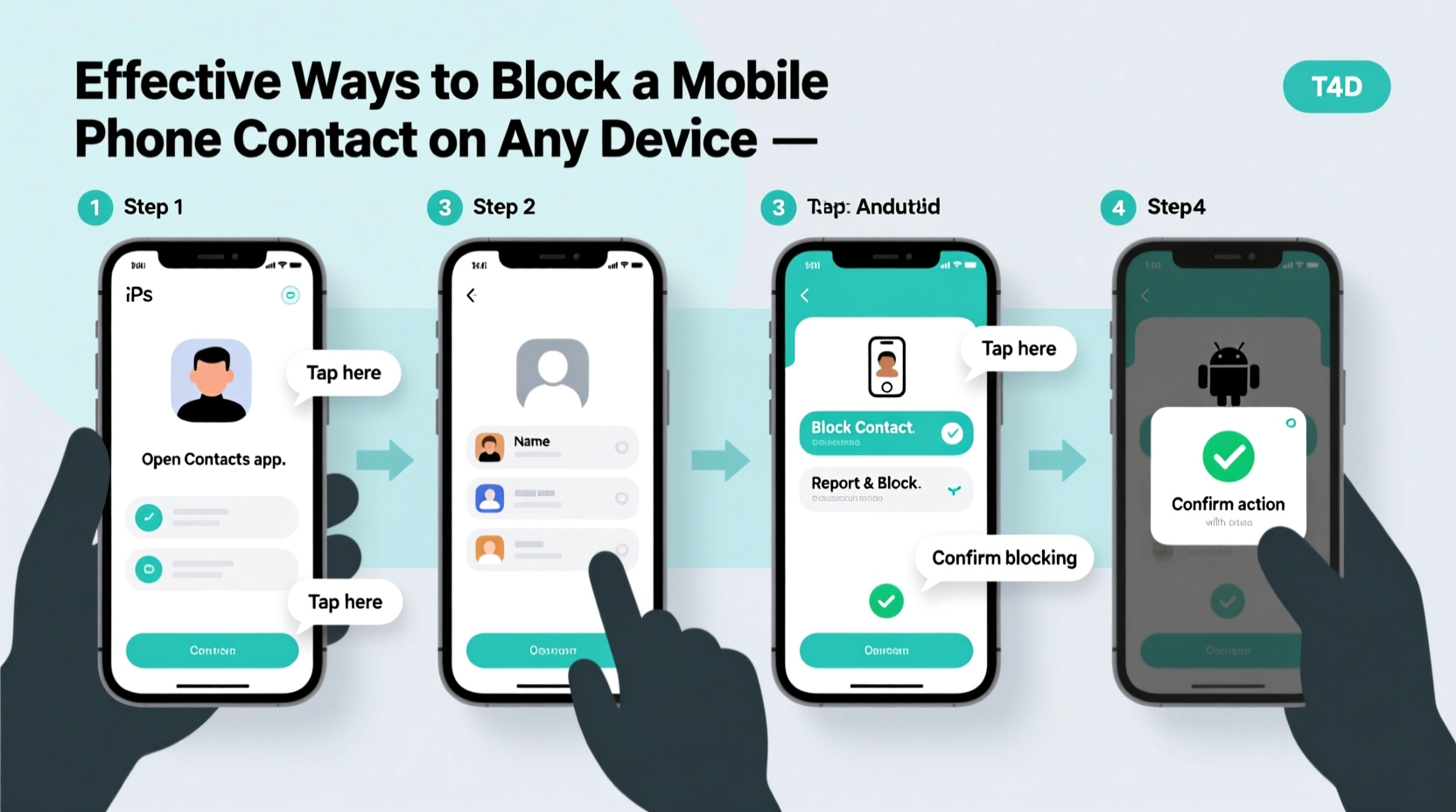
Blocking a contact isn't just about convenience; it's a form of digital self-defense. According to the Federal Trade Commission (FTC), consumers reported losing over $5 billion to imposter scams in 2023 alone, many of which began with unsolicited calls or texts. Beyond financial risk, repeated harassment via phone can lead to stress, anxiety, and a sense of helplessness.
By blocking problematic contacts, you protect not only your mental well-being but also your personal information. A blocked number cannot reach you via calls, texts, or even certain messaging apps—depending on settings—giving you back autonomy over who accesses your time and attention.
“Taking control of your communication channels is a critical part of digital wellness. Blocking abusive or unwanted contacts is not rude—it’s necessary.” — Dr. Lena Patel, Digital Behavior Researcher at Stanford University
Step-by-Step Guide to Blocking a Contact
The exact steps depend on your device and operating system. Below is a detailed walkthrough for both iPhone and Android users, including options within native apps and carrier-level tools.
Blocking on iPhone (iOS 16 and Later)
- Open the Phone app and go to the \"Recents\" tab.
- Find the number you want to block and tap the “(i)” icon next to it.
- Scroll down and select Block this Caller.
- Confirm by tapping Block Contact.
Once blocked, the number will no longer be able to call or send SMS messages to your device. iMessages from that number will not appear on your screen, and FaceTime attempts will fail silently.
You can manage blocked contacts by going to Settings > Phone > Blocked Contacts. From there, you can add new numbers manually or remove existing ones if needed.
Blocking on Android (Samsung, Google Pixel, and Others)
Android devices vary by manufacturer and OS version, but most follow a similar pattern using the default Phone or Messages app.
- Open the Phone app and navigate to your call history.
- Tap and hold the number you wish to block.
- Select Block number or Add to reject list.
- Choose whether to report as spam and confirm the block.
On Samsung devices, you may need to go into Settings > Advanced Features > Block Numbers to manage your list. On Google Pixel phones, blocking is handled directly through the Google Phone app, with automatic spam detection enabled by default.
Blocking Across Messaging Platforms
Phone calls aren’t the only concern. Harassment often occurs via text-based platforms like WhatsApp, iMessage, or Facebook Messenger. Fortunately, each service allows independent blocking.
Blocking on WhatsApp
- Open the chat with the contact.
- Tap their name to open info.
- Select Block and confirm.
When blocked, the person will no longer see your last seen, online status, or profile photo updates. Messages they send will show one checkmark (sent) but never deliver.
Blocking on iMessage
iMessage blocking works in tandem with the phone block. Once you block a number in the Phone app, iMessages from that contact stop appearing. You can also block directly from a message thread by tapping the sender’s icon > Info > Block this Caller.
Blocking on Facebook Messenger
- Open the conversation.
- Tap the name at the top.
- Scroll down and select Block Messages and Block Calls.
Blocking here prevents future messages and video calls, though past conversations remain unless deleted.
Advanced Options: Carrier-Level and Third-Party Tools
If built-in tools aren’t enough, especially with spoofed or robo-calls, consider upgrading to network-level solutions.
| Service | Platform | Key Features | Cost |
|---|---|---|---|
| AT&T Call Protect | Android & iOS | Spam detection, auto-block, caller ID | Free / Premium: $3.99/mo |
| T-Mobile Scam Shield | Android & iOS | Scam ID, Scam Block, Number Masking | Free |
| RoboKiller | Android & iOS | Answer bots, spam fingerprinting, custom blocks | $4.99/month |
| Hiya | Android | Real-time spam alerts, global database | Free / Pro: $2.99/month |
These services analyze call patterns across millions of users, identifying known scam numbers before they even ring your phone. Some, like RoboKiller, even respond to robocalls with humorous AI-generated replies to waste scammers’ time—a small act of digital resistance.
Mini Case Study: Regaining Control After a Toxic Breakup
Sarah, a 32-year-old graphic designer from Portland, found herself receiving dozens of late-night texts and hang-up calls from her ex-partner after ending a two-year relationship. Despite clear requests to stop, the contact persisted. Feeling anxious and unable to sleep, Sarah decided to take action.
She first blocked the number on her iPhone, stopping immediate access. However, the calls returned under different numbers. She then enabled AT&T Call Protect, which flagged incoming variations as spam. Finally, she reported the original number to her carrier and filed a non-emergency police report documenting the harassment.
Within a week, the calls ceased entirely. “I didn’t realize how much energy I was spending dreading my phone vibrating,” Sarah said. “Blocking wasn’t avoidance—it was self-respect.”
Essential Checklist: How to Fully Block a Contact
For complete protection, follow this checklist to ensure no communication channel is left open:
- ✅ Block the number in your phone’s native dialer app
- ✅ Block the contact in your messaging app (SMS/iMessage)
- ✅ Block in all relevant third-party apps (WhatsApp, Messenger, etc.)
- ✅ Enable spam filtering in your carrier’s protection suite
- ✅ Report persistent harassment to your carrier or local authorities
- ✅ Regularly review blocked contacts to ensure effectiveness
Frequently Asked Questions
Will a blocked person know they’ve been blocked?
Not directly. On iPhone, they’ll hear one ring before going to voicemail—or none at all. On Android, results vary, but most see calls fail without notification. In messaging apps, delivery receipts disappear, which may raise suspicion, but there’s no official alert.
Can a blocked number still leave a voicemail?
Yes, on most carriers. Blocked callers can often leave voicemails, but they won’t appear in your regular inbox. On iPhone, they go to a separate “Blocked Messages” section. On Android, they may appear in a spam folder or remain hidden entirely.
What if the person uses a new number?
This is common in harassment cases. Use carrier spam tools that detect suspicious behavior across number changes. Consider enabling “Silence Unknown Callers” on iPhone or “See Voicemail & Spam” on Android to filter unrecognized numbers automatically.
Take Back Your Peace of Mind
Your phone should be a tool for connection, not a source of stress. With the right steps, you can eliminate unwanted contact swiftly and securely—regardless of your device. Whether it’s a single nuisance number or an ongoing harassment issue, the power to block lies in your hands.
Don’t wait for the next disturbing call or message. Review your recent contacts, apply the steps outlined here, and fortify your digital boundaries today. A quieter, safer phone experience is just a few taps away.




 浙公网安备
33010002000092号
浙公网安备
33010002000092号 浙B2-20120091-4
Comments
No comments yet. Why don't you start the discussion?