
In an era where personal information is constantly at risk, maintaining control over who sees your phone number during a call has become essential. Whether you're reaching out to a business, contacting a service provider, or simply protecting yourself from unwanted follow-ups, blocking your number can offer a critical layer of privacy. Caller ID spoofing, spam calls, and data leaks have made anonymity not just desirable but sometimes necessary. Fortunately, there are reliable and accessible methods to hide your number—some temporary, others permanent—depending on your needs and device.
Why Block Your Number?
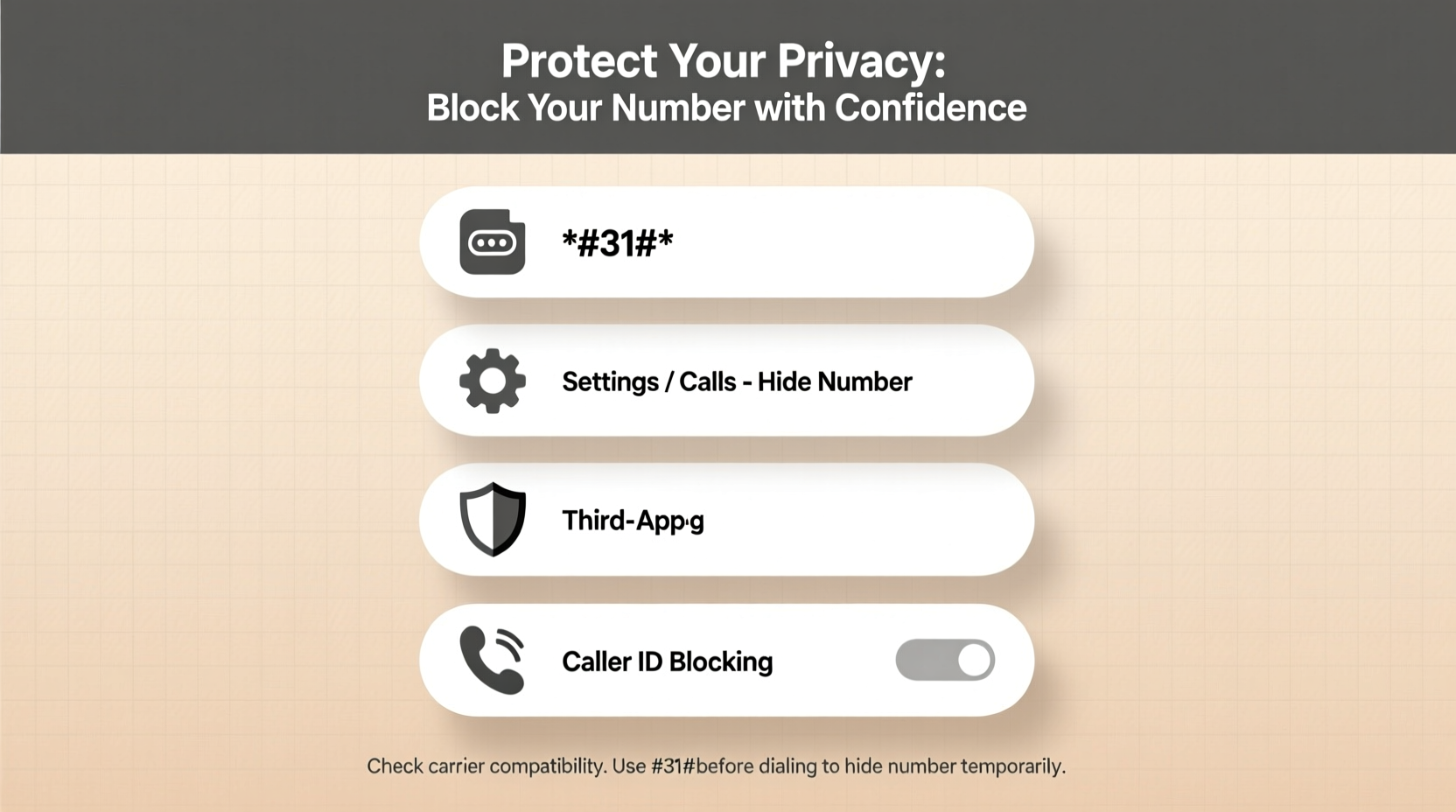
There are numerous legitimate reasons to keep your number private. Professionals such as therapists, real estate agents, or freelancers may need to contact clients without exposing personal contact details. Others may be escaping abusive relationships, managing sensitive medical issues, or simply avoiding telemarketers. Privacy isn't about secrecy—it's about control.
“Every individual has the right to decide how much of their identity they reveal in communication. Blocking your number is a simple yet powerful tool for digital self-determination.” — Dr. Lena Patel, Digital Privacy Researcher at the Institute for Cyber Ethics
Blocking your number prevents recipients from seeing your digits on their caller ID. This doesn’t mean you’re untraceable—emergency services and law enforcement can still identify callers—but it does shield your number from casual or commercial access.
Temporary vs. Permanent Number Blocking
Depending on your situation, you might prefer a one-time solution or a long-term setting. Understanding the difference helps you choose the right method.
Temporary Caller ID Blocking
This method hides your number for a single call using a short code. It works on most mobile carriers in the U.S., Canada, and many other countries.
- Dial *67 before the phone number.
- Proceed with the rest of the number (e.g., *67 555-123-4567).
- Make the call—the recipient will see “Private Number,” “Blocked,” or “Unknown Caller.”
This trick works on both smartphones and landlines and doesn’t require app downloads or account changes. However, it must be repeated for each call.
Permanent Caller ID Blocking
If you routinely need privacy, enabling permanent blocking through your carrier is more efficient. Once activated, all outgoing calls will appear as hidden unless manually overridden.
To set this up:
- Contact your mobile carrier (e.g., Verizon, AT&T, T-Mobile) via customer service or online portal.
- Request “Caller ID Blocking” or “Anonymous Call Rejection” settings.
- Confirm whether the feature is free or incurs a small monthly fee (often $1–$3).
After activation, your number remains hidden on every outbound call. To temporarily show your number on a specific call, dial *82 before the number.
Using Built-in Smartphone Settings
Modern smartphones allow direct configuration of caller ID settings without relying solely on carrier support. These options vary slightly between iOS and Android but are generally straightforward.
On iPhone (iOS)
- Open Settings.
- Tap Phone.
- Select Show My Caller ID.
- Toggle it off to block your number permanently.
On Android Devices
- Open the Phone app.
- Tap the three-dot menu and select Settings.
- Go to Caller ID & Spam or Supplementary Services (varies by brand).
- Find Hide Number or Caller ID and select “Hide Number.”
Note: Some Android models require entering a USSD code (*#31#) to deactivate display globally. Check your manufacturer’s support page for model-specific instructions.
Third-Party Apps for Enhanced Control
For users needing advanced features like scheduled anonymous calls, voice masking, or logging blocked interactions, third-party apps provide robust solutions.
| App Name | Platform | Key Features | Cost |
|---|---|---|---|
| Google Voice | iOS, Android, Web | Free secondary number, auto-block caller ID, voicemail transcription | Free |
| TextNow | iOS, Android | Unlimited calling with virtual number, Wi-Fi calling | Free (ads), Premium: $5/month |
| Burner | iOS, Android | Create temporary numbers, auto-expire lines, password protection | $5/month per line |
| Hushed | iOS, Android | Disposable numbers, international coverage, encryption | $2–$10/month |
These apps assign you a secondary number, allowing you to make calls and send texts without revealing your real one. Google Voice, for instance, integrates seamlessly with Android and offers strong privacy controls. Burner is ideal for short-term projects or dating apps where long-term exposure is risky.
Real-World Scenario: Protecting Yourself After a Breakup
Sophie, a marketing consultant from Portland, ended a relationship that turned emotionally volatile. Her ex began calling her work contacts and attempting to track her through missed calls. She needed a way to check on mutual friends and handle logistics without revealing her new number.
She activated permanent caller ID blocking through her carrier and created a Google Voice number for ongoing communication. When calling her former roommate, she used *67 to ensure her number stayed hidden. For longer conversations, she used her Google Voice line, which also recorded calls for documentation. Within weeks, the harassment decreased significantly because her number was no longer exposed.
This case illustrates how combining multiple blocking strategies creates a layered defense—practical, legal, and emotionally empowering.
Best Practices Checklist
To maximize privacy and avoid common pitfalls, follow this actionable checklist:
- ✅ Test your blocking method by calling your own voicemail or a trusted friend.
- ✅ Remember that emergency services (911) can still see your number even when blocked.
- ✅ Avoid using blocked calls for official verification processes—many banks and institutions reject anonymous lines.
- ✅ Disable location sharing when using third-party calling apps.
- ✅ Regularly review app permissions for calling and contact access.
- ✅ Use *82 to unblock your number when calling businesses that require identification.
Frequently Asked Questions
Does blocking my number prevent spam calls?
No. Blocking your number only hides it from recipients when you make outgoing calls. It does not stop incoming spam. For that, use call-blocking apps or register with the National Do Not Call Registry.
Can someone trace a blocked number?
Standard users cannot trace a blocked number. However, law enforcement agencies can obtain caller details through telecom providers with proper authorization. True anonymity is not guaranteed in legal investigations.
Will my call go through if I block my number?
Yes, in most cases. However, some organizations—such as hospitals, banks, or government offices—automatically reject calls from private numbers. If your call fails, try again with *82 to unblock your ID.
Take Control of Your Communication Privacy
Your phone number is more than a contact point—it’s a piece of your digital identity. By understanding and applying these blocking techniques, you reclaim authority over who sees your information and when. Whether through quick dial codes, smartphone settings, or dedicated apps, the tools for privacy are readily available. The key is consistency and awareness.




 浙公网安备
33010002000092号
浙公网安备
33010002000092号 浙B2-20120091-4
Comments
No comments yet. Why don't you start the discussion?