
In today’s digital landscape, cross-platform promotion is essential for content creators aiming to grow their audience. While YouTube remains a powerhouse for long-form video content, Instagram dominates visual storytelling and real-time engagement. Bridging these two platforms effectively can significantly boost visibility, drive traffic, and increase subscriber counts. However, simply posting a link isn’t enough—strategic integration is key. With the right approach, you can turn Instagram followers into loyal YouTube viewers.
Understanding the Platform Limitations
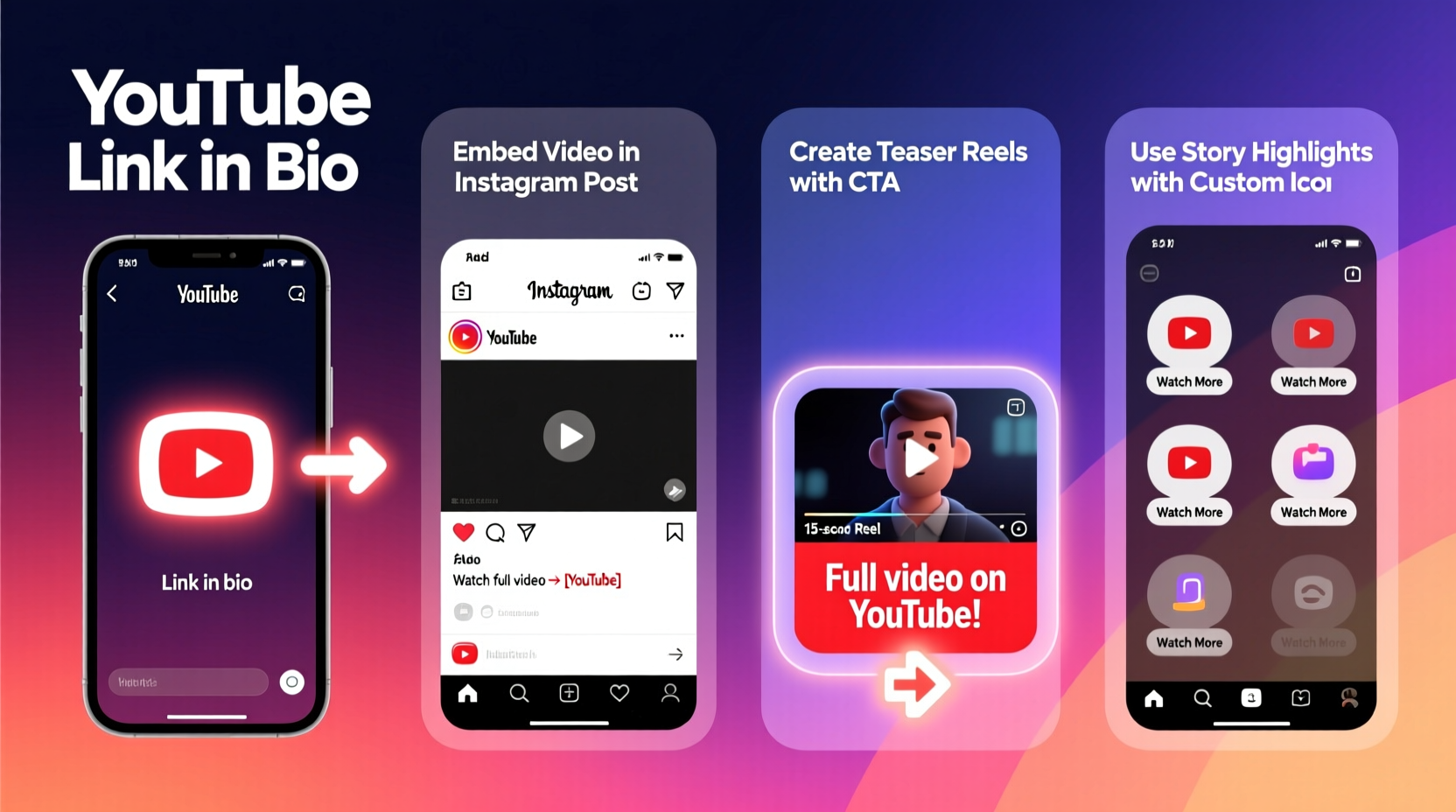
Instagram does not allow clickable links in regular posts or Stories unless you have a verified account or over 10,000 followers with a business profile. This restriction forces creators to get creative with how they direct traffic. The absence of direct linking doesn’t mean your YouTube content can't thrive on Instagram—it just requires planning, consistency, and smart use of available tools.
Despite these constraints, Instagram offers multiple avenues to tease, preview, and promote YouTube content. From Reels and carousels to bio links and Story highlights, every feature can be optimized to funnel users toward your videos.
Optimize Your Instagram Bio for Traffic Conversion
Your Instagram bio is prime digital real estate. It's the only place where you can include a clickable link accessible to all users. Treat it like a dynamic landing page that evolves with your latest YouTube release.
Instead of using the default “Link in bio” message, be specific. For example: “Watch my latest vlog: How I Edit My Travel Videos → [link]”. This clarity increases click-through rates because users know exactly what they’ll get.
To manage multiple links, use tools like Linktree, Carrd, or Beacons.ai. These platforms let you create a single URL that hosts multiple destinations—your latest video, channel subscription page, merchandise store, or Patreon.
“Your bio is your billboard. Make sure it changes as often as your content does.” — Sarah Kim, Social Media Strategist at CreatorLift
Create Compelling Teaser Content
One of the most effective strategies is turning your YouTube video into bite-sized, high-impact Instagram content. Instead of asking people to leave the app, give them a reason to stay engaged and then transition to YouTube.
- Reels: Use the most engaging 15–30 seconds of your video. Add captions, trending audio, and text overlays like “Full video on YouTube!” with an arrow pointing down.
- Carousels: Break down key moments or tips from your video across multiple slides. End with a final slide that says “Swipe to learn how → Full video on YouTube” and include your link.
- Stories: Share behind-the-scenes clips, bloopers, or quotes from the video. Use the “Swipe Up” feature (if available) or direct users to your bio with a sticker saying “Link in bio.”
Teasers should spark curiosity without giving everything away. A well-edited Reel showing a surprising result or emotional moment can generate hundreds of clicks when paired with a strong call-to-action.
Step-by-Step Guide: Promoting a YouTube Video on Instagram
Follow this timeline to maximize engagement for each YouTube upload:
- Pre-Launch (3 Days Before): Tease the topic with a poll or question in Stories. Example: “Should I film a day-in-my-life as a YouTuber? Yes/No” — builds anticipation.
- Launch Day: Post a Reel or carousel summarizing the video’s hook. Update your bio link. Share a Story with a countdown sticker ending at upload time.
- Post-Publish (Within 24 Hours): Respond to comments on both platforms. Share user-generated responses or questions in Stories to deepen engagement.
- Ongoing (Weekly): Repurpose segments from the video into new Reels or static posts. Example: Turn a cooking tutorial into a “3 Tips for Perfect Pasta” carousel.
- Evergreen Strategy: Save successful Stories as Highlights labeled “YouTube Videos” with clear thumbnails and titles.
Do’s and Don’ts When Sharing YouTube Links on Instagram
| Do’s | Don’ts |
|---|---|
| Use clear calls-to-action like “Watch the full video on YouTube” | Assume users will automatically check your bio |
| Repurpose video content into native Instagram formats | Upload full YouTube videos directly to Instagram (reduces incentive to visit) |
| Update your bio link regularly | Use generic phrases like “Link in bio” without context |
| Engage with commenters who ask for the link | Ignore comments or fail to respond promptly |
| Leverage Story stickers (e.g., “See More”) to guide attention | Overload Stories with too many links or distractions |
Real Example: How a Fitness Creator Grew Her Channel
Jess Nguyen, a fitness YouTuber with 45K subscribers, struggled to convert her 80K Instagram followers into video views. She began repurposing her workout tutorials into 20-second Reels showing quick exercise tips, ending each with “I break down the full routine on YouTube—link in bio.”
She also created a permanent Story Highlight titled “My YouTube Videos” with custom icons for each major series. Within three months, her average video views increased by 62%, and her subscriber growth rate doubled. “People don’t want to leave Instagram,” she says, “so I bring the best part of YouTube to them first.”
Maximize Engagement with Interactive Story Tactics
Instagram Stories are underutilized by many creators when promoting external content. But with interactive elements, you can guide users seamlessly toward your YouTube channel.
- Use the question sticker to ask, “Want to see how I filmed this?” Then reply individually with the link.
- Run a poll: “Curious how I got these results? Yes / Not really” — follow up with a Story revealing the answer and linking to the video.
- Add a countdown sticker for upcoming video releases to build excitement.
- Use emoji sliders like “How interested are you in seeing my editing setup? 😍 → 🔥” to gauge interest before sharing.
These micro-interactions make users feel involved, increasing the likelihood they’ll follow through to your YouTube content.
Checklist: Promote Your Next YouTube Video on Instagram
Before publishing your next video, run through this checklist to ensure maximum reach:
- ✅ Create a short teaser Reel or carousel post
- ✅ Write a compelling caption with a clear CTA
- ✅ Update your bio link to point to the new video
- ✅ Design a Story sequence with countdown, teaser, and link reminder
- ✅ Schedule 2–3 follow-up posts over the next week
- ✅ Save promotional Stories to a dedicated Highlight
- ✅ Engage with all comments and DMs asking for the link
- ✅ Track performance using Instagram Insights and YouTube Analytics
Frequently Asked Questions
Can I share a YouTube link in an Instagram post caption?
Yes, you can paste a YouTube URL in your caption, but it won’t be clickable for most users. It's better to pair it with a clear instruction like “Link in bio” so followers know where to go.
How often should I promote my YouTube videos on Instagram?
Promote each major video 2–3 times across different formats (e.g., Reel, Story, carousel). Avoid overposting the same link more than once per day to prevent audience fatigue.
Is it worth promoting old YouTube videos on Instagram?
Absolutely. Evergreen content like tutorials, reviews, or guides can find new life on Instagram. Repurpose them into educational carousels or Reels with updated captions to attract new viewers.
Final Thoughts: Build a Seamless Cross-Platform Experience
Linking and sharing YouTube videos on Instagram isn’t just about dropping a URL—it’s about creating a journey. From the first teaser to the final highlight, every touchpoint should guide your audience closer to your content. By respecting Instagram’s format, leveraging its interactive tools, and maintaining consistency, you can transform passive scrollers into active subscribers.




 浙公网安备
33010002000092号
浙公网安备
33010002000092号 浙B2-20120091-4
Comments
No comments yet. Why don't you start the discussion?