
Navigating digital platforms often comes with technical hiccups—whether it's a suspended Google Ads account, a compromised Gmail inbox, or billing confusion across Google Workspace. While Google offers vast self-help resources, many users hit dead ends when they need personalized assistance. The truth is, reaching Google Support isn’t always straightforward, but it’s far from impossible. With the right approach, you can cut through the noise and get timely, effective help.
This guide breaks down practical, tested methods to connect with Google’s support teams efficiently, ensuring your concerns are addressed without unnecessary delays.
Understand Google’s Support Structure
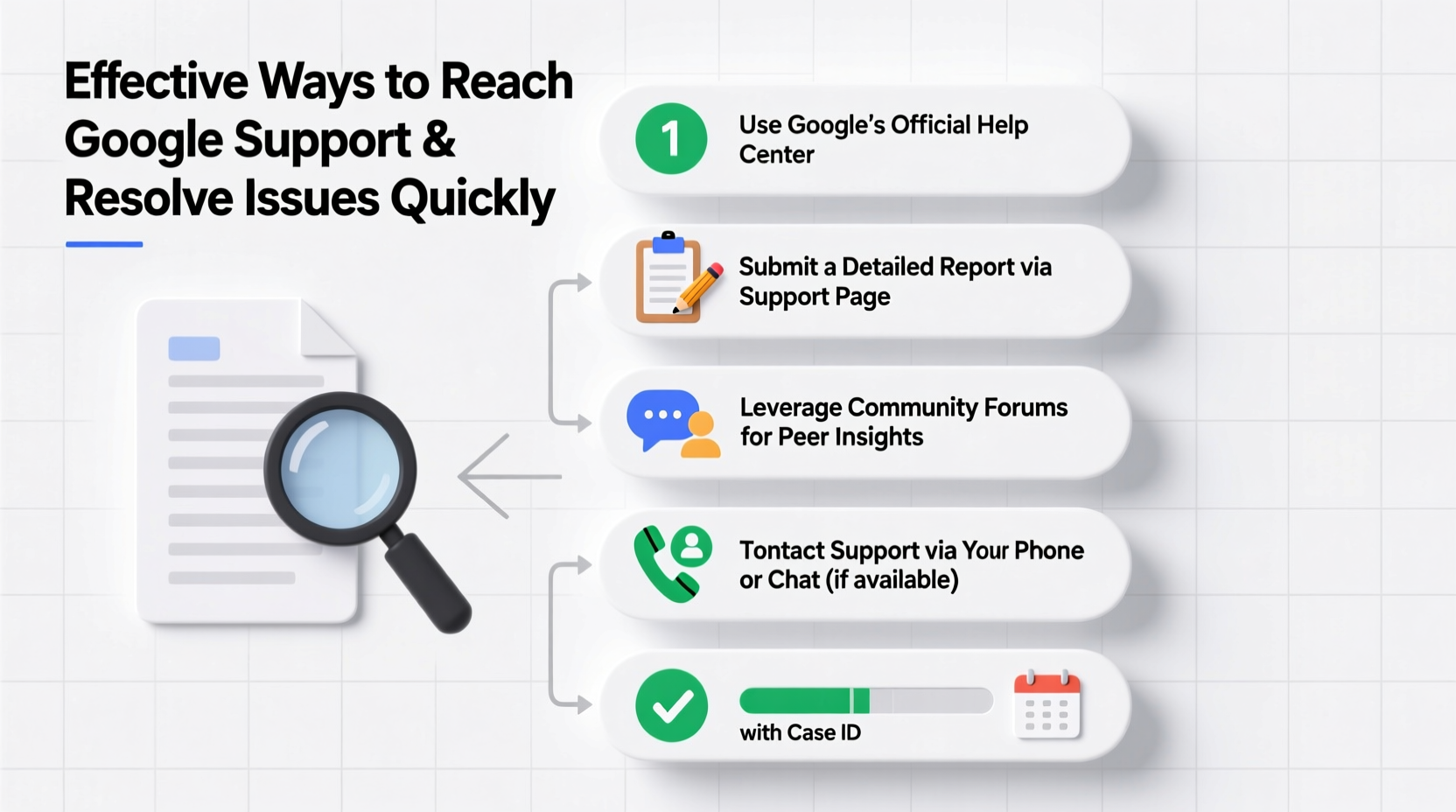
Google doesn’t offer universal customer service like traditional companies. Instead, access to direct support depends on your product, subscription tier, and account type. Knowing where you stand helps set realistic expectations.
For example, individual users of Gmail, Google Drive, or YouTube typically rely on community forums and automated troubleshooting tools. In contrast, Google Workspace subscribers, Google Cloud customers, and advertisers using Google Ads or Google Play have access to dedicated support channels based on their plan level.
“Most people don’t realize that support access is tiered. If you’re on a free plan, your options are limited—but not nonexistent.” — Sarah Lin, Tech Support Consultant with 10+ years in SaaS operations.
Use the Right Channel for Your Issue
One of the most common reasons users fail to get help is using the wrong channel. Google routes support inquiries based on product categories. Here’s how to match your issue with the correct entry point:
| Issue Type | Recommended Channel | Expected Response Time |
|---|---|---|
| Gmail login or recovery | Google Account Help | Self-service; no live agent |
| Google Workspace (Business) | In-product “Help” menu → Contact Support | Within 24 hours (Premium plans) |
| Google Ads billing or policy | Google Ads Help → Contact Us | 1–3 business days |
| Google Cloud Platform | Support portal (based on contract) | As fast as 15 minutes (Enterprise) |
| Google Play Developer issues | Play Console → Help → Contact Us | 2–5 business days |
If you're unsure which product your issue falls under, use Google’s main Help Center and search using specific keywords like “account recovery,” “payment error,” or “suspended app.” The system will redirect you to the appropriate hub.
Step-by-Step: Escalating an Unresolved Issue
Sometimes, initial attempts at resolution stall. When automated responses aren’t enough, follow this sequence to escalate effectively:
- Document everything: Save error messages, screenshots, timestamps, and case numbers. This creates a clear audit trail.
- Use in-product support: If available, open a support ticket directly within the Google product (e.g., Google Workspace Admin Console).
- Engage via chat or phone: Premium accounts often unlock live chat or callback options. Prioritize these during business hours (Pacific Time).
- Follow up politely: If you haven’t heard back in 48 hours, reply to your ticket with “Bumping for visibility” and restate your request clearly.
- Escalate internally: For enterprise clients, mention “escalation to L2/L3 support” in your message. Tiered systems respond better to structured terminology.
Real Example: Recovering a Hacked Gmail Account
Consider Maria, a freelance graphic designer who lost access to her primary Gmail account—the one tied to her portfolio, invoices, and client communications. She tried the standard recovery form twice with no success. Automated messages said her identity couldn’t be verified.
Maria didn’t stop there. She gathered old backup emails, previous passwords, and device logs showing her usual login locations. Then, she visited the Account Recovery page and filled it out again, adding a detailed note: “I’ve used this account since 2016. Last accessed from San Diego on May 12 via iPhone. Attached are two recent sent emails as proof.”
Two days later, she received a verification link. Her persistence in providing verifiable data made the difference.
The lesson? Google’s systems rely heavily on pattern recognition. The more evidence you provide that aligns with historical account behavior, the higher your chances of restoration.
Maximize Your Chances: Pro Tips and Checklist
Whether you're dealing with a billing dispute or a suspended service, these actionable steps increase your odds of a swift resolution.
Quick Action Checklist
- ✅ Identify your product and support eligibility
- ✅ Search the Help Center using precise keywords
- ✅ Gather all relevant account details (last login, payment method, error codes)
- ✅ Submit requests during U.S. business hours (PST/PDT)
- ✅ Avoid multiple submissions—wait 24–48 hours before following up
- ✅ Use professional language in all communications
- ✅ If denied, wait 72 hours before retrying with additional proof
For Google Workspace or Cloud users, ensure your admin has enabled support access in the control panel. Sometimes, the option is disabled at the organizational level, blocking even paid users from contacting help.
Frequently Asked Questions
Can I talk to a Google representative over the phone?
Yes, but only if you’re a paying customer with a supported plan. Google Workspace Business Standard or higher, Google Cloud, and Google Ads managers with active spend may qualify for phone support. Free-tier users generally do not have this option.
Why does Google ignore my support requests?
It’s rarely intentional. High volumes mean automated systems triage cases. If your request lacks detail, uses vague language, or comes from a flagged IP/device, it may be deprioritized. Improve clarity and consistency to avoid being filtered out.
How long does Google take to respond?
Response times vary: Google Workspace Premium—under 24 hours; Google Ads—1–3 business days; consumer products (Gmail, Drive)—no guaranteed timeline. Self-service remains the primary path for non-paying users.
Conclusion: Take Control of Your Support Journey
Getting help from Google doesn’t have to feel like shouting into a void. By understanding access tiers, choosing the right channel, and presenting your case with precision, you dramatically improve your chances of a timely fix. The key is preparation: document your issue thoroughly, communicate clearly, and know when and how to escalate.
Don’t assume silence means no solution. Persistence, paired with the right strategy, often opens doors that seem locked at first glance. Whether you're protecting your personal data or maintaining a business-critical service, taking proactive steps today can save hours—or days—of frustration tomorrow.




 浙公网安备
33010002000092号
浙公网安备
33010002000092号 浙B2-20120091-4
Comments
No comments yet. Why don't you start the discussion?