
Google’s ecosystem spans search, Gmail, Drive, Ads, Cloud, Android, and more. With such widespread use, encountering technical or account-related issues is inevitable. Yet many users struggle to find reliable help when things go wrong. Unlike traditional companies, Google doesn’t offer universal phone support, which can make resolving urgent problems feel like navigating a maze. This guide breaks down the most effective, verified strategies to contact Google Support—depending on your product, issue type, and urgency level.
Understanding Google’s Support Structure
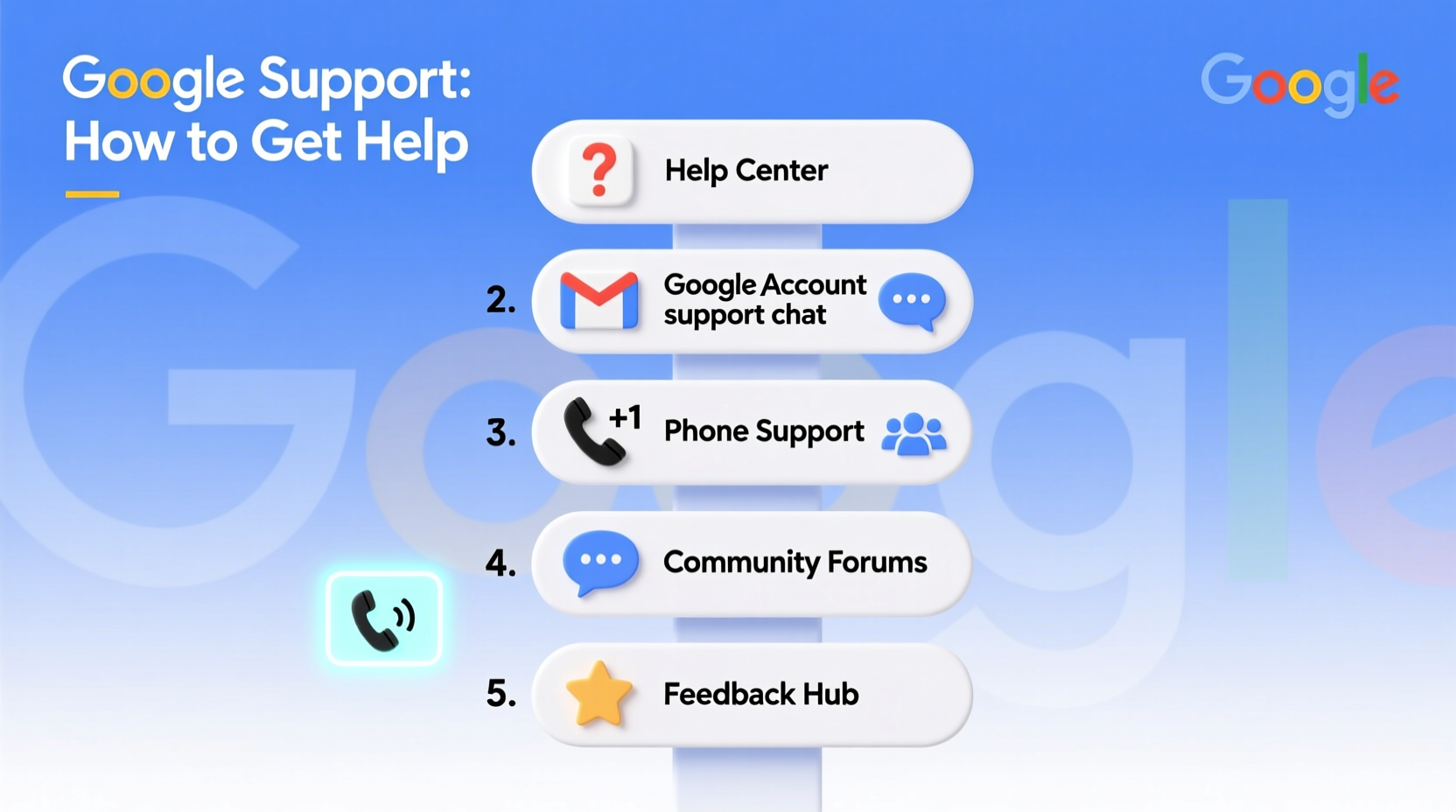
Google operates a tiered support model based on product type and user status. Free consumer accounts (like Gmail or YouTube) have limited direct access, while paid business services (Google Workspace, Google Cloud, or Google Ads) offer dedicated channels. Knowing where your account falls determines your best path forward.
For example, a personal Gmail user locked out of their account must rely on automated recovery tools, whereas a Google Workspace administrator managing 500 employee emails can open a priority ticket with live chat and callback options.
“Google’s support accessibility is directly tied to value: the more you pay for a service, the faster and more personalized the support.” — Sarah Lin, Digital Services Consultant
Step-by-Step Guide to Contacting Google Support
Reaching Google effectively requires preparation and knowing which entry point applies to your situation. Follow this structured approach:
- Identify Your Product: Determine whether your issue relates to Gmail, Google Cloud, Android, Google Play, or another service. Each has a unique support portal.
- Check Your Account Type: Are you using a free personal account, a Google Workspace plan, or a paid developer/advertiser account?
- Search the Help Center: Visit support.google.com and search for your specific error message or symptom.
- Use In-Product Help: Many Google apps include a “?” or “Help” icon that opens context-specific support articles and contact forms.
- Submit a Request (if available): For eligible accounts, look for “Contact Us,” “Get Help,” or “Support Dashboard” options.
- Escalate if Needed: If initial responses are automated or unhelpful, use alternative channels like community forums or social media.
Available Support Channels by Product
Not all Google products offer the same support access. The table below outlines what’s available for major services:
| Product | Phone Support | Live Chat | Email/Ticket | Community Forum |
|---|---|---|---|---|
| Gmail (Personal) | No | No | Limited (via recovery forms) | Yes – Google Help Communities |
| Google Workspace (Paid) | Yes (24/7 for Business Plus & Enterprise) | Yes | Yes | Yes |
| Google Ads | Yes (for active spenders) | Yes | Yes | Yes |
| Google Cloud Platform | Yes (based on support tier) | Yes | Yes | Stack Overflow, Issue Tracker |
| Android (Personal Device) | No | No | No | Yes – Google Product Forums |
| Google Play Store | No | No | Through app/developer or refund form | Yes |
This structure shows that proactive investment in Google’s paid tiers significantly improves support access. However, even free users have viable options if they know where to look.
Tips for Faster Resolution
Whether you're submitting a form or chatting with an agent, how you present your issue affects response speed and quality. Use these proven tactics:
- Include precise details: Error codes, timestamps, device types, and browser versions help narrow down the cause.
- Attach screenshots: When allowed, visuals clarify complex issues like interface bugs or payment errors.
- Be concise but thorough: Avoid emotional language. Stick to facts: what happened, when, and what you’ve already tried.
- Use official channels only: Beware of third-party sites claiming to offer “Google Support Numbers”—many are scams.
Real Example: Recovering a Hacked Gmail Account
A freelance writer, Maria, found her Gmail account sending spam messages without her consent. She couldn’t log in—Google flagged suspicious activity and locked access. Following standard recovery didn’t work after three attempts.
She visited accounts.google.com/signin/recovery, used a trusted device, answered security questions, and submitted a recovery form detailing her last login and recent emails sent. Within 18 hours, she received a verification link. After regaining access, she enabled 2FA and reviewed connected apps.
Moral: Persistence with the correct recovery flow often works—even without direct human contact.
Alternative Ways to Get Help
When formal support isn’t available, leverage these alternatives:
Google Help Communities
The Google Support Forums are staffed by experienced users and occasionally Google employees. Posts with clear titles and detailed descriptions receive faster replies. Search existing threads first—your issue may already be resolved.
Social Media Outreach
While not a direct support line, tweeting @Google or @Gmail with a brief summary and reference number can prompt a redirect to the right team. Public inquiries sometimes get prioritized to protect brand reputation.
Google Cloud and Developer Support Plans
For developers and enterprises, Google offers paid support plans ranging from Basic ($150/month) to Premium ($15,000/month), including SLAs, technical account managers, and architecture guidance.
FAQ
Can I call Google Support for my personal Gmail issue?
No, Google does not provide phone support for free consumer accounts like personal Gmail, YouTube, or Google Drive. You must use the online recovery forms or help center resources.
How long does Google take to respond to support tickets?
Response times vary: Google Workspace Business customers typically hear back within 24 hours. Google Ads advertisers may get replies in under 12 hours during business days. Free account inquiries via forms may take several days, if answered at all.
Is there a general Google Support number?
No legitimate universal phone number exists for Google customer support. Scam sites often list fake numbers. Always verify contact options through support.google.com.
Final Checklist: How to Maximize Your Chances of Getting Help
- ✅ Identify your product and account type
- Determine if you’re using a free or paid Google service.
- ✅ Search the Help Center first
- Enter exact error messages into Google’s official support site.
- ✅ Use in-app or in-product help links
- These often unlock hidden contact options not visible on public pages.
- ✅ Prepare key information
- Have account details, error codes, and recent actions ready.
- ✅ Escalate through communities or social media if needed
- Public engagement can sometimes trigger internal follow-up.
- ✅ Consider upgrading for better support access
- Paid Google Workspace or Cloud plans include dedicated assistance.
Conclusion
Navigating Google’s support landscape doesn’t have to be frustrating. By understanding the system, using the right channels, and presenting your case clearly, you can resolve most issues efficiently—even without a phone number. Whether you're recovering an account, troubleshooting billing, or debugging an API, the key is persistence and precision. Take action today: audit your current Google services, bookmark the correct support pages, and secure your accounts with 2FA. The better prepared you are, the faster you’ll get help when you need it.




 浙公网安备
33010002000092号
浙公网安备
33010002000092号 浙B2-20120091-4
Comments
No comments yet. Why don't you start the discussion?