
Phone cases are essential for protecting devices from drops, scratches, and daily wear. However, removing them shouldn’t come at the cost of cracked plastic, stretched silicone, or accidental screen damage. Many users unknowingly apply excessive force or use improper tools, leading to avoidable harm. With the right approach, detaching a phone case can be quick, clean, and completely safe. Whether you’re upgrading to a new case, cleaning your device, or troubleshooting connectivity issues, mastering this simple task ensures both your phone and its accessories remain in top condition.
Why Proper Removal Matters
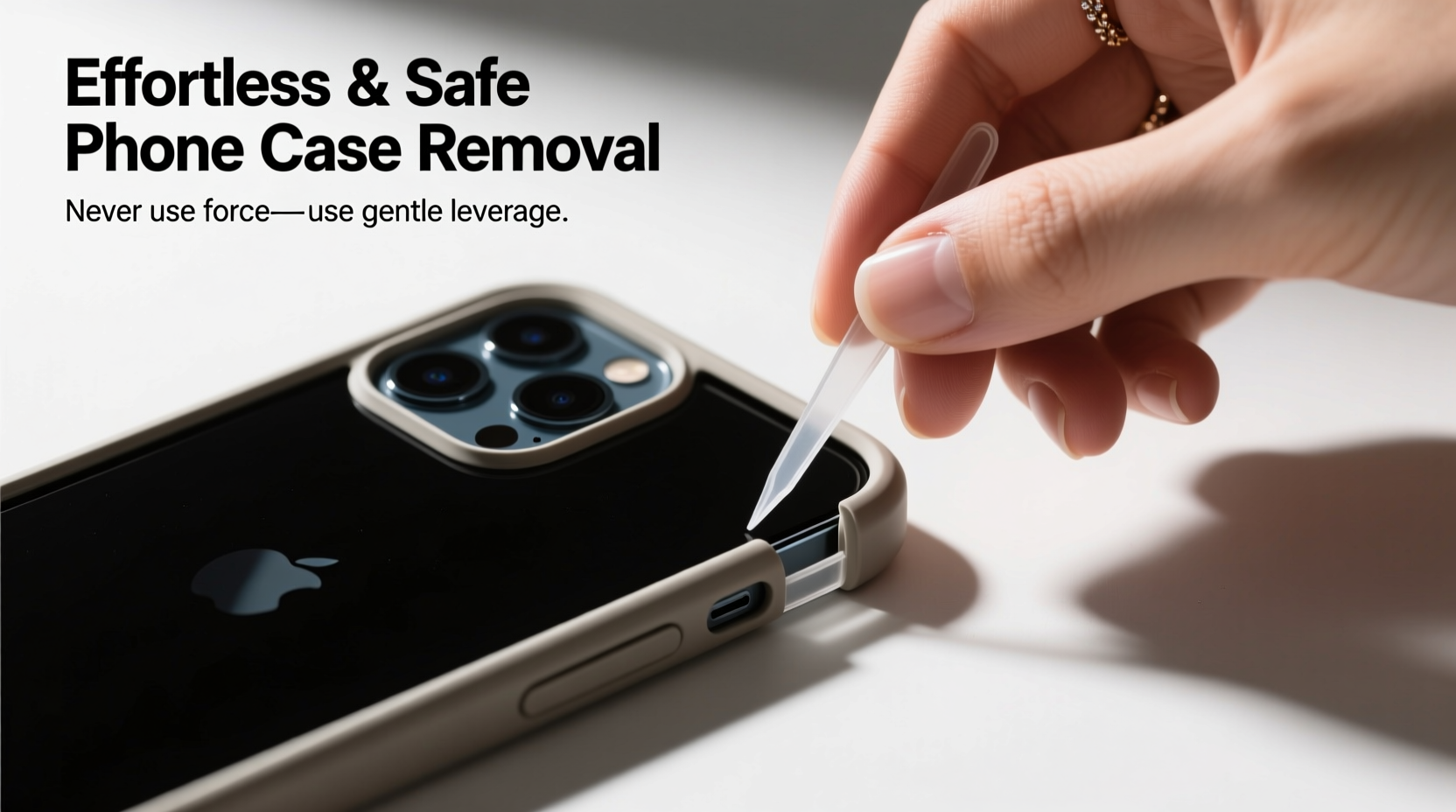
A poorly removed phone case can lead to more than just cosmetic flaws. Over time, aggressive removal may compromise the integrity of the case’s snap-fit design, especially with precision-engineered models made for specific phone models. Cracks along the edges, warped corners, or broken button covers reduce protection and aesthetic appeal. Worse, using sharp objects like keys or knives risks scratching the phone’s finish or damaging ports and buttons.
Additionally, frequent rough handling can loosen internal connectors or dislodge delicate components near the frame—particularly on newer phones with slim bezels and tightly integrated parts. Taking a careful, methodical approach preserves both the device and the case, extending their usable life and maintaining resale value.
“Many repair technicians see preventable damage caused by improper case removal. A few seconds of patience can save hundreds in repairs.” — Jordan Lee, Mobile Device Technician & Repair Consultant
Step-by-Step Guide: Safe Removal Techniques
Follow this structured process to remove any type of phone case—silicone, TPU, hard plastic, or hybrid—without causing damage.
- Power down your device (optional but recommended): While not always necessary, turning off your phone eliminates the risk of accidental input during removal, especially if pressure is applied near buttons.
- Clean the edges: Use a soft brush or compressed air to remove dust and debris trapped between the case and phone. Particles can increase friction and make removal harder.
- Start at the bottom edge: Most cases have a slight gap at the charging port end. Gently insert a fingernail or non-metallic tool into the seam.
- Lift one corner slowly: Apply upward pressure on a single corner until it releases. Avoid twisting or prying aggressively.
- Work your way around: Once one corner is free, move clockwise or counterclockwise, lifting each section gradually. The goal is even release, not sudden popping.
- Remove fully and inspect: After removal, check both the phone and case for signs of strain, cracks, or residue buildup.
Do’s and Don’ts When Removing Phone Cases
| Do’s | Don’ts |
|---|---|
| Use your fingernails or plastic tools | Use keys, knives, or screwdrivers |
| Remove in a clean, flat environment | Try removing while holding the phone over a hard surface |
| Wash reusable cases before reapplying | Force removal if the case feels stuck—pause and reassess |
| Store cases in protective pouches when not in use | Leave cases in direct sunlight or hot cars, which can warp materials |
| Check alignment before snapping back on | Reattach a damaged or misshapen case |
Real Example: A Close Call with a Premium Case
Sophia, a graphic designer in Austin, purchased a high-end polycarbonate case with aluminum bumper accents for her smartphone. After six months, she decided to switch styles. In a rush, she used a butter knife to pry off the case, believing it would save time. Halfway through, the blade slipped and scratched the phone’s anodized aluminum frame. Worse, one of the precision-cut speaker cutouts cracked due to uneven pressure.
She later learned that a slower, finger-based technique—or using a $5 plastic opening tool—would have prevented the damage. The scratch couldn’t be buffed out, and the cracked case no longer snapped securely. What should have been a simple swap turned into a $45 loss for a replacement case and diminished device appearance.
This scenario underscores how minor impatience leads to lasting consequences. With proper technique, Sophia could have preserved both items seamlessly.
Material-Specific Tips for Common Case Types
Different materials respond uniquely to removal methods. Understanding these differences enhances safety and efficiency.
- Silicone (soft rubber): Flexible but prone to tearing if overstretched. Pull gently from multiple points rather than one corner.
- Thermoplastic Polyurethane (TPU): Offers flexibility with durability. Can develop micro-tears if bent sharply. Remove with steady, incremental pressure.
- Hard Plastic (Polycarbonate): Rigid and precise-fitting. Requires careful lifting at seams. Do not twist the phone inside.
- Hybrid Cases (dual-layer): Combine soft inner lining with a rigid outer shell. Remove as a single unit; never try to separate layers unless designed to do so.
- Wallet or Kickstand Cases: Contain moving parts. Check hinges or card slots before applying force. These often require extra clearance during removal.
Frequently Asked Questions
Can I reuse a phone case after removing it?
Yes, most cases can be reused if removed carefully. Inspect for cracks, warping, or worn edges. If the snap mechanism still holds securely and there’s no visible damage, it remains functional.
Why does my case feel stuck even though it’s not glued?
Tight fit is intentional for protection. Dust, static, or slight material expansion from heat can increase adhesion. Clean the contact areas and allow the phone to cool before attempting removal.
Is it safe to remove a waterproof case frequently?
Waterproof cases often have seals and latches. Frequent removal isn’t harmful if done according to manufacturer instructions. Always inspect the gasket for debris or tears to maintain water resistance.
Essential Checklist Before You Begin
Before attempting to remove your phone case, run through this checklist to ensure a smooth process:
- ✅ Wash and dry your hands to improve grip
- ✅ Place the phone on a soft, clean surface (e.g., microfiber cloth)
- ✅ Gather a plastic opening tool (if needed)
- ✅ Power off the device (recommended for sensitive models)
- ✅ Clear dust from seams using a brush or air blower
- ✅ Ensure you have good lighting and a stable workspace
Conclusion: Small Habits, Long-Term Benefits
Removing a phone case might seem trivial, but doing it correctly reflects broader habits of device care. By adopting mindful techniques, you protect your investment, extend accessory lifespan, and avoid unnecessary replacements. Whether you own a budget model or a flagship device, treating it with consistent attention pays off in performance and longevity.




 浙公网安备
33010002000092号
浙公网安备
33010002000092号 浙B2-20120091-4
Comments
No comments yet. Why don't you start the discussion?