
In today’s mobile-first world, capturing moments is only half the story. The real magic happens when you enhance your videos with music—turning ordinary clips into compelling stories. Whether you're creating content for social media, documenting a trip, or sharing memories with family, adding music elevates emotional impact and viewer engagement. The good news? You don’t need expensive software or a computer. With just your smartphone and the right approach, you can seamlessly integrate music into your videos in minutes.
Why Music Matters in Mobile Video
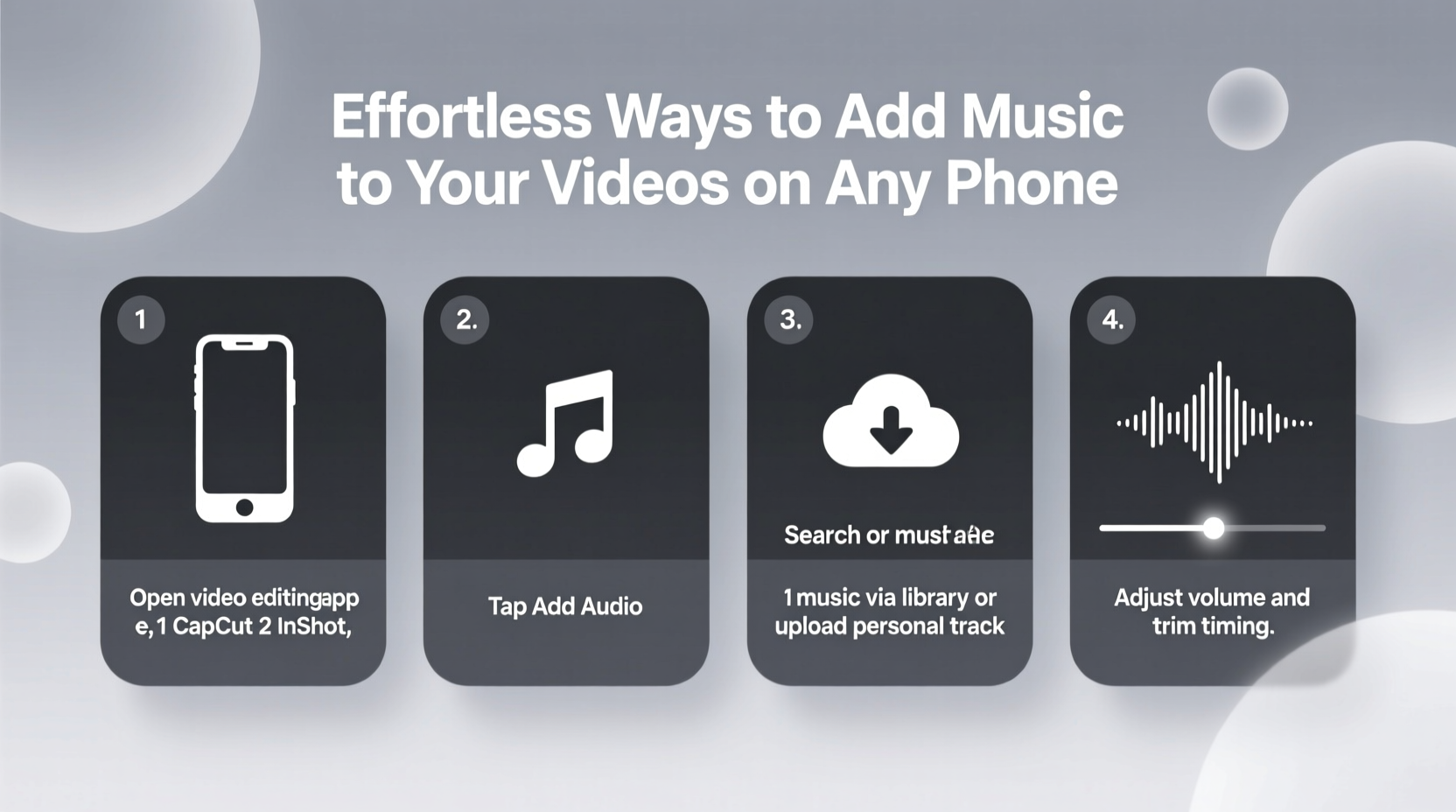
Music sets the tone. A quiet clip of waves crashing becomes cinematic with ambient piano; a time-lapse of city lights pulses with energy when paired with an upbeat track. Research shows that videos with music are shared up to 30% more frequently than those without. It’s not just about sound—it’s about storytelling. When used well, music guides emotion, emphasizes pacing, and makes content more memorable.
Smartphones now come equipped with powerful editing tools that rival desktop applications. From built-in features to third-party apps, integrating music has never been easier. The key is knowing which tools work best for your needs and how to use them efficiently.
Step-by-Step: Adding Music Using Built-In Phone Editors
Most modern smartphones include native video editors capable of basic music integration. These tools are ideal for quick edits and require no downloads.
- Select your video: Open your phone’s gallery or photos app and choose the video you want to edit.
- Tap “Edit”: Look for an edit icon (often a pencil or sliders) below the preview.
- Access audio options: Depending on your device, tap “Audio,” “Music,” or “Soundtrack.”
- Choose a track: Select from preloaded music or your personal library. iPhones offer licensed tracks via iMovie-style soundtracks; Android devices may link to YouTube Music or Google Play.
- Adjust volume and timing: Drag the audio clip to align with key moments. Lower background noise by reducing original video audio.
- Save the video: Tap “Done” or “Export” to finalize. The new version will replace or save alongside the original.
Top 5 Third-Party Apps for Seamless Music Integration
For greater flexibility and creative control, dedicated apps offer advanced features like trimming, transitions, voiceovers, and royalty-free music libraries.
| App Name | Best For | Music Source | Platform |
|---|---|---|---|
| InShot | Social media creators | Royalty-free library + local files | iOS & Android |
| CapCut | TikTok & Reels editing | Vast trending tracks + custom uploads | iOS & Android |
| FilmoraGo | Beginners with minimal experience | Curated music packs | iOS & Android |
| KineMaster | Advanced layering and precision | SoundCloud integration + local audio | iOS & Android |
| Splice | Professional-grade mobile editing | Free and premium tracks from Splice Sounds | iOS & Android |
Each app varies slightly in interface, but all follow a similar workflow: import video, add music, adjust timing, export. CapCut stands out for its real-time syncing with trending audio, while KineMaster offers multi-track editing for complex projects.
Avoid These Common Music Mistakes
Even with the right tools, poor choices can ruin a great video. Here’s what to watch for:
- Using copyrighted music without permission: Platforms like Instagram and YouTube may mute your video or issue takedown notices.
- Mismatched tone: A somber piano piece won’t suit a birthday montage. Match mood to moment.
- Overpowering the original audio: If dialogue or natural sound matters, keep music subtle.
- Ignoring fade-ins and outs: Abrupt starts and stops feel jarring. Use crossfades for smooth transitions.
- Skipping export previews: Always play the full video before sharing to catch timing issues.
“The best music in video doesn’t draw attention to itself—it deepens the viewer’s connection to the moment.” — Lena Torres, Mobile Filmmaker & Content Strategist
Mini Case Study: How Sarah Grew Her Travel Vlog with Music
Sarah, a solo traveler from Portland, started posting raw clips of her hikes and street food adventures. Engagement was low—few likes, minimal shares. After learning about music integration, she began using CapCut to pair her footage with light acoustic tracks and ambient beats.
One video, featuring a sunrise over Santorini, used a gentle ukulele melody that faded in as the sun crested the horizon. She lowered ambient noise, added a slow zoom effect, and timed the music’s peak to match the visual climax. The post gained 47K views on Instagram Reels—her highest yet.
“I didn’t realize how much music changed the feeling,” Sarah said. “It wasn’t just a clip anymore. It felt like a story people wanted to stay in.”
Checklist: Ready-to-Use Workflow for Adding Music
Follow this checklist every time you edit a video to ensure consistency and quality:
- ✅ Choose a video with clear visuals and stable footage
- ✅ Decide on the mood (uplifting, calm, energetic, nostalgic)
- ✅ Select a royalty-free or licensed track that matches the tone
- ✅ Import video into your editor (native or third-party)
- ✅ Add music and adjust start/end points to fit key scenes
- ✅ Reduce original audio volume to prevent overlap
- ✅ Apply fade-in/fade-out effects (1–2 seconds)
- ✅ Preview the full video on headphones
- ✅ Export in high resolution (1080p or higher)
- ✅ Share and monitor audience response
FAQ: Your Music Editing Questions Answered
Can I use songs from my Spotify playlist?
No, directly importing Spotify tracks into videos isn’t allowed due to copyright restrictions. However, some apps sync with Spotify for playback during recording (like Stories), but not for permanent embedding. Use royalty-free alternatives instead.
Where can I find free music for my videos?
Popular sources include YouTube Audio Library, Free Music Archive, Pixabay Music, and the built-in libraries of apps like InShot and CapCut. Always check licensing—look for “royalty-free” or “creative commons” with attribution if required.
Why does my exported video have no sound?
This often happens when the original audio is muted and no music is properly added. Double-check that the music track is visible in the timeline and that volume levels are set above zero. Also, ensure your phone isn’t on silent mode during export.
Conclusion: Turn Moments Into Memories with Sound
Adding music to your phone videos isn’t just a technical step—it’s an act of creativity. With intuitive tools at your fingertips, even beginners can produce polished, emotionally resonant content in minutes. Whether you’re using your phone’s built-in editor or exploring powerful apps like CapCut and KineMaster, the process should feel accessible, not overwhelming.
The next time you record a laugh, a landscape, or a milestone, take one extra minute to find the right soundtrack. That small effort transforms fleeting moments into lasting impressions. Don’t wait for perfect conditions—start experimenting today. Your audience isn’t waiting for flawless production. They’re waiting for connection. And music is one of the fastest ways to create it.




 浙公网安备
33010002000092号
浙公网安备
33010002000092号 浙B2-20120091-4
Comments
No comments yet. Why don't you start the discussion?