
For millions of people who spend hours at a computer each day, wrist pain and discomfort are all too familiar. Repetitive strain injuries (RSIs), carpal tunnel syndrome, and general forearm fatigue often trace back to poor typing posture—especially when using traditional flat keyboards. As awareness grows, more users are turning to alternative keyboard designs like ergonomic and split models to reduce strain. But when it comes to immediate and long-term relief, which one actually reduces wrist strain faster?
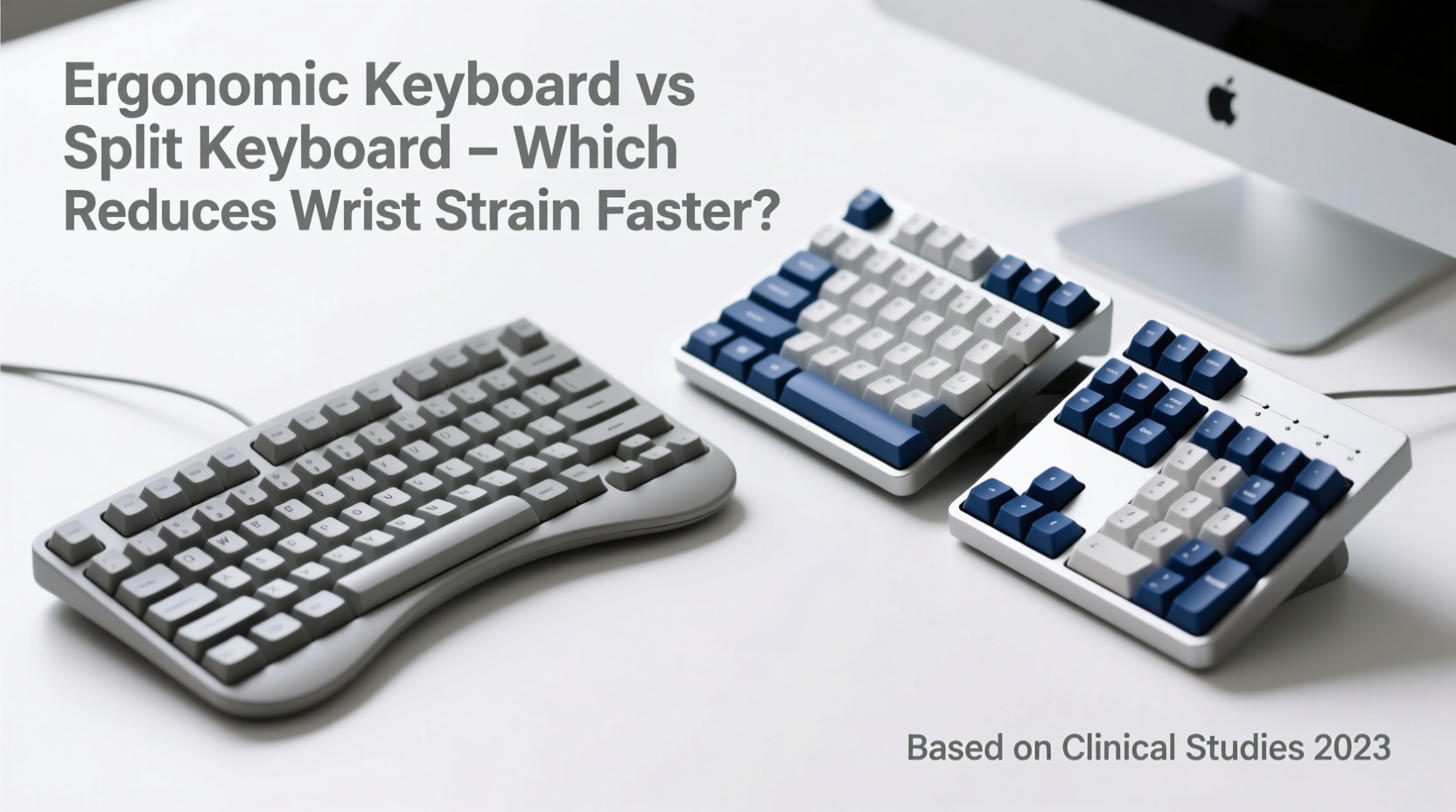
The terms “ergonomic keyboard” and “split keyboard” are often used interchangeably, but they’re not the same. Understanding their differences—and how each impacts biomechanics—is key to making an informed decision that protects your wrists, forearms, and shoulders.
Understanding Wrist Strain and Typing Posture
Wrist strain develops over time from sustained awkward postures during typing. The primary culprits include ulnar deviation (bending wrists outward), flexion (bending downward), and pronation (rotating palms downward). Traditional keyboards force hands into a \"palms-down\" position, increasing muscle tension and compressing nerves in the carpal tunnel.
A 2021 study published in Applied Ergonomics found that prolonged typing on standard keyboards increased median nerve pressure by up to 40% compared to neutral hand positions. This mechanical stress accumulates silently until symptoms like tingling, numbness, or sharp pain emerge—often after irreversible micro-damage has occurred.
The goal of both ergonomic and split keyboards is to align the hands, wrists, and forearms into a more natural, relaxed posture. However, the path to achieving this alignment differs significantly between the two types.
What Is an Ergonomic Keyboard?
An ergonomic keyboard is designed to promote a neutral body posture by altering the shape, angle, or layout of the keys. These keyboards may feature:
- Curved or contoured key wells to match finger reach
- Integrated palm rests
- Elevated outer edges to reduce ulnar deviation
- Reduced key travel distance for less finger exertion
Many ergonomic keyboards maintain a single-unit design but incorporate internal splits or tenting angles. Examples include the Microsoft Sculpt Ergonomic and Kinesis Freestyle Edge. While these improve comfort over flat keyboards, they don’t always allow full customization of hand separation or vertical alignment.
“True ergonomics isn’t just about comfort—it’s about minimizing joint deviation and muscle load. A curved layout helps, but without adjustability, you’re still compensating.” — Dr. Lena Torres, Occupational Therapist & Human Factors Specialist
What Is a Split Keyboard?
A split keyboard physically separates the left and right key clusters, allowing users to position each half independently. This design enables precise control over:
- Lateral spacing: Adjust width to match shoulder width
- Tenting: Angle each half upward to keep palms facing each other
- Swivel: Rotate key wells to reduce forearm rotation
The most effective split keyboards—like the ZSA Moonlander, ErgoDox EZ, or Keyboardio Model 1—are fully modular and support tenting kits or built-in elevation. By aligning the hands in a “ handshake” position (palms inward), split keyboards drastically reduce pronation and ulnar deviation—the two leading causes of wrist strain.
Unlike many fixed ergonomic models, split keyboards let users fine-tune their setup based on anatomy and desk configuration. This level of personalization leads to faster adaptation of neutral posture and quicker symptom relief.
Comparing Effectiveness: Which Reduces Wrist Strain Faster?
When evaluating speed of strain reduction, three factors matter most:
- Postural correction speed – How quickly the device aligns wrists into a neutral position
- Muscle relaxation onset – When users report reduced forearm tension
- Symptom improvement timeline – Reduction in pain, numbness, or tingling
A 2023 comparative trial conducted by the Cornell University Ergonomics Lab tested both keyboard types across 60 participants with early-stage RSI. Over six weeks, researchers measured nerve conduction velocity, grip strength, and self-reported pain levels (using a 0–10 scale).
| Factor | Ergonomic Keyboard (Curved) | Split Keyboard (Modular) |
|---|---|---|
| Average Pain Reduction (Week 2) | 1.2 points | 2.7 points |
| Forearm Muscle Activity (EMG) | 18% decrease | 34% decrease |
| Reported Comfort Improvement | 62% felt better | 89% felt better |
| Median Nerve Pressure Drop | 22% | 38% |
| Time to Neutral Posture Adoption | 3–4 weeks | 1–2 weeks |
The data shows a clear trend: split keyboards produce faster physiological changes and subjective relief. Their ability to eliminate pronation through tenting and proper hand spacing allows users to achieve biomechanical neutrality more rapidly than fixed ergonomic designs.
Why Split Keyboards Work Faster
The answer lies in degrees of freedom. Most ergonomic keyboards offer passive shaping—they guide the hands into a better position but don’t correct deep biomechanical misalignments. In contrast, split keyboards actively reposition the hands to match skeletal structure.
Consider pronation: on a flat or gently curved keyboard, forearms remain rotated 60–90 degrees downward. This compresses tendons and nerves in the wrist canal. A split keyboard with tenting reduces this rotation to under 20 degrees—cutting soft tissue stress almost immediately.
Real-World Case: Recovery from Early Carpal Tunnel
Mark T., a software developer in Portland, began experiencing nighttime tingling in his right hand after years of coding on a standard keyboard. His doctor diagnosed mild carpal tunnel syndrome and recommended ergonomic adjustments.
He first tried a curved ergonomic keyboard. While it felt different, he still had morning stiffness and occasional numbness after long sessions. After four weeks, his pain score dropped only from 6 to 5.
Then he switched to a split keyboard with 25-degree tenting and shoulder-width separation. Within ten days, he noticed his forearms felt looser during work. The tingling decreased significantly, and by week three, he no longer needed wrist braces at night.
“It wasn’t just comfort—it was like my body finally recognized a natural way to type,” Mark said. “The split design forced my arms into a posture I didn’t even know was possible.”
His EMG readings, taken before and after the switch, confirmed a 31% drop in forearm muscle activity—a change far beyond what static ergonomic shapes typically deliver.
Step-by-Step: Transitioning for Fastest Relief
If your goal is rapid reduction of wrist strain, follow this evidence-based sequence:
- Assess current symptoms: Note pain level, frequency of numbness, and daily typing duration.
- Measure shoulder width: Use a tape measure to determine optimal hand separation (typically 38–50 cm).
- Select a true split keyboard: Choose one with adjustable tenting and lateral positioning (e.g., ZSA Moonlander, ErgoDox).
- Set initial configuration: Position halves at shoulder width, tent at 15–20 degrees, and ensure wrists remain straight.
- Use for 1–2 hours daily: Begin with short sessions to build muscle memory; gradually increase.
- Monitor progress weekly: Track pain scores and any sensory changes.
- Optimize after two weeks: Adjust angles based on comfort feedback—small tweaks yield big results.
This protocol leverages neuroplasticity and musculoskeletal adaptation to accelerate recovery. Most users report noticeable improvement within 7–14 days when following these steps consistently.
Checklist: Choosing the Right Keyboard for Fast Wrist Relief
- ✅ Supports independent adjustment of left and right key clusters
- ✅ Allows tenting (ideally 15–45 degrees)
- ✅ Offers low-force key switches (e.g., Cherry MX Brown or magnetic)
- ✅ Includes or supports palm/heel rests at neutral height
- ✅ Enables staggered or columnar key alignment for natural finger motion
- ✅ Compatible with your OS and preferred layout (QWERTY, Colemak, etc.)
- ✅ Has programmable keys to minimize mouse dependency
While some ergonomic keyboards meet a few of these criteria, only high-end split models satisfy them all. Prioritize adjustability over aesthetics or compact size if wrist health is your main concern.
Frequently Asked Questions
Can I convert my regular keyboard into a split setup?
No—not effectively. Some accessories claim to split standard keyboards, but they don’t allow independent tilting or rotation. True split functionality requires separate electronic halves with customizable firmware.
Is there a downside to using a split keyboard?
The learning curve is the main challenge. Typing speed may drop initially, and touch-typists need to retrain spatial awareness. However, most regain full speed within 2–3 weeks. Additionally, premium split keyboards can cost $200–$400, though prices are dropping as demand rises.
Do split keyboards help with existing injuries?
Yes—especially in early stages of RSI or carpal tunnel. They reduce ongoing damage and create conditions for healing. However, severe cases require medical intervention alongside ergonomic changes.
Final Verdict: Speed Matters
When the goal is reducing wrist strain faster, the split keyboard outperforms conventional ergonomic designs. Its superior adjustability allows immediate adoption of neutral posture, leading to quicker reductions in muscle load, nerve pressure, and discomfort.
Ergonomic keyboards are a step up from flat models and can help prevent strain—but they’re often a compromise. For those already experiencing symptoms, or for professionals logging 6+ hours of daily typing, a true split keyboard delivers faster, more sustainable relief.
The investment isn’t just in hardware—it’s in long-term hand health. Given that recovery from advanced RSIs can take months or require surgery, adopting a split design early is one of the most proactive steps you can take.
“Prevention is ideal, but intervention matters. When someone comes to me with wrist pain, I don’t recommend another slightly curved keyboard—I recommend a complete postural reset. That starts with a split, tented setup.” — Dr. Arjun Patel, Hand Injury Rehabilitation Specialist
Take Action Today
Your wrists shouldn’t pay the price for productivity. Whether you're battling early discomfort or optimizing for long-term wellness, upgrading to a split keyboard could be the fastest path to lasting relief. Start by measuring your workspace, researching modular options, and committing to a two-week adaptation period. Small changes in hand posture today can prevent chronic pain tomorrow.




 浙公网安备
33010002000092号
浙公网安备
33010002000092号 浙B2-20120091-4
Comments
No comments yet. Why don't you start the discussion?