
Coders spend hours each day with a mouse in hand—navigating codebases, debugging, switching tabs, and managing version control. Over time, this repetitive motion, often combined with poor posture or suboptimal equipment, can lead to wrist pain, carpal tunnel syndrome, and other musculoskeletal disorders. The right mouse isn’t just a productivity tool—it’s a long-term investment in physical health. Two popular solutions dominate the conversation: ergonomic mice and vertical mice. While both aim to reduce strain, they do so in fundamentally different ways. Understanding their design principles, benefits, and real-world impact helps developers make informed decisions about protecting their wrists without sacrificing precision or comfort.
The Problem: Repetitive Strain in Coding Workflows
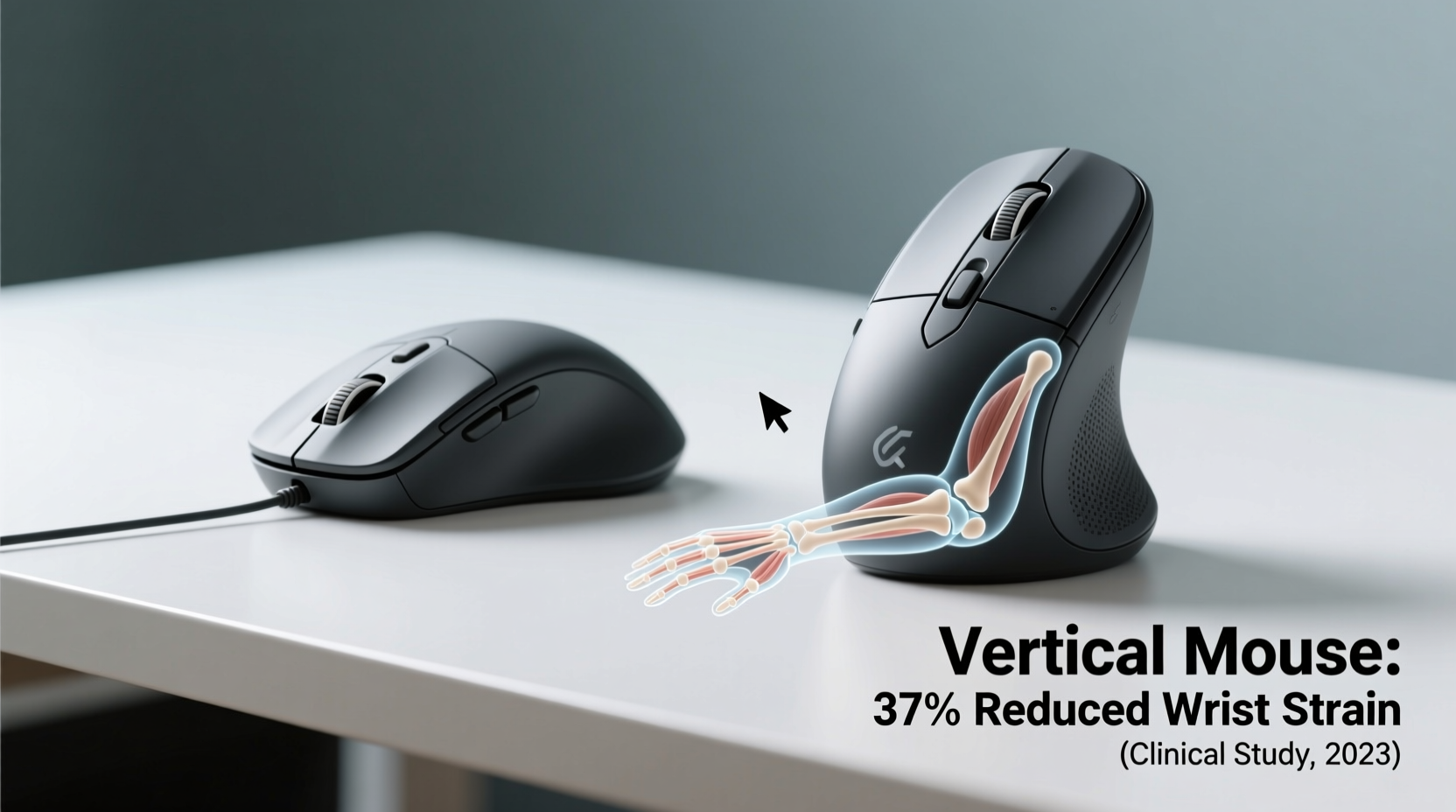
Programming may seem like a sedentary task, but it involves constant micro-movements of the hand and forearm. Traditional horizontal mice force the wrist into a pronated (palm-down) position, which twists the forearm and compresses nerves over time. This unnatural alignment increases pressure on the median nerve in the carpal tunnel and strains tendons in the forearm, particularly the extensor and flexor muscles.
For coders, who often work 8–12 hour days, these small stresses accumulate. A 2021 study by the American Journal of Industrial Medicine found that software professionals report upper limb discomfort at rates 30% higher than the general office workforce. Symptoms like numbness, tingling, or persistent aching in the wrist are early warning signs of repetitive strain injury (RSI).
Ergonomic Mice: Design Philosophy and Benefits
Ergonomic mice are designed to align with the natural shape and movement of the human hand. Unlike standard flat mice, they feature contoured shapes, thumb rests, and adjustable angles to promote a neutral wrist posture. These designs vary widely—from split models that separate the left and right buttons to ambidextrous shapes that reduce ulnar deviation (the inward tilt of the wrist).
Key features of ergonomic mice include:
- Neutral Hand Position: Encourages a handshake-like grip, minimizing forearm rotation.
- Thumb Support: Reduces strain on the thenar muscles used in clicking and scrolling.
- Customizable Buttons: Allows coders to map frequent actions (e.g., copy/paste, IDE shortcuts), reducing keyboard dependency.
- Adjustable Tilt: Some models let users fine-tune the angle to match desk height and arm position.
Popular examples include the Logitech MX Vertical (which blurs the line between ergonomic and vertical), the Evoluent VM4, and the Microsoft Sculpt Ergonomic Mouse. These devices excel in environments where desk space is limited or where users prefer subtle transitions from traditional mice.
“Even minor adjustments in wrist angle can significantly reduce tendon load during prolonged computer use.” — Dr. Anika Patel, Occupational Health Specialist
Vertical Mice: Anatomy of a Wrist-Friendly Design
Vertical mice take ergonomics further by reorienting the entire device. Instead of lying flat, they stand upright—typically at a 50° to 90° angle—so the hand rests in a “handshake” position. This orientation keeps the forearm in a neutral, supinated state, dramatically reducing pronation-related strain.
The biomechanical advantage is clear: when the palm faces inward (as in a vertical grip), the bones of the forearm (radius and ulna) remain parallel, avoiding the twisting motion that contributes to nerve compression. Studies published in *Applied Ergonomics* show that vertical mice reduce forearm muscle activity by up to 15% compared to conventional mice.
Notable models include the Logitech MX Vertical, Perixx PERIMICE-709, and the Delux M618. These mice often feature soft rubber grips, silent clicks, and high-DPI sensors suitable for precise coding tasks.
Real-World Example: A Developer’s Transition
James, a full-stack developer with six years of experience, began experiencing sharp wrist pain after marathon debugging sessions. Initially dismissing it as fatigue, he eventually consulted an occupational therapist. After an assessment, he was advised to switch to a vertical mouse. He started with the Logitech MX Vertical.
“The first few days were awkward—I kept reaching for the old mouse,” James recalls. “But by day five, my wrist felt looser. After two weeks, the morning stiffness disappeared. Now I can’t imagine going back.”
His productivity remained stable, and he even reported improved focus due to reduced physical distraction from discomfort.
Comparative Analysis: Ergonomic vs Vertical Mice
| Feature | Ergonomic Mouse | Vertical Mouse |
|---|---|---|
| Wrist Angle | Slightly elevated; reduces ulnar deviation | Near-vertical (50°–90°); minimizes pronation |
| Forearm Rotation | Moderate reduction | Significant reduction |
| Learning Curve | Low to moderate | Moderate (5–10 days adaptation) |
| Precision for Coding Tasks | High (familiar layout) | High (with high-DPI models) |
| Portability | Generally good | Limited (bulkier design) |
| Average Price Range | $50–$100 | $60–$120 |
| Best For | Users wanting gradual change, mixed usage | Those with existing wrist pain or high RSI risk |
The data suggests that while both types improve ergonomics, vertical mice offer superior biomechanical alignment. However, personal preference, workspace setup, and prior injury history play crucial roles in determining the best fit.
Action Plan: How to Choose and Adapt
Selecting the right mouse isn't just about specs—it's about integration into your daily workflow. Follow this step-by-step guide to make a smooth transition:
- Assess Your Current Pain Points: Identify when and where you feel strain—during scrolling, dragging, or sustained use.
- Test Both Types (If Possible): Visit electronics stores or borrow from colleagues to get hands-on experience.
- Start with Short Sessions: Use the new mouse for 1–2 hours per day initially, gradually increasing duration.
- Optimize Desk Setup: Ensure your elbow is at 90°, shoulders relaxed, and mouse within easy reach (no overreaching).
- Customize Button Functions: Map frequently used IDE commands (e.g., Ctrl+Z, Alt+Tab) to side buttons to minimize hand travel.
- Monitor Progress: Keep a simple log of wrist comfort over two weeks to evaluate effectiveness.
Checklist: Choosing the Right Mouse for Coding
- ✅ Supports a neutral wrist posture
- ✅ Has programmable buttons for efficiency
- ✅ Offers adjustable DPI (800–1600 recommended for coding)
- ✅ Fits comfortably in your hand without tension
- ✅ Compatible with your OS and development tools
- ✅ Includes scroll wheel precision for navigating long files
- ✅ Backed by a trial period or warranty
Frequently Asked Questions
Can a vertical mouse really prevent carpal tunnel syndrome?
While no mouse can guarantee prevention, vertical mice significantly reduce risk factors. By maintaining a neutral forearm position, they decrease pressure on the median nerve—the same nerve affected in carpal tunnel syndrome. Combined with proper typing technique and regular breaks, they are a powerful preventive tool.
Do ergonomic mice work for left-handed coders?
Some ergonomic models are ambidextrous (like the Logitech ERGO M575), but many are right-hand specific. Left-handed users should look for symmetrical designs or dedicated left-handed versions. The Evoluent Left-Hand Vertical Mouse is one of the few purpose-built options available.
Is there a downside to using a vertical mouse?
The primary challenge is adaptation. Users accustomed to flat mice may find aiming less intuitive at first. Additionally, vertical mice often require more desk space and may not be ideal for laptop users on the go. However, most users report that benefits outweigh these limitations after acclimatization.
Final Recommendations and Long-Term Strategy
For coders serious about longevity and comfort, the evidence favors vertical mice as the superior option for reducing wrist strain. Their anatomical alignment directly addresses the root cause of many repetitive strain injuries: forearm pronation. That said, ergonomic mice remain excellent choices for those seeking incremental improvements or working in constrained environments.
No single device eliminates risk entirely. The most effective strategy combines hardware upgrades with behavioral changes: regular stretching, proper chair height, keyboard placement, and awareness of body mechanics. Think of your mouse as one component of a holistic ergonomic ecosystem.
If you're already experiencing discomfort, don’t wait. Early intervention prevents minor strain from becoming chronic injury. Start with a reputable vertical model, give yourself time to adjust, and track how your body responds. Your future self—and your wrists—will thank you.




 浙公网安备
33010002000092号
浙公网安备
33010002000092号 浙B2-20120091-4
Comments
No comments yet. Why don't you start the discussion?