
In an age where digital work dominates daily life, the tools we use matter more than ever. Among them, the computer mouse is one of the most frequently used—and often overlooked—devices contributing to long-term physical discomfort. Millions of people spend hours each day clicking, dragging, and scrolling, unaware that their choice of mouse could be setting the stage for chronic wrist pain, carpal tunnel syndrome, or repetitive strain injuries (RSIs). The debate between ergonomic mice and standard mice isn’t just about design—it’s about health, productivity, and long-term well-being.
Standard mice have been around since the dawn of personal computing. They’re familiar, widely available, and inexpensive. But familiarity doesn’t equate to safety. In contrast, ergonomic mice are engineered with human anatomy in mind, aiming to align the hand, wrist, and forearm in a neutral posture. This article examines both options in depth, evaluates their impact on wrist strain, and provides actionable insights to help you make an informed decision.
The Anatomy of Wrist Strain
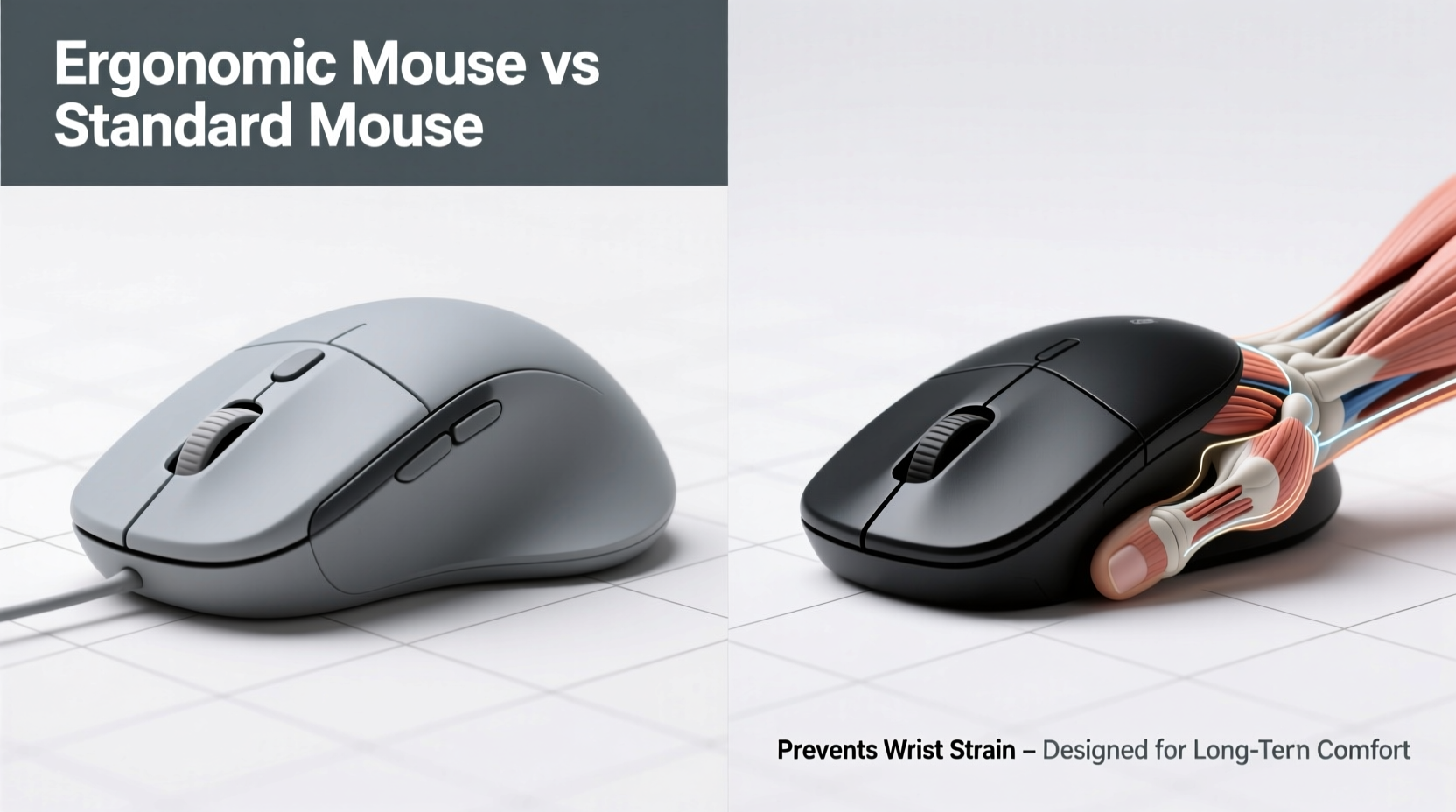
Wrist strain typically arises from prolonged unnatural positioning of the hand during computer use. When using a standard mouse, the hand rests in a pronated position—palm down, fingers curled, wrist bent slightly upward or to the side. This posture places tension on tendons and nerves running through the carpal tunnel, a narrow passageway in the wrist. Over time, repeated stress can lead to inflammation, numbness, tingling, and pain.
According to the Occupational Safety and Health Administration (OSHA), musculoskeletal disorders (MSDs) account for nearly 30% of all workplace injuries, with computer-related tasks being a major contributor. Symptoms often start subtly—minor stiffness in the morning, occasional tingling in the fingers—but can escalate into debilitating conditions if not addressed early.
The root cause lies not in overuse alone, but in poor ergonomics. A poorly positioned mouse forces the shoulder to hike, the arm to extend, and the wrist to deviate ulnarly (bent outward). These micro-movements accumulate stress across joints and soft tissues. The solution isn’t necessarily to work less—it’s to work smarter, starting with the right equipment.
Ergonomic Mouse: Design Principles and Benefits
An ergonomic mouse is designed to promote a neutral hand posture—similar to a handshake or a relaxed fist—minimizing awkward angles and reducing muscle strain. Unlike traditional mice, which require palm-down gripping, ergonomic models encourage vertical alignment, thumb support, and reduced fingertip tension.
Key design features include:
- Vertical orientation: Aligns the forearm in a more natural position, reducing ulnar deviation by up to 50% compared to flat mice.
- Contoured shape: Supports the natural curve of the hand, decreasing grip force and fatigue.
- Thumb rest zones: Distribute pressure and prevent overreliance on index and middle fingers.
- Low activation force: Buttons require less pressure to click, reducing tendon strain.
Studies back these benefits. A 2018 study published in *Applied Ergonomics* found that participants using vertical mice reported significantly lower levels of discomfort in the wrist, forearm, and shoulder after just four weeks of regular use. Electromyography (EMG) data confirmed reduced muscle activity, indicating less effort was required to perform common pointing tasks.
Standard Mouse: Convenience at a Cost
The standard mouse remains the default option for most computers due to its simplicity and low cost. However, its design hasn't evolved significantly since the 1980s. Most models feature a symmetrical or right-handed dome shape, encouraging users to rest their hand in full pronation—the same position linked to increased carpal tunnel pressure.
While adequate for light, occasional use, standard mice become problematic with extended sessions. Users often compensate for discomfort by adjusting chair height, leaning forward, or resting wrists on hard surfaces—all of which introduce new biomechanical issues. Wrist pads may offer cushioning, but they don’t correct underlying postural flaws; in some cases, they encourage static compression of the median nerve.
Another drawback is lack of customization. Standard mice rarely allow sensitivity adjustment beyond basic DPI settings, forcing users to make large arm movements across wide mouse pads. This increases shoulder and upper arm engagement, compounding strain over time.
“Using a conventional mouse for more than three hours a day without proper support doubles the risk of developing wrist pathology within five years.” — Dr. Lena Patel, Occupational Therapist & Ergonomics Consultant
Comparative Analysis: Ergonomic vs Standard Mice
To better understand the differences, here's a detailed comparison based on key factors related to wrist health and usability:
| Feature | Ergonomic Mouse | Standard Mouse |
|---|---|---|
| Hand Position | Neutral, handshake-like grip | Pronated (palm down) |
| Wrist Deviation | Minimal ulnar/radial deviation | Frequent bending outward/inward |
| Muscle Activation | Lower EMG readings in forearm | Higher sustained muscle load |
| Carpal Tunnel Pressure | Reduced by 30–40% | Elevated during prolonged use |
| Learning Curve | Moderate (1–2 weeks adaptation) | Negligible |
| Portability | Limited (bulkier design) | High (compact, lightweight) |
| Average Price | $50–$120 | $10–$30 |
| Long-Term Injury Risk | Significantly lower | Higher with daily intensive use |
The data clearly favors ergonomic mice when wrist strain prevention is the priority. While the upfront cost is higher and there’s an initial adjustment period, the long-term payoff in comfort and injury reduction is substantial.
Real-World Example: A Software Developer’s Recovery
James R., a 34-year-old software developer, began experiencing sharp pain in his right wrist after transitioning to remote work in 2020. Working 9–10 hours daily on coding projects, he relied on a standard optical mouse bundled with his desktop. Within six months, he developed numbness in his ring and little fingers—classic signs of ulnar nerve irritation.
After a diagnosis of early-stage cubital tunnel syndrome, James was advised to modify his workstation. He invested in an ergonomic vertical mouse, adjusted his desk height, and started performing daily stretching exercises. Within three weeks, his nighttime tingling subsided. After two months, he reported a 70% reduction in pain and resumed full productivity without medication.
“I didn’t think a $70 mouse could change my life,” James said. “But it literally saved me from surgery. I wish I’d known sooner.”
Step-by-Step Guide to Transitioning to an Ergonomic Mouse
Switching to an ergonomic mouse requires more than just plugging in a new device. To ensure success and avoid frustration, follow this proven sequence:
- Assess your current setup: Note how far your mouse sits from your body, whether your wrist rests on the edge of the desk, and if your elbow forms a 90-degree angle.
- Choose the right type: Decide between vertical, trackball, or split-design ergonomic mice based on your dominant hand and desk space.
- Position correctly: Place the mouse close to your body so your upper arm stays near your torso. Avoid overreaching.
- Adjust sensitivity: Increase DPI settings to reduce movement range. Aim for cursor control with minimal hand motion.
- Start slow: Use the ergonomic mouse for 1–2 hours per day initially. Gradually increase duration as comfort improves.
- Monitor symptoms: Track changes in pain, stiffness, or finger dexterity weekly. Keep a simple journal.
- Combine with other ergonomics: Pair your new mouse with a supportive chair, monitor at eye level, and frequent stretch breaks.
Checklist: Choosing the Right Ergonomic Mouse
Before purchasing, verify these criteria to ensure optimal fit and function:
- ✅ Designed for your dominant hand (left/right-specific models available)
- ✅ Adjustable DPI (at least 800–3200 for precision control)
- ✅ Comfortable grip depth—your fingers should curl naturally without stretching
- ✅ Programmable buttons (helps reduce keyboard dependency)
- ✅ Wired or wireless with reliable connectivity (avoid laggy Bluetooth versions)
- ✅ Reputable brand with warranty (Logitech, Microsoft, Anker, Evoluent are trusted)
- ✅ Positive user reviews focusing on comfort and durability
Frequently Asked Questions
Can an ergonomic mouse cure existing wrist pain?
While no mouse can \"cure\" medical conditions like carpal tunnel syndrome, switching to an ergonomic model can significantly reduce symptoms by eliminating aggravating postures. Combined with rest, physical therapy, and proper technique, it plays a crucial role in recovery and prevention of further damage.
Are trackball mice ergonomic?
Yes, many trackball mice are considered ergonomic because they minimize forearm movement—only the thumb or fingers move to control the cursor. However, improper placement or excessive thumb use can shift strain elsewhere. Choose models with large, easy-to-roll balls and comfortable palm support.
How long does it take to get used to an ergonomic mouse?
Most users adapt within 1 to 3 weeks. Initial discomfort is common as muscles recalibrate. For best results, alternate between old and new mice during the transition and focus on maintaining relaxed shoulders and wrists.
Final Recommendation
When it comes to preventing wrist strain, the evidence overwhelmingly supports ergonomic mice over standard designs. While the latter wins on affordability and ubiquity, it falls short in promoting long-term physical health. Given that computer use is unlikely to decrease in modern professional and personal life, investing in preventive tools makes both medical and economic sense.
You wouldn’t drive a car without seatbelts or airbags—why operate a device for hours each day without protecting one of your most essential tools: your hands? An ergonomic mouse isn’t a luxury; it’s a necessary safeguard against preventable injury.
“The best treatment for repetitive strain is prevention. Small changes in input devices yield outsized benefits in worker health and performance.” — Dr. Marcus Tran, Clinical Biomechanist
Take Action Today
If you’ve noticed stiffness, tingling, or fatigue in your wrists after computer use, don’t wait for symptoms to worsen. Start by evaluating your current mouse setup and considering a trial with an ergonomic alternative. Many brands offer return policies or demo units—take advantage of them. Your future self will thank you for making the switch before pain becomes permanent.




 浙公网安备
33010002000092号
浙公网安备
33010002000092号 浙B2-20120091-4
Comments
No comments yet. Why don't you start the discussion?