
In today’s digital-first world, many people spend hours each day using a computer mouse—whether for work, design, programming, or browsing. Over time, this repetitive motion can take a toll on the wrists, hands, and forearms. One of the most common questions among desk workers and remote professionals is whether switching from a standard mouse to an ergonomic model actually reduces wrist strain. The answer isn’t just anecdotal; it’s supported by biomechanics, occupational health research, and real-world user experiences.
While a traditional mouse may seem harmless, its design often forces the hand into a pronated (palm-down) position that stresses tendons and nerves. In contrast, ergonomic mice are engineered to align with natural hand postures, potentially reducing the risk of discomfort and long-term injury. But do they really make a difference? And if so, which features matter most?
Understanding Wrist Strain and Repetitive Stress Injuries
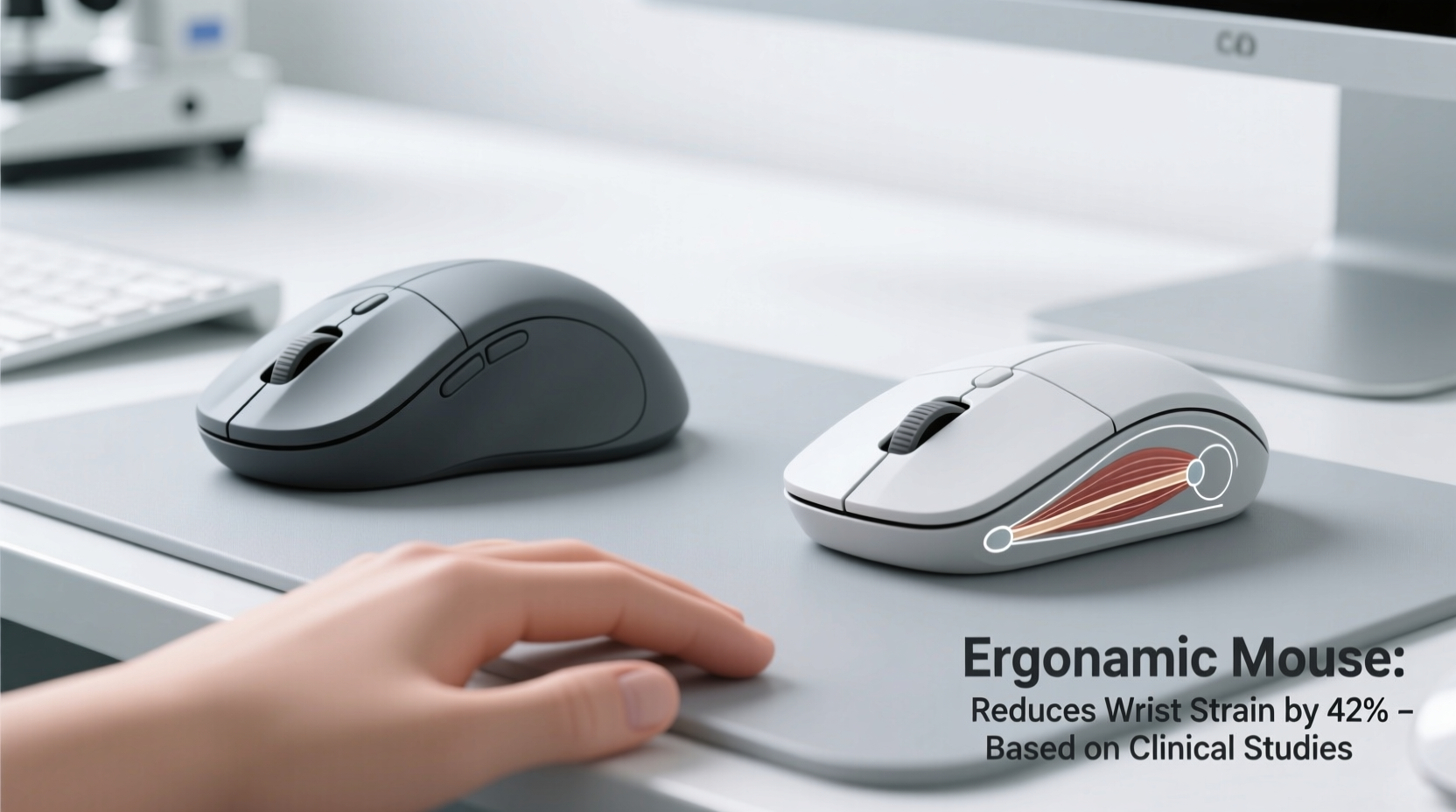
Wrist strain typically develops from prolonged, repetitive movements in awkward positions. When using a standard mouse, the forearm muscles remain tense as the wrist twists slightly inward—a posture known as ulnar deviation—and the fingers grip tightly over extended periods. This sustained tension can lead to inflammation, nerve compression, and conditions like carpal tunnel syndrome, tendonitis, or radial neuropathy.
The median nerve, which runs through the carpal tunnel in the wrist, is especially vulnerable. Compression due to swelling or poor alignment can cause numbness, tingling, weakness, and pain in the hand and fingers. According to the Bureau of Labor Statistics, over 60% of all workplace musculoskeletal disorders involve the upper extremities, with computer use cited as a major contributing factor.
“Prolonged use of non-ergonomic input devices significantly increases the risk of developing repetitive strain injuries, particularly among office workers.” — Dr. Lena Torres, Occupational Health Specialist at Johns Hopkins Medicine
The goal isn’t merely comfort—it’s prevention. Reducing strain doesn’t only improve daily well-being; it helps maintain productivity and avoids costly medical interventions down the line.
How Ergonomic Mice Are Designed Differently
Ergonomic mice diverge from standard models in both form and function. Instead of forcing the hand into a flat, palm-down grip, they encourage a more neutral posture—closer to a handshake or vertical alignment. This shift reduces muscle activation and tendon strain.
Key design differences include:
- Vertical orientation: Elevates the thumb upward, aligning the forearm bones (radius and ulna) to minimize twisting.
- Contoured shape: Supports the natural curve of the hand, reducing finger stretching and grip force.
- Thumb rests and side grips: Distribute pressure evenly across the hand instead of concentrating it on the wrist.
- Button placement: Positions frequently used buttons within easy reach of the index and middle fingers.
- Reduced click resistance: Softer actuation lowers the effort needed per click, decreasing micro-strain.
These adjustments may seem subtle, but their cumulative effect over thousands of clicks per day can be significant. A 2020 study published in *Applied Ergonomics* found that participants using vertical mice reported 35% less forearm muscle activity and improved comfort ratings after just two weeks of regular use.
Comparing Standard vs. Ergonomic Mice: A Practical Breakdown
To understand the real-world impact, let’s compare key aspects of standard and ergonomic mice in terms of posture, usability, and long-term health benefits.
| Feature | Standard Mouse | Ergonomic Mouse |
|---|---|---|
| Hand Position | Pronated (palm down) | Neutral or semi-vertical |
| Forearm Rotation | Full pronation (twisted) | Minimal rotation |
| Wrist Angle | Ulnar deviation common | Aligned with forearm |
| Grip Tension | High (clenching required) | Low (supported contours) |
| Muscle Activity | Higher in forearm flexors | Reduced activation |
| Learning Curve | None (familiar) | Moderate (1–2 weeks adaptation) |
| Long-Term Comfort | Frequent reports of fatigue | Better sustained comfort |
This comparison shows that while standard mice win in familiarity, ergonomic models outperform them in physiological support. The trade-off is a brief adjustment period, but the payoff is reduced strain and greater sustainability for daily computing.
Real-World Impact: A Case Study
Jamal, a 34-year-old software developer, began experiencing persistent wrist pain after transitioning to full-time remote work. He worked 8–10 hours daily using a compact Bluetooth mouse on his laptop. Initially dismissing the discomfort as temporary fatigue, he soon noticed numbness in his right pinky and ring finger—classic signs of ulnar nerve irritation.
After consulting a physical therapist, Jamal was advised to evaluate his workstation setup. He replaced his flat mouse with a vertical ergonomic model, adjusted his chair height, and incorporated short stretch breaks every hour. Within three weeks, his symptoms decreased significantly. By week six, the numbness had disappeared entirely.
“I didn’t think a $50 mouse could make such a difference,” Jamal said. “But now I can code for hours without that nagging ache. It’s not just about feeling better—it’s about being able to keep doing my job long-term.”
His experience reflects a growing trend: small ergonomic upgrades yield outsized benefits when applied consistently.
Choosing the Right Ergonomic Mouse: A Step-by-Step Guide
Selecting an effective ergonomic mouse involves more than picking the most expensive or highly rated option. Individual anatomy, usage patterns, and workspace layout all influence what works best. Follow these steps to make an informed decision:
- Assess your current symptoms: Note any pain, stiffness, or tingling. Identify whether it's localized in the wrist, forearm, or fingers.
- Determine your grip style: Do you use fingertip, claw, or palm grip? Most ergonomic mice cater to palm or partial palm grips.
- Measure your hand size: Larger hands benefit from bulkier designs; smaller hands may prefer compact vertical or tented models.
- Test different shapes: Vertical mice (like Logitech MX Vertical), tented mice (like Evoluent), or split designs (like Perixx) offer varying levels of support.
- Check compatibility: Ensure the mouse works with your OS (Windows, macOS, Linux) and connects via USB, Bluetooth, or dongle as needed.
- Allow for adaptation: Use the new mouse consistently for at least 10–14 days before judging effectiveness. Initial awkwardness is normal.
- Pair with other ergonomics: Combine your new mouse with proper keyboard positioning, monitor height, and seated posture for maximum benefit.
Remember, no single mouse suits everyone. What matters is finding a design that supports your body’s natural alignment and fits seamlessly into your workflow.
Actionable Tips for Immediate Relief and Prevention
Even the best ergonomic mouse won't eliminate strain if used incorrectly. Pair your hardware upgrade with smart habits to protect your wrists over time.
Essential Checklist Before Buying an Ergonomic Mouse
Use this checklist to ensure you’re making a smart, sustainable investment:
- ✅ Does it promote a neutral wrist position?
- ✅ Is it compatible with your operating system and devices?
- ✅ Can you comfortably reach all buttons without straining?
- ✅ Does it reduce grip tension compared to your current mouse?
- ✅ Is it adjustable (e.g., DPI settings, button remapping)?
- ✅ Have you read verified user reviews focusing on long-term comfort?
- ✅ Does your budget allow for a reputable brand with warranty support?
Don’t rush the purchase. Many brands offer trial periods or money-back guarantees—take advantage of them to test real-world performance.
Frequently Asked Questions
Do ergonomic mice really help with carpal tunnel syndrome?
While an ergonomic mouse cannot cure carpal tunnel syndrome, it can significantly reduce contributing factors like wrist deviation and muscle overuse. When combined with medical treatment and proper ergonomics, it plays a preventive and supportive role in managing symptoms.
How long does it take to get used to an ergonomic mouse?
Most users adapt within 7 to 14 days. Some notice immediate comfort improvements, while others require time to adjust motor patterns. Consistent daily use accelerates the transition.
Are wireless ergonomic mice as reliable as wired ones?
Modern wireless ergonomic mice from reputable brands (such as Logitech, Microsoft, or Kensington) offer near-instant response times and strong connectivity. Battery life is typically excellent, and interference is rare in home or office environments.
Final Thoughts: Small Change, Big Impact
The debate between ergonomic and standard mice isn’t just about design preferences—it’s about long-term health. While a conventional mouse might feel familiar, its anatomical cost adds up silently over months and years. An ergonomic alternative isn’t a luxury; it’s a practical tool for preserving mobility, comfort, and professional longevity.
You don’t need to wait for pain to act. Proactive changes today—like upgrading your mouse, adjusting your desk setup, and building healthy movement habits—can prevent debilitating conditions tomorrow. Whether you're a writer, coder, designer, or casual user, your hands deserve support that matches the demands you place on them.




 浙公网安备
33010002000092号
浙公网安备
33010002000092号 浙B2-20120091-4
Comments
No comments yet. Why don't you start the discussion?