
In an era where home and business security are paramount, video surveillance offers a powerful layer of protection. A well-planned system not only deters crime but also provides peace of mind through real-time monitoring and recorded evidence. However, simply installing cameras isn’t enough. The true value lies in strategic placement, proper equipment selection, and ongoing maintenance. This guide walks through every critical step—from assessing your needs to optimizing long-term performance—so you can build a surveillance setup that’s both effective and user-friendly.
Assess Your Security Needs
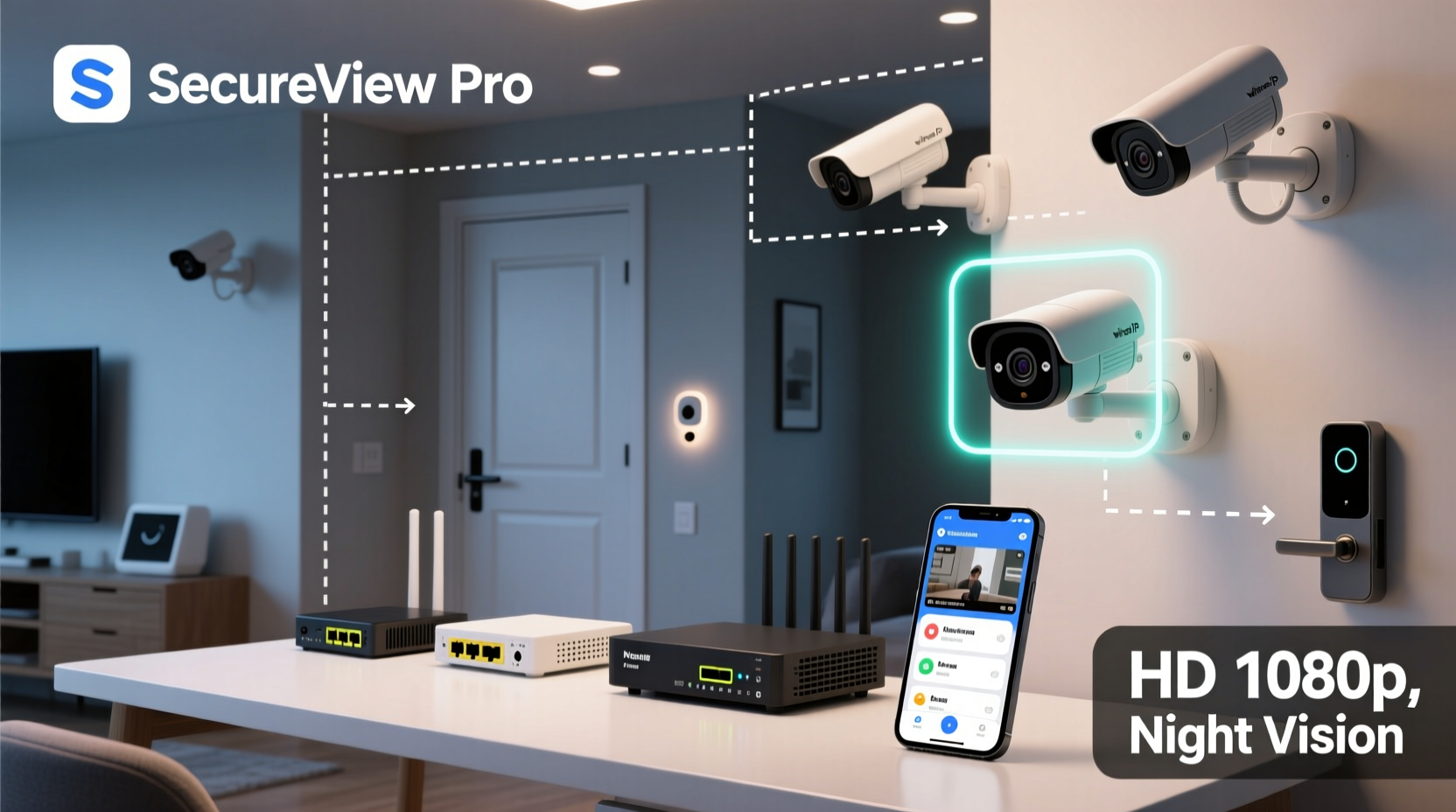
Before purchasing a single camera, take time to evaluate the specific risks and vulnerabilities of your property. A suburban home with a fenced backyard has different requirements than a retail storefront in a busy downtown area. Walk around your premises during both day and night to identify blind spots, entry points, and high-traffic zones.
Consider these questions:
- Which areas need 24/7 monitoring?
- Are there valuable assets or sensitive zones (e.g., safes, server rooms) requiring extra attention?
- Do you need indoor, outdoor, or both types of coverage?
- Is remote access via smartphone essential?
This assessment forms the foundation of your surveillance plan. For instance, a small office might prioritize front desk visibility and after-hours hallway monitoring, while a homeowner may focus on driveway access, back doors, and garage entries.
Select the Right Equipment
Choosing appropriate hardware is crucial. Modern video surveillance systems fall into two main categories: wired and wireless. Each has advantages depending on your environment and technical comfort level.
Wired systems offer stable connections and continuous power, making them ideal for large properties or commercial use. They’re less prone to interference but require more labor during installation.
Wireless systems provide flexibility and easier DIY setup. Most connect via Wi-Fi and are battery-powered or use power-over-Ethernet (PoE). While convenient, they may suffer from signal drops or require frequent recharging if battery-dependent.
| Feature | Indoor Cameras | Outdoor Cameras |
|---|---|---|
| Weather Resistance | No | Yes (IP65 or higher) |
| Night Vision | Limited range | Extended infrared range |
| Field of View | 90°–110° | 130°+ |
| Installation Complexity | Low | Moderate to high |
Additional features to consider include motion detection, facial recognition, two-way audio, local vs. cloud storage, and integration with smart home platforms like Google Home or Apple HomeKit.
“Investing in high-resolution cameras (1080p minimum, preferably 4K) ensures forensic-quality footage that law enforcement can actually use.” — Marcus Lin, Security Systems Consultant
Step-by-Step Installation Guide
A successful installation follows a logical sequence. Whether you're handling it yourself or working with a professional, this timeline ensures nothing is overlooked.
- Plan Camera Locations: Place units at all primary entrances, driveways, and blind corners. Avoid pointing directly at public sidewalks to respect privacy laws.
- Check Power and Network Access: Ensure outlets or Ethernet ports are nearby. For wireless models, verify strong Wi-Fi signals at each location.
- Mount the Cameras: Use weatherproof enclosures outdoors. Angle them slightly downward to reduce glare and capture faces clearly.
- Connect and Configure: Link cameras to your network and download the manufacturer’s app. Set up usernames, passwords, and encryption protocols immediately.
- Test All Functions: Trigger motion alerts, review live feeds on mobile devices, and confirm recording starts automatically.
- Adjust Settings: Fine-tune sensitivity levels to avoid false alarms from pets or tree shadows.
Real-World Example: Securing a Small Retail Store
Jamal runs a convenience store in a mid-sized city. After two break-ins within six months, he decided to upgrade his outdated analog system. He began by mapping out coverage gaps—particularly near the rear alley loading dock and behind the counter.
He installed four HD IP cameras: one facing the cash register, two covering front and side entrances, and a weather-resistant dome unit at the back door. All were connected via PoE to a central NVR (Network Video Recorder) with 30-day rolling storage.
Within three weeks, the system captured clear footage of a shoplifter attempting to leave without paying. The video was shared with police, leading to an arrest. More importantly, visible cameras acted as a deterrent, reducing attempted thefts significantly.
The total cost was under $1,200, including professional installation. For Jamal, the investment paid off not just in recovered losses, but in employee safety and customer trust.
Maintenance and Best Practices Checklist
A surveillance system degrades over time without proper care. Dust, software bugs, and outdated configurations can render even the best equipment ineffective. Follow this checklist monthly to keep your system reliable:
- ✅ Clean camera lenses with a microfiber cloth to prevent blurry footage
- ✅ Verify all recordings are saving correctly (local or cloud)
- ✅ Test motion alerts and ensure notifications reach your phone or email
- ✅ Review stored footage for clarity and retention duration
- ✅ Update firmware and change passwords every 90 days
- ✅ Check cables and mounts for wear, especially after storms
- ✅ Audit user access: Remove former employees or family members who no longer need viewing rights
“Security isn’t a one-time setup. It’s an ongoing process of monitoring, updating, and adapting.” — Sarah Tran, Cybersecurity Analyst
Frequently Asked Questions
Can I legally record audio with my security cameras?
In many jurisdictions, recording audio without consent violates wiretapping laws. In the U.S., federal law allows audio recording only if at least one party consents. Some states require all parties to consent. To stay compliant, disable audio recording unless absolutely necessary and consult local regulations.
How long should I keep video footage?
Most experts recommend retaining footage for 30 to 90 days. Shorter periods risk losing important data; longer ones increase liability and storage costs. Automatically overwrite old files unless an incident occurs—then preserve that clip separately.
Are cloud-based systems safer than local storage?
Both have trade-offs. Cloud storage offers remote access and redundancy but depends on internet stability and may be targeted by hackers. Local storage (via DVR/NVR) keeps data offline but is vulnerable to physical theft. A hybrid approach—storing copies in both locations—is often the most secure.
Maximize Security and Simplicity
An effective video surveillance system balances robust protection with everyday usability. When thoughtfully designed, it operates quietly in the background, alerting you only when needed while building a reliable record of activity. The key is intentionality: choosing the right tools, placing them wisely, and maintaining them consistently.
Whether protecting a family home or a growing business, the effort you invest today pays dividends in safety, accountability, and confidence tomorrow. Don’t wait for an incident to act—start building your intelligent surveillance strategy now.




 浙公网安备
33010002000092号
浙公网安备
33010002000092号 浙B2-20120091-4
Comments
No comments yet. Why don't you start the discussion?