
In an age where information spreads faster than ever and digital platforms shape our decisions, knowing whether a website can be trusted is no longer optional—it's essential. From online shopping and financial transactions to health advice and news consumption, unreliable websites can lead to misinformation, identity theft, or financial loss. Yet, many users click, sign up, or purchase without verifying credibility. The difference between a trustworthy source and a deceptive one often lies in subtle but detectable signals. Understanding how to evaluate these signals empowers you to navigate the web safely and confidently.
Check the Domain and URL Structure
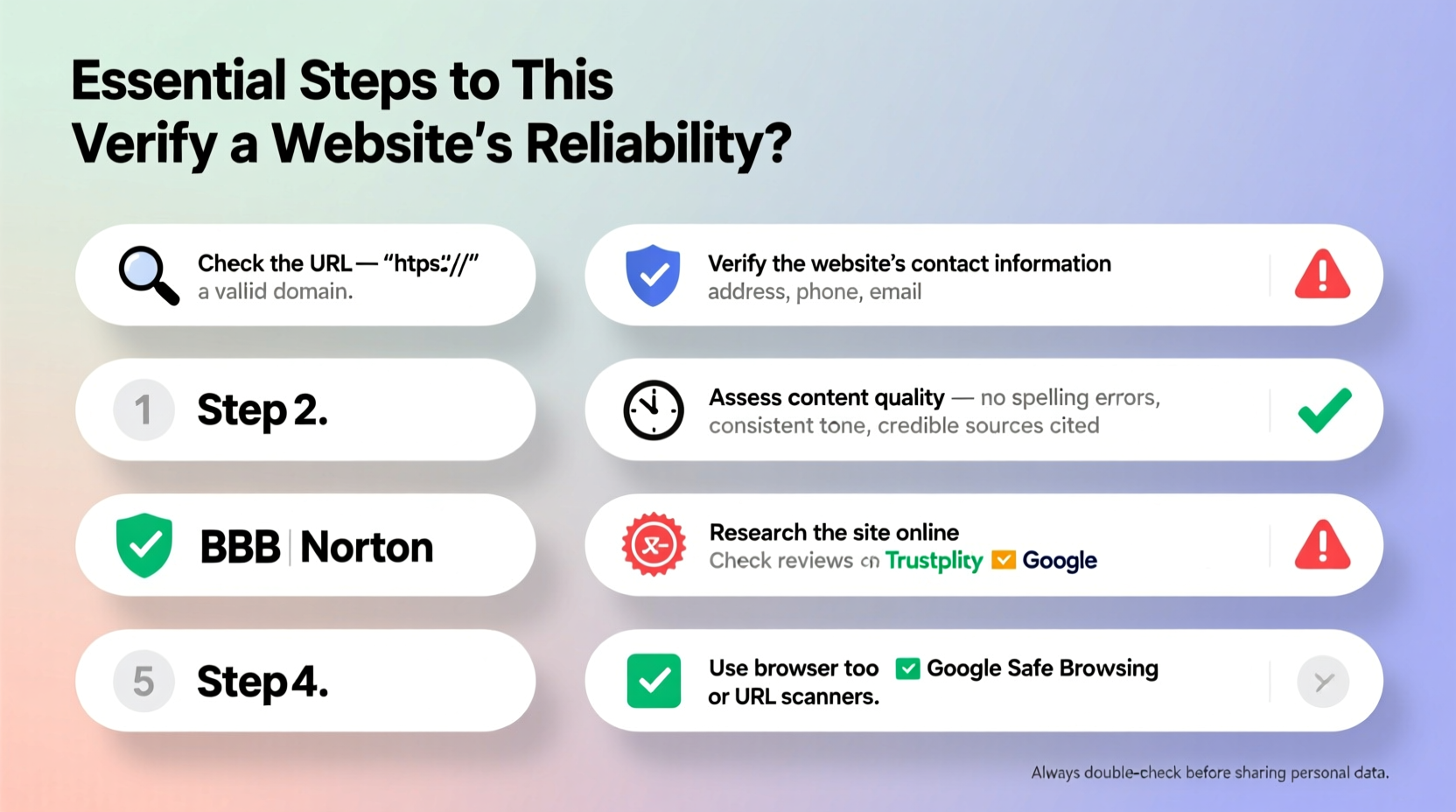
The first clue to a website’s reliability starts with its address—the URL. A clean, professional domain name often reflects legitimacy, while suspicious or confusing URLs may signal a scam. Look for spelling errors, unusual characters (like hyphens or numbers), or domains that mimic well-known sites (e.g., “amaz0n-deals.com”). These are red flags for phishing attempts.
Secure websites use HTTPS—not HTTP—meaning the connection is encrypted. You’ll see a padlock icon in the browser bar. While HTTPS alone doesn’t guarantee trustworthiness, its absence should raise immediate concern, especially on sites asking for personal or payment information.
Evaluate the Website’s Design and Content Quality
A professional appearance isn’t just about aesthetics; it reflects effort, accountability, and attention to detail. Reliable websites typically feature clear navigation, consistent branding, and well-written content. Poor grammar, broken links, excessive pop-ups, or cluttered layouts suggest negligence—or worse, intentional deception.
Pay close attention to the writing tone. Is the content balanced and informative, or does it rely on emotional manipulation, exaggerated claims, or urgency (“Act now or lose everything!”)? Credible sources present facts objectively and cite evidence when making assertions.
| Reliable Website Traits | Warning Signs |
|---|---|
| Clear authorship and bylines | No author listed or vague attribution |
| Updated content with dates | Last updated: “2012” or no date at all |
| Contact page with real address/phone | Only a contact form, no direct info |
| References to reputable sources | Makes bold claims without evidence |
Investigate Ownership and Authority
Who runs the website? This question is fundamental. Legitimate organizations proudly display their mission, leadership team, and physical address. Look for an “About Us” page that provides transparency—not vague corporate jargon. For businesses, cross-check registration details using public databases like the Better Business Bureau (BBB) or government business registries.
For informational sites, especially those offering medical, legal, or financial advice, verify the credentials of the authors. Are they licensed professionals? Do they cite peer-reviewed studies? A site like MayoClinic.org lists physician reviewers on every article; contrast this with anonymous blogs making sweeping health claims.
“Transparency is the cornerstone of digital trust. If a website hides who’s behind it, ask why.” — Dr. Lena Torres, Cybersecurity Researcher at Stanford University
Step-by-Step Guide: How to Verify a Website in 5 Minutes
You don’t need advanced tools to assess a website’s credibility. Follow this quick verification process:
- Inspect the URL: Ensure it starts with HTTPS and matches the expected domain.
- Find the About and Contact pages: Look for real names, addresses, and phone numbers.
- Search for reviews: Type “[Website Name] + review” or “[Website Name] + scam” into a search engine.
- Check publication dates: Outdated content suggests neglect or outdated information.
- Look for third-party validation: Awards, media mentions, or seals from organizations like TRUSTe, Norton Secured, or BBB.
Real Example: The Fake Charity Scam
In 2020, after a major hurricane, a website named “HelpHurricaneVictims.org” appeared, soliciting donations through social media. It looked convincing: photos of flooded homes, tearful testimonials, and a donation button. But closer inspection revealed red flags: no organization name, a newly registered domain (created three days prior), and a PO Box instead of a physical address. A quick search showed no record with the IRS as a registered nonprofit. Within a week, the site disappeared—along with over $47,000 in donations.
This case illustrates how even emotionally compelling websites can be fraudulent. Had donors taken five minutes to verify the charity’s legitimacy through sites like Charity Navigator or GuideStar, they could have avoided being exploited.
Use Trusted Tools and Browser Extensions
Technology can assist in identifying risky websites. Several free tools analyze URLs for safety:
- Google Safe Browsing: Visit
https://transparencyreport.google.com/safe-browsing/searchto check if a site is flagged for malware or phishing. - VirusTotal: Scans URLs across multiple antivirus engines.
- Web of Trust (WOT): A browser extension that rates sites based on user feedback for trustworthiness, privacy, and child safety.
These tools won’t catch every scam, but they add a valuable layer of protection—especially when visiting unfamiliar sites.
Frequently Asked Questions
Can a website with HTTPS still be fake?
Yes. HTTPS only means the connection is encrypted, not that the site is legitimate. Cybercriminals can obtain SSL certificates too. Always combine HTTPS with other checks like domain reputation and contact information.
What should I do if I already entered my password on a suspicious site?
Change your password immediately—especially if you reused it elsewhere. Enable two-factor authentication on affected accounts and monitor for unusual activity. Consider running a security scan on your device.
Are .org domains more trustworthy than .com?
Not necessarily. While .org was originally for nonprofits, anyone can register one today. Trust must be earned through transparency and behavior, not domain extensions.
Final Checklist Before You Trust Any Website
Before submitting personal information, making a purchase, or accepting advice, run through this checklist:
- ✅ URL uses HTTPS and has no spelling errors
- ✅ Clear “About Us” and “Contact” sections with verifiable details
- ✅ Content is well-written, dated, and cites credible sources
- ✅ No aggressive pop-ups, fake alerts, or pressure tactics
- ✅ Third-party reviews or ratings confirm legitimacy
- ✅ Domain has been active for a reasonable time (not created last week)
- ✅ No reports of scams or fraud associated with the site
Conclusion
Trust online shouldn’t be given freely—it should be earned. Taking a few minutes to verify a website’s reliability protects your data, finances, and peace of mind. Skepticism isn’t paranoia; it’s digital self-defense. Apply these steps consistently, and you’ll dramatically reduce your risk of falling victim to scams, misinformation, or cyber threats.




 浙公网安备
33010002000092号
浙公网安备
33010002000092号 浙B2-20120091-4
Comments
No comments yet. Why don't you start the discussion?