
In today’s digital landscape, live video has become one of the most effective tools for building authentic connections with an audience. Among social platforms, Facebook Live stands out for its reach, ease of use, and high engagement potential. Whether you're a small business owner, educator, or community leader, mastering Facebook Live can dramatically increase your visibility and deepen audience trust. The key isn’t just going live—it’s delivering value in real time.
Why Facebook Live Works: The Power of Real-Time Engagement
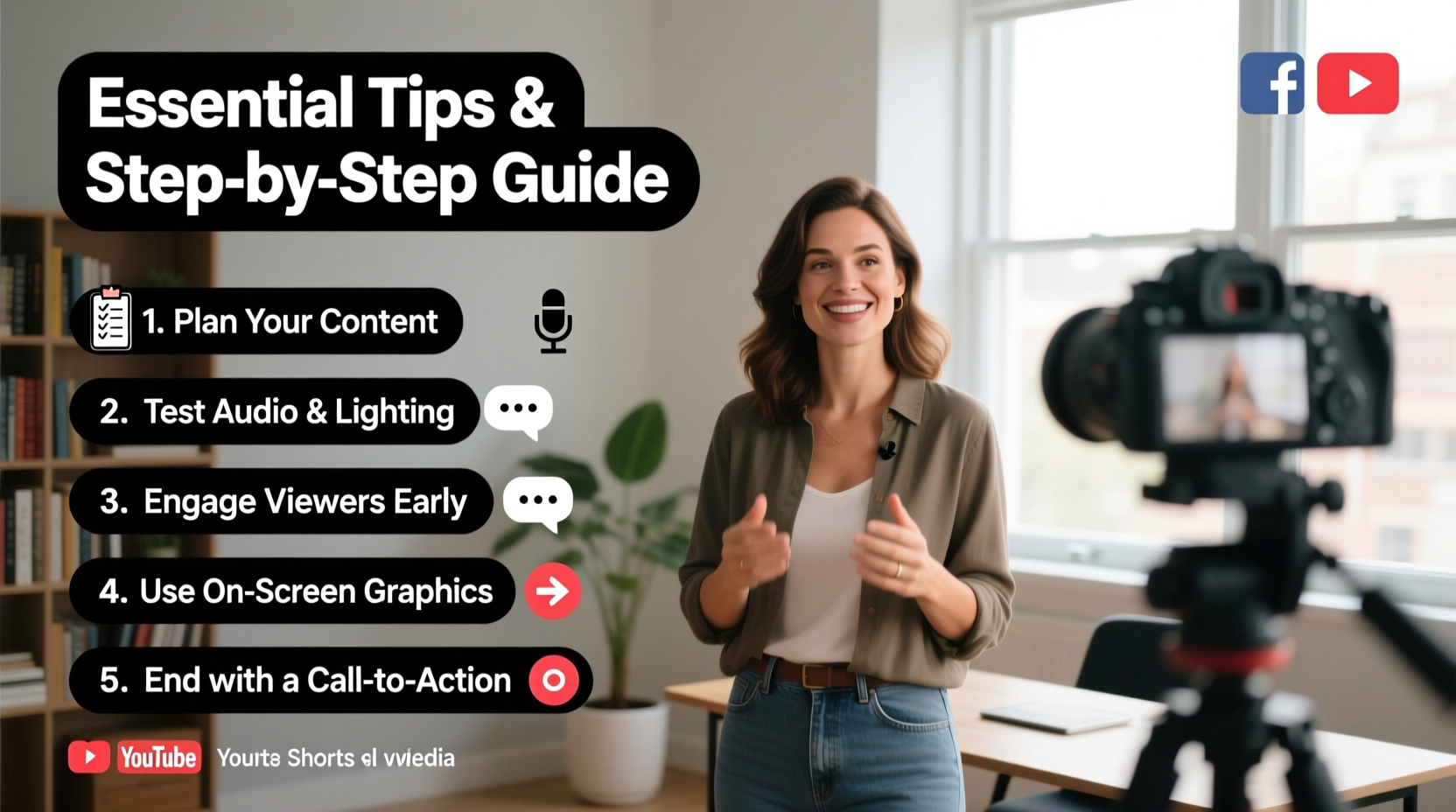
Facebook Live videos generate significantly higher engagement than pre-recorded content. According to internal Facebook data, live videos receive six times more interactions than traditional videos. This is due to the immediacy and authenticity of live broadcasts—viewers feel they are part of something exclusive and unfolding in real time.
The algorithm also favors live content. When you go live, Facebook pushes notifications to your followers and prioritizes your stream in news feeds. Comments appear instantly, allowing for dynamic conversation. This two-way interaction builds loyalty faster than any static post.
Step-by-Step Guide to Launching a High-Impact Facebook Live
- Define Your Purpose: Decide whether you’re educating, entertaining, promoting, or connecting. A clear goal shapes your content and keeps it focused.
- Choose a Compelling Topic: Pick something timely, valuable, or emotionally resonant. Examples: “Behind-the-scenes at our bakery,” “Q&A on home gardening,” or “Live product demo with discounts.”
- Schedule and Promote in Advance: Use Facebook Events or posts to announce your live session 3–5 days ahead. Include date, time, and what viewers will gain.
- Test Equipment and Internet: Ensure your smartphone or camera is charged, audio is clear, and Wi-Fi signal is strong. A weak connection ruins viewer experience.
- Set Up Your Environment: Choose a quiet, well-lit space with minimal background distractions. Natural light or a ring light works best.
- Go Live with Confidence: Start by welcoming viewers by name as they join. State your topic clearly within the first 30 seconds.
- Engage Throughout: Read comments aloud, answer questions, and acknowledge new viewers. Encourage participation with prompts like “Type YES if you’ve tried this!”
- End with a Clear Call-to-Action: Invite viewers to follow your page, visit your website, or comment with their takeaways.
- Review and Repurpose: Watch the replay to assess performance. Share the recorded video across other platforms or turn highlights into clips.
Essential Tips for Maximizing Viewer Retention
Retention is just as important as reach. If people click but leave within seconds, the algorithm won’t favor your content. These strategies help keep viewers engaged from start to finish.
- Start Strong: Open with energy. Avoid long introductions. Say who you are, why they should care, and what they’ll learn—all in under a minute.
- Use Visual Aids: Hold up products, show slides on a screen behind you, or write key points on a whiteboard. Movement captures attention.
- Keep It Conversational: Speak directly to one person, not a crowd. Imagine you’re talking to a friend over coffee.
- Limit Duration: For beginners, aim for 10–15 minutes. Even experts rarely need more than 30 minutes unless hosting a workshop.
- Invite Co-Hosts or Guests: A second voice adds variety and expands your audience through cross-promotion.
Do’s and Don’ts of Facebook Live Production
| Do’s | Don’ts |
|---|---|
| Use external microphones for clearer audio | Record in noisy environments (e.g., busy streets) |
| Position your camera at eye level | Hold your phone with shaky hands |
| Wear solid colors (avoid busy patterns) | Wear stripes or tiny prints that cause moiré effects |
| Encourage comments with open-ended questions | Ignore incoming messages or fail to respond |
| Have a backup plan if tech fails | Panic or end abruptly without explanation |
Real Example: How a Local Bakery Doubled Sales with Weekly Lives
Sarah Thompson runs “Sweet Rise Bakery” in Portland, Oregon. After noticing declining foot traffic, she started hosting weekly Facebook Lives every Friday at 9 a.m. titled “Fresh Out of the Oven.” Each episode features her pulling a new batch of sourdough from the oven, explaining the fermentation process, and answering customer questions.
She promoted the first session via email and in-store signage. During the live, she offered a discount code shown only to viewers. Within four weeks, her average live viewership grew from 27 to over 400. More importantly, sales increased by 62% on Fridays following the broadcast. Customers reported feeling more connected to the brand because they “got to know the baker.”
Sarah now uses polls in her descriptions (“Which flavor should we bake next?”) and saves replays to a highlight reel on her page. Her success wasn’t about production quality—it was consistency and authenticity.
“People don’t buy bread—they buy trust. Going live let me show my passion in real time.” — Sarah Thompson, Owner, Sweet Rise Bakery
Checklist: Pre-Live Preparation Essentials
- ☑ Confirm internet speed (minimum 5 Mbps upload)
- ☑ Charge devices and have a backup battery
- ☑ Set up lighting (natural or soft artificial)
- ☑ Test microphone and camera angle
- ☑ Prepare notes or bullet points (not a full script)
- ☑ Schedule announcement posts with time and topic
- ☑ Notify team members or guests
- ☑ Close unnecessary apps to prevent interruptions
Frequently Asked Questions
How often should I go live on Facebook?
Consistency matters more than frequency. Once a week is ideal for most creators. Businesses may benefit from bi-weekly sessions, especially if offering tutorials or updates. Sporadic lives confuse audiences and reduce anticipation.
Can I edit a Facebook Live after it ends?
You cannot edit the live stream itself once broadcasted, but you can trim the beginning and end of the recorded version before saving it to your page or sharing externally. Avoid deleting entire sections—preserve authenticity.
What if no one shows up to my live?
Low initial turnout is common. Promote your next session using insights from the replay—mention how many watched afterward. Some of your most engaged viewers may watch the recording later. Focus on delivering value, and attendance will grow over time.
Final Thoughts: Turn Moments Into Momentum
Facebook Live isn’t just another content format—it’s a relationship-building tool. Every broadcast gives you a chance to be seen, heard, and remembered. The most successful creators aren’t those with perfect setups; they’re the ones who show up consistently, speak with sincerity, and treat each viewer like a guest in their living room.
Start small. Test different topics. Learn from each session. Over time, your confidence and audience will grow together. Remember, people don’t tune in for perfection—they tune in for presence.




 浙公网安备
33010002000092号
浙公网安备
33010002000092号 浙B2-20120091-4
Comments
No comments yet. Why don't you start the discussion?