
In an age where remote communication is the norm, recording phone calls has become increasingly common—for business meetings, legal documentation, personal reference, or customer service follow-ups. However, while the technology to record calls is widely accessible, doing so without understanding the legal and ethical implications can lead to serious consequences. Unauthorized recordings may violate privacy laws, damage professional relationships, or render evidence inadmissible in court.
This guide provides a comprehensive overview of how to record phone calls responsibly. From understanding consent laws to choosing the right tools and securing your data, you’ll learn how to capture conversations with confidence—while staying compliant and respectful of others’ rights.
Understand the Legal Landscape: One-Party vs. All-Party Consent
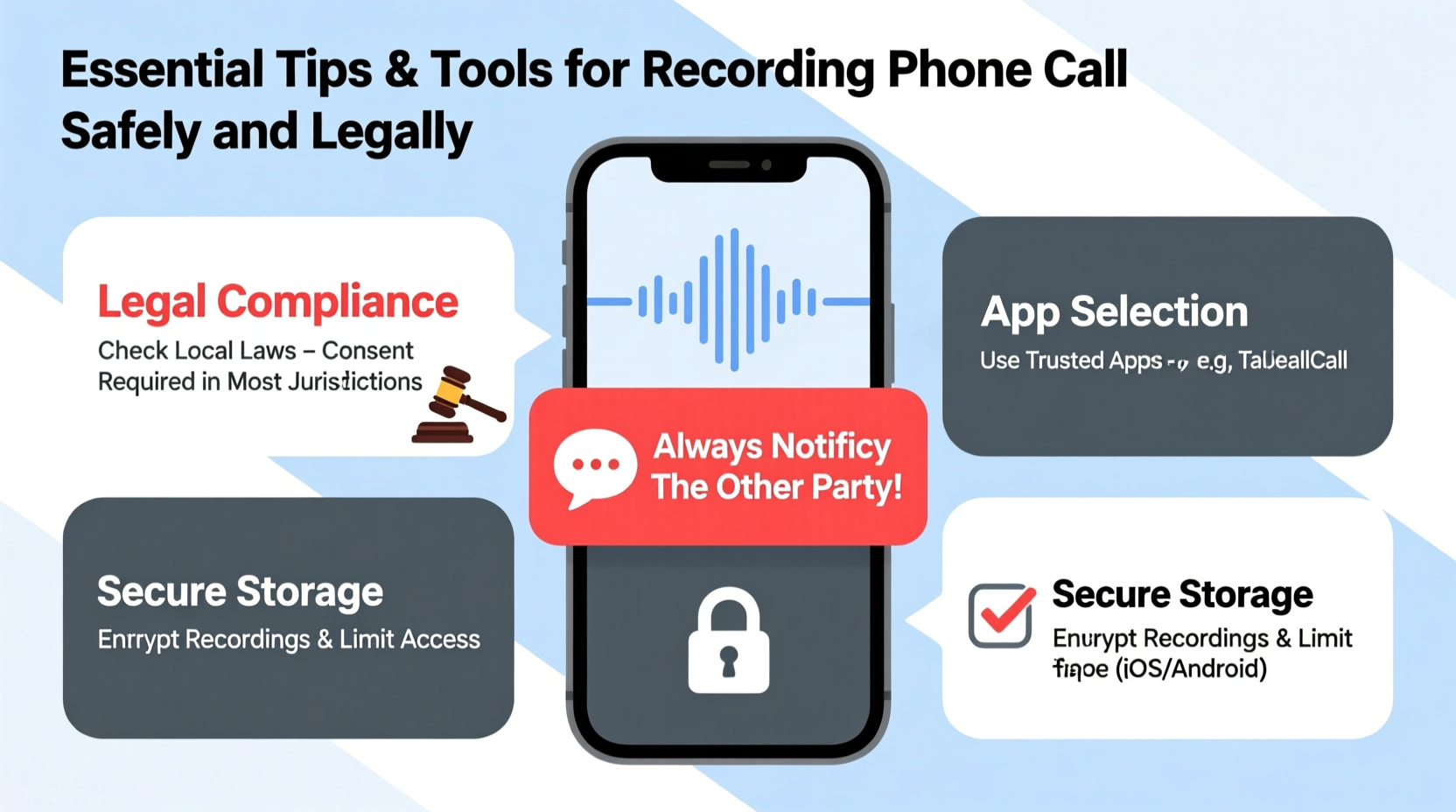
The legality of call recording hinges on consent laws, which vary significantly by country and even by state within the United States. The two primary standards are one-party consent and all-party (or two-party) consent.
In one-party consent jurisdictions, only one person involved in the conversation needs to be aware of and agree to the recording. That person can legally be you. This applies in most U.S. states and many countries like Canada (with limitations), the UK, and Australia (for personal use).
In contrast, all-party consent laws require that every participant in the call knows about and agrees to the recording. States like California, Washington, and Florida fall under this stricter category. Violating these laws can result in civil penalties, criminal charges, or both.
“Recording a private conversation without consent can not only get you sued but may also disqualify the recording as evidence in legal proceedings.” — Sarah Lin, Privacy Law Attorney at Digital Rights Advocacy Group
Choose the Right Tools for Secure and High-Quality Recording
Not all call recording apps are created equal. Some offer encryption, cloud backup, and transcription services; others may lack basic security features or violate platform policies. Below is a comparison of reliable tools across platforms:
| App Name | Platform | Encryption | Transcription | Compliance Features |
|---|---|---|---|---|
| Rev Call Recorder | iOS, Web | Yes (AES-256) | Yes (AI-powered) | Consent disclaimer, secure sharing |
| TapeACall Pro | iOS, Android | Limited | Paid add-on | Auto-play warning tone |
| Google Voice (U.S.) | Web, Android | Yes | Basic transcripts | Automated notification to other party |
| Call Recorder - ACR (Android) | Android | Optional | No | User-added disclaimer feature |
When selecting software, prioritize apps that clearly state their compliance with regional laws, offer end-to-end encryption, and allow you to store files securely. Avoid third-party apps that request excessive permissions or lack transparent privacy policies.
Step-by-Step Guide to Legally Record a Phone Call
Follow this sequence to ensure your recording process is lawful, professional, and effective:
- Check local laws: Confirm whether your location requires one-party or all-party consent. Consult official government resources or legal counsel if unsure.
- Notify participants: At the start of the call, clearly state your intent to record. Example: “For record-keeping purposes, I’m recording this conversation. Please confirm if you’re comfortable proceeding.”
- Obtain verbal agreement: Wait for explicit verbal consent before enabling the recorder. Silence does not constitute consent.
- Start the recording: Use your chosen app or built-in feature (e.g., Google Voice) to begin capturing audio.
- Verify quality: After the call, listen to a portion to ensure clarity and completeness.
- Store securely: Save the file in an encrypted folder or cloud service with restricted access. Delete it when no longer needed.
- Document consent: Keep notes indicating when and how consent was obtained, especially for sensitive or legal matters.
Real-World Scenario: When Recording Prevents Miscommunication
Jamal, a freelance project manager in Illinois (an all-party consent state), regularly coordinates with clients across time zones. During a critical update call, his client verbally approved a change in deliverables. Weeks later, the client disputed the scope, claiming Jamal had exceeded agreed-upon work.
Fortunately, Jamal had recorded the call after obtaining clear verbal consent and using Rev Call Recorder. He shared the timestamped segment showing approval, resolving the dispute amicably. The recording wasn’t used punitively—it served as a neutral reference point, preserving both professionalism and project continuity.
This case illustrates how responsible recording supports accountability—not surveillance. It’s not about catching people off guard; it’s about protecting everyone involved from misunderstandings.
Best Practices Checklist for Safe Call Recording
- ✅ Research consent laws in all parties’ locations
- ✅ Use only reputable, secure recording apps
- ✅ Announce recording intentions at the start of each call
- ✅ Obtain clear verbal or written consent
- ✅ Store recordings in password-protected or encrypted storage
- ✅ Limit access to authorized individuals only
- ✅ Delete recordings after they’ve served their purpose
- ✅ Avoid recording sensitive conversations unless absolutely necessary
- ✅ Document consent and retention policies for audits or disputes
- ✅ Never share recordings publicly or with unauthorized third parties
Frequently Asked Questions
Can I record a call on my iPhone or Android without an app?
iPhones do not support native call recording due to Apple’s privacy policies. Third-party apps typically route calls through a server to enable recording. On Android, some older models or custom ROMs allow direct recording, but most modern devices also require external apps. Always check compliance regardless of method.
Is it legal to record customer service calls?
In one-party consent regions, yes—you can legally record your own interactions with customer service agents. In all-party consent areas, you must inform them. Many companies actually record calls themselves and will confirm this at the start of the call, but that doesn’t automatically permit you to do the same without disclosure.
What should I do if I accidentally record someone without consent?
Stop the recording immediately and delete the file. If the person becomes aware, apologize and explain the oversight. Consider implementing safeguards like automated reminders or app restrictions to prevent recurrence. In high-risk environments, consult legal advice to assess exposure.
Final Thoughts: Responsibility Is Part of Technology Use
Recording phone calls isn't inherently problematic—but doing so without awareness of legal obligations is. The tools exist to make documentation easy, but ease shouldn’t override ethics. By understanding consent, choosing trustworthy software, and treating recordings with care, you protect not only yourself but also the integrity of your communications.
Whether you're a journalist verifying quotes, a small business owner tracking agreements, or someone managing personal healthcare logistics, thoughtful call recording can enhance clarity and reduce conflict. Just remember: transparency, legality, and respect form the foundation of any responsible digital practice.




 浙公网安备
33010002000092号
浙公网安备
33010002000092号 浙B2-20120091-4
Comments
No comments yet. Why don't you start the discussion?