
In an age where smartphones are both indispensable and increasingly fragile, protecting your device from accidental drops is more important than ever. One of the most practical yet underutilized accessories is the phone wrist strap. Designed to keep your phone tethered to your hand, it can be a game-changer—especially in crowded spaces, while commuting, or when juggling multiple tasks. However, improper use can lead to discomfort, reduced mobility, or even damage to your phone. Understanding how to use a wrist strap correctly ensures you get the full benefit without compromising safety or convenience.
Choose the Right Strap for Your Phone and Lifestyle
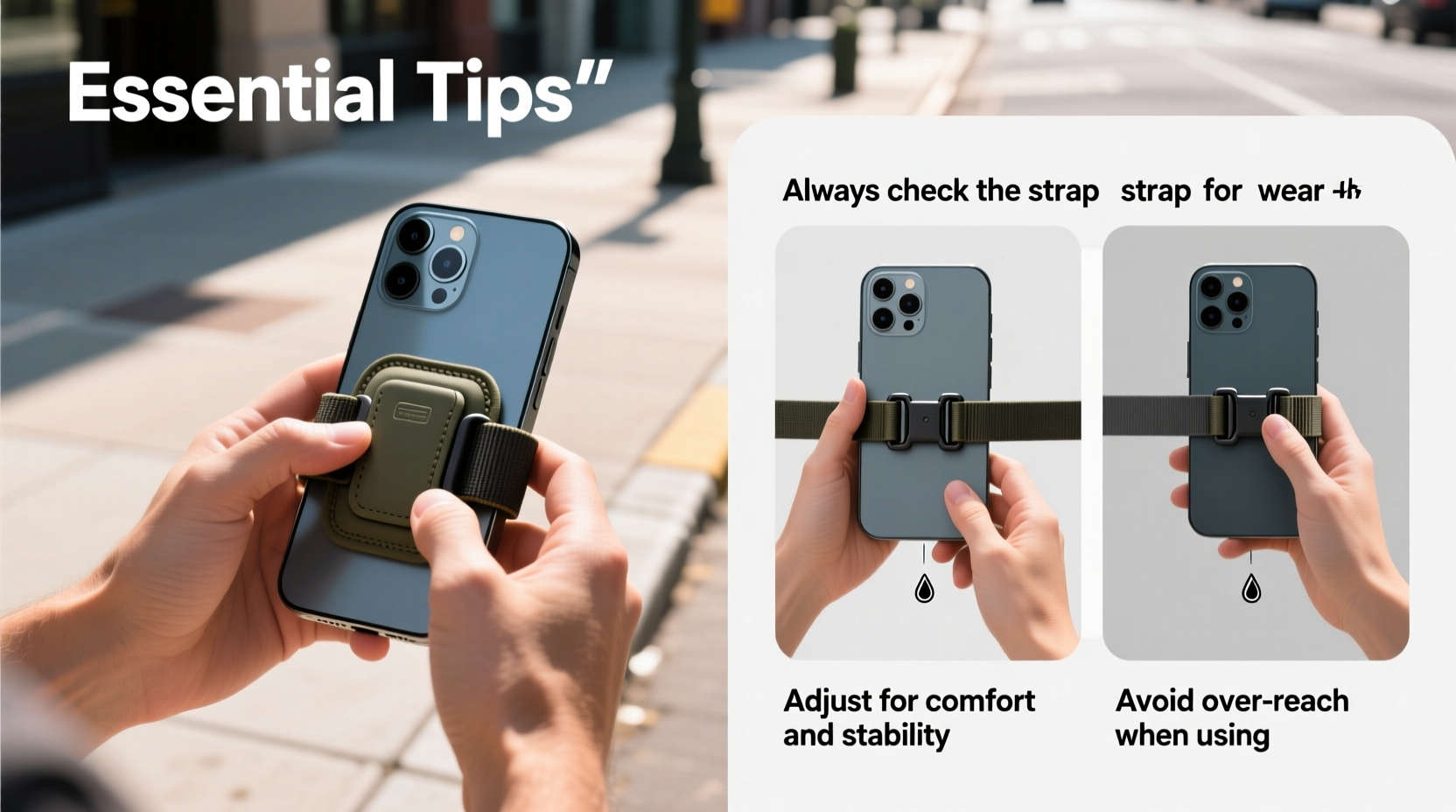
Not all wrist straps are created equal. The effectiveness of a wrist strap depends heavily on compatibility with your phone model, case, and daily habits. Some phones come with built-in lanyard holes, while others require third-party cases that support attachment points. Materials also vary—nylon, silicone, leather, and elastic each offer different levels of durability and comfort.
Consider your usage patterns. If you frequently walk in busy areas or take photos on the move, a shorter, non-stretchable strap offers better control. For casual indoor use, a soft, padded option may be more comfortable over long periods.
Secure Attachment: Avoiding Common Installation Mistakes
The weakest link in any wrist strap system is the connection point. A poorly attached strap can snap free during a fall, rendering it useless—or worse, causing the phone to swing unpredictably and hit nearby objects.
To ensure maximum security:
- Use cases specifically designed with reinforced lanyard ports.
- Avoid cheap adhesive loops or clips that claim universal compatibility.
- Double-check that the strap’s connector (such as a carabiner or snap hook) is fully closed and seated.
- If using a loop-through design, make sure the strap passes through the port cleanly without fraying.
Over time, inspect the anchor point regularly for signs of wear, especially if you remove and reattach the strap frequently.
“Many users assume any small hole on a case supports a lanyard, but not all are structurally reinforced. Using an unreinforced port increases the risk of case breakage and phone loss.” — David Lin, Mobile Accessory Engineer at TechGrip Labs
Wearing Technique: Position and Tension Matter
How you wear the strap significantly impacts both safety and comfort. The ideal fit allows enough slack to operate your phone freely but tight enough to prevent it from slipping out of reach if dropped.
Follow this step-by-step wearing guide:
- Slide your hand through the wrist loop so the strap rests snugly around the base of your palm, just above the wrist bone.
- Adjust the length so the phone sits comfortably in your hand without pulling upward or sagging downward.
- Ensure the phone’s weight is balanced—not tipping forward or backward.
- Test movement by gently shaking your hand; the phone should stay stable and not swing wildly.
- When not actively using the phone, let it rest against your inner forearm to reduce finger fatigue.
Avoid wrapping the strap too tightly around your wrist, which can restrict blood flow or pinch nerves during prolonged use. Similarly, excessive looseness defeats the purpose and creates tripping hazards if the phone swings into obstacles.
Do’s and Don’ts of Daily Use
To maximize both safety and longevity, follow these best practices:
| Do’s | Don’ts |
|---|---|
| Use a strap with a quick-release mechanism for emergencies | Attach the strap to loose clothing or bags instead of your wrist |
| Clean fabric straps monthly to prevent dirt buildup | Overstretch elastic straps beyond their limit |
| Keep the phone centered when typing or taking photos | Wrap the strap around fingers instead of the wrist |
| Detach the strap when placing the phone in a pocket or bag | Ignore frayed ends or weakened stitching |
| Store the strap loosely coiled to maintain elasticity | Use the strap to hang your phone on sharp or abrasive surfaces |
Real-World Scenario: Preventing a Costly Drop
Sophia, a travel blogger based in Barcelona, was filming a street market tour with her smartphone when she accidentally bumped into a cyclist. Her arm jerked sideways, and the phone slipped from her grip. Thanks to her woven nylon wrist strap, the device dangled mid-air instead of hitting the cobblestone ground. She calmly retrieved it, checked for damage (none), and continued recording. Later, she estimated that the strap likely saved her over $700 in potential repair or replacement costs.
This incident highlights how a simple accessory, when used correctly, can prevent major setbacks—especially in dynamic environments where distractions are common.
Maintaining Your Wrist Strap for Long-Term Safety
Like any wearable tech accessory, wrist straps degrade over time. Exposure to sweat, UV light, and friction weakens fibers and connectors. Regular maintenance extends functionality and ensures consistent protection.
Follow this care checklist:
- Inspect monthly: Look for fraying, discoloration, or weakened clasps.
- Clean gently: Hand-wash fabric straps with mild soap and air-dry. Avoid machine washing.
- Lubricate metal parts: Apply a tiny drop of silicone oil to swivel joints or hooks every few months.
- Replace proactively: Even high-quality straps should be replaced every 12–18 months with regular use.
- Store properly: Keep in a dry drawer away from direct sunlight or extreme temperatures.
Elastic straps, in particular, lose tension over time. If your phone begins to sag noticeably or the strap no longer returns to its original length, it’s time for a replacement.
Frequently Asked Questions
Can a wrist strap cause hand fatigue?
Yes, if worn incorrectly or used for extended periods without breaks. To minimize strain, alternate between holding the phone freely and letting it rest on your forearm. Consider taking short breaks every 30–45 minutes during prolonged use.
Are wrist straps safe for children?
They can be, provided the child understands how to use them responsibly. Avoid straps with small detachable parts that could pose choking hazards. Supervise younger users and choose adjustable designs that fit smaller wrists securely.
Do wrist straps interfere with wireless charging?
Most do not, as long as the attachment point isn’t embedded in the back cover. If your case integrates the lanyard loop into the body, check whether it blocks Qi charging alignment. Detachable straps can simply be removed during charging.
Final Thoughts: Make Safety Second Nature
A phone wrist strap is more than just a tether—it’s a smart investment in both device longevity and personal peace of mind. When selected thoughtfully, attached securely, and worn correctly, it becomes an invisible guardian during daily routines. Whether you're navigating a packed subway, hiking a scenic trail, or simply multitasking at home, the right strap adds a layer of confidence that lets you focus on what matters.
Safety doesn’t have to mean bulk or inconvenience. By integrating these essential practices into your routine, you transform a simple accessory into a reliable tool. Evaluate your current setup, upgrade where needed, and commit to mindful usage. Your phone—and your future self—will thank you.




 浙公网安备
33010002000092号
浙公网安备
33010002000092号 浙B2-20120091-4
Comments
No comments yet. Why don't you start the discussion?