
Flying has always captivated human imagination. While not everyone can become a commercial or military pilot, modern PC flight simulators offer an immersive gateway into aviation. Today’s top aircraft simulator games go beyond arcade-style gameplay—they replicate real-world aerodynamics, avionics, weather systems, and cockpit procedures with astonishing fidelity. For enthusiasts, aspiring pilots, or aviation educators, these simulators provide both entertainment and serious training value.
The line between simulation and reality continues to blur. With advancements in computing power, VR support, and community-driven add-ons, flight simulators now deliver experiences once limited to million-dollar professional training rigs. This guide explores the most authentic and technically advanced aircraft simulators available for PC, highlighting their realism, features, and ideal use cases.
Microsoft Flight Simulator (2020): The Benchmark of Realism
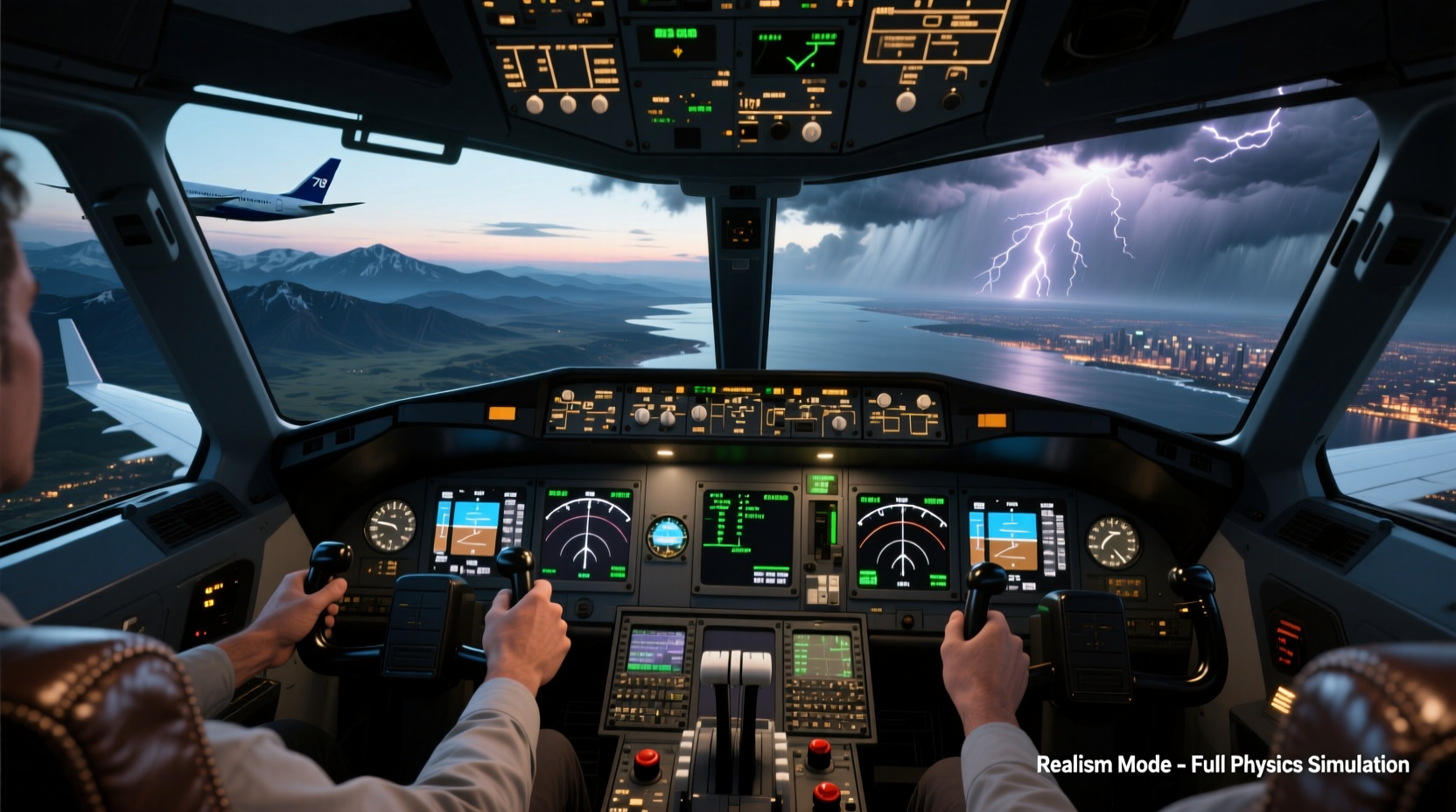
Microsoft Flight Simulator (MSFS), released in 2020 after a 14-year hiatus, redefined what a consumer flight simulator could achieve. Powered by Azure AI and Bing Maps, it renders the entire planet in near-photorealistic detail using satellite data, aerial imagery, and real-time weather integration.
The simulation model includes accurate atmospheric physics, wind shear, turbulence, and dynamic lighting based on time of day and geographic location. Aircraft behavior is modeled using fluid dynamics and real manufacturer data, making stalls, crosswind landings, and engine management feel genuinely responsive.
MSFS supports hundreds of third-party aircraft—from Cessnas to Boeing 787s—with highly detailed virtual cockpits. Many include clickable switches, functional FMS (Flight Management Systems), and interactive checklists. Combined with VR compatibility and hardware like rudder pedals, yokes, and multi-monitor setups, MSFS offers one of the most complete home-based flight experiences ever created.
X-Plane 12: Engineering-Driven Flight Dynamics
If Microsoft Flight Simulator excels in visual fidelity and global scale, X-Plane 12 stands out for its proprietary blade element theory aerodynamic model. Instead of approximating how planes fly, X-Plane calculates lift, drag, and thrust for each small section of every wing, control surface, and fuselage component in real time.
This approach allows for highly accurate simulations of unusual flight conditions—like deep stalls, flat spins, or asymmetric thrust—that other simulators might simplify or ignore. It's why many flight schools and aerospace engineers use X-Plane for preliminary testing and training.
X-Plane 12 also features a robust SDK, encouraging developers to create custom aircraft with precise physical behaviors. Its default fleet includes everything from ultralights to regional jets, all built around the same rigorous physics engine. While the terrain isn’t as visually polished as MSFS, it’s more than adequate for instrument flying and procedural training.
“X-Plane’s flight model is so accurate that we’ve used it to validate modifications on experimental aircraft before first flight.” — Dr. Alan Weiss, Aerospace Engineer and FAA Consultant
Prepar3D: Professional-Grade Simulation Platform
Developed by Lockheed Martin, Prepar3D (P3D) evolved from NASA and military training systems. Unlike MSFS or X-Plane, P3D targets professional users—flight academies, defense contractors, and research institutions—though dedicated hobbyists also use it extensively.
P3D offers deterministic simulation, meaning flight behavior is consistent across sessions, which is critical for certification and evaluation. It supports advanced networking for multi-user scenarios, synthetic vision systems, and integration with ATC (Air Traffic Control) simulation software like VRC or EuroScope.
While less user-friendly out of the box, P3D benefits from enterprise-level stability and scalability. Add-ons range from full-motion simulator interfaces to AI-controlled air traffic with voice recognition. However, due to licensing costs and complexity, it’s best suited for users who need certified-grade accuracy or are building a permanent simulation rig.
Comparing Top Simulators: Features at a Glance
| Simulator | Graphics & World Detail | Flight Model Accuracy | VR Support | Ideal For |
|---|---|---|---|---|
| Microsoft Flight Simulator (2020) | ★★★★★ (Global photogrammetry) | ★★★★☆ (Real-world data driven) | Yes | Enthusiasts, casual pilots, scenic flying |
| X-Plane 12 | ★★★☆☆ (Functional over flashy) | ★★★★★ (Blade element theory) | Yes | Technical learners, flight instructors, engineers |
| Prepar3D v5 | ★★★☆☆ (Customizable terrain) | ★★★★★ (Deterministic, repeatable) | Limited (via plugins) | Professional training, military, academia |
| Condor 2 (Soaring Simulator) | ★★★★☆ (Thermals & glider focus) | ★★★★★ (Specialized lift modeling) | Yes | Sailplane pilots, meteorology study |
Enhancing Realism: Hardware and Add-Ons
No matter which simulator you choose, realism scales dramatically with proper peripherals and enhancements. A keyboard and mouse will get you airborne, but true immersion requires investment in controls and environment.
- Flight Yoke or Stick: Saitek, Thrustmaster, and Honeycomb offer high-fidelity controls with force feedback.
- Rudder Pedals: Essential for coordinated turns and crosswind landings; look for models with adjustable tension.
- Throttle Quadrants: Multi-engine aircraft demand precise power management—motorized quadrants improve realism.
- Head Tracking (e.g., TrackIR): Allows natural head movement to look around the cockpit.
- Avionics Add-Ons: PMDG, FlyByWire, and Captain Sim produce detailed autopilot, FMC, and checklist systems.
Real-World Application: A Pilot Trainee’s Journey
James R., a student pilot from Colorado, began using X-Plane 12 six months before starting formal flight school. He practiced radio communication using VATSIM, studied approach plates, and rehearsed emergency procedures like engine failures and electrical fires.
During his first actual solo flight, his instructor noted his exceptional situational awareness and checklist discipline. “I knew what to expect because I’d already flown that airport in the simulator under similar wind conditions,” James said. His hours in X-Plane didn’t replace real flight time—but they accelerated his learning curve and reduced training costs by nearly 30%.
This case reflects a growing trend: flight simulators are no longer just games. They’re supplemental tools recognized by aviation authorities like the FAA for up to 50% of certain training requirements under specific conditions.
Getting Started: Your First Realistic Flight
Beginners often feel overwhelmed by complex systems and procedures. Follow this step-by-step guide to build confidence:
- Choose a beginner-friendly aircraft: Start with a Cessna 172 or Piper Cherokee.
- Set up basic instruments: Learn the six-pack (airspeed, altimeter, attitude indicator, etc.).
- Practice ground operations: Taxi slowly, use rudder pedals for steering.
- Master takeoff and landing: Focus on pitch attitude and airspeed control.
- Use ATC networks: Join IVAO or VATSIM to practice real phraseology.
- Log your flights: Keep a digital logbook noting challenges and improvements.
Frequently Asked Questions
Can flight simulators help me become a real pilot?
Yes. While simulators don’t replace certified flight time, they reinforce procedures, navigation, and decision-making. The FAA allows up to 50 hours of simulator time toward a Private Pilot License under Part 61, provided the device meets specific standards.
Which simulator is best for beginners?
Microsoft Flight Simulator (2020) is the most accessible. It includes guided tutorials, a progressive difficulty mode, and forgiving defaults that let newcomers learn at their own pace without crashing constantly.
Do I need expensive hardware to start?
No. You can begin with a standard game controller or even a keyboard. As your interest grows, invest incrementally—first in rudder pedals, then a yoke, then avionics panels. Many simmers build their rigs over years.
Conclusion: Take Control of Your Virtual Cockpit
The world of PC flight simulation has never been more accessible or realistic. Whether you're drawn to the visual grandeur of Microsoft Flight Simulator, the engineering precision of X-Plane 12, or the professional rigor of Prepar3D, there’s a platform tailored to your goals. These simulators aren’t just games—they’re gateways to understanding aviation, improving real-world skills, and experiencing the freedom of flight from your desk.




 浙公网安备
33010002000092号
浙公网安备
33010002000092号 浙B2-20120091-4
Comments
No comments yet. Why don't you start the discussion?