
In an age where data breaches, ransomware attacks, and accidental deletions are increasingly common, safeguarding sensitive documents has never been more critical. Whether you're protecting personal tax records, confidential business contracts, or private medical information, choosing the right backup method isn't just about convenience—it's about security. Two of the most widely used solutions today are external solid-state drives (SSDs) and cloud storage services. But when it comes to safety, which one truly protects your data better?
The answer isn’t as simple as declaring one universally superior. Each option has distinct strengths and vulnerabilities depending on how it’s used, who controls access, and what kind of threats you’re guarding against. To make an informed decision, it’s essential to understand not only the technical differences but also real-world risks like physical theft, unauthorized access, and service outages.
Understanding the Core Differences
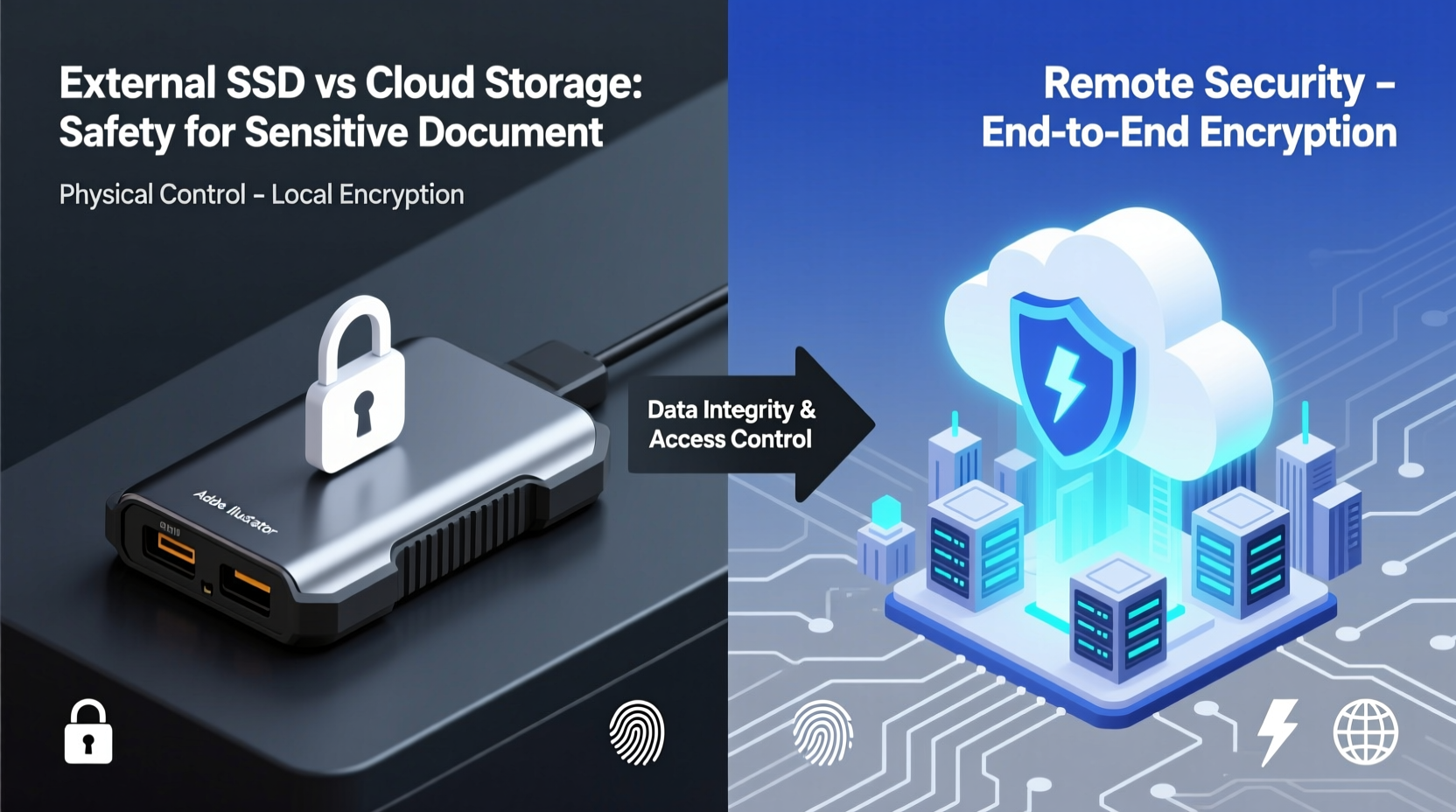
At their core, external SSDs and cloud storage represent two fundamentally different approaches to data preservation. An external SSD is a physical device—a portable drive that stores your files locally. You connect it directly to your computer via USB or Thunderbolt, copy your data, and then disconnect it. The drive remains under your physical control at all times—unless lost or stolen.
Cloud storage, by contrast, relies on remote servers managed by third-party providers such as Google Drive, Microsoft OneDrive, Dropbox, or specialized encrypted platforms like Proton Drive and Tresorit. Your files are uploaded over the internet and stored off-site, accessible from any device with proper credentials. This model shifts responsibility for infrastructure, redundancy, and uptime to the provider.
One immediate distinction lies in control: with an external SSD, you own the hardware and decide where it’s kept. With cloud storage, while you retain ownership of your data, the physical medium—and often administrative access—is controlled by someone else.
Security Considerations: Physical vs Digital Threats
When evaluating safety, it’s crucial to separate physical and digital risks. These threat models differ significantly between local and cloud-based solutions.
External SSDs face tangible dangers. If left unattended, they can be stolen, damaged by fire or water, or simply misplaced. However, if properly secured—encrypted and stored in a locked safe—the risk of unauthorized access drops dramatically. Since no internet connection is required to store or retrieve data, external SSDs are immune to online attacks like hacking, phishing, or distributed denial-of-service (DDoS) incidents.
On the other hand, cloud storage eliminates physical vulnerability—your data isn’t tied to a single location—but introduces exposure to cyber threats. Even reputable providers have suffered breaches. In 2023, a misconfigured server exposed millions of user files across multiple platforms. While encryption in transit and at rest helps mitigate this, weak passwords, compromised accounts, or insider threats remain concerns.
Comparative Analysis: Key Factors Side-by-Side
| Factor | External SSD | Cloud Storage |
|---|---|---|
| Data Control | You maintain full physical and administrative control. | Provider manages infrastructure; you rely on their policies. |
| Encryption Options | Full-disk encryption possible; keys managed locally. | Varies by provider; some offer zero-knowledge encryption. |
| Risk of Theft/Loss | High if unsecured; low if stored safely. | Negligible—data isn’t tied to physical object. |
| Vulnerability to Hacking | None during offline storage. | Potential exposure via account compromise or server flaws. |
| Accessibility | Requires physical access to device. | Accessible from anywhere with internet and login. |
| Long-Term Reliability | SSDs degrade over time; periodic refresh recommended. | Providers handle redundancy and hardware replacement. |
| Cost Over Time | One-time purchase; no recurring fees. | Ongoing subscription fees, especially for large volumes. |
Real-World Scenario: A Small Law Firm’s Dilemma
Consider a small legal practice handling high-confidentiality client cases. They need secure backups of contracts, correspondence, and case files. Initially, they used consumer-grade cloud storage for ease of access. However, after a near-miss involving a staff member falling for a phishing email, they realized their cloud account could be compromised.
They shifted to a hybrid model: encrypted external SSDs stored in a fireproof safe for primary backups, with weekly rotations kept offsite. Sensitive files were never uploaded to standard cloud services. For collaboration, they adopted a zero-knowledge encrypted cloud platform (where even the provider cannot access file contents), using strong passphrases and mandatory 2FA.
This layered approach reduced single points of failure. If the office burned down, offsite drives preserved data. If a device was hacked, no raw files were exposed. Their strategy illustrates a growing trend: combining the best of both worlds rather than relying on one solution alone.
“Total reliance on either local drives or cloud storage creates avoidable risk. The most resilient systems use both—with strict encryption and access controls.” — Dr. Lena Patel, Cybersecurity Researcher at SecureData Labs
Best Practices for Securing Each Option
Regardless of your choice, implementation matters more than the technology itself. Poorly configured systems—even advanced ones—are vulnerable.
Securing External SSDs
- Always enable hardware or software encryption before storing sensitive data.
- Use strong, unique passwords for decryption keys—never store them on the same device.
- Keep drives disconnected when not in use to prevent malware infection via direct access.
- Store in a secure, climate-controlled environment away from magnetic fields and extreme temperatures.
- Rotate multiple drives (e.g., daily/weekly/monthly) and keep one copy offsite.
Securing Cloud Storage
- Choose providers offering end-to-end encryption and zero-knowledge architecture.
- Enable two-factor authentication using authenticator apps, not SMS.
- Audit sharing permissions regularly; revoke access for former employees or outdated links.
- Use long, randomly generated passwords or passphrases managed through a trusted password manager.
- Monitor login activity alerts and set up breach notifications.
Step-by-Step Guide to Creating a Secure Backup Strategy
Follow these steps to build a robust, safety-focused backup plan tailored to sensitive documents:
- Inventory Your Data: Identify which files contain personally identifiable information (PII), financial records, legal documents, or proprietary material.
- Classify Sensitivity Levels: Rank documents by confidentiality (e.g., public, internal, highly sensitive).
- Select Backup Methods: Use external SSDs for top-tier sensitive files; consider encrypted cloud storage for less critical but important data.
- Encrypt Before Storing: Use AES-256 encryption tools like VeraCrypt or built-in OS features to protect files prior to saving.
- Implement the 3-2-1 Rule: Maintain three copies of your data, on two different media types, with one copy stored offsite.
- Test Restoration: Periodically verify that you can recover files successfully from both SSD and cloud sources.
- Review and Update Quarterly: Reassess threats, update passwords, replace aging hardware, and patch software.
Frequently Asked Questions
Can cloud storage ever be as secure as an encrypted external SSD?
It depends on the provider and configuration. Zero-knowledge encrypted cloud services come close, but they still depend on third-party infrastructure. For maximum assurance, nothing beats physically controlled, encrypted local storage. However, cloud solutions offer superior resilience against physical disasters like fires or floods.
What happens if my external SSD fails?
Like all electronic devices, SSDs can fail due to wear, manufacturing defects, or environmental damage. That’s why redundancy is key. Always keep multiple copies across separate drives and locations. Regularly check drive health using diagnostic tools provided by manufacturers.
Is it safe to leave an external SSD plugged in all the time?
No. Keeping a drive constantly connected increases exposure to malware, ransomware, and accidental deletion. It also accelerates wear. Best practice is to connect the drive only when backing up or retrieving data, then safely eject and store it securely.
Checklist: Is Your Backup Truly Secure?
- ✅ All sensitive files are encrypted before being saved
- ✅ External SSD uses full-disk encryption with a strong passphrase
- ✅ Cloud accounts have two-factor authentication enabled
- ✅ You follow the 3-2-1 backup rule
- ✅ At least one backup copy is stored offsite
- ✅ You’ve tested restoring files from each backup type
- ✅ Backups are updated regularly (at least weekly for active documents)
- ✅ Old or decommissioned drives are securely wiped or destroyed
Final Verdict: Which Is Safer?
If forced to choose only one method, an encrypted external SSD generally provides greater control and lower exposure to remote attacks—making it safer for highly sensitive documents. Its air-gapped nature means hackers cannot reach it unless they gain physical possession, and even then, strong encryption renders the data inaccessible.
However, cloud storage excels in availability, automatic versioning, and disaster recovery. When combined with zero-knowledge encryption and rigorous account security, it becomes a viable alternative—especially for teams or individuals who need remote access.
The smartest approach is not to pick sides but to integrate both. Use encrypted external SSDs for master backups of your most confidential files, and leverage trusted encrypted cloud services for secondary copies and collaborative access. This dual-layer strategy balances control, accessibility, and resilience.
Safety isn’t just about technology—it’s about process. No tool can compensate for poor habits like reusing passwords, skipping updates, or failing to test restores. The most secure backup system is one that’s consistently maintained, thoughtfully designed, and rigorously protected.




 浙公网安备
33010002000092号
浙公网安备
33010002000092号 浙B2-20120091-4
Comments
No comments yet. Why don't you start the discussion?