
Facebook Pay allows users to send money, make purchases, and pay for goods and services across Facebook, Instagram, and Messenger. While designed for convenience, many users report sudden failures—payments declining, buttons unresponsive, or account verification errors. These disruptions can be frustrating, especially during urgent transactions. The good news is that most issues are fixable with targeted troubleshooting. This guide breaks down the most frequent causes of Facebook Pay failures and provides clear, actionable solutions.
Common Causes of Facebook Pay Failures
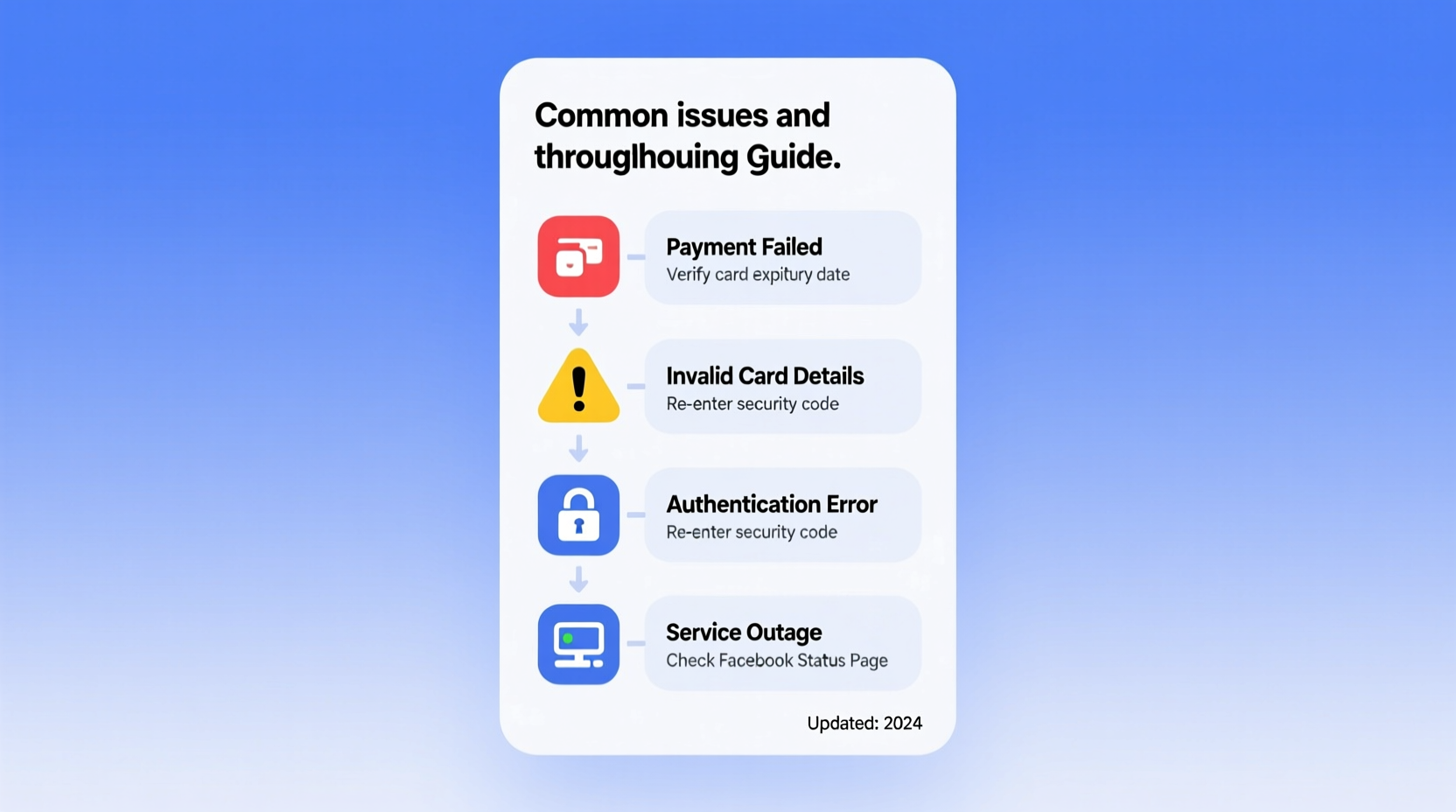
Before diving into fixes, it's essential to understand what typically goes wrong. Facebook Pay relies on a combination of device settings, app functionality, network stability, bank compatibility, and account security protocols. When one link in this chain fails, the entire transaction process can halt.
- Outdated app version: Older versions may lack updated APIs or security patches required for payment processing.
- Insufficient funds or card limits: Your linked card might have insufficient balance or daily transfer limits set by your bank.
- Network connectivity issues: Unstable Wi-Fi or mobile data can interrupt secure payment handshakes.
- Incorrect payment method: Expired cards, incorrect billing addresses, or unsupported banks prevent authorization.
- Security restrictions: Facebook may temporarily block payments if unusual activity is detected.
- Regional limitations: Facebook Pay isn't available in all countries and supports only select currencies.
Step-by-Step Troubleshooting Guide
Follow this structured approach to identify and resolve the root cause of your Facebook Pay issue. Start from basic checks and move toward deeper diagnostics.
- Check Facebook Pay availability in your region. As of 2024, Facebook Pay is supported in the U.S., Canada, Mexico, and parts of Europe. If you're outside these regions, the feature may not work at all.
- Verify your internet connection. Switch between Wi-Fi and mobile data to test consistency. A weak signal can drop transaction requests mid-process.
- Update the Facebook or Messenger app. Go to your device’s app store (Google Play or App Store) and install the latest version.
- Restart your smartphone. A reboot clears temporary glitches in memory and resets background processes affecting app performance.
- Clear app cache (Android): Settings > Apps > Facebook > Storage > Clear Cache. On iOS, delete and reinstall the app.
- Re-add your payment method. Remove your card from Facebook Pay settings and re-enter the details carefully.
- Test with another payment option. Try using a different card or PayPal to isolate whether the problem is method-specific.
When Payments Fail Despite Correct Details
If you’ve confirmed your card is valid but still see “Payment declined” or “Transaction failed,” contact your bank. Some financial institutions block third-party digital wallets by default. Call customer service and ask them to authorize transactions with Meta-owned platforms.
“Over 40% of digital wallet failures stem from bank-level fraud filters blocking legitimate transactions.” — Rajiv Mehta, Fintech Security Analyst at DigitalTrust Labs
Do’s and Don’ts When Using Facebook Pay
| Do’s | Don’ts |
|---|---|
| Use cards issued by major banks (Visa, Mastercard, American Express) | Don’t use prepaid gift cards unless explicitly supported |
| Keep your email and phone number verified on Facebook | Don’t share your PIN or two-factor codes with anyone |
| Monitor transaction history regularly | Don’t attempt multiple rapid transactions after a failure |
| Enable two-factor authentication for account security | Don’t save card details on shared devices |
Real-World Case: Recovering From a Frozen Payment
Samantha, a small business owner in Austin, relied on Facebook Pay to receive client payments via Messenger. One Tuesday, her clients reported that their transfers were failing. She checked her end: the Facebook app was up to date, her internet was stable, and her debit card hadn’t expired. After reviewing her bank statements, she noticed a message from her credit union flagging “unusual digital activity” and freezing external wallet links.
She called her bank, verified her identity, and requested that Facebook Pay be whitelisted. Within 20 minutes, the restriction was lifted. Her next test transaction succeeded. The issue wasn’t technical—it was preventive security. Since then, Samantha informs clients to notify their banks when sending large amounts through social platforms.
Advanced Fixes for Persistent Issues
If standard troubleshooting doesn’t resolve the problem, consider these advanced options:
Check Browser vs. App Behavior
If you’re using Facebook through a browser, switch to the official app. Payment features are more stable in native apps due to optimized API access. Conversely, if the app fails, try accessing facebook.com via Chrome or Safari and attempt the payment through desktop.
Disable Ad Blockers and Extensions
Some browser extensions interfere with Facebook’s JavaScript responsible for loading payment interfaces. Disable ad blockers, script blockers, or privacy tools temporarily to test functionality.
Review Account Standing
Facebook may restrict payment features if your account has violated community standards—even unintentionally. Check your Support Inbox (Settings & Privacy > Support Inbox) for messages about limitations. Appeals can take 24–72 hours.
Use Alternative Transfer Methods
If Facebook Pay remains unavailable, use peer-to-peer alternatives like Venmo, Zelle, or Cash App. You can still coordinate within Messenger; just clarify the off-platform method.
Frequently Asked Questions
Why does Facebook Pay say my card is invalid even though it works elsewhere?
This usually happens due to mismatched billing information. Ensure the name, address, ZIP code, and CVV match exactly what your bank has on file. Even a typo in the street name can trigger rejection.
Can I use Facebook Pay internationally?
Limited support exists. U.S. users can send money to friends in select countries, but receiving payments depends on local banking integration. Most international users cannot access Facebook Pay at all. Check Meta’s official help center for the latest country list.
How long do Facebook Pay transactions take to process?
Transfers between friends are usually instant. Merchant purchases may take 1–3 business days to settle, depending on the seller’s processing time. Bank withdrawals from Facebook Pay to your account typically take 3–5 business days.
Final Checklist Before Contacting Support
- ✅ Confirm Facebook Pay is available in your country
- ✅ Update Facebook or Messenger to the latest version
- ✅ Verify your card hasn’t expired and has sufficient funds
- ✅ Ensure your device has strong internet connectivity
- ✅ Double-check billing address and card details
- ✅ Restart your phone and relaunch the app
- ✅ Contact your bank to confirm no blocks on digital wallets
- ✅ Test with a different payment method if possible
If all steps fail, visit Facebook’s Help Center: navigate to Settings > Security and Login > Get Help > Report a Problem. Choose “Payments and Purchases” and provide detailed error messages or screenshots (if accessible via desktop).
Conclusion: Regain Control Over Your Digital Transactions
Facebook Pay should simplify, not complicate, your financial interactions. Most issues stem from preventable mismatches—outdated apps, incorrect card details, or overzealous bank security. By systematically verifying each component of the payment chain, you can quickly restore functionality. Remember, persistence pays off: a single call to your bank or a simple app refresh often resolves what seems like a complex breakdown.




 浙公网安备
33010002000092号
浙公网安备
33010002000092号 浙B2-20120091-4
Comments
No comments yet. Why don't you start the discussion?