
Gaming is no longer a pastime confined to handheld devices or cramped corners. For many, it’s a lifestyle that demands space, precision, and comfort. At the heart of every serious gaming setup lies one critical piece: the desk. A high-quality gaming desktop table does more than hold your gear—it supports posture, enhances performance, and reflects your personal aesthetic. With options ranging from minimalist floating shelves to expansive L-shaped workstations with built-in cable management, choosing the right desk can be overwhelming. The key is aligning function, ergonomics, and design with your unique needs.
Understanding Your Gaming Setup Needs
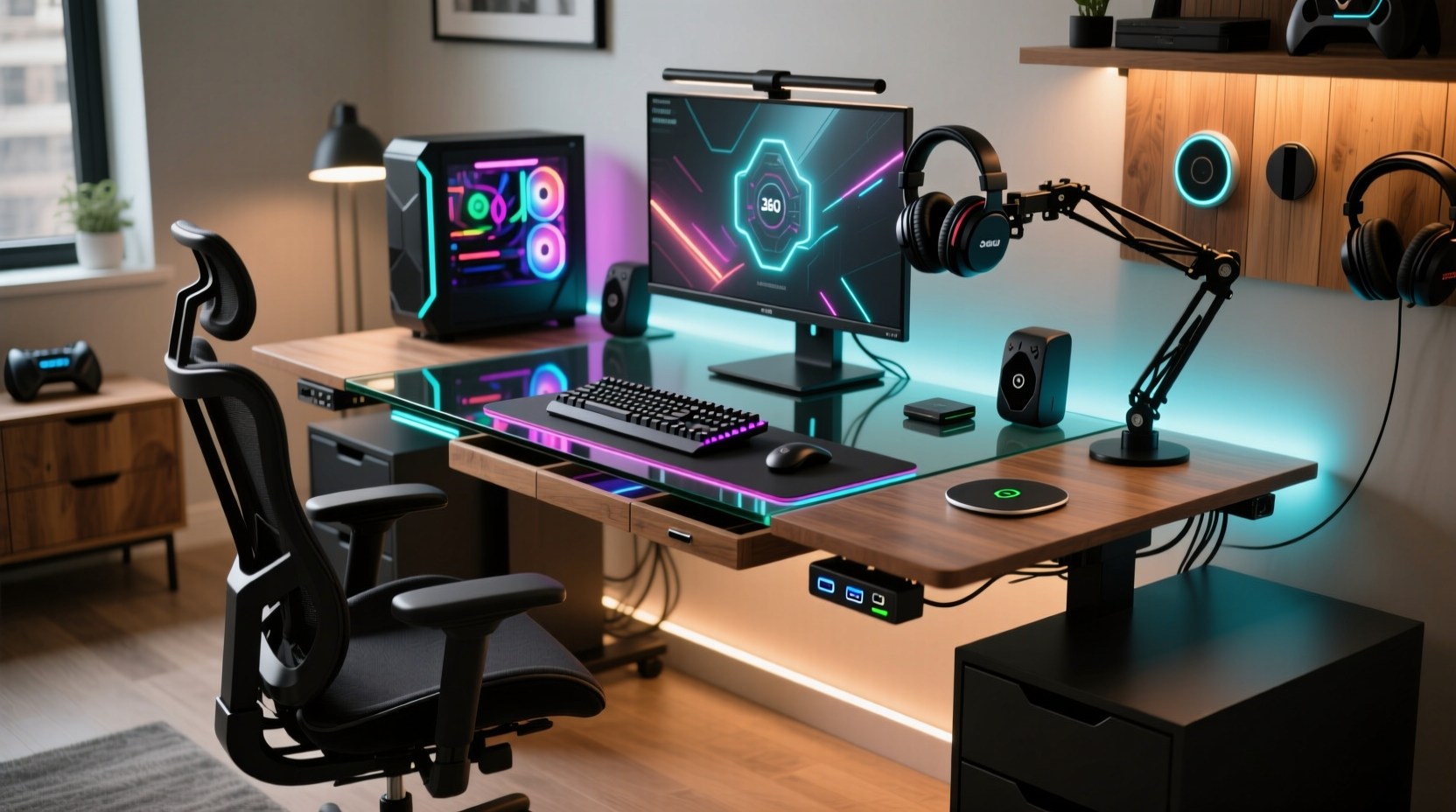
Before browsing product listings or measuring room dimensions, assess how you use your space. Are you a competitive esports player who spends eight hours daily in-game? Or a casual gamer who values aesthetics as much as utility? Your usage pattern directly impacts what features matter most.
Consider monitor configuration. Single-screen setups require less depth, while triple-monitor or ultrawide displays demand wider surfaces—often 60 inches or more. If you stream, additional room for cameras, microphones, and lighting equipment becomes essential. Mechanical keyboards, full-sized mouse pads, and peripheral docks also consume valuable real estate.
Ergonomics play an equally vital role. Poor desk height leads to wrist strain and shoulder fatigue. The ideal desk allows your elbows to rest at 90 degrees when typing, with wrists straight and monitors at eye level. Gamers using standing desks should ensure smooth height transitions between sitting and standing modes without disrupting monitor alignment.
Key Features of High-Performance Gaming Desks
Not all desks are built for marathon gaming sessions. Look for these non-negotiables when evaluating models:
- Sturdy Frame: Steel or reinforced aluminum frames resist wobble under heavy loads.
- Sufficient Surface Area: Minimum 48” wide x 24” deep for standard builds; larger for multi-monitor setups.
- Cable Management: Grommets, clips, or trays keep cords organized and reduce clutter.
- Adjustability: Electric height-adjustable desks improve long-term comfort and circulation.
- Edge Design: Rounded or padded edges reduce wrist pressure during extended gameplay.
- Weight Capacity: Ensure the desk supports at least 150 lbs if housing multiple monitors and peripherals.
“An unstable desk disrupts muscle memory and focus. Even slight vibrations during intense moments can affect reaction time.” — Jordan Lee, Esports Performance Coach
Material Matters: Wood, Metal, Glass, and Laminate
The desktop surface influences both durability and feel. Solid wood offers warmth and longevity but comes at a premium. Engineered wood (like MDF) with laminate finishes provides affordability and scratch resistance. Tempered glass looks sleek but may reflect glare and lacks impact resilience. Metal tops are rare but offer industrial appeal and extreme durability.
For gamers prioritizing mouse glide, consider desks with smooth, matte-finish surfaces compatible with large mouse pads. Avoid glossy finishes—they attract fingerprints and create screen reflections.
Matching Desk Style to Room Aesthetic
Your gaming desk doesn’t have to scream “gamer cave.” Modern designs blend seamlessly into home offices, bedrooms, or multipurpose rooms. Choose a style that complements your environment:
- Minimalist: White or black rectangular desks with clean lines suit small apartments.
- Industrial: Exposed metal frames and reclaimed wood tops fit lofts or urban spaces.
- Luxury: Walnut finishes, leather-wrapped edges, and ambient LED integration elevate the experience.
- Gamer-Centric: RGB lighting, controller docks, and headphone hooks cater to enthusiasts.
| Desk Type | Best For | Average Price Range | Space Required |
|---|---|---|---|
| Standard Rectangular | Beginners, compact rooms | $80–$200 | 4' x 2' |
| L-Shaped Corner Desk | Multi-monitor setups, streamers | $250–$600 | Corner footprint (6' total) |
| Standing Desk (Adjustable) | Ergonomic users, hybrid workspaces | $300–$800 | 4'–5' width |
| Floating Wall Desk | Tiny homes, temporary setups | $100–$250 | Wall-mounted, fold-down |
| Battlestation Console | Dedicated gaming rooms | $500+ | Full corner or wall |
Real-World Example: Building Around Constraints
Take Mark, a software developer and weekend Warzone player living in a 500-square-foot studio. His challenge: fit a full PC rig, dual monitors, and mechanical keyboard without making the apartment feel cluttered. After testing several configurations, he opted for a wall-mounted drop-leaf desk. When folded up, it disappears against the wall; when down, it provides 42” of usable space. He paired it with a vertical GPU holder and magnetic cable organizer to minimize visual noise. The result? A functional, unobtrusive gaming zone that doubles as a dining area when needed.
This case illustrates that the “best” desk isn’t always the largest or most feature-rich—it’s the one that adapts intelligently to your lifestyle.
Step-by-Step Guide to Choosing Your Ideal Gaming Desk
- Measure Your Space: Note room dimensions, door swings, and power outlet locations.
- List Your Gear: Include monitors, PC tower, speakers, and accessories to estimate footprint.
- Determine Budget: Set a realistic range—quality desks start around $150, premium models exceed $700.
- Prioritize Features: Decide whether adjustability, size, or aesthetics matter most.
- Research Brands: Look for warranties (minimum 2 years), customer reviews, and assembly ease.
- Test Stability (if possible): Visit stores to check build quality or read detailed video reviews.
- Order and Assemble: Allow two people for heavy models; follow instructions precisely to avoid misalignment.
FAQ
Can I use a regular office desk for gaming?
Yes, but only if it meets your spatial and ergonomic needs. Most office desks lack sufficient depth for large monitors and don’t include gaming-specific features like cable routing or RGB mounts.
How deep should a gaming desk be?
A minimum of 24 inches is recommended. This allows room for keyboard, mouse, and some clearance behind the monitor. For immersive setups with controllers or note-taking space, aim for 30 inches or more.
Are L-shaped desks worth it?
If you multitask—streaming, coding, or managing chat windows—an L-shaped desk maximizes corner space and separates functions efficiently. However, they require larger rooms and careful planning to avoid awkward chair movement.
Final Checklist Before Buying
- ✅ Measured available floor and wall space
- ✅ Accounted for monitor size and number
- ✅ Confirmed weight capacity exceeds total gear load
- ✅ Verified presence of cable management solutions
- ✅ Checked return policy and warranty terms
- ✅ Ensured compatibility with chair height and room lighting
- ✅ Reviewed assembly requirements and tools needed
Conclusion
Finding the best gaming desktop table isn’t about chasing trends or splurging on flashy add-ons. It’s about creating a sustainable, efficient, and inspiring environment where performance and comfort coexist. Whether you’re outfitting a dedicated gaming room or optimizing a shared bedroom, the right desk transforms your setup from functional to exceptional. Take the time to evaluate your habits, space, and goals. Then choose a desk that doesn’t just hold your gear—but elevates your entire gaming experience.




 浙公网安备
33010002000092号
浙公网安备
33010002000092号 浙B2-20120091-4
Comments
No comments yet. Why don't you start the discussion?