
For casual runners—those who log a few miles a week for fitness, stress relief, or weekend enjoyment—the right wearable can enhance motivation, track progress, and provide meaningful insights. But when choosing between a Fitbit and an Apple Watch, a critical question arises: do you actually need the full suite of smartwatch capabilities, or is a focused fitness tracker better suited to your lifestyle?
The answer depends on how you use technology, what kind of data matters to you, and whether convenience outweighs cost. Both devices excel in different areas. The Apple Watch delivers deep integration with the iPhone ecosystem, robust third-party apps, and real-time notifications. Fitbit, on the other hand, prioritizes health metrics, battery longevity, and simplicity. For someone who runs 3–5 times a week but doesn’t live in their inbox, these differences can make or break the value proposition.
Fitness Tracking: Core Metrics for Casual Runners
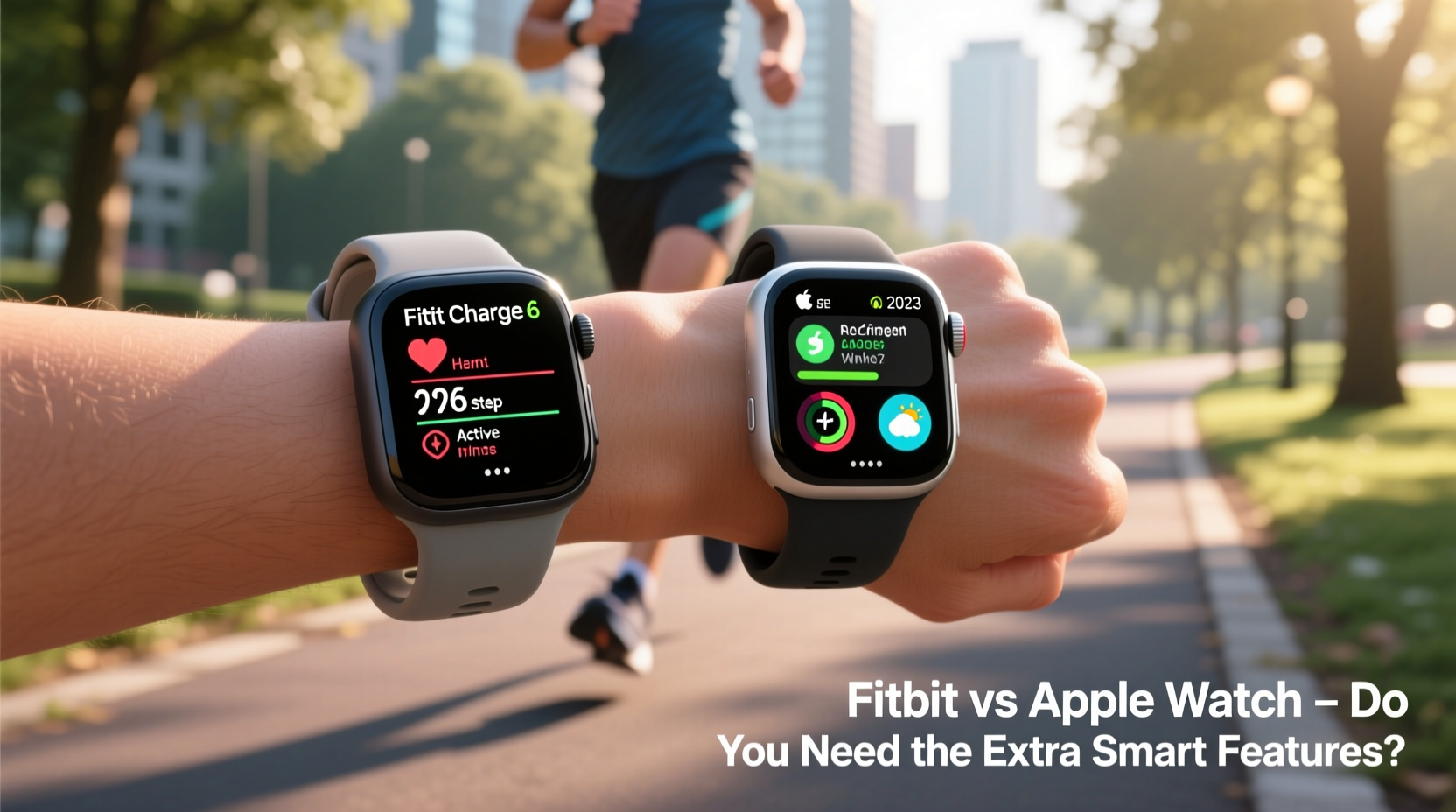
At its heart, running performance relies on a handful of key metrics: distance, pace, heart rate, elevation, and consistency over time. Both Fitbit and Apple Watch deliver accurate GPS tracking, step counting, and heart rate monitoring, but they present and utilize this data differently.
Fitbit’s interface is designed around long-term health trends. It automatically detects workouts, including outdoor runs, and provides post-run summaries that emphasize recovery time, cardio fitness score, and sleep impact. These insights are particularly useful for casual runners who may not analyze splits or cadence but care about overall wellness.
The Apple Watch, while equally capable in tracking, leans into real-time coaching. With guided run modes via the Workout app, haptic feedback for pace alerts, and integration with third-party apps like Strava or Nike Run Club, it feels more like a personal trainer on your wrist. However, this level of interactivity may be overkill for someone who simply wants to know how far they ran and how their body responded.
Battery Life and Daily Usability
One of the most tangible differences between Fitbit and Apple Watch is battery performance. This isn’t just a technical spec—it directly affects user experience.
Most Fitbit models last between 5 and 7 days on a single charge. The Fitbit Sense 2, for example, can go up to 6 days, while the Charge 6 manages about 7. This means fewer charging interruptions, less dependency on cords, and greater reliability if you forget to plug it in overnight.
In contrast, the Apple Watch Series 9 typically lasts 18–36 hours, depending on usage. Even with Power Reserve mode, daily charging is a necessity. For casual runners who value simplicity, this becomes a friction point—especially if they’re already managing multiple devices.
Beyond battery, daily usability diverges. The Apple Watch functions as a mini-iPhone: you can reply to messages, take calls, control music, and even use Apple Pay without pulling out your phone. Fitbit offers limited smart features—basic notifications, music control, and contactless payments on select models—but avoids overwhelming the user with constant alerts.
| Feature | Fitbit (e.g., Charge 6) | Apple Watch (e.g., Series 9) |
|---|---|---|
| Battery Life | Up to 7 days | 18–36 hours |
| GPS Accuracy | Good (dual-band on premium models) | Excellent (always-on tracking) |
| Heart Rate Monitoring | Continuous, with ECG & skin temp on some models | Continuous, with ECG & blood oxygen |
| Sleep Tracking | Detailed stages, Sleep Score, Smart Wake | Basic stages, improved with watchOS 10+ |
| Smart Features | Limited: notifications, payments, music | Full: apps, calls, messaging, Siri |
| Price Range | $100–$330 | $399–$799 |
Do You Need the Extra Smart Features?
This is the central question for casual runners. The Apple Watch is undeniably powerful, but much of its functionality—like receiving Instagram alerts, using third-party games, or controlling HomeKit devices—has little to do with running.
Consider what “smart” means to you. If you want seamless access to messages, the ability to dictate replies, or real-time weather updates mid-run, the Apple Watch delivers. Its integration with iPhone is unmatched, making it ideal for users deeply embedded in the Apple ecosystem.
But for many casual runners, these features add noise rather than value. A vibrating wrist every time a group text lights up can disrupt focus during a mindful jog. The cognitive load of managing apps, widgets, and notifications may outweigh the benefits.
Fitbit takes a minimalist approach. Notifications are streamlined, apps are limited, and the interface emphasizes health at a glance. You see your step count, heart rate zone, and readiness score—nothing more. This clarity can be liberating, especially for users who want their wearable to support wellness without becoming a distraction.
“Many runners overestimate how much they’ll use smart features. In reality, they value simplicity and reliable health data.” — Dr. Lena Patel, Sports Technology Researcher at Stanford
Real-World Example: Sarah’s Running Journey
Sarah, a 34-year-old teacher from Portland, started running six months ago to improve her energy levels and manage stress. She initially bought an Apple Watch SE, drawn by its sleek design and iPhone compatibility. While she appreciated the workout animations and music control, she found herself overwhelmed by notifications during runs.
“I’d be halfway through a 3-mile loop and get a Slack message from my sister’s book club chat,” she said. “It broke my rhythm. I just wanted to be present.”
After three months, she switched to a Fitbit Charge 6. The change was subtle but significant. Her runs became quieter, more meditative. She liked seeing her “Readiness Score” each morning, which helped her decide whether to push harder or take a walk instead. The seven-day battery meant she never worried about charging before a weekend trail run.
“I still use my phone for music and maps,” Sarah noted, “but my Fitbit gives me exactly what I need—distance, heart rate, and a sense of progress—without the clutter.”
Her experience reflects a broader trend: casual runners often prioritize peace of mind over digital connectivity.
Step-by-Step: Choosing the Right Device for Your Needs
Selecting between Fitbit and Apple Watch doesn’t have to be complicated. Follow this decision-making process to align your choice with your lifestyle.
- Assess your primary goal. Are you tracking runs to improve fitness, lose weight, or train for events? Or do you want a device that also handles communications and apps?
- Evaluate your tech habits. Do you check your phone constantly, or do you prefer digital minimalism? If you rarely use smartwatch replies, you likely don’t need them.
- Check your budget. Apple Watches start at $399; Fitbits begin at $100. Consider long-term value—do you want to spend nearly $800 on a device that needs daily charging?
- Test battery expectations. Can you commit to nightly charging? If travel, camping, or forgetfulness are factors, longer battery life becomes a major advantage.
- Review ecosystem fit. If you use Android, Fitbit is the clear winner. On iPhone, both work, but Apple Watch integrates more deeply.
- Try before you buy. Many retailers offer return windows. Wear each device for a week and track how often you actually use non-running features.
Expert Tips for Maximizing Value
Frequently Asked Questions
Can Fitbit track outdoor runs accurately without a phone?
Yes. Most recent Fitbit models, including the Charge 6 and Sense 2, have built-in GPS. Once enabled, they record pace, distance, and route independently, just like the Apple Watch.
Is the Apple Watch worth it if I only run casually?
Only if you value smart features beyond running. If you love having your phone’s functionality on your wrist, enjoy apps, or use Siri frequently, it may be justified. Otherwise, the cost and charging demands may not align with casual use.
Which has better sleep and recovery tracking?
Fitbit leads in sleep analytics. It provides detailed sleep stage breakdowns, Sleep Score, and Readiness Score based on heart rate variability and resting heart rate. Apple Watch has improved with watchOS 10, but its sleep tracking remains less intuitive and requires third-party apps for deeper insights.
Final Recommendation: Simplicity Wins for Most Casual Runners
For the majority of casual runners, a Fitbit offers a more balanced experience. It delivers accurate run tracking, insightful health metrics, and days-long battery life—all at a lower price point. The absence of excessive smart features isn’t a limitation; it’s a feature in itself. It keeps the focus on movement, recovery, and sustainable habits.
The Apple Watch shines for users who treat their wearable as an extension of their smartphone. If you rely on voice commands, need LTE connectivity, or want to explore advanced training apps, it’s a powerful tool. But for someone who runs a few times a week and values peace of mind over digital convenience, the extra features often go unused.
In the end, the best device is the one you’ll wear consistently—not because it buzzes with notifications, but because it supports your goals quietly and reliably.




 浙公网安备
33010002000092号
浙公网安备
33010002000092号 浙B2-20120091-4
Comments
No comments yet. Why don't you start the discussion?