
Stick drift is one of the most frustrating issues Nintendo Switch owners face. The analog sticks on Joy-Con controllers begin registering movement when you're not touching them, causing characters to walk, run, or turn on their own during gameplay. While many users immediately assume a replacement is necessary, the truth is that in many cases, the problem can be resolved with careful, informed cleaning at home. Before spending $80 or more on a new controller, it’s worth trying a few targeted DIY solutions that address the root cause: debris, dust, and residue interfering with internal components.
The good news? You don’t need advanced technical skills or expensive tools to attempt a fix. With common household items and a steady hand, you can restore functionality to a drifting stick and potentially extend the life of your controller by months—or even years.
Understanding Stick Drift: What Causes It?
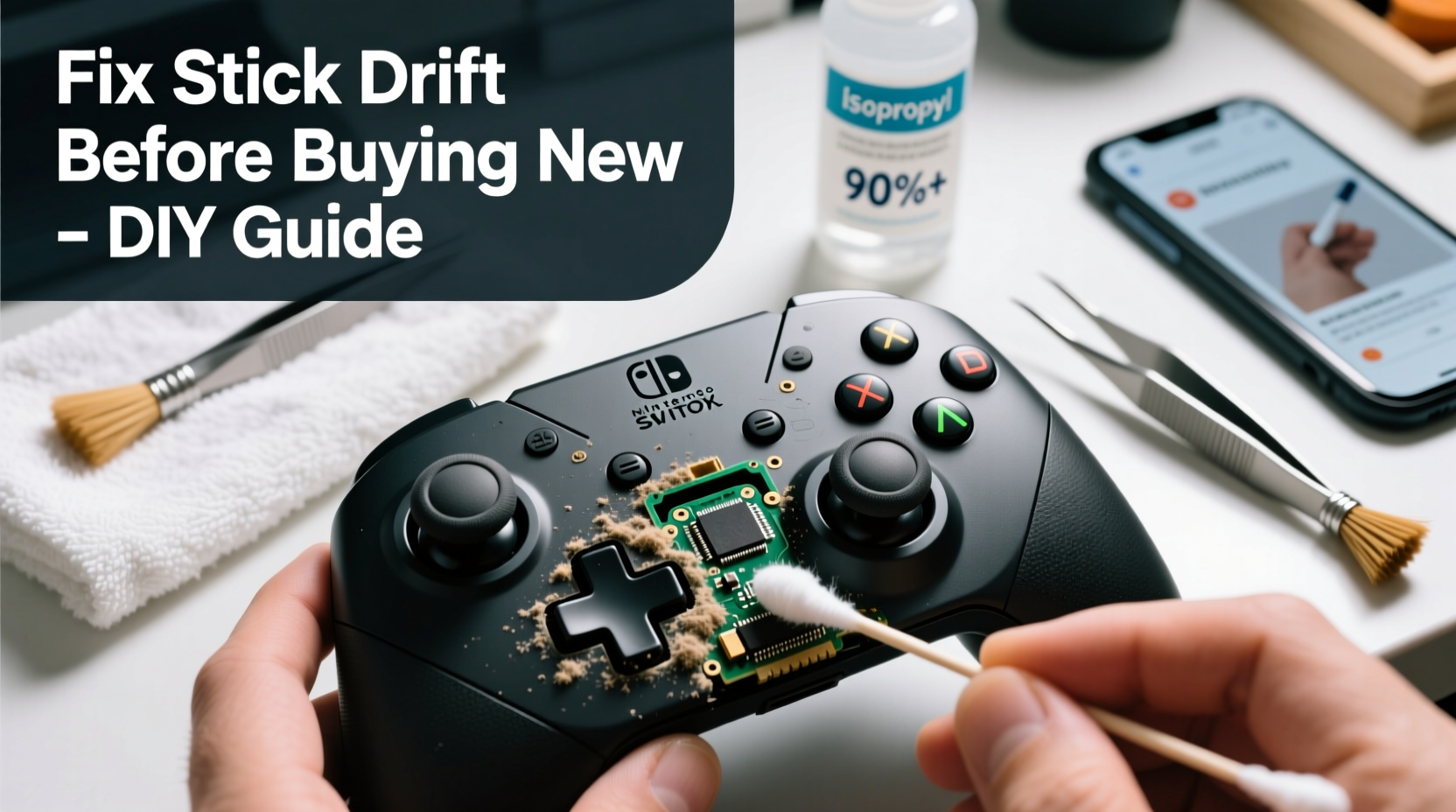
Analog stick drift occurs when the controller registers unintended input. This doesn't always mean the stick is broken. In most cases, especially early in the drift’s development, the issue stems from contamination inside the stick mechanism. Over time, microscopic dust, skin oils, and environmental particles accumulate around the potentiometer—the sensor responsible for tracking stick position. When this buildup interferes with electrical contact, the system misreads the stick’s neutral position, leading to constant false inputs.
Nintendo has acknowledged this issue across multiple Joy-Con models, particularly affecting the left stick due to its frequent use. However, unlike some companies, Nintendo offers limited free repairs unless the device is under warranty. That makes proactive maintenance crucial for long-term use.
“Most early-stage stick drift isn’t mechanical failure—it’s contamination. A simple cleaning can often reset performance significantly.” — Carlos Mendez, Electronics Repair Technician with 12 years of console experience
Step-by-Step Guide: Cleaning Your Joy-Con Sticks Safely
Before disassembling your controller, consider a non-invasive method first. If that fails, proceed carefully with deeper cleaning. Follow these steps in order:
Step 1: Use Compressed Air (Non-Invasive)
Begin with compressed air to dislodge loose debris. Hold the Joy-Con vertically so gravity helps remove particles. Insert short bursts of air around the base of the analog stick, rotating the controller slightly to cover all angles. Avoid using canned air too close or with excessive force, as moisture or pressure could damage internal parts.
- Use short, controlled bursts
- Angle the nozzle around—not directly into—the stick base
- Repeat 3–5 times per stick
Test the controller after this step. In mild cases, airflow alone resolves temporary drift.
Step 2: Isopropyl Alcohol and Cotton Swabs (Semi-Invasive)
If air doesn’t help, gently clean around the stick housing. Dampen a cotton swab with 90%+ isopropyl alcohol—never water or household cleaners. Wipe around the rubber skirt and visible crevices where grime collects. Let the area dry completely (5–10 minutes) before testing. Do not insert the swab deeply; just clean surface-accessible areas.
This method targets oily residues without requiring disassembly. Many users report improved responsiveness after just one cleaning session.
Step 3: Deep Cleaning via Controlled Disassembly (Advanced)
For persistent drift, partial disassembly may be necessary. This requires precision and patience. Here’s how:
- Gather tools: Phillips #00 screwdriver, plastic pry tool, tweezers, cotton swabs, isopropyl alcohol (90% or higher), lint-free cloth.
- Remove screws: Unscrew the five visible Phillips screws on the back of the Joy-Con. Keep them safe.
- Separate casing: Gently pry open the two halves using a plastic tool. Be cautious around the trigger button and ribbon cables.
- Access the stick module: The analog stick is mounted on a small PCB. Carefully detach it if possible, or work around it.
- Clean the potentiometer: Dip a cotton swab in alcohol and gently rotate it around the moving parts of the stick mechanism. Focus on the circular track where contact wipers slide.
- Dry thoroughly: Allow at least 15 minutes for evaporation. Reassemble only when completely dry.
- Rebuild and test: Snap the casing back, reinsert screws, and test sensitivity in-game.
This process demands attention to detail. Rushing increases the risk of damaging ribbon cables or misaligning components. If unsure, stop and consult video tutorials from reputable repair channels like iFixit or Louis Rossmann.
Do’s and Don’ts of DIY Stick Maintenance
| Do | Don’t |
|---|---|
| Use high-concentration isopropyl alcohol (90%+) | Use water, window cleaner, or hand sanitizer |
| Clean regularly—every 2–3 months | Wait until full drift develops |
| Store Joy-Cons in a low-dust environment | Leave them exposed on open shelves |
| Use compressed air periodically | Blow with your mouth (adds moisture) |
| Handle screws and parts on a clean towel | Work over carpet or cluttered surfaces |
Mini Case Study: Recovering a Drifting Left Stick
Alex, a college student and avid Mario Kart player, noticed his left Joy-Con began drifting during races. His character would veer left uncontrollably, costing him wins. He considered buying a new controller but decided to try cleaning first. Using a can of compressed air, he blew around both sides of the analog stick for about a minute. No improvement. Next, he applied isopropyl alcohol to a swab and cleaned the perimeter. Still drifting.
Determined, Alex watched a disassembly tutorial and opened the Joy-Con. Inside, he found visible grime near the potentiometer ring. After carefully cleaning with alcohol-soaked swabs and letting it dry overnight, he reassembled the unit. Upon testing, the drift was gone. Six months later, the stick remains functional with monthly air blasts as preventive care.
Alex saved $79.99 and avoided e-waste—all because he didn’t give up after the first failed attempt.
Preventive Checklist: Extend Your Controller’s Life
To delay or prevent stick drift, follow this routine every few weeks:
- ✅ Blow compressed air around both analog sticks
- ✅ Wipe exterior with a dry microfiber cloth
- ✅ Store Joy-Cons in a protective case when not in use
- ✅ Avoid eating or drinking near the console during play
- ✅ Limit play sessions to allow cooling and rest periods
- ✅ Perform deep clean every 4–6 months if used daily
Consistent maintenance reduces wear and keeps contaminants from building up. Think of it like brushing your teeth—small efforts prevent major problems later.
Frequently Asked Questions
Can I fix stick drift without opening the controller?
Yes, in early stages. Compressed air and external alcohol cleaning often resolve minor drift caused by surface debris. These methods are safe and should be tried first before any disassembly.
Is it safe to use rubbing alcohol on my Joy-Con?
Only if it’s 90% isopropyl alcohol or higher and applied sparingly with a swab. Lower concentrations contain more water, which can corrode contacts. Never pour or spray alcohol directly onto the controller.
Will Nintendo void my warranty if I open the Joy-Con?
Technically, yes. Opening the casing breaks tamper-evident seals. However, if your Joy-Con is already experiencing drift and out of warranty (typically one year), there’s little downside to attempting a repair yourself. Consider it a last-resort effort before disposal.
Alternative Solutions and When to Replace
If cleaning fails, consider other options before purchasing a new Joy-Con. Third-party repair services specialize in potentiometer replacement—a more permanent fix than cleaning. Some technicians solder in upgraded Hall Effect sticks, which use magnetic sensors instead of physical contacts, eliminating drift entirely. These retrofits cost $40–$60 but offer long-term reliability.
However, if the stick feels loose, wobbly, or makes crackling sounds, internal damage may be present. In such cases, replacement becomes the most practical solution. As of 2024, Nintendo sells replacement Joy-Cons for $79.99 each. Alternatively, consider third-party controllers like the 8BitDo Pro 2, which offer better ergonomics and no known drift issues.
Still, replacement should be the final option—not the first. Given the environmental impact of e-waste and the rising cost of gaming hardware, repairing what you have is both economical and responsible.
Conclusion: Take Control Before You Replace
Stick drift doesn’t have to mean the end of your Joy-Con’s life. With basic tools and a methodical approach, most early-stage cases can be reversed through careful cleaning. Start with non-invasive methods, progress to deeper cleaning if needed, and maintain your controllers regularly to prevent recurrence. You’ll save money, reduce waste, and gain valuable insight into how your devices work.




 浙公网安备
33010002000092号
浙公网安备
33010002000092号 浙B2-20120091-4
Comments
No comments yet. Why don't you start the discussion?