
As people age, the tools they use every day need to adapt—not just in function, but in simplicity. For many seniors, mobile phones are essential for staying connected with family, managing appointments, and accessing emergency services. Yet the evolution from flip phones to smartphones has introduced a steep learning curve. While smartphones offer powerful features, they often overwhelm older users with complex interfaces, tiny icons, and endless settings. Flip phones, by contrast, return to basics: large buttons, clear menus, and minimal distractions.
The real question isn’t just about technology—it’s about usability, confidence, and independence. When choosing between a flip phone and a smartphone for a senior, the decision should center on what makes communication easiest, most reliable, and least frustrating. This article explores both options in depth, comparing ease of use, safety, accessibility, and long-term satisfaction, so caregivers and seniors alike can make an informed choice.
Understanding Senior Needs in Mobile Technology
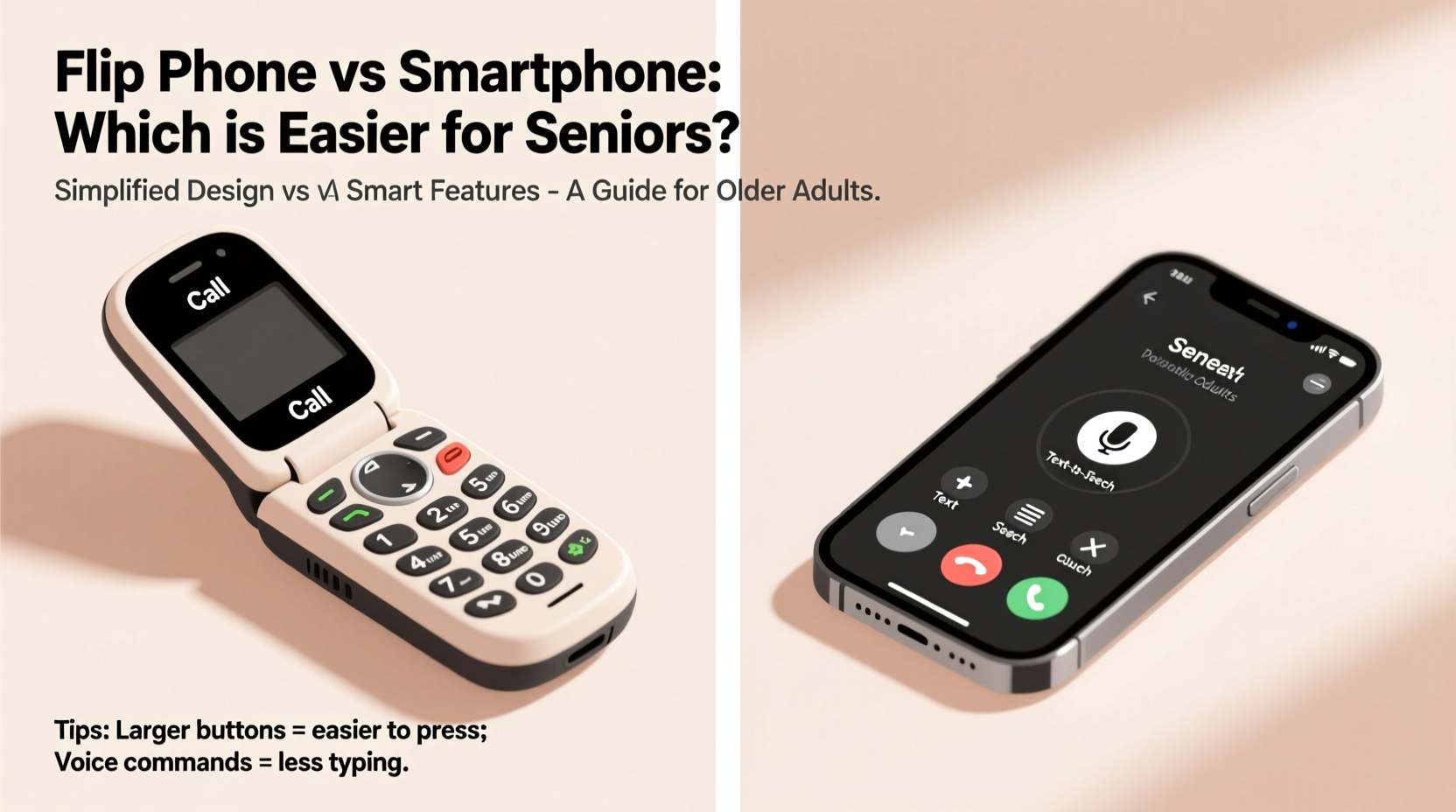
For older adults, especially those over 70 or living with mild cognitive changes, motor skills, vision, and familiarity with digital systems play a major role in how easily they adopt new devices. Many seniors grew up without computers or touchscreens, making intuitive navigation difficult. A device that requires swiping, pinching, or remembering app locations can feel like solving a puzzle daily.
Key considerations include:
- Larger text and buttons – Critical for users with declining eyesight or arthritis.
- Simple menu structures – Avoiding nested settings and multiple taps to complete basic tasks.
- Voice clarity and speaker quality – Essential for hearing-impaired individuals.
- Battery life – Seniors may forget to charge devices; longer battery life reduces stress.
- Emergency access – Quick dialing and medical alert integration can be lifesaving.
These needs often align more closely with flip phones than modern smartphones, though some newer smartphones have made strides in accessibility.
Flip Phones: Simplicity as a Strength
Flip phones, also known as feature phones, are experiencing a quiet resurgence—especially among seniors. Their design philosophy prioritizes reliability over innovation. By limiting functions to calling, texting, and sometimes a flashlight or alarm, they eliminate confusion.
Popular models like the Jitterbug Flip2, Alcatel GO FLIP 4, or Nokia 2720 Flip are tailored for older users. They feature:
- Physical keypad with raised, tactile buttons
- Dedicated emergency button (e.g., GreatCall’s 5Star Urgent Response)
- Long battery life—up to 7–10 days on standby
- Amplified speakers and hearing aid compatibility
- Large, high-contrast displays
Most flip phones operate on simplified operating systems with straightforward menus. There’s no app store, no social media, and no risk of accidental downloads or scams via email. The lack of internet connectivity also means fewer privacy concerns and reduced exposure to phishing attempts—a growing issue for vulnerable populations.
“Many of my patients struggle not because they’re incapable, but because the technology assumes too much prior knowledge. A flip phone removes that barrier.” — Dr. Helen Reeves, Geriatric Cognitive Specialist
When a Flip Phone Is the Best Choice
Seniors who primarily want to:
- Make calls to close family members
- Receive urgent alerts or reminders
- Avoid digital distractions
- Use a device without constant charging
…will likely find greater peace of mind with a flip phone. It’s not about rejecting technology—it’s about matching the tool to the user’s actual lifestyle and capabilities.
Smartphones: Power at a Price
Smartphones offer undeniable advantages: video calling, GPS navigation, health tracking, medication reminders, and instant access to information. For tech-savvy seniors or those eager to learn, these tools enhance independence and connection.
iPhones and Android devices now include robust accessibility features such as:
- VoiceOver (iOS) and TalkBack (Android) screen readers
- Magnifier mode and adjustable font sizes
- Hearing aid pairing and sound amplification
- Voice assistants like Siri or Google Assistant
- Medical ID and emergency SOS functions
However, these features require setup and ongoing management. A senior must first understand how to enable voice commands, adjust display settings, or troubleshoot connectivity issues. Without support, these tools remain unused.
Moreover, smartphones introduce challenges:
- Small virtual keyboards lead to typing errors
- Touchscreen sensitivity varies with hand tremors or dry skin
- Frequent software updates disrupt familiar workflows
- Notifications can be confusing or alarming
The complexity increases when apps like WhatsApp, Zoom, or Facebook Messenger are involved. Even simple tasks—like joining a video call—can become stressful if the interface changes unexpectedly.
Real Example: Learning Curve in Practice
Margaret, 78, received an iPhone from her daughter to stay in touch with her grandchildren via FaceTime. Though well-intentioned, the gift came with frustration. She struggled to unlock the phone, accidentally triggered Siri, and couldn’t find the camera icon. After two weeks, she reverted to using only her landline. Her daughter later switched her to a Jitterbug Smart3—an Android-based phone designed for seniors—with larger icons, guided setup, and one-touch calling. Margaret now uses video calls weekly without assistance.
This case illustrates a key point: the right smartphone matters as much as the choice between smartphone and flip phone. Not all smartphones are created equal for senior users.
Comparative Overview: Flip Phone vs Smartphone
| Feature | Flip Phone | Smartphone |
|---|---|---|
| Ease of Use | Very high – dedicated buttons, linear menus | Variable – depends on model and user experience |
| Battery Life | 7–14 days typical | 1–2 days maximum |
| Text Size & Visibility | Large default fonts, high-contrast screens | Adjustable, but requires manual setup |
| Internet Access | Limited or none | Full browsing, apps, email |
| Emergency Features | Dedicated SOS button common | SOS via button hold or voice command |
| Learning Curve | Low – intuitive within minutes | Moderate to high – weeks of practice needed |
| Cost (Device + Plan) | $50–$150; low-data plans available | $200–$1000+; data plans required |
| Support for Vision/Hearing Loss | Basic amplification, large print | Advanced accessibility tools, but complex to configure |
This comparison shows that while smartphones offer more functionality, they demand more effort. For seniors whose primary goal is communication—not digital engagement—a flip phone often delivers better value and usability.
Choosing the Right Device: A Step-by-Step Guide
Selecting the best phone for a senior should be a thoughtful process. Follow this sequence to ensure the right fit:
- Assess Current Abilities – Observe how the person uses existing technology. Do they manage a TV remote easily? Can they read small text?
- Identify Core Needs – Is the main purpose calling? Texting? Video chats with grandkids? Medical alerts?
- Determine Comfort with Technology – Have they used a smartphone before? Were they frustrated or confident?
- Test Both Options – Borrow or demo a flip phone and a senior-friendly smartphone (e.g., Doro, Jitterbug Smart3).
- Involve the User in Decision-Making – Let them hold, press buttons, and attempt a call. Their comfort is paramount.
- Set Up and Train – Whether it’s a flip phone or smartphone, walk through essential functions together. Write down steps simply.
- Provide Ongoing Support – Check in weekly for the first month. Revisit settings, answer questions, and reinforce confidence.
Hybrid Solutions and Senior-Friendly Smartphones
Not all smartphones are equally difficult. Some manufacturers design devices specifically for older adults, blending smartphone power with flip-phone simplicity.
Examples include:
- Jitterbug Smart4 – Simplified Android interface, large icons, 24/7 help line, built-in health tools.
- Doro 8080 – Bright screen, loud audio, easy-to-use camera, and emergency button.
- Consumer Cellular’s Optimized Mode – Available on select iPhones and Androids, this mode simplifies the home screen with big tiles for calls, messages, and photos.
These hybrid models may offer the best of both worlds: internet access and video calling without overwhelming complexity. However, they still require initial setup and occasional troubleshooting.
Checklist: Choosing the Right Phone for a Senior
- ✅ Does the phone have physical buttons or a responsive touchscreen?
- ✅ Can text size be increased significantly?
- ✅ Is there a dedicated emergency button or easy SOS function?
- ✅ Does the battery last at least two days with normal use?
- ✅ Is the speaker loud and clear?
- ✅ Can contacts be saved with large, visible names and photos?
- ✅ Is customer support available via phone (not just chat or email)?
- ✅ Does the user feel confident using it after a 10-minute trial?
Frequently Asked Questions
Can seniors learn to use smartphones?
Yes, many seniors can and do learn to use smartphones—especially with patient instruction, consistent practice, and simplified settings. However, success depends on individual aptitude, motivation, and support availability. Some thrive; others find it unnecessarily stressful.
Are flip phones outdated or unreliable?
No. Modern flip phones use 4G LTE networks and are fully functional for calls and texts. Brands like LG, Nokia, and GreatCall continue to support and improve these devices. They are not “old” technology but intentionally simplified tools.
What if a senior wants to video call but struggles with smartphones?
Consider a smart display like the Amazon Echo Show or Facebook Portal. These devices allow hands-free video calling with voice commands (“Alexa, call Mom”) and large screens. Pair a flip phone for calls with a smart display at home for video—best of both worlds.
Final Thoughts: Prioritize Confidence Over Capability
The goal isn’t to equip seniors with the most advanced device, but the one they will actually use confidently and consistently. A smartphone loaded with apps is useless if the user avoids it out of fear or confusion. Conversely, a flip phone that enables daily check-ins with loved ones fosters connection and peace of mind.
Technology should serve the person, not the other way around. For most seniors encountering mobile devices later in life, simplicity wins. Flip phones reduce anxiety, minimize errors, and promote independence through ease of use. That doesn’t mean smartphones have no place—they do, particularly for active, engaged users with support systems.
The key is honest assessment and empathy. Watch how the person interacts with everyday electronics. Listen to their frustrations. Involve them in the decision. And remember: the best phone is the one they’ll pick up without hesitation.




 浙公网安备
33010002000092号
浙公网安备
33010002000092号 浙B2-20120091-4
Comments
No comments yet. Why don't you start the discussion?