
Sitting at a desk for hours on end has become the norm in today’s digital work culture. Whether you're working remotely, studying, or managing personal projects, prolonged screen time can take a toll on your physical health—especially your posture. One of the most effective ways to combat poor ergonomics is by adjusting your laptop setup. Enter: the laptop stand. But with so many options available, a key question arises—should you choose a foldable laptop stand or a fixed-height model? Each offers distinct advantages and drawbacks when it comes to supporting proper spinal alignment, neck positioning, and overall comfort during extended use.
The right laptop stand isn’t just about elevation—it’s about sustainability. It should support healthy posture over time, reduce strain on your shoulders and wrists, and adapt to your changing environments. This article dives deep into the ergonomic implications of both foldable and fixed-height laptop stands, comparing their impact on posture, flexibility, durability, and user experience.
Ergonomic Foundations: Why Laptop Height Matters
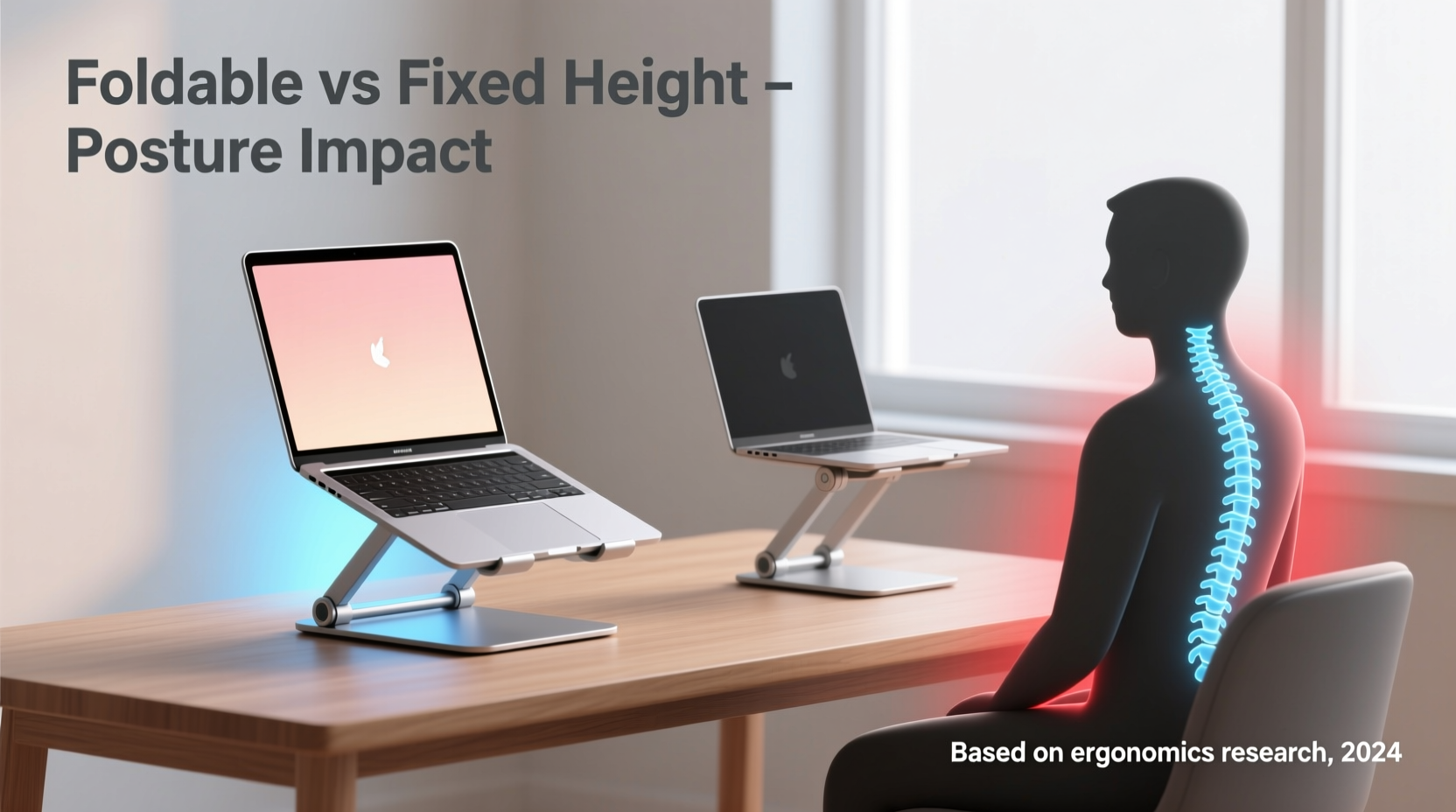
Proper posture begins with eye level alignment. When your laptop screen sits too low, you naturally crane your neck forward and downward—a position known as “tech neck.” Over time, this can lead to chronic tension in the cervical spine, shoulder pain, and even reduced lung capacity due to slouched breathing mechanics.
According to Dr. Sarah Nguyen, an occupational physiotherapist specializing in workplace ergonomics:
“Even a slight adjustment in screen height can significantly reduce musculoskeletal strain. The top third of your screen should be at or slightly below eye level to maintain a neutral head and neck position.” — Dr. Sarah Nguyen, DPT, Occupational Ergonomics Specialist
This means that raising your laptop is not optional—it’s essential. Built-in laptop screens are almost always too low for seated work without external support. A laptop stand elevates the device, allowing you to pair it with an external keyboard and mouse, thereby separating input from display and enabling a truly ergonomic workstation.
Foldable Laptop Stands: Flexibility Meets Portability
Foldable laptop stands have surged in popularity due to their lightweight design, compact storage, and travel-friendly nature. Typically made from aluminum, magnesium alloy, or reinforced plastic, these stands collapse into a slim profile that fits easily into backpacks or laptop sleeves.
Their primary appeal lies in adaptability. Many foldable models offer multiple angle settings—users can adjust the incline depending on whether they’re typing, reading, or presenting. Some advanced versions even allow height adjustments through telescoping legs or modular hinges.
However, foldable stands often sacrifice stability for portability. Their lightweight construction may wobble under pressure, particularly when typing vigorously. Additionally, most do not offer true vertical height adjustment—only angular tilt. This limits their ability to achieve optimal eye-level alignment unless paired with additional risers or stacked surfaces.
Another consideration is material fatigue. Repeated folding and unfolding can weaken hinge mechanisms over time, especially in lower-quality models. While high-end foldables (such as those from brands like Rain Design or Nomatic) are engineered for durability, budget options may degrade within months of daily use.
Fixed-Height Laptop Stands: Stability and Precision Alignment
Fixed-height laptop stands prioritize structural integrity and consistent ergonomic positioning. Unlike foldable variants, these are designed to remain stationary, often constructed from solid metal or wood with minimal moving parts. Their rigidity ensures zero wobble, providing a stable platform ideal for intensive typing or dual-monitor setups.
Because they don’t fold, fixed-height stands typically offer greater load capacity and better heat dissipation thanks to open-frame designs that promote airflow. More importantly, many are calibrated to raise the laptop to near-optimal viewing height—usually between 5 to 7 inches—bringing the screen closer to eye level when used with an external keyboard.
Yet, their immobility is also their biggest limitation. If your desk height changes—say, switching from a standard chair to a standing desk or using a couch table—the fixed stand may no longer align with your natural line of sight. This forces compromise: either accept suboptimal posture or carry multiple stands for different environments.
Moreover, storage can be an issue. Fixed stands occupy more space and aren’t suitable for travelers or hybrid workers who shift locations frequently. They’re best suited for dedicated home offices or permanent workstations where consistency outweighs mobility.
Comparative Analysis: Key Factors for Posture Support
| Feature | Foldable Stand | Fixed-Height Stand |
|---|---|---|
| Postural Adjustment Range | Moderate (angle-based only) | High (consistent optimal height) |
| Stability During Typing | Variable (depends on build quality) | Excellent (rigid structure) |
| Portability | Excellent (lightweight, collapsible) | Poor (bulky, non-folding) |
| Durability | Fair to Good (hinge wear over time) | Excellent (fewer moving parts) |
| Adaptability to Desk Heights | Good (can be placed on risers) | Limited (fixed elevation) |
| Ideal For | Remote workers, students, travelers | Home office users, long-duration tasks |
The data shows a clear trade-off: foldable stands win in versatility and mobility, while fixed-height stands excel in sustained ergonomic performance. For individuals focused on long-term posture improvement, consistency matters more than convenience. A stable, correctly positioned stand used daily will yield better spinal alignment outcomes than a frequently adjusted but inconsistent alternative.
Real-World Scenario: Two Users, Two Needs
Consider two professionals: Maya, a freelance graphic designer who works from cafes, co-working spaces, and her apartment; and James, a software developer with a dedicated home office setup.
Maya uses a foldable aluminum stand she bought for $45. She appreciates its light weight and ease of setup. However, she notices that some tables are too low, forcing her to look up when the stand is deployed. To compensate, she carries a small notebook to elevate the stand further. While functional, this workaround adds friction to her workflow. Over six months, she experiences mild neck stiffness after full-day sessions—likely due to inconsistent screen alignment.
James, meanwhile, invested in a solid bamboo fixed-height stand. His desk is ergonomically optimized: monitor at eye level, keyboard tray adjusted for wrist neutrality. He rarely moves his setup. After one year, he reports no back or neck pain and credits his consistent posture habits. His stand doesn’t move, bend, or break—providing reliable support every day.
This contrast illustrates a core principle: the best stand depends on your environment and usage patterns. Mobility demands flexibility; permanence rewards precision.
Action Plan: Choosing Based on Your Lifestyle
Selecting the right laptop stand shouldn’t be arbitrary. Follow this step-by-step guide to make an informed decision tailored to your posture goals.
- Assess Your Primary Work Environment: Do you work in one place or multiple locations? If you move frequently, portability becomes critical.
- Measure Your Seated Eye Level: Sit in your usual chair and measure the distance from your eyes to the desk surface. Compare this with the lift offered by potential stands.
- Check Compatibility with External Peripherals: Ensure you’ll use a separate keyboard and mouse. Without them, raising the laptop alone won’t solve posture issues.
- Evaluate Build Quality: Look for non-slip feet, sturdy materials, and weight capacity exceeding your laptop’s heft.
- Test Before Committing (if possible): Borrow or trial models to assess comfort during extended use.
Expert Recommendations and Long-Term Posture Strategy
Beyond choosing the right stand, experts emphasize holistic posture management. Dr. Nguyen advises:
“A laptop stand is just one component of an ergonomic ecosystem. Combine it with regular movement breaks, lumbar support, and dynamic sitting—or better yet, alternating between sitting and standing throughout the day.” — Dr. Sarah Nguyen
She recommends the 20-8-2 rule: every 20 minutes, look at something 20 feet away for 20 seconds; every 8 hours, take at least 2 hours of active break time (walking, stretching, standing).
Additionally, consider pairing your stand with a docking station for seamless transitions between devices and monitors. This reduces clutter and encourages consistent setup replication—key for maintaining good posture across days and weeks.
Frequently Asked Questions
Can a foldable stand be as effective as a fixed one for posture?
Yes—but only if it consistently positions your screen at eye level and remains stable during use. Many foldable stands fall short in height adjustment, requiring supplemental elevation (like books or trays). If properly selected and used in compatible environments, they can support good posture.
Is there a “best” height for a laptop stand?
The ideal height brings the top third of your screen to eye level when seated. For most adults, this requires a lift of 5 to 9 inches, depending on chair height, desk depth, and laptop size. Measure your own setup rather than relying on generic claims.
Should I avoid foldable stands entirely for long work sessions?
Not necessarily. High-quality foldable stands with adjustable legs (e.g., some VIVO or AmazonBasics models) offer both portability and sufficient height customization. Avoid ultra-thin, single-angle designs if you prioritize posture over aesthetics.
Final Checklist Before You Buy
- ✅ Will this stand raise my screen to eye level?
- ✅ Does it support my laptop’s weight and size?
- ✅ Is it stable enough for touch typing?
- ✅ Can I use it with an external keyboard and mouse?
- ✅ Does my typical workspace accommodate its design (portable vs. fixed)?
- ✅ Does it have rubberized grips to prevent slipping?
- ✅ Am I willing to replace it sooner if it’s a foldable model?
Conclusion: Prioritize Posture, Then Practicality
When it comes to improving posture during long work sessions, the choice between a foldable and fixed-height laptop stand ultimately hinges on consistency. A fixed-height stand offers unmatched stability and precise alignment—ideal for those committed to a single, optimized workspace. A well-chosen foldable stand provides necessary flexibility for mobile professionals, though it requires extra diligence to maintain ergonomic standards across environments.
No stand alone fixes poor posture. But combined with mindful habits, proper peripherals, and movement integration, either option can contribute to healthier, more sustainable work practices. Evaluate your routine honestly, invest in quality, and prioritize long-term wellness over short-term convenience.




 浙公网安备
33010002000092号
浙公网安备
33010002000092号 浙B2-20120091-4
Comments
No comments yet. Why don't you start the discussion?