
When Samsung released the Galaxy Watch 3 in 2020, it promised refined design, improved health tracking, and better performance over its predecessor, the Galaxy Watch Active 2. Now that both models have been on the market for several years, many users face a real decision: should they upgrade from the Active 2 to the Watch 3, or does the older model still hold up well enough to justify keeping it?
This isn’t just about new features—it’s about value, longevity, and how well each device fits into your daily routine. Whether you're a fitness enthusiast, someone managing health metrics, or simply looking for reliable smartwatch functionality, understanding the differences between these two watches can help you make an informed choice.
Design and Build Quality
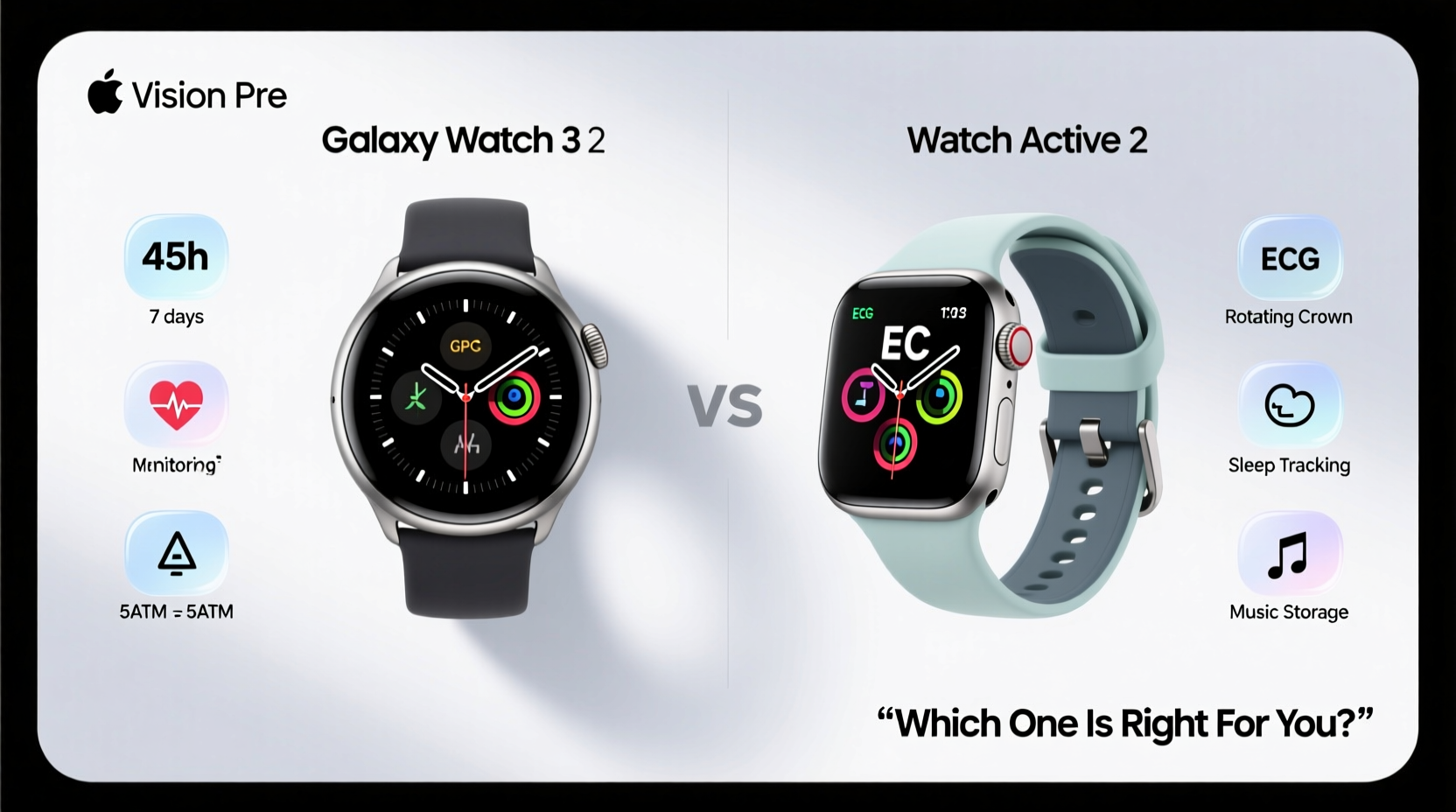
The Galaxy Watch 3 brought a noticeable shift in design language compared to the sleek, minimalist Galaxy Watch Active 2. While the Active 2 emphasizes lightness and sportiness with its aluminum or stainless steel case and absence of physical buttons, the Watch 3 returns to a more classic analog look with a rotating bezel, sturdier build, and premium materials like titanium (in select models).
The rotating bezel on the Watch 3 is more than just nostalgic—it enhances navigation, especially when wearing gloves or using the watch during workouts. It provides tactile feedback and reduces reliance on touch input, which can be finicky with sweaty fingers.
However, the Active 2 remains lighter—just 26g for the aluminum version—making it less obtrusive during sleep tracking or long runs. For users who prefer comfort over heft, this remains a strong point in its favor.
Health and Fitness Tracking: What’s Improved?
Both watches support heart rate monitoring, automatic workout detection, GPS, and stress tracking via Samsung’s BioActive Sensor platform. But the Galaxy Watch 3 introduces key upgrades that matter for health-conscious users.
- Blood Oxygen (SpO2) Monitoring: The Watch 3 includes a blood oxygen sensor, allowing periodic or on-demand SpO2 readings—a feature absent in the Active 2.
- Sleep Apnea Screening (via app): With Samsung Health Monitor, the Watch 3 can detect signs of potential sleep apnea by analyzing breathing patterns overnight.
- Improved ECG Functionality: While both support ECG, the Watch 3 offers faster readings and better integration with healthcare apps.
- Fall Detection & SOS Alerts: A standout safety feature exclusive to the Watch 3. If it detects a hard fall and you don’t respond within a set time, it automatically calls emergency services and notifies contacts.
“Wearables are becoming critical tools in preventive healthcare. Devices like the Galaxy Watch 3, with advanced sensors and clinical-grade features, represent a meaningful step forward.” — Dr. Lena Patel, Digital Health Researcher at Stanford Medicine
For users managing chronic conditions or concerned about elderly family members, fall detection alone may justify the upgrade. The Active 2, while capable, lacks these proactive health safeguards.
Performance and Software Experience
Under the hood, the Galaxy Watch 3 uses a slightly faster processor (Exynos 9110 vs 9110 Dual Core) and has more RAM (1GB vs 768MB), resulting in smoother app launches and multitasking. Both run Wear OS (now Wear OS with Samsung), but the Watch 3 handles newer software updates more efficiently.
Battery life is comparable—about 2–3 days with moderate use—but the Watch 3’s larger 340mAh battery (versus 340mAh in the 44mm Active 2) doesn’t translate to significantly longer runtime due to higher power demands from additional sensors and the always-on display being standard.
| Feature | Galaxy Watch 3 | Galaxy Watch Active 2 |
|---|---|---|
| Rotating Bezel | Yes | No |
| Blood Oxygen (SpO2) | Yes | No |
| Fall Detection | Yes | No |
| ECG | Yes | Yes |
| Battery Life | Up to 3 days | Up to 3 days |
| Water Resistance | 5ATM + IP68 | 5ATM + IP68 |
| Weight (44mm) | 53g | 34g |
| Always-On Display | Standard | Optional (configurable) |
Real-World Example: An Athlete's Perspective
Jamal, a triathlete and long-time Galaxy Watch Active 2 user, considered upgrading after his watch began lagging during GPS-heavy cycling sessions. He noticed delayed notifications and occasional disconnects from his Bluetooth headphones. After switching to the Galaxy Watch 3, he found the rotating bezel made navigating training plans easier mid-run, and the improved GPS accuracy gave him more confidence in route mapping.
More importantly, during a post-marathon recovery phase, the Watch 3 flagged low SpO2 levels, prompting him to consult a doctor. Though not serious, it highlighted how upgraded sensors could offer early warnings the Active 2 simply couldn't provide.
Still, Jamal noted the added weight was noticeable during swim intervals, and he missed the seamless low-profile fit of the Active 2. His verdict? “If you train seriously and care about health insights, go for the Watch 3. But if you just want basic tracking and a light daily companion, the Active 2 still delivers.”
Is Upgrading Worth It?
The answer depends on your priorities.
If you’re already satisfied with your Galaxy Watch Active 2—its fitness tracking, call quality, and general responsiveness—the upgrade to the Watch 3 may feel incremental rather than revolutionary. You’ll gain advanced health tools and a more durable design, but you’ll also pay more (especially for LTE or titanium versions) and carry extra weight.
On the other hand, if you value medical-grade features like fall detection, continuous SpO2 monitoring, or enhanced ECG reliability, the Galaxy Watch 3 offers tangible benefits that improve safety and peace of mind—particularly for older users or those with underlying health concerns.
Checklist: Should You Upgrade?
- Are you missing specific features like blood oxygen or fall detection?
- Do you often engage in high-intensity or outdoor activities where GPS accuracy matters?
- Is your Active 2 showing signs of wear—slow response, degraded battery, cracked screen?
- Do you value a more premium, traditional watch aesthetic?
- Are you using the watch for health monitoring beyond step counting?
If you answered “yes” to three or more, the upgrade makes sense. Otherwise, extending the life of your Active 2 with a new band or optimized settings might be smarter.
Frequently Asked Questions
Can the Galaxy Watch Active 2 still receive updates?
Yes, Samsung provides periodic firmware and security updates for the Galaxy Watch Active 2, though major feature additions are now focused on newer models like the Watch 4 and later. It remains compatible with current Galaxy smartphones and Wear OS apps.
Does the Galaxy Watch 3 work with iPhones?
Limited functionality. While it pairs via Bluetooth and supports basic notifications and fitness tracking, full features like ECG, SpO2, and Samsung Pay require a Samsung phone. iPhone users get a reduced experience.
Is the Galaxy Watch Active 2 obsolete?
No. For everyday use—tracking steps, receiving alerts, monitoring heart rate, and running basic workouts—the Active 2 performs reliably. Its lightweight design and proven durability keep it relevant, especially at discounted prices.
Final Thoughts: Making the Right Choice for You
The Galaxy Watch 3 is objectively the better device—more advanced sensors, stronger build, and greater safety features make it a worthwhile evolution. But \"better\" doesn’t always mean \"necessary.\"
The Galaxy Watch Active 2 remains a highly capable smartwatch. It excels as a fitness companion and daily notifier, all in a lightweight, stylish package. Unless you need the Watch 3’s premium health tools or appreciate its mechanical bezel, there’s no urgent reason to replace a functioning Active 2.
Instead of chasing the latest model, consider what you actually use your watch for. Longevity, sustainability, and practicality matter just as much as specs. If your Active 2 still meets your needs, keep using it wisely. But if you’re ready for deeper health insights and a more resilient design, the Galaxy Watch 3 stands as a compelling upgrade path—even years after its release.




 浙公网安备
33010002000092号
浙公网安备
33010002000092号 浙B2-20120091-4
Comments
No comments yet. Why don't you start the discussion?